1
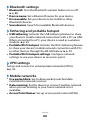
››Additional settings
Caller ID: Display your caller ID to other parties for
outgoing calls.
●● Call waiting: Allow incoming call alerts when a call is in
progress.
●● Turn on proximity sensor: Set to turn on the proximity
sensor during a call (turns off the LCD when the phone is
close to your face to prevent accidental actuation).
●●
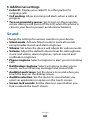
Sound
Change the settings for various sounds on your device.
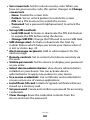
●● Silent mode: Activate Silent mode to mute all sounds
except media sounds and alarm ringtones.
●● Vibrate: Set when the device will vibrate for various events.
●● Volume: Adjust the default volume level for call ringtones,
music and videos, alarm ringtones, system sound, and
notification ringtones.
●● Phone ringtone: Select a ringtone to alert you to incoming
calls.
●● Notification ringtone: Select a ringtone to alert you to
events, such as incoming messages and missed calls.
●● Audible touch tones: Set the device to sound when you
touch the keys on the dialing screen.
●● Audible selection: Set the device to sound when you
select an application or option on the touch screen.
●● Screen lock sounds: Set the device to sound when you
lock or unlock the touch screen.
Settings
107