1
EMC V2.4 User Manual
Chapter 4. AXIS
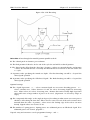
• "Max Velocity", which allows you to set the maximum velocity for rapids and cap feed rates
(except spindle synchronized motion) for dry runs. Currently only AXIS and Halui allow you to
set it.
• A text display area that shows the G-code source of the loaded file.
• A status bar which shows the state of the machine. In this screen shot, the machine is turned
on, does not have a tool inserted, and the displayed position is "Relative” to the machine offset
(as opposed to “Absolute”), and the “Actual” (as opposed to “Commanded” position)
4.3.1
Menu Items
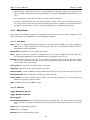
Some menu items might be grayed out depending on how you have your .ini file configured. For
more information on configuration see the Integrators Manual.
4.3.1.1
File Menu
Open... Opens a standard dialog box to open a g code file to load in AXIS. If you have configured
EMC to use a filter program you can also open it up. See the Integrators manual for more
information on filter programs.
Recent Files Displays a list of recently opened files.
Edit... Open the current g code file for editing if you have an editor configured in your ini file. See
the Integrators Manual for more information on specifying an editor to use.
Reload reload the current g code file. If you edited it you must reload it for the changes to take
affect. If you stop a file and want to start from the beginning then reload the file. The toolbar
reload is the same as the menu.
Save gcode as... Save the current file with a new name.
Properties Properties of the current loaded g code file.
Edit tool table... Same as Edit if you have defined an editor you can open the tool table and edit it.
Reload tool table After editing the tool table you must reload it.
Ladder editor If you have loaded Classic Ladder you can edit it from here. See the Integrators
Manual on setting up Classic Ladder
Quit Terminates the current EMC session.
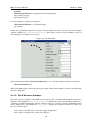
4.3.1.2
Machine
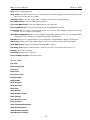
Toggle Emergency Stop F1
Toggle Machine Power F2
Run Program
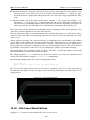
Run From Selected Line Select the line you want to start from first. Use with caution as this will
move the tool to the expected position before the line first then it will execute the rest of the
code.
Step Single step through a program.
Pause Pause a program.
Resume Resume running from a pause.
15