1
InfiNet Wireless
WANFleX OS User Manual
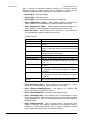
Server service information that will be written into the system log (to
manage system log please use “sys log” command). Different levels of
logging can be chosen by “emerg”, “alert”, “crit”, “error”, “warning”,
“notice”, “info”, “debug” parameters or specified by the number of the
needed level (from 0 to 7) using numeric “LEVEL” parameter. By default,
“info” (6th level) is chosen.
•
-keepalive=TIME - sets session activity check duration period in
seconds. By default server doesn’t make activity check (“0” value).
•
-banner=on/off – shows/hide IW WANFleX SSH login banner.
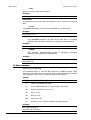
“Options” for SSH algorithms management:
•
-algo-list – shows a list of all available SSH algorithms for key exchange
(kex), authentification (host key), data encryption (cipher), data
verification (hash) and data compression (compress).
•
-kex-algos=ALGO-LIST - allows choosing kex algorithms from the list
of algorithms (-algo-list) to be used in SSH key exchange process.
•
-hostkey-algos=ALGO-LIST - allows choosing host key algorithms
from the list of algorithms (-algo-list) to be used in SSH Server-Client
authentification process.
•
-cipher-algos=ALGO-LIST - allows choosing cicpher algorithms from
the list of algorithms (-algo-list) to be used in SSH data encryption.
•
-hash-algos= ALGO-LIST - allows choosing hash algorithms from the
list of algorithms (-algo-list) to be used in SSH data verification.
•
-comp-algos=ALGO-LIST - allows choosing compression algorithms
from the list of algorithms (-algo-list) to be used in SSH data
compression.
Authentication of SSH Clients
By default, SSH Clients are authorized by SSH Server after typing a valid
password. However, password authentication may be not enough to provide the
needed security level. InfiNet Wireless devices have several built-in SSH
authentication methods that are managed by “sshd pubkey” and “sshd -authmethods” commands.
“Sshd pubkey” command allows enabling public key based authentification of
SSH Clients. In the Public key authentication mode SSH Server authorize SSH
Client bypassing password login procedure. This mode is enabled automatically
once a public key of the SSH Client is cached in SSH Server’s registry.
To upload SSH Client’s public key into the SSH Server registry from a remote FTP
server use the following command:
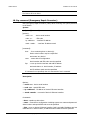
sshd pubkey import [LOGIN[:PASSWORD]@]HOST/FILE [COMMENT]
Where “HOST” – is an IP-address of the remote FTP server and “FILE” is a file
containing SSH Client’s RSA/DSS public key in OpenSSH or SSH2 format. If login
and password are set on the remote FTP server they should be specified as
“LOGIN” and “PASSWORD” parameters in the command syntax. “COMMENT”
parameter allows adding a comment to the public key entry in the SSH Server
list of clients public keys. By default, a comment with clients IP-address or FTP
IP-address from where the key was obtained is added.
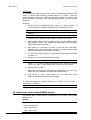
The other way to cash SSH Client’s public key in the SSH Server registry is to
perform a password authentification of the SSH Client and then type the
following command on the SSH Server:
sshd pubkey install [COMMENT]
Copyright © 2004-2011 by InfiNet Wireless
13