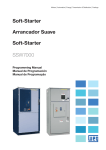
1
Motors | Automation | Energy | Transmission & Distribution | Coatings Soft-Starter Arrancador Suave Soft-Starter SSW7000 User’s Manual Manual del Usuário Manual do Usuário User’s Manual Series: SSW7000 Language: English Document Number: 10001461783 / 04 Publication Data: 02/2015 Summary of Revisions The table describes the revisions made to this manual. Revision 1 2 3 4 Descriptio First edition Correction of table 8.1 Ssection update 10.3.1 – safe sectioning D.O.L. starting description – section 10.4 SSW7000C Description Chapter 8 10 10 3, 5, 6 and 9 Summary 1 SAFETY INSTRUCTIONS .................................................................... 1-1 1.1. 1.2. 1.3. SAFETY WARNINGS IN THE MANUAL ......................................................................................... 1-1 SAFETY WARNINGS IN THE PRODUCT ...................................................................................... 1-1 PRELIMINARY RECOMMENDATIONS ......................................................................................... 1-2 2 ABOUT THE MANUAL ......................................................................... 2-1 2.1. TERMS AND DEFINITIONS ............................................................................................................ 2-1 2.1.1. Terms and Definitions Used in the Manual ....................................................................... 2-1 3 ABOUT THE SSW7000 SOFT-STARTER ............................................ 3-1 3.1. MAIN CHARACTERISTICS............................................................................................................. 3-1 3.1.1. Disconnect Switch .......................................................................................................... 3-1 3.1.2. Fuses ............................................................................................................................. 3-2 3.1.3. Line Contactor ............................................................................................................... 3-2 3.1.4. Bypass Contactor ........................................................................................................... 3-2 3.1.5. Power Arms .................................................................................................................... 3-2 3.1.6. Control ........................................................................................................................... 3-3 3.1.7. Motor thermal Protection ................................................................................................ 3-3 3.1.8. Tests .............................................................................................................................. 3-3 3.1.9. Ground Fault Protection .................................................................................................. 3-3 3.1.10. Command for Power Factor Correction ........................................................................ 3-4 3.2. SSW7000 IDENTIFICATION LABEL .............................................................................................. 3-4 3.3. HOW TO SPECIFY THE SSW7000 MODEL (SMART CODE) ....................................................... 3-5 3.4. RECEIVING AND STORAGE .......................................................................................................... 3-5 3.4.1. Unpacking ...................................................................................................................... 3-5 3.4.2. Panel and Power Arm Storage ........................................................................................ 3-7 4 HMI ....................................................................................................... 4-1 4.1. 4.2. BATTERY ......................................................................................................................................... 4-1 HMI CABLE ..................................................................................................................................... 4-1 5 INSTALLATION AND CONNECTION .................................................. 5-1 5.1. MECHANICAL INSTALLATION ...................................................................................................... 5-1 5.1.1. Environmental Conditions ................................................................................................ 5-1 5.1.2. Dimensions with Package ............................................................................................... 5-1 5.1.3. Panel and Arm Dimensions ............................................................................................. 5-2 5.1.4. Handling Recommendations ........................................................................................... 5-5 5.1.5. Hoisting .......................................................................................................................... 5-5 5.1.6. Moving ........................................................................................................................... 5-5 5.1.7. Positioning and Mounting ................................................................................................ 5-6 5.1.8. Medium Voltage Compartment ........................................................................................ 5-7 5.1.9. Low Voltage Compartment .............................................................................................. 5-8 5.1.10. Power Cable Entry ....................................................................................................... 5-9 5.1.11. Control Cable Entry ................................................................................................... 5-10 5.1.12. Power Arm Insertion .................................................................................................. 5-11 5.2. ELECTRICAL INSTALLATION ..................................................................................................... 5-12 Summary 5.2.1. 5.2.2. 5.2.3. 5.2.4. 5.2.5. 5.2.6. 5.2.7. 5.2.8. 5.2.9. 5.2.10. 5.2.11. Power Arm Electrical and Fiber Optic Connections ........................................................ SSW7000 Simplified Block Diagram .............................................................................. Location of the Power and Grounding Connections ....................................................... Recommended Power and Grounding Cables ............................................................... Fuses ........................................................................................................................... Connection of the Power Supply to the SSW7000 ......................................................... Power Supply Short Circuit Rating ................................................................................ Motor Connection......................................................................................................... Grounding connection .................................................................................................. User Signal and Control Connections ........................................................................ Auxiliary Low Voltage Supply Connection .................................................................. 5-12 5-17 5-18 5-20 5-22 5-22 5-22 5-23 5-23 5-24 5-28 6 INTERNAL CONNECTIONS ................................................................. 6-1 6.1. SSW7000 ELECTRONIC BOADS ................................................................................................... 6-1 6.1.1. CC11 Board ................................................................................................................... 6-1 6.1.2. CSM Board Connections ................................................................................................ 6-2 6.1.3. FSM Board Connections ................................................................................................. 6-3 6.1.4. FSMT Board Connections ............................................................................................... 6-5 6.1.5. FISM Board Connections ................................................................................................ 6-6 6.1.6. CFW-10 Connections ..................................................................................................... 6-6 6.1.7. Power Arm Internal Connections ..................................................................................... 6-7 6.1.8. Connections between the CSM Board and the TF Transformer ........................................ 6-8 6.1.9. Connections between the Low Voltage and the Medium Voltage Controls ....................... 6-8 7 FIRST ENERGIZATION ......................................................................... 7-1 7.1. SSW7000 OPERATION VERIFICATION ........................................................................................ 7-1 7.1.1. Test without Three-phase Voltage ................................................................................... 7-2 7.1.2. Test with Medium Voltage ............................................................................................... 7-2 7.1.3. Test with Low Voltage .................................................................................................... 7-3 7.2. COMMISSIONING .......................................................................................................................... 7-4 7.3. CONNECTION TO A PC ................................................................................................................. 7-5 7.4. FLASH MEMORY MODULE ........................................................................................................... 7-5 8 ACCESSORIES ..................................................................................... 8-1 9 TECHNICAL SPECIFICATIONS ........................................................... 9-1 9.1. POWER DATA ................................................................................................................................. 9-1 9.1.1. Operational Capacity ...................................................................................................... 9-1 9.2. CONTROL DATA ............................................................................................................................ 9-2 10 TROUBLESHOOTING AND MAINTENANCE ..................................... 10-1 10.1. FAULT TRIPS AND ALARMS ................................................................................................... 10-1 10.2. MOST FREQUENT PROBLEMS ............................................................................................... 10-2 10.3. PREVENTIVE MAINTENANCE ................................................................................................. 10-3 10.3.1. SSW7000 Disconnection Sequence .......................................................................... 10-4 10.4. DIRECT ONLINE START – DOL ............................................................................................... 10-5 10.5. DATA FOR CONTACT WITH THE TECHNICAL SUPPORT ................................................... 10-5 Safety Instructions 1 SAFETY INSTRUCTIONS This manual contains the information necessary for the correct use of the SSW7000. It has been written to be used by qualified personnel with suitable training or technical qualification for operating this type of equipment. 1.1. SAFETY WARNINGS IN THE MANUAL The following safety notices are used in the manual: DANGER! The procedures recommended in this warning have the purpose of protecting the user against death, serious injuries and considerable material damage. ATTENTION! The procedures recommended in this warning have the purpose of avoiding material damage. NOTE! The information mentioned in this warning is important for the proper understanding and good operation of the product. 1.2. SAFETY WARNINGS IN THE PRODUCT The following symbols are attached to the product, serving as safety notices: High voltages are present Components sensitive to electrostatic discharge. Do not touch them Mandatory connection to the protective earth (PE). Connection of the shield to the ground. SSW7000 | 1-1 Safety Instructions 1.3. PRELIMINARY RECOMMENDATIONS DANGER! Only qualified personnel familiar with the SSW7000 soft-starter and associated equipment should plan or implement the installation, start-up and subsequent maintenance of this equipment. These personnel must follow all the safety instructions included in this manual and/or defined by local regulations. Failure to comply with these instructions may result in life threatening and/or equipment damage NOTES! For the purposes of this manual, qualified personnel are those trained to be able to: 1. Install, ground, energize and operate the SSW7000 according to this manual and the effective legal safety procedures 2. Use protective equipment according to the established standards. 3. Give first aid services. DANGER! Always disconnect the input power before touching any electrical component associated to the SSW7000. Follow the SSW7000 disconnection sequence, according to the item 10.3.1 - SSW7000 Disconnection Sequence. High voltages and rotating parts (fans, if installed) may be present on the SSW7000 even after shut down or power disconnection. Wait at least 3 minutes for the complete discharge of the capacitors and the stopping of the fans. Always connect the equipment frame to the protective earth (PE) at the suitable connection point. ATTENTION! Electronic boards have components sensitive to electrostatic discharges. Do not touch directly on components or connectors. If necessary, touch the grounded metallic frame before or use an adequate grounded wrist strap. Do not perform any high pot tests with the SSW7000! If it is necessary, consult WEG. NOTE! Soft-starters may interfere with other electronic equipments. In order to minimize these effects, take the precautions recommended in the chapter 5 - Installation and Connection. NOTE! Read the user's manual completely before installing or operating the SSW7000. SSW7000 | 1-2 About the Manual 2 ABOUT THE MANUAL This manual presents the necessary information for the installation and commissioning, as well as the product main technical characteristics, and how to troubleshoot the SSW7000 most common problems. This manual must be used together with the SSW7000 programming manual. ATENÇÃO! The operation of this equipment requires installation instructions and detailed operation provided in the user's manual, programming manual and communication manuals. The user's manual and the programming manual are supplied in a hard copy together with the soft-starter. The user guides are also provided in a hard copy along with the accessories. The other manuals are included on the CD supplied with the soft-starter or can be downloaded from the WEG website at - www.weg.net. The CD should always be kept with the equipment. A printed copy of the files available on the CD can be ordered through your local WEG representative. In order to obtain more information on the accessories and its operation, refer to the following manuals: RS-232/RS-485 Serial Communication Manual. Anybus-CC Communication Manual. Reproduction of this manual content is prohibited, as a whole or in parts, without written permission from WEG. 2.1. TERMS AND DEFINITIONS 2.1.1. Terms and Definitions Used in the Manual Amp, A: ampere AC: alternating current. DC: direct current. DOL: Direct Online start. °C: celsius degrees. HMI: Human-Machine Interface; it is the device that allows the control of the motor, the visualization and the modification of the SSW7000 parameters. It presents keys for commanding the motor, navigation keys and a graphic LCD display. hp: “Horse Power” = 746 Watts (power measurement unit, normally used to indicate the mechanical power of electric motors). Hz: hertz. kg: kilogram= 1000 gramas. kHz: kiloohertz = 1000 hertz. kV: quilovolts = 1000 volts. mA: miliampere = 0.001 ampères. SSW7000 | 2-1 About the Manual min: minute. ms: milisecond = 0.001 segundos. Nm: newton meter; torque measurement unit. OEM: Original Equipment Manufacturer. Ω: ohm. PE: Protective Earth. rms: “Root mean square”; effective value rpm: revolutions per minute, speed measurement unit. s: second. UCBT: Low voltage control unit. UCMT: Medium voltage control unit. USB: “Universal Serial BUS”; it is a type of connection in the perspective of the “Plug and Play” concept. V: volts. SSW7000 | 2-2 About the SSW7000 Soft-Starter 3 ABOUT THE SSW7000 SOFT-STARTER The “Soft-Starter WEG 7000” is a high performance product that allows the starting/stopping control and protection of medium voltage three-phase induction motors, thus preventing mechanical shocks ant the load, current peaks in the supply line and damage to the motor. Figure 3.1: Diagrama de blocos geral da SSW7000 3.1. MAIN CHARACTERISTICS The softstarter SSW7000 has three panel versions: one IP41 version and two versions NEMA. NEMA versions are: the standard cabinet 42” wide and the compact version – SSW7000, 36” wide. The operation is the same for all versions. The specific differences among the versions will be detailed in this manual. 3.1.1. Disconnect Switch The standard SSW7000 panel has a medium voltage input disconnect switch that allows the electrical disconnection of the internal circuit of the SSW7000 from the power supply. This disconnect switch is interlocked with the cabinet door, so that the door can only be opened when the disconnect switch is also open. When open, the connections on the upper side of the fuses are grounded. DANGER! Even with the disconnect switch open, voltage may still be present on the side of medium voltage power supply of the disconnect switch. When maintenance is required on the medium voltage side of the disconnect switch, the medium voltage power supply must be disconnected and grounded in a point before the SSW7000. DANGER! The SSW7000 has another power supply for the low voltage control. Make sure there is no voltage before touching any component SSW7000 | 3-1 About the SSW7000 Soft-Starter 3.1.2. Fuses The standard panel of the SSW7000 features R-type medium voltage fuses against short circuit on the panel, on the motor and on the cables to the motor. 3.1.3. Line Contactor The standard SSW7000 panel has a line vacuum contactor with utilization category AC-3, which makes it possible to disconnect the SSW7000 power section whenever the motor is deactivated. The FSM board controls the line contactor. 3.1.4. Bypass Contactor The standard SSW7000 panel has a vacuum contactor with utilization category AC-3, which makes it possible to bypass the power arms after starting the motor. This function allows energy saving by eliminating losses on the SCRs during the motor full operating duty and it also eliminates the necessity of using fans for the operation of the SSW7000 in its rated start operation duty, which is specified in the section 9.1 – Power Data. This contactor is sized to withstand direct on line starting and the SSW7000 rated current at full load. It also allows the implementation of a direct on line starting logic. . The FSM board controls the bypass contactor. 3.1.5. Power Arms The SSW7000 power arms are assembled as modules with wheels that facilitate their installation and replacement during maintenance. For the SSW7000C version, the power arms don’t have wheels and are attached to the back of the panel. a) SSW7000 b) SSW7000C Figure 3.2: Power Arms Each arm is comprises the SCRs, heatsinks, snubbers, supply transformers and firing boards. The firing commands and the temperature readings are performed through fiber optic cables. If it is necessary to increase the start duty of the SSW7000, increasing the number of starts per hour, for instance, it is possible to install fans on the power arms. In such case, refer to the manufacturer. SSW7000 | 3-2 About the SSW7000 Soft-Starter 3.1.6. Control The SSW7000 control is implemented using two electronic control boards, isolated from each other through fiber optic cables. The C1 (CC11) control board is responsible for all the user access means: HMI, analog and digital inputs and outputs, communication accessories, PT100 input and SoftPLC. It presents the possibility of firmware update either via USB communication or via flash memory. The C2 (CSM) control board is responsible for the motor control, the firing signals, the voltage and current readings, and the synchronism. It is mounted in the medium voltage compartment and it does not allow direct access to the user. The board firmware can be updated via USB communication. 3.1.7. Motor thermal Protection Besides the possibility of using overload protection on the motor by means of preset thermal class, the SSW7000 has an eight channel PT100 input accessory (IOE-04 module), which allows monitoring the motor winding and bearing temperatures. The advantage of this module is the possibility of using the motor overload protection combined with the PT100 temperature measurements. Besides, these temperature measurements are also available on the HMI and through network communication. The fault and alarm levels of the motor thermal protection through the motor PT100 sensors can be totally programmed. For further details, refer to sections 15.5 - Motor Thermal Protection and 15.6 - Motor Thermal Class Protection, of the programming manual. 3.1.8. Tests The SSW7000 has a test routine with the purpose of verifying the main panel connections. For more details, refer to the section 7.1- SSW7000 Operation Verification in this manual and to the section 14.2 - Test Mode in the SSW7000 programming manual. There is also the possibility of performing test with low voltage; however, it becomes necessary to change the voltage reading connections, as well as the SSW7000 parameterization (P0296). 3.1.9. Ground Fault Protection The SSW7000 has two ground fault detection methods. One by neutral to ground voltage measurement (in the standard panel) for isolated networks, and another by ground fault current measurement (the current transformer is optional). Figure 3.3: Ground fault detection by voltage NOTE! The ground fault by voltage detected by the SSW7000 may have occurred in any point of the power supply system from the transformer to the motor. SSW7000 | 3-3 About the SSW7000 Soft-Starter The ground fault protection by voltage has the advantage that the SSW7000 also detects the ground fault when the ground fault current does not pass through the SSW7000. Figure 3.4: Ground fault detection by current. 3.1.10. Command for Power Factor Correction The SSW7000 is able to control a power factor correction capacitor bank directly through a digital output (DO1, DO2 or DO3) programmed for capacitor. Therefore, the digital output will be activated after the motor starting, when the bypass contactor is closed, thus preventing the capacitor bank from being activated when the motor is deactivated or during the motor starting or stopping process. For more details, refer to the SSW7000 programming manual. The capacitor bank is not part of the product. DANGER! Power factor correction capacitors must never be installed at the SSW7000 output (U / 2T1, V / 4T2 and W / 6T3). 3.2. SSW7000 IDENTIFICATION LABEL The SSW7000 identification label is affixed inside the product cabinet. This label contains important information on the SSW7000: Model. Three-phase voltage. Three-phase current. Frequency. Electronics power supply voltage. Serial number Figure 3.5: Identification label SSW7000 | 3-4 About the SSW7000 Soft-Starter 3.3. HOW TO SPECIFY THE SSW7000 MODEL (SMART CODE) Table 3.1: Smart Code Product Line SSW7000 SoftStarter WEG series 7000 Frame Size Rated Current A A = Frame size A K = Kit OEM C= Compact version 180 180 = 180 A 300 = 300 A 360 = 360 A 125 = 125 A 250 = 250 A 359 = 360A Line T No. of phases T= Threephase Rated Voltage 2 Threephase voltage Electronics Enclosure Special Special Market Ventilation type Hardware Software Supply 22 Electronics supply 11 = 110 V 2 = up to 2,3 kV 22 = 220 V 4 = up to 4,16 kV 41 _ Enclosure Blank = type Standard F = Forced 00 = IP00 41 = IP41 __ Blank = Standard __ _ Blank = Blank = Standard Global The 125 A, 250 A and 359 A models are the compact version models – SSW7000C. SSW7000 is currently only available for 4,16 kV Example: SSW7000A180T42241 WEG soft-starter series 7000, with 180 A rated current, 4.16 kV rated voltage, 220V electronics supply, in an IP41 enclosure type cabinet. 3.4. RECEIVING AND STORAGE The standard SSW7000 is supplied with the power arms separated from the panel and packed individually. The SSW7000 panel is supplied in a package composed by cardboard, plastic and wood. Wood and polystyrene wedges compose the power arm package. There is an identification label outside this package, which is identical to the one affixed to the power arms. Confront the content of this label with the purchase order. The contents of the packages should be verified on product receiving. NOTES! If any component is found damaged, it is recommended to: 1. Stop the package opening immediately. 2. Contact the carrier and fill in a format complaint of the problem found. 3. Take pictures of the damaged parts/components. 4. Contact your WEG representative or WEG service. Guidance for handling, transportation, mechanical and electric installation of the product, is presented in the chapter 5 - Installation and Connection. 3.4.1. Unpacking Use proper tools to unpack the SSW7000 panel and its power arms. During this process, make sure that all the items listed in the documentation that comes with the product are present and in perfect conditions. Contact your local WEG representative or WEG service in case of any irregularity. Remove the arm packages carefully. Note that the arms have hoisting eyes, as showed in the figure 3.6. The SSW7000 power arms have fragile components (electronic boards, fiber optic connectors, busbars, wiring, etc.). Avoid touching these components. SSW7000 | 3-5 About the SSW7000 Soft-Starter The arms must always be handled through their external metallic frame. While opening the package, inspect the arms for transportation damage. Do not install the arms if they are damaged or if you suspect of any damage. Figure 3.6: a) SSW7000 Power Arms with package Figure 3.6: b) SSW7000C Power Arms with package SSW7000 | 3-6 About the SSW7000 Soft-Starter 3.4.2. Panel and Power Arm Storage If the panel and/or the power arms are not installed soon after unpacked, the following storage instructions must be followed: They must be packed again in their original packages, but without the plastic film, in order to avoid moisture condensation. They must be stored in a clean and dry environment (temperature between -25 °C and 50 °C (-13 °F and 122 °F) with moisture below 85 %). They must be covered up in order to avoid dust accumulation or water splashing. SSW7000 | 3-7 About the SSW7000 Soft-Starter SSW7000 | 3-8 HMI 4 HMI 4.1. BATTERY The battery located inside the HMI is used to keep the clock operation while the soft-starter is deenergized. Its location and replacement are show in the figure 4.1. The battery life expectancy is of approximately 10 years. To remove it rotate the cover located at the rear part of the HMI, according to the figure 4.1. When necessary, replace the battery by another of the CR2032 type. Figure 4.1: Localização e troca da bateria da HMI NOTE! The battery is necessary only for clock-related functions. In the event of the battery being discharged or not installed in the keypad (HMI), the clock time becomes incorrect and the alarm A182 – “Invalid Clock Value” will be indicated every time the SSW7000 is powered up. 4.2. HMI CABLE The HMI can be installed and removed even when power is applied to the SSW7000. The HMI supplied with the product can also be used to command the SSW7000 remotely. Therefore, use a cable with male and female D-Sub9 (DB9) connectors, with pin-to-pin connections, or a market standard Null Modem cable. Maximum allowed cable length of 10 m (32.81 ft). Examples: Mouse extension cable - 1.8 m (5.91 ft); Manufacturer: Clone. Belkin pro series DB9 serial extension cable 5 m (16.4 ft); Manufacturer: Belkin. Cables Unlimited PCM195006 cable, 6 ft DB9 m/f; Manufacturer: Cables Unlimited. The M3 x 5.8 metallic stand-offs supplied with the product must be used. Recommended tightening torque: 0.5 N.m (4.50 Ibf.in). SSW7000 | 4-1 HMI SSW7000 | 4-2 Installation and Connection 5 INSTALLATION AND CONNECTION This chapter describes the SSW7000 electrical and mechanical installation procedures. The presented instructions and guidelines must be followed aiming personnel and equipment safety, as well as the SSW7000 proper operation. ATTENTION! Only trained personnel, qualified to work with medium voltage installations, must handle the SSW7000 and perform the mechanical and electrical installation. 5.1. MECHANICAL INSTALLATION 5.1.1. Environmental Conditions Avoid: Direct exposure to sunlight, rain, high humidity, or sea-air. Inflammable or corrosive gases or liquids. Excessive vibration. Dust, metallic particles, and oil mist. Allowed environmental conditions: Temperature: -10 ºC a 40 ºC (14 ºF a 104 ºF) – at nominal conditions (surrounding the soft-starter). From 40 ºC to 50 ºC (104°F to 122 °F) - current derating of 2% for each Celsius degree above 40 ºC (104 F). Maximum ambient temperature: 50 ºC (122 °F). Relative humidity: from 5 % to 95 % non-condensing. Altitude: up to 1000 m (3280.83 ft) - nominal conditions. Consult WEG for other altitudes. Pollution degree: 2 (according to UL508) with non-conductive pollution. Condensation shall not originate conduction through the accumulated residues. 5.1.2. Dimensions with Package Table 5.1(a): SSW7000 Panel Dimensions – IP41 with package Width mm (in) Height mm (in) Depth mm (in) Weight kg (lb) 1460 (57.48) 2530 (99.61) 1320 (51.97) 855 (1884.95) Table 5.1 (b): SSW7000 NEMA 12 dimensions with package Model Width mm (in) Height mm (in) Depth mm (in) Weight kg (lb) SSW7000 1330 (52.36) 2514 (98.98) 1168 (45.98) 611 (1346,14) SSW7000C 1178 (52.4) 2514 (99.0) 1168 (46.0) 600 (1346) Table 5.2: Power arms dimensions with package. Rated Voltage kV 2,3 4,16 6,9 Width mm (in) Height mm (in) Depth mm (in) Weight kg (lb) 935 (36.81) 935 (36.81) 561 (22.09) 561 (22.09) 643 (25.31) 760 (29.92) 87 (191.8) 103 (227.07) 935 (36.81) 561 (22.09) 877 (34.53) 122 (268.96) SSW7000 | 5-1 Installation and Connection Table 5.3: Power Arms dimensions with package – SSW7000C Rated Voltage kV Width mm (in) Height mm (in) Depth mm (in) Weight kg (lb) 4.16 793 (33.2) 813 (32.01) 430 (16.9) 56 (123.5) 5.1.3. Panel and Arm Dimensions The SSW7000 is supplied in panels with the following external dimensions: Note: Dimensions in mm [in]. Width mm(in) Height mm in) Depth mm (in) Weight (without the arms) kg (lb) 1200 (47.24) 2365 (93.11) 1007 (39.64) 720,1 (1587.55) Figure 5.1 (a): SSW7000 IP41 panel SSW7000 | 5-2 Installation and Connection Note: Dimensions em mm [in]. Width mm (in) 1070 (42.12) Height mm (in) 2349 (92.48) Depth mm (in) Weight (without arms) kg (lb) 855 (33.67) 560,6 (1235.91) Figure 5.1 (b): SSW7000 Nema 12 panel SSW7000 | 5-3 Installation and Connection Width mm (in) 915 (36) Height mm (in) 2413 (95) Depth mm (in) Weight (without arms) kg (lb) 762 (30) 546,4 (1205) Figure 5.1 (c) SSW7000C Nema 12 panel The power arms are supplied separated from the panel and packed individually. Table 5.4: SSW7000 Power arm dimensions without package Rated Voltage kV Width mm (in) Height mm (in) 722 (28.42) Depth mm (in) 430 (16.93) Weight kg (lb) 53 (116.84) 2,3 262 (10.31) 4,16 262 (10.31) 722 (28.42) 546 (21.5) 68,6 (151,24) 6,9 (*) 262 (10.31) 722 (28.42) 664 (26.14) 83,3 (183.64) (*) The SSW7000 Nema 12 has no option of rated voltage 6,9 kV. Table 5.5: SSW7000C Power Arms dimensions without package Rated Voltage kV 4,16 Width mm (in) 226 (9.90) Height mm (in) 585 (23.03) Depth mm (in) 482 (19.0) Weight kg (lb) 30,1 (66,35) (*) Para a SSW7000 Nema 12 e SSW7000C não há a opção de tensão nominal 6,9 kV. SSW7000 | 5-4 Installation and Connection 5.1.4. Handling Recommendations Remove the package completely only at the installation site, where the panel will be operated. Before hoisting or moving the panel, locate the hoisting eyes and fragile spots in the documentation that comes with the product. Follow the handling instructions contained in the documentation that comes with the panel. 5.1.5. Hoisting Make sure that the lifting device used to hoist the panel and the arms is suitable for their shape and weight indicated in the figure 5.1 and in the table 5.3. Observe the gravity center and ensure that the hoisting mechanism is adequate and safe. Use the configuration shown in the figure 5.2. The cables or chains used for hoisting must be at a minimum angle of 45° regarding the horizontal plane. Hoisting must be done in a slow and stable manner. Before starting, make sure the entire pass is clear of obstacles. If any alteration or damage in the panel structure is noticed, stop the hoisting and rearrange the cables or chains. NOTE! The hoisting eye supplied with the Nema 12 panel is optional. Figure 5.2: Recommended hoisting mechanism for the panel movement. 5.1.6. Moving Make sure that all the panel doors are closed and locked and that the door handles are in a protected position. When cranes or pulleys are used, make sure that the movements are slow and smooth, so that the panel and the arms do not suffer excessive swings and vibration. When using movable hydraulic jacks, forklifts, rollers or other movement means, distribute the support points from one extreme of the panel through the other, avoiding pressure on fragile areas. SSW7000 | 5-5 Installation and Connection 5.1.7. Positioning and Mounting The SSW7000 panel must be placed on a flat leveled surface, thus avoiding mechanical instability, door misalignment, among other problems. The permanent panel operation position must allow heat radiation from all its surfaces. The area in front of the panel must remain unobstructed, so that the total opening of the doors is possible, as well as the insertion and extraction of the soft-starter arms and the installation and/or handling of the power and control cables. The connection of the power supply and motor cables is done at the rear of the cabinet. The figure 5.3 presents the dimensions for the panel anchoring and the passage of the cables under the panel. ATTENTION! Make sure there is access for the electrical connections: power supply input and motor cables, command, motor protections, analog and digital inputs and outputs. Figure 5.3: Anchoring of the SSW7000 panel to the floor – dimensions in mm [in] SSW7000 | 5-6 Installation and Connection The adjustment of the mechanical interlock of the doors of the medium voltage compartment of the SSW7000 is carried out at the factory. If any problem is detected in the mechanical interlock operation, which may be caused by irregular surface where the panel is installed, for instance, adjust the locking part by means of the bolts indicated in figure 5.4. Figure 5.4: Position of the door interlock adjustment bolts of the medium voltage compartment. 5.1.8. Medium Voltage Compartment The disconnect switch, the fuses, the input contactor, the bypass contactor, the power arms and the control board 2 are stored in the medium voltage compartment. Figure 5.5(a): Medium voltage compartment (from view and rear view) – IP41 SSW7000 | 5-7 Installation and Connection SSW7000 SSW7000C Figure 5.5(b): Medium voltage compartment (from view) – Nema 12 5.1.9. Low Voltage Compartment In the low voltage compartment are the direct access components to the user’s control connections: control board 1, control board 1 power supply, power supply for the medium voltage boards, auxiliary contactors and access terminals. Figure 5.6 (a): Low voltage compartment – IP41 SSW7000 | 5-8 Installation and Connection SSW7000 SSW7000C Figure 5.6 (b): Low voltage compartment – Nema 12 5.1.10. Power Cable Entry The passage of power cables in the panels IP41 and Nema 12 is shown in figure 5.7 and figure 5.8. Figure 5.7 (a) e (b): Passage of the power cables – IP41. Figure 5.8 (a) e (b): Passagem dos cabos de potência – Nema 12 SSW7000 | 5-9 Installation and Connection Figure 5.8 (c) and (d): Passage of the power cables – Nema 12. 5.1.11. Control Cable Entry The passage of the control cables (digital and analog inputs and outputs, thermistor PT100 and low voltage supply cables) in the panels IP41 and Nema 12 of the SSW7000 is shown in figure 5.9 and figure 5.10 respectively. (a) Passage of cables by the upper part of the panel (b) Passage of the cables by the lower part of the panel Figure 5.9 (a) e (b): Passagem dos cabos de potência – IP41. Figure 5.10: Passage of the control cables by the lower part of the left side of the panel – Nema 12. SSW7000 | 5-10 Installation and Connection 5.1.12. Power Arm Insertion First, remove any packing residues (plastic, wood, polystyrene, metal, nails, bolts, nuts, etc.) that might have been left inside the power arms. Insert the arms according to the following procedure: 1. Use the auxiliary guide brackets, shown in figure 5.11 (a), to move the arms. These auxiliary guide brackets are supplied with the product and are positioned at the internal part of the medium voltage compartment door when they are not used. 2. The arm must be inserted until the locking pins, located at the rear of the arm, fit into the rail base, refer to figure 5.11 (b). 3. 3. Install the locking bolts at the arm front bottom part, refer to figure 5.11. Figure 5.11 (a) to (c): Details of the arm insertion stages For the SSW7000C, the power arms are lighter and are fixed at the panel rear by means of screws, as shown in figure 5.12. Figure 5.12 SSW7000C Power arms installation. SSW7000 | 5-11 Installation and Connection 5.2. ELECTRICAL INSTALLATION DANGER! Before beginning the connections, make sure the power supply is disconnected. DANGER! The SSW7000 cannot be used as an emergency stop mechanism. ATTENTION! The following information is intended to be a guide for a proper installation. You must also comply with applicable local regulations for electrical installations. ATTENTION! During the commissioning, apply power first to the electronics and program the minimum necessary parameters to be able to run the Test Mode (according to the programming manual, section 14.2 Test Mode). The Test Mode execution is essential for the confirmation of the correct operation of the SSW7000 panel main components. Start the motor only if the Test Mode results were satisfactory. 5.2.1. Power Arm Electrical and Fiber Optic Connections After inserting the power arms (R-U, S-V and T-W phases) connect them to the power cables, to the fiber optic cables and to the firing board power supply. All the power arm connections are easy to access. Power connections: The input and output power connections are made with cables with lugs, connected to the module copper terminals. For SSW7000C, the input connection is at the top of the module and is made using cables with lugs. The output connection is made using copper bars. SSW7000 SSW7000C Figure 5.13: Connection of the power cables to the power arms SSW7000 | 5-12 Installation and Connection Table 5.6: Power cable identification Power Cable Identification R U S V T W Arm Terminal R-U arm input R-U arm output S-V arm input S-V arm output T-W arm input T-W arm output Fiber optic cable connections: The firing and temperature monitoring connections are made through fiber optic cables connected to the terminals available at the front of the power arm. The firing cables are connected to the blue terminals and the temperature reading to the gray one. The number of firing cables changes according to the power arm rated voltage. All the power arm firing connections are interchangeable amongst themselves. Figure 5.14: Firing and temperature Reading fiber optic cable connections – SSW7000 Figure 5.15: Firing and temperature Reading fiber optic cable connections – SSW7000C SSW7000 | 5-13 Installation and Connection Table 5.7: Number of firing fiber optic cables per power arm Rated Voltage Number of Firing Cables 2,30 kV 4,16 kV 6,90 kV 2 4 6 Table 5.8: Fiber optic cable identification Power Arm R-U arm S-V arm T-W arm Fiber Optic Cable Identification Fire R – SCR firing cables Temp. R – NTC themistorr cable Fire S – SCR firing cables Temp. S – NTC thermistor cable Fire T – SCR firing cables Temp. T – NTC thermistor cable Terminal Color at the Power Arm Blue Gray Blue Gray Blue Gray NOTES! Precautions with the fiber optic cables: 1. Handle them with caution, in order not to fold, bend, squeeze or cut them. 2. To insert or disconnect the cables, apply pressure or pull only at the connector, and never at the cable. 3. Never bend the cables with a radius smaller than 40 mm (1.57 in). Firing boards power supply connections: The connections of the firing boards power supply depends on the power arm rated voltage. In order to achieve the proper supply operation, always connect the three transformer sets in series. Figure 5.16: Insulated supply connections between the CSM board and the power arms of the model 2300 V. SSW7000 | 5-14 Installation and Connection Figure 5-17: Insulated supply connections between the CSM board and the power arms of the model 4160 V Figure 5.18: Insulated supply connections between the CSM board and the power arms of the model 6900 V NOTE! All the power supply connection cables must have medium voltage insulation, according to the following specifications: 20 kVdc, 150 ºC (302 ºF), 14 AWG or superior. SSW7000 | 5-15 Installation and Connection Table 5.9: Identification of the power supply cables of the electronic boards of the power arms (a) Power Supply cable Identification Identification on the Arm A1 – Power supply cable A2 – Power supply cable A3 – Power supply cable A4 – Power supply cable X1:1 X1:2 X1:3 X1:4 (b) Figure 5.19 (a) a (c): Details of the cable installation on the power arms SSW7000 | 5-16 (c) Installation and Connection 5.2.2. SSW7000 Simplified Block Diagram Figure 5.20: SSW7000 simplified block diagram SSW7000 | 5-17 Installation and Connection 5.2.3. Location of the Power and Grounding Connections T / 5L3, S / 3L2, R / 1L1: medium voltage line. Figure 5.21 (a): Power input and grounding connections – IP41 Figure 5.21 (b): Power input and grounding connections – Nema 12 U / 2T1, V / 4T2, W / 6T3: motor connection. Figure 5.22 (a): Motor connections – IP41 SSW7000 | 5-18 Installation and Connection Figure 5.22 (b): Motor connections – Nema 12 Figure 5.22 (c): Motor connections – SSW7000C SSW7000 | 5-19 Installation and Connection Figure 5.23: Cable shield connection 5.2.4. Recommended Power and Grounding Cables The cables that connect the medium voltage line to the SSW7000 panel input disconnect switch and those that connect the medium voltage to the panel output, showed in the figure 5.24, must be specific for medium voltage application and dimensioned for the motor rated currents. SSW7000 | 5-20 Installation and Connection Figure 5.24: Conexões de potência e aterramento ■ Minimum insulation voltage of the cables according to the power supply. Commercial examples: Cofiban – Cofialt, Pirelli – Eprotenax, Ficap – Fibep. Table 5.10: Recommended cable for 100 % of the rated current Model Power Cable Cross Section mm² (in²) Groundiing Cable Cross Section mm² (in²) 70 A 35 (0,06) 25 (0.04) 125 A 50 (0.08) 25 (0.04) 180 A 70 (0.11) 35 (0.05) 250 A 150 (0.24) 95 (0.15) 300 A 185 (0.29) 95 (0.15) 360 A 240 (0.37) 120 (0.19) ■ Use adequate lugs for the power and grounding connections. ■ Tighten the connections with the adequate torque. Table 5.11: Tightening torque at the power connections Terminal Bolt Torque (Nm) ±20% R / 1L1 S / 3L2 T / 5L3 U / 2T1 V / 4T2 W / 6T3 Grounding M10 30 NOTE! For the correct selection of the cables consider the installation conditions, the maximum allowed voltage drop and use the applicable local regulations on electrical installations. SSW7000 | 5-21 Installation and Connection 5.2.5. Fuses In the panel IP41, the R-type fuses are installed inside the cabinet, close to the disconnect switch, and they protect both motor and installation against short circuit. They must comply with the rated medium voltage supply voltage. In the panel Nema 12 the disconnect switch is installed in the medium voltage upper compartment and the Rtype fuses are in the medium voltage lower compartment beside the line and bypass contactors. The table 5.12 presents the fuses used in the standard SSW7000. They comply with the standard operational SSW7000 capacity. Table 5.12: Recommended fuses Rated Current 70 A 125 A 180 A 250 A 300 A 360 A Fuse 12R (ou 6R) 12R (ou 6R) 12R 18R 18R 24R Table 5.13: Fuse manufacturer codes Manufacturer Bussmann Ferraz xx = Recommended fuse Voltage 4160V JCL-x-rr A480Rxx-1 2300V JCK-x-rr A240Rxx 6900V JCR-x-rr A720xxDxRO-xx NOTE! The fuses will not protect the SCRs in a short circuit event. If a short circuit occurs, retest the SSW7000 according to the procedures described in chapter 7 - First Energization, before activating the motor. 5.2.6. Connection of the Power Supply to the SSW7000 DANGER! The line voltage must be compatible with the soft-starter rated voltage. DANGER! Provide a device for cutting off the SSW7000 power supply. This device must be able to remove the power supply at the soft-starter input whenever necessary (for instance during maintenance work at the SSW7000 panel disconnect switch. 5.2.7. Power Supply Short Circuit Rating When protected by the fuses supplied in the panel, the SSW7000 is suitable to be used in a circuit able to supply at most the current (Symmetric arms) established for each respective model and voltage (V) according to the table 5.14. Table 5.14: Maximum current capacity of the power supply Model 2300 V 4160 V 6900 V SSW7000 | 5-22 Maximum curent capacity 40 kA 40 kA 40 kA Installation and Connection 5.2.8. Motor Connection DANGER! Power factor correction capacitors must never be installed at the SSW7000 output (U/2T1, V/4T2 and W/6T3). DANGER! The SSW7000 has been designed for standard motor connection (three cables). Connection inside the motor delta is not allowed (six cables. Multimotor connection is not allowed. Figure 5-25: Connection of the SSW7000 to the motor. ATTENTION! In order that the protections based on the current reading and indication (motor overload for example) operate properly, the motor rated current must not be less than 20% of the SSW7000 rated current. We do not recommend the use of motors that operate in steady state with load of less than 50% of their rated current. NOTES! The majority of medium voltage motors are special and able to withstand high starting duties, therefore,also special protection methods must be used: 1. The electronic overload protection must be adjusted according to the data supplied by the manufacturer of the used motor. 2. It is recommended to use thermal sensors for the motor protection. 5.2.9. Grounding connection DANGER! The SSW7000 must obligatorily be connected to a protective earth (PE). The grounding connection must comply with the local regulations. Use at least the wire gauge indicated in the table 5.8. Connect it to a specific grounding rod, or to a specific grounding point or to the installation general ground (10 ohm resistance). PERIGO! Utilize um condutor específico para o aterramento, nunca utilize o condutor de neutro. SSW7000 | 5-23 Installation and Connection 5.2.10. User Signal and Control Connections As conexões de sinal (entradas e saídas analógicas) e controle (entradas e saídas digitais) disponíveis para o usuário são realizadas no cartão de controle1 (CC11). Terminal Strip Factory Setting Function 1 +REF Potentiometer positive referente 2 AI1+ 3 AI1- 4 REF Potentiometer negative reference 5 AI2+ Analog Input 2: No function 6 AI2- 7 AO1 8 AGND (24 V) 9 AO2 10 AGND (24 V) 11 DGND* 12 COM 13 24 Vcc 14 COM 15 DI1 16 DI2 17 DI3 18 DI4 19 DI5 20 DI6 21 22 23 24 25 26 27 28 29 NF1 C1 NA1 NF2 C2 NA2 NF3 C3 NA3 Analog Input 1: No function Analog output 1: No function Reference (0 V) for analog ouputs Analog output 2: No function Reference (0 V) for the analog outputs Reference (0 V) for the 24 Vdc power supply Common point of the digital Inputs 24 Vdc power supply Common point of the digital Inputs Digital Input 1: Start / Stop Digital Input 2: Reset Digital Input 3: No function Digital Input 4: No function Digital Input 5: No function Digital Input 6: No function Digital output 1 DO1 Running Digital output 2 DO2 Bypass Digital output 3 DO3 Fault Specifications Output voltage:+5.4 V, ±5 %. Maximum output current: 2 mA Differential Resolution: 12 bits Signal: 0 to 10 V (RIN = 400kΩ) Signal: 0 to 20mA or 4toa 20mA (RIN = 500Ω) Maximum voltage: ±30 V Output voltage: -4.7 V, ±5 %. Maximum output current: 2 mA Differential Resolution: 11 bits + signal Signal: 0 to 10 V (RIN = 400kΩ) Signal: 0 to 20mA or 4 to 20mA (RIN = 500Ω) Maximum voltage: ±30 V Galvanic Isolation Resolution: 11 bits Signal: 0 to 10 V (RL ≥10kΩ) Signal: 0 to 20mA or 4 to 20mA (RL ≤ 500Ω) Protected against short circuit Connected to the ground (frame) throught impedance: 940 Ω resistor in parallel with a 22 nF capacitor Galvanic Isolation Resolution: 11 bits Signal: 0 to 10 V (RL ≥10kΩ) Signal: 0 to 20mA or 4 to 20mA (RL ≤ 500Ω) Protected against short circuit Connected to the ground (frame) throught impedance: 940 Ω resistor in parallel with a 22 nF capacitor Connected to the ground (frame) throught impedance: 940 Ω resistor in parallel with a 22 nF capacitor 24 Vdc, ±8 % power supply Capacitor: 500 mA 6 Isolated digital Inputs High level ≥ 18 V Low level ≤ 3 V Maximum input voltage. = 30 V Input current: 11 mA @ 24 Vcc Contact rating: Maximum voltage: 240 Vcac Maximum current: 1 A NF – Normally closed contact C - Common NA – Normally open contact Figure 5.26: XC1 terminal strip description SSW7000 | 5-24 Installation and Connection Note: in order to check the accessories available for each slot, refer to table 8.1. Figure 5.27: Disposition of the connections on the control board 1 Directions for signal and control wiring: The SSW7000 digital inputs allow several types of electrical connection. They can be activated by the internal auxiliary +24 Vdc supply using as the common point the DGND* or the +24 Vdc. They can also be activated through an external +24 Vdc (wired to a PLC) using either the 0 V of that power supply or the +24 Vdc as the common point, according to the application needs: Figure 5-28: Wiring diagram of the digital inputs using the internal power supply Figure 5-29: Wiring diagram of the digital inputs using na external power supply SSW7000 | 5-25 Installation and Connection The analog inputs and outputs are programmed to operate in the 0 to 10 V range as the factory setting, and they can be changed through the S1 DIP switches, according to the table 5.15. Table 5.15: Configuration of the DIP-switches for the analog input and output signal type selection Signal at Factory setting Function DIP Switch AI1 No function S1.4 AI2 No function S1.3 AO1 No function S1.1 AO2 No function S1.2 Type of Signal Selection OFF: 0 to 10 V (factory setting) ON: 4 to 20 mA / 0 to 20 mA OFF: 0 to ±10 V (factory setting) ON: 4 to 20 mA / 0 to 20 mA OFF: 4 to 20 mA / 0 to 20 mA ON: 0 to 10 V (factory setting) OFF: 4 to 20 mA / 0 to 20 mA ON: 0 to 10 V (factory setting) Ajuste de fábrica OFF OFF ON ON The parameters related to AI1, AI2, AO1 and AO2 must also be adjusted according to the DIP switch selection and the desired values Wire gauge: 0.5 mm² (20 AWG) to 1.5 mm² (14 AWG). Maximum tightening torque: 0.5 N.m (4.50 Ibf.in). The wiring at XC1 must be made with shielded cables and laid separately from other wirings (power, 110 V / 220 V commands, etc.), according to the table 5.16. Table 5.16: Distâncias de separação entre fiações Wiring Length Minimum Separatin Distance 30 m (100 ft) 10 mm (3.94 in) > 30 m (100 ft) 25 mm (9.84 in) Figure 5.30 shows the cable shield connection. Refer to the shield connection example showed in the figure 5.31. Figure 5.30: Shielding conection Relays, contactors and solenoids installed inside the SSW7000 cabinet may generate interferences in the control circuit. In order to eliminate this effect, RC suppressors must be installed in parallel with the coils in case of AC power supply, and freewheeling diodes in case of DC power supply. When the HMI is installed outside the SSW7000 cabinet, its cable must be laid separately from the other installation cables, distant at least 100 mm (3.94 in) from those cables. SSW7000 | 5-26 Installation and Connection Figure 5.31: Example of cable shield connection of connector XC1 Motor starting control through digital inputs: The SSW7000 presents 5 command sources: HMI, digital inputs, serial communication, fieldbus communication and SoftPLC. The command source is selected through the parameters P0220, P0228, P0229 and P0230. For more details, refer to the section 10.1 - Local/Remote Configuration, in the programming manual. When the command source is selected as digital inputs, then the programming is done through the parameters P0263 to P0268. For more details, refer to the section 10.4 - Digital Inputs, in the programming manual. The digital inputs feature programmable functions; figure 5.32 shows some examples of programming. Figure 5.32: Digital input command examples SSW7000 | 5-27 Installation and Connection 5.2.11. Auxiliary Low Voltage Supply Connection The SSW7000 low voltage control board must be fed with 110 Vac or 220 Vac (according to the specified in the tag fixed to the low voltage control assembly plate) through the X2 terminal block. The terminal block is connected to a bipolar or monopolar circuit breaker, accordingly to the customer supply. The circuit breaker is identified as Q2 in the electrical design diagram. Components fed by the auxiliary power supply: The FSM board. The coils of the line and by-pass contactors. The CFW-10 of the isolated power supply. Auxiliary contactors used in the cabinet. Power arm fans (if used). Figure 5.33: Auxiliary voltage power supply connection NOTE! The auxiliary low voltage power supply value must match the electronics supply value specified in the product code. Refer to the section 3.3 - How to Specify the SSW7000 Model (Smart Code). The version SSW7000C can be supplied with any voltage in the range 110Vac to 220ac. The power supply must be connected to the FSMT board connector X1, terminals 1 (phase), 2(neutral) and 3 (ground). Please check connections indications within electrical drawings supplied with the product. The drawings should indicate a suitable circuit breaker for the application. SSW7000 | 5-28 Internal Connections 6 INTERNAL CONNECTIONS 6.1. SSW7000 ELECTRONIC BOADS Table 6.1: Electronic boards SSW7000 Name CC11 CSM.00 CSM.01 CSM.02 FSM FISM GD1SM GD2SM Descrição C1 control board – interface with the user C2 control board – 2.3 kV medium voltage control C2 control board – 4.16 kV medium voltage control C2 control board – 6.9 kV medium voltage control Power supply for the CC11 board, relay outputs with defined functions Filter of the power supply with medium voltage insulation Top gate driver Bottom gate driver Table 6.2: Electronic boards SSW7000c Name CC11 CSM.00 CSM.01 CSM.02 FSMT GDSMC Descrição C1 control board – interface with the user C2 control board – 2.3 kV medium voltage control C2 control board – 4.16 kV medium voltage control C2 control board – 6.9 kV medium voltage control Power supply for the CC11 board, relay outputs with defined functions Gate driver 6.1.1. CC11 Board Table 6.3: Description of the CC11board connectors Terminal Strip XC1 1 a 29 SLOT 1 2 3 4 5 Interface XC20 XC21 CC11 FSM XC60 XC1 Description User connections Refer to the item 5.2.10. - User Signal and Control Connections User connections Accessory for the motor temperature measurement Communication accessories Anybus-CC communication accessories Flash memory User connections USB HMI Connections between boards Signals and CC11 feeding NOTE! The SSW7000 CC11 hardware is identical to that of the CFW-11 CC11. However, the firmware version and the PLD code are different. Because of the different PLD code, it is not possible to transform a CFW-11 board into an SSW7000 one by simply updating the firmware. Only the CC11xy.Sz boards are adequate for the SSW7000. If an SSW7000 firmware version is flashed into a board with a CFW-11 PLD, then the fault “Incompatible PLD Firmware” will appear on the display.. SSW7000 | 6-1 Internal Connections 6.1.2. CSM Board Connections Table 6.4: Description of the CSM board connections Terminal Strip XC1 1a5 6 XC2 1a6 XC4 1 2 3 4 5 6 7 8 Description Isolated supply CT input, common points (red) CT input (yellow) Isolated supply Common points for the connections of the CTs (blue) CT cable Current Reading Red CT - R-U arm current Black Red CT –S-V arm current Black Red CT – T-W arm current Black Red CT – Ground fault Black Table 6.4 (cont.): Description of the CSM board connectors Terminal Strip Description Optocouplers Power arm SCR firing and temperature reading N27 a N32 N21 a N26 N15 a N20 N7 N8 N9 R-U arm firing S-V arm SCR firing T-W arm SCR firing R-U arm temperature S-V arm temperature T-W arm temperature CSM FSMFSMT N3 N4 N5 N11 N12 N3 N4 N5 N11 N12 Connections between boards Communication between the C1 and C2 control boards through fiber optic cables Current and voltage synchronism feedback Table 6.5: CSM board voltage measurement connections 500V 2300V 4160V 6900V Voltage measurent X1 X5 X9 X13 X17 X21 X25 X3 X7 X11 X15 X19 X23 X27 X4 X8 X12 X16 X20 X24 X28 X4 X8 X12 X16 X20 X24 X28 R / 1L1 U / 2T1 S / 3L2 V / 4T2 T / 5L3 W / 6T3 PE (*) The Nema 12 panel has no 69001V option. SSW7000 | 6-2 Internal Connections Figure 6.1: CSM board layout 6.1.3. FSM Board Connections Table 6.6: Description of the FSM board connectors Terminal Strip X1 1 Phase 2 Neutral 3 Ground X8 1 C.B-P.2 C.B-P + 3 NO 4 Phase 5 C.P. 6 C.P. + 7 NO 8 Phase 9 C.S.G.10 C.S.G.+ 11 NO 12 Phase 13 Neutral 14 NO 15 Not C 16 NO FSM CC11 XC1 XC60 FSM CSM N3 N3 N4 N4 N5 N5 N11 N11 N12 N12 Description AC supply 110 to 230 Vac (-15% to +10%) or (94 to 253 Vca) Command ouput for the contactors DC coil – Bypass contactor AC coil – Bypass contactor Supply for the contactors DC coil – Line contactor AC – Coil – Line contactor Supply for the contactors DC coil – Rotation direction AC coil – Rotation direction Supply for the contactors Alimentação dos contatores NO relay – Fan Not connected NO relay - Fan Connections between boards Signals and CC11 feeding Connections between boards Communication between the C1 and C2 control boards through optic cables Current and voltage synchronism feedback SSW7000 | 6-3 Internal Connections Connection diagram of the digital outputs with defined functions to control contactors with DC coil and auxiliary closing coil. Figure 6.2: DC contactors wiring diagram NOTE! The timer delay must be set for 0.2 seconds. Connection diagram of the digital outputs with defined functions to control contactors with AC coil and auxiliary closing coil. Figure 6.3: AC contactor wiring diagram. SSW7000 | 6-4 Internal Connections 6.1.4. FSMT Board Connections Table 6.7: Description of the FSMT board connectors Terminal Strip X1 1 Phase 2 Neutral 3 Ground X8 1 NO 2 Phase 3 NO 4 Phase 5 NO 6 Phase 7 NO 8 NO 9 NC FSMT CC11 XC1 XC60 FSMT CSM N3 N3 N4 N4 N5 N5 N11 N11 FSMT TF XC2: 1 Red XC2: 2 Black XC2: 3 Shield Description AC supply 110 to 220 Vac (-15% to +10%) or (94 to 242 Vca) Command ouput for the contactors AC – Coil – Bypass contactor Supply for the contactors AC – Coil – Line contactor Supply for the contactors AC – Coil – Rotation direction Supply for the contactors NO relay – Fan NO relay - Fan Not connected Connections between boards Signals and CC11 feeding Connections between boards Communication between the C1 and C2 control boards through optic cables Current and voltage synchronism feedback Connections between FSMT and CSM transformer Phase – transformer TF primary - CSM Phase – transformer TF primary - CSM Shield ground - PE Figure 6.4: FSMT AC contactor wiring diagram. SSW7000 | 6-5 Internal Connections 6.1.5. FISM Board Connections Table 6.8: Description of the FISM board connectors XC1 Teminal Strip 1 2 3 4 5 Description of the AC Power Supply Indutor Output – Phase for the CSM transformer Output – Neutral for the CSM transformer Ground – PE for the cable shield 6.1.6. CFW-10 Connections The SSW7000 uses a frequency inverter to power up the components that are installed in the medium voltage potential. The inverter feeds the power supply, which provides the medium voltage insulation. Model of the used inverter: CFW-10: PTCFW100040S2024POCLFAZ (SAP part number: 10687332) USCFW100026S1112EOCLZ (SAP part number: 10686554) for 110 Vac. for 220 Vac or Table 6.9: CFW10 connections Terminal 1 4 5 L/L1 N/L2 V W PE Description Control. Bridge together those terminals AC input – Phase AC input – Neutral Output for the FISM board Output for the FISM board Ground for the FISM board Table 6.10: CFW-10 changed parameters Parameter P000 P005 P100 P101 P133 P134(1) P136 P142 P145 P202 P206 Description Password Motor Frequency (output) Acceleration time Desaceleration time Minimum frequency (Fmin) Maximum frquency (Fmax) Manual torque boost (I x R compensation) Maximum output voltage Field weakening frequency (Fnom) Type of control Value Unit 5 = Alteração 300 0.1 0.1 300 300 0.0 96 300 1 = Quadratic V/F (scalar) 2 Hz s s Hz Hz % % Hz - Auto-reset time s Starting point of the switching frequency P219 0.0 Hz reduction P229(2) Command selection – Local mode 1 = Bornes (XC1) P297 Switching frequency 15 kHz (1) Adjust P134 before P005 and P133. (2) Adjust P229 at the end. The CFW-10 will enable the power output if the digital inputs are connected. NOTE! The CFW-10 inverter parameters must be programmed according to the table 6.10; otherwise, it will either not enable or indicate error. SSW7000 | 6-6 Internal Connections 6.1.7. Power Arm Internal Connections Refer to the item 5.2.1 - Power Arm Electrical and Fiber Optic Connections to make the external power arm connections. GD1SM / GDSMC: Table 6.11: GD1SM board connections Conector XC1:1 XC1:3 XC2 XC3 N1 N4 J1 J2 Description SCR gate SCR cathode Supply CT Heatsink NTC Firing fiber optic cable Temperature fiber optic cable SCR anode SCR cathode GD2SM: Table 6.12: GD2SM board connections Conector XC1:1 XC1:3 XC2 N1 J1 J2 J3 Description SCR gate SCR cathode Supply CT Firing fiber optic cable SCR anode SCR cathode Snubber connection The location of the GD1SM, GD2SM and GDSMC (SSW7000C) boards in the power arm is showed in the figure 6.5. Figure 6.5: GD1SM, GD2SM and GDSMC (SSW7000C) firing boards SSW7000 | 6-7 Internal Connections 6.1.8. Connections between the CSM Board and the TF Transformer Figure 6.6: Connection of the transformer to the CSM board 6.1.9. Connections between the Low Voltage and the Medium Voltage Controls Figure 6.7 (a): Connections between the low voltage and the medium voltage controls - IP41 SSW7000 | 6-8 Internal Connections Figure 6.7 (b): Connections between the low voltage and the medium voltage controls - Nema 12 Figure 6.7 (c): Connections between the low voltage and the medium voltage controls - Nema 12 Use a two wire shielded cable with 0.5 mm2 cross section, 300 V insulation and the shield connected to the ground at the FISM/FSMT cable end, in order to make the connection between the FISM and the TF. SSW7000 | 6-9 Internal Connections SSW7000 | 6-10 First Energization 7 FIRST ENERGIZATION After finishing the electrical installation according to the section 5.2 - Electrical Installation and before starting any test with the SSW7000, check the following points: DANGER! Switch on the medium voltage only after the proper installation of the power arms. 1. Verify whether the power, ground, motor and control connections are correct and tight. 2. Verify whether the CSM voltage reading connections match the line voltage. 3. Remove all the tools and odd materials from the SSW7000 panel. 4. Verify whether the motor current and voltage match the SSW7000 model. 5. Decouple the motor from the load. 6. Switch on the electronics and execute the test mode to check the wiring with the panel door open. 7. Close the doors of the SSW7000 panel. 8. Measure the line voltage and verify whether it is within the allowed tolerances for the SSW7000 model and for the motor. 9. Carry out the tests described in section 7.1 - SSW7000 Operation Verification, in order to check the proper operation of the SSW7000. DANGER! Always disconnect the main supply before performing any connection inside the SSW7000 cabinet. DANGER! Disconnect the upstream voltage and connect the SSW7000 input to the ground at an adequate point when any maintenance is performed at the SSW7000 disconnect switch. 7.1. SSW7000 OPERATION VERIFICATION DANGER! In case the power supply of the low voltage circuits of the SSW7000 is performed by transformer with primary connected to the medium voltage circuit, tests must not be carried out with the panel door open. In this case, the test sequence described in item 7.1.1 - Test without Three-phase Voltage must not be carried out and, additionally, maintenance procedures on the SSW7000 must be carefully planned in order to prevent accidents. The SSW7000 has a test mode that allows verifying if the cables of the panel are properly connected. The test mode commands the selected signals and does not allow starting the motor. There are two stages in the test mode. The first stage is executed with the three-phase supply off and with the cabinet door open. The second stage of the test mode requires the three-phase supply switched on and a connected motor. During this stage, the cabinet door must be closed. The test can be performed either with medium voltage or with low voltage. SSW7000 | 7-1 First Energization 7.1.1. Test without Three-phase Voltage 1. Switch on the low voltage. 2. Verify whether all the red LEDs on the gate driver boards, GD1SM and GD2SM, and on the CSM board are on. 3. Remove each arm temperature reading fiber optic cable at a time and check if the error indicated on the HMI is related to the respective phase, then connect the cable again and reset the fault 4. Start the test mode and verify the results with P0321 options from 1 to 5. To get more details, refer to the SSW7000 programming manual. 5. Switch off the low voltage. 7.1.2. Test with Medium Voltage In order to carry out the medium voltage test, follow the procedures below. 1. Connect the SSW7000 input to the supply line, according to the section 5.2 - Electrical Installation. 2. Connect the motor to the SSW7000 output, according to the section 5.2 - Electrical Installation. 3. Close the cabinet door. 4. Decouple the motor from the load. 5. Switch on the low voltage. Refer to the item 5.2.11 - Auxiliary Low Voltage Supply Connection. Verify the energization success through the SSW7000 HMI. 6. Read the programming manual chapters 6 - About the SSW7000 Soft-Starter, 7 - HMI and 8 Programming Basic Instructions, and then perform the recommended programming. 7. Program the motor parameters, P0400 to P0405 according to its nameplate data. 8. Follow the test mode routine according to the programming manual, section 14.2 - Test Mode (P0321 options 6 to 9). NOTE! In order to perform the functional test and the CT tests the motor rated current must be at least 10% of the SSW7000 rated current. 9. If the test mode results are satisfactory, perform a functional test running the motor with the desired control type. For more details, refer to the programming manual, chapter 11 - Control Type. SSW7000 | 7-2 First Energization 7.1.3. Test with Low Voltage It is possible to perform the tests of the item 7.1.2 - Test with Medium Voltage, with low voltage. Therefore, a hardware modification and a parameter change are necessary. It is very important to undo these modifications before energizing the SSW7000 in medium voltage. In order to carry out the low voltage test, follow the procedures below. 1. Change the CSM board voltage measurement cables to the 500 V position. Refer to the item 6.1.2 - CSM Board Connections. 2. Connect the SSW7000 input to a supply line of up to 500 Vac, according to the section 5.2 - Electrical Installation. 3. Connect the motor to the SSW7000 output, according to the section 5.2 - Electrical Installation. 4. Close the cabinet door. 5. Switch on the low voltage. Refer to the item 5.2.11 - Auxiliary Low Voltage Supply Connection. Verify the energization success through the SSW7000 HMI. 6. Program the line rated voltage parameter, P0296, to 220/500 V. 7. Program the motor parameters, P0400 to P0405 according to its nameplate data. 8. Follow the test mode routine according to the programming manual, section 14.2 - Test Mode. NOTE! In order to perform the functional test and the CT tests the motor rated current must be at least 10% of the SSW7000 rated current. 9. If the test results are satisfactory, leave the test mode. 10. Perform a functional test running the motor with the desired control type. For more details, refer to the programming manual, chapter 11 - Control Type. DANGER! After the low voltage motor test, reconnect the voltage measurement cables to their original positions and adjust the SSW7000 rated voltage at P0296. Refer to the item 6.1.2 - CSM Board Connections. SSW7000 | 7-3 First Energization 7.2. COMMISSIONING If the test mode results are satisfactory, perform a functional test with the motor decoupled from the load. 1. Initially, voltage ramp control can be used to start the motor, with long starting times (P0102 ≈ 25 s) and low initial voltages (P0101 ≈ 40 %), in order to minimize the starting currents. For details on the control method to be used, refer to the programming manual, chapters 11 - Control Type and 20 - Programming Information and Suggestions. 2. Before coupling the load to motor, verify the rotation direction and program the protections as explained in the programming manual, chapter 15 – Protections. 3. Program a motor thermal protection method. 4. Couple the load to the motor shaft, power up the system and start the motor. 5. Data from this starting can be monitored in several ways: Diagnosis parameters such as maximum starting current, average starting current and real starting time. Refer to the programming manual, section 16.3 - Diagnostics. In the trace function, it is possible to register the current and voltage variable of the SSW7000. Refer to chapter 19 - Trace Function, of the programming manual. Through the SuperDrive G2 graphic monitoring. Check out information about the SuperDrive G2 at WEG website (www.weg.net) or on the CD-ROM that is supplied with the product. 6. By means of the monitoring, it is possible to set a better programming of the SSW7000 to be applied in the next starts at full operation duty ATTENTION! Pay close attention to the SSW7000 limits: Maximum starting time. Maximum starting current. Interval between starts. The nonobservance of these limits may lead to damage to the SSW7000. SSW7000 | 7-4 First Energization 7.3. CONNECTION TO A PC NOTE! For the USB connection, use a laptop computer isolated from the ground or a desktop connected to the same protection earth (PE) as the SSW7000. The USB connection is electrically isolated from the supply line and from other internal high voltages; however, it is not isolated from the protection earth (PE).. NOTE! Always use a shielded USB cable, “standard host/device shielded USB cable”. Cables without shield may cause communication erros. Exemple of cables: Samtec: USBC-AM-MB-B-B-S-1 (1 meter [3.28 ft]); USBC-AM-MB-B-B-S-2 (2 meter [6.56 ft]); USBC-AM-MB-B-B-S-3 (3 meter [9.84 ft]). To control the SSW7000, and to visualize or program its parameters through a personal computer (PC), it is necessary to install the SuperDrive G2 in the PC. The SuperDrive G2 is on the CD that comes with the product, or it can be downloaded from the website www.weg.net. Basic procedure for transferring data from the PC to the SSW7000: 1. Install the SuperDrive G2 software in the PC. 2. Connect the PC to the SSW7000 through the USB cable 3. Start the SuperDrive G2. For more details on the SuperDrive G2 operation, refer to its help menu. 7.4. FLASH MEMORY MODULE Location of the module according to the figure 5.25. Functions: Storage of an image of the SSW7000 parameters. It allows transferring parameters stored in the flash memory module to the SSW7000 It allows transferring the firmware stored in the flash memory module to the SSW7000. It stores the program used by the SoftPLC.. Every time the SSW7000 is energized, the SoftPLC program is transferred to the RAM memory located on the SSW7000 control board 1, and it is executed. For more details, refer to the SSW7000 programming and SoftPLC manuals. ATTENTION! Before installing or removing the flash memory module, remove the power from the SSW7000 and wait until the HMI and LEDs go off. SSW7000 | 7-5 First Energization SSW7000 | 7-6 Accessories 8 ACCESSORIES Accessories are incorporated to the SSW7000 in a simple and fast manner, using the plug and play concept. When an accessory is fitted into the slot, the control circuit identifies its model and presents the installed accessory code in P0027 or P0028. Accessories must be installed and removed with the control circuit of the SSW7000 de-energized. The part number of each accessory and the available models are presented in the table 8.1. They can be ordered separately and are shipped in their own packages, which contain the parts and manuals for their installation, programming and operation. NOTE! Each slot accommodates just one module at a time. Table 8.1: Accessory models Part number Name Description Slot Identification Parameter P0027 P0028 1 and 2 3 3 28 ----- --CE-CC-- 3 --- CC-- 4 4 4 4 4 ----------- ---(2) ---(2) ---(2) ---(2) ---(2) 5 --- ---(1) HMI HMI --- ------- ------- Control accessories for installation in the slots 1, 2 e 3 11638312 11008102 11008103 IOE-04 RS485-01 RS232-01 11008104 RS232-02 11008107 11008158 10933688 11008160 11008161 PROFDP-05 DEVICENET-05 ETHERNET/IP-05 RS232-05 RS485-05 11008912 MMF-01 11008913 11010521 11940242 HMI-01 RHMIF-01 TC FT Module for 8 temperature sensors PT100 type RS-485 serial communication module (Modbus) RS-232C serial communication module (Modbus) RS-232C serial communication module with switches fo the microcontroller flash memory programming Anybus-CC accessories for Installation in the Slot 4 ProfibusDP Interface module DeviceNet Interface module Ethernet/IPInterface module RS-232 Interface module (passive) (Modbus) RS-485 Interface module (passive) (Modbus) Flash memory module for Installation in the slot 5 – Included as a factory standard Flash memory module Outros acessories SeparatedHMI (3) Frame for remote HMI mounting (IP56 protection degree) Ground fault CT (1) Consulte manual de Programação. (2) Consulte manual da Comunicação Anybus-CC. (3) Ver item 4.2 - HMI Cable para detalhes do cabo. SSW7000 | 8-1 Accessories SSW7000 | 8-2 Technical Specifications 9 TECHNICAL SPECIFICATIONS 9.1. POWER DATA Power supply Capacidade Tiristores Proteções Power section voltage (R/1L1, S/3L2, T/5L3) Low voltage test: 500Vac: (-60% to +10%) or (200 a 550Vca) Models: 2300Vca: (-60% to +10%) or (920 to 2530Vca) 4160Vca: (-60% to +10%) or (1664 to4576Vca) 6900Vca: (-60% to +10%) or (2760 to 7590Vca) Frequency (50 to 60Hz): (±10%) or (45 a 66Hz) Number maximum of starts 5 starts in 2 hours (one start every 30 minutes) Starting cycle – SSW7000 AC-53a: 4,5-30:50–2 Starting cycle – SSW7000C AC-53a: 4,0-15:50–2 Medium voltage SCRs per power arm 2300Vac: 2 SCRs per power arm 4160Vac: 2 matched pairs of SCRs 6900Vac: 2 sets of 3 matched SCRs Maximum reverse peak voltage on the power arms. 2300Vac: 6,5k V 4160Vac: 13 kV 6900Vac: 19,5 kV Hardware protections dV/dt filter Active overvoltage protection at the SCRs 9.1.1. Operational Capacity 180A: AC-53a: 4,5-30:50-2 180A AC-53a 4,5 30 50 2 SSW7000 rated current. Utilization category according to the IEC 60947-4-2 standard. Starting current regarding the rated current. Starting time in seconds. Duty cycle in percentage. Number of starts per hour. For other starting cycles, it is important to consider the thermal capacity of the SCRs and the correct selection of the medium voltage fuses. Table 9.1: Maximum motor power Voltage Model 2300V 4160V 6900V (*) 70 A 300 cv 600 cv 1000 cv 125 A 500 cv 1000 cv 1500 cv 180 A 750 cv 1500 cv 2500 cv 250 A 1000 cv 2100 cv 3100 cv 300 A 1350 cv 2500 cv 3700 cv 360 A 1500 cv 3000 cv 4500 cv (*) The Nema 12 panel does not feature the option 6900V For bigger motor power, please contact WEG. SSW7000 | 9-1 Technical Specifications 9.2. CONTROL DATA Supply Control voltage Frequency Consumption According to theSSW7000 smart code: - 110 Vac: (-15 % to 10 %) or (93,5 to 121 Vac) - 230 Vac: (-15 % a 10 %) ou (195,6 a 253 Vac) - 110 Vac to 220 Vac: (-15 % a 10 %) ou (93,5 to 242 Vac) „ (50 a 60 Hz): (±10 %) or (45 a 66 Hz) 110 Vac: - Continuous: 1400 mA - Peak: 9,5 A 220 Vac: - Continuous: 700 mA - Peak: 6,0 A Voltage ramp Current limit Pumb control Torque control Current ramp Control Method Inputs Digital Analog Outputs Digital Analog HMI Human Machine Interface Standard HMI Safety Main protections Enclosure PC connection for programming IP41 USB connector SSW7000 | 9-2 6 isolated digital inputs, 24 Vdc, with programmable functions 2 differential inputs isolated by differential amplifier AI1 with a 12 bit resolution AI2 with 11bit resolution + sign, (0 to 10) V, (0 a 20) mA or (4 to 20) mA Impedance: 400 kΩ for (0 to 10 V), 500 Ω for (0 a 20 mA) or (4 to 20 mA), programmable functions 3 relays with NO/NC contacts, 240 Vac, 1 A, programmable functions 2 isolated outputs,, (0 a 10 V) RL ≥ 10 kΩ (maximum load), 0 to 20 mA or 4 to 20 mA RL ≤ 500 Ω, 11 bit resolution, programmable functions 9 keys: Start/Stop, Increment, Decrement, rotation direction, Jog, Local/remote, right soft key and Left soft key Graphic LCD display It allows access/modification of all the parameters Indication accuracy Current 3% of the rated current Accessible at the cabinet door Under-, overcurrent and current imbalance Under-, overvoltage and voltage imbalance Under-, overtorque and active overpower Phase loss Inverted phase sequence Power arm overtemperature Motor overload Motor overtemperature (optional) External fault Ground fault by voltage or by current Power arm faults Power contactor faults Control board faults Communication fault of the HMI and between control boards Communication network faults Programming error For more details and more implemented functions, refer to the programming manual Standard cabinet USB standard Ver. 2.0 (basic speed) USB plug Type B “device” Interconnection cable: Standard host/device shielded USB cable Troubleshooting and Maintenance 10 TROUBLESHOOTING AND MAINTENANCE 10.1. FAULT TRIPS AND ALARMS When a fault “FXXX” is detected, the following occurs: Disabling of the SCR firing. Opening of the vacuum contactors (line and bypass). Indication of the fault code and description on the display. Indication of the present fault at P0020. Indication of the occurrence in the status word – P0680. Status LED transition to flashing red. Opening of the relay programmed for “No Fault”. It saves the following data in the control circuit EEPROM: - The code of the occurred fault (it shifts the nine previous faults). - The motor overload integrator status. - The status of the enabled time (P0043) and powered time (P0042) counters. In order to be able to operate the SSW7000 again after a fault trip, reset in one of the following manners: Pressing the HMI key (manual reset). Through the reset soft key. Automatically through P0208 setting (auto-reset time). Through a digital input: DIx = 10 (P0263 to P0268). Removing the power supply and reapplying it again (power-on reset). When an alarm is detected, the following occurs: Indication of the alarm code and description on the display. Indication of the present alarm at P0021. Indication of the occurrence in the status word – P0680. Status LED transition to yellow. The SCR firing is not disabled, the contactors do not open and the SSW7000 remains in operation. Alarms are automatically removed when the condition that caused them no longer exists. NOTE! Fault and alarm occurrences are described in the programming manual, chapter 2 - Faults and Alarms. SSW7000 | 10-1 Troubleshooting and Maintenance 10.2. MOST FREQUENT PROBLEMS Table 10.1: Frequent problem cause Problem Most Likely Causes Fault The SSW7000 does not respond to the commands Time interval after stopping General enabling ConFiguretion mode Command source LOC/REM Commands by HMI – I,O keys Commands by DIx – Digital Inputs Commands by Serial/USB Cause Description HMI indication: “FXXX” The SSW7000 does not allow motor starting during a fault situation. Verify what fault it is. Refer to the programming manual, chapter 2 - Faults and Alarms IHMI indication: “TmpP831” The SSW7000 is waiting the time after the motor stopping, programmed in P0831. Refer to the programming manual, section 15.9 - Timer Protections. IHMI indication: “Des.Ger” General disabled. Verify the command source. If any DI is programmed for general enable, this input can disable the soft-starter even if the commands are from other sources. Refer to the programming manual, section 10.4 - Digital Inputs. HMI indication: “Config” It indicates that the SSW7000 is in a special condition while it cannot start the motor. Refer to the programming manual - P0692 Verify whether the active command source is Local or Remote. HMI indication: “LOC” or “REM” Verify at P0220 what the origin of the LOC/REM selection is. If in “LOC”, verify which the local command source is. If in “REM”, verify which the remote command source is. Refer to the programming manual, section 10.1 - Local/Remote Configuration. Verify fault conditions, the time after stopping, general enable input, configuration mode and the command source indicated on the HMI. Refer to the programming manual, chapter 7 - HMI. Verify fault conditions, the time after stopping, general enable input, configuration mode and the command source indicated on the HMI. Verify the type of starting, 2-wire or 3-wire. Refer to the item 5.2.10 - User Signal and Control Connections. Verify digital input connections, DIx, 24 V and COM. Refer to the item 5.2.10 - User Signal and Control Connections. Refer to the programming manual, section 10.4 - Digital Inputs. Verify fault conditions, the time after stopping, general enable input, configuration mode, and the command source indicated on the HMI. Verify at P0682 the commands sent through the Serial/USB. Verify at P0680 the SSW7000 status word. Refer to the programming manual - P0680 and P0682 and to the serial communication manual. Commands by Anybus-CC Verify fault conditions, the time after stopping, general enable input, configuration mode, and the command source indicated on the HMI. Verify at P0686 the commands sent through the Anybus-CC. Verify at P0680 the SSW7000 status word. Refer to the programming manual - P0680 and P0686 and to the Anybus-CC communication manual. Commands by SoftPLC Verify fault conditions, the time after stopping, general enable input, configuration mode, and the command source indicated on the HMI. It depends on the applicative software being executed in the SoftPLC. The SoftPLC is controlled through P1001. Verify at P1000 the SoftPLC status. Verify at P0680 the SSW7000 status word. Refer to the programming manual - P0680, P1000 and P1001 and to the SoftPLC manual. Current or torque limits are too low for the load applied to the motor. The motor does not reach the rated speed The motor speed is too high or too low Motor does not start Motor starts Motor data Jerking during motor deceleration General applications The stopping (deceleration) time must only be used with centrifugal hydraulic pump applications. For other applications P0104 must remain in 0 = Inactive. Pumps The deceleration control method is not appropriated for the application. Refer to the programming manual, chapters 11 - Control Type and 20 - Programming Information and Suggestions. SSW7000 | 10-2 The line voltage is too low or the medium voltage transformers are undersized. Verify whether the used motor matches the application requirements. Troubleshooting and Maintenance Table 10.1 (cont.): Frequent problem causes Problem Noise at the motor Most Likely Causes Cause Description While starting The noise produced by the motor while starting depends on the used starting method and on the involved times. However, it is continuous, with medium level and with no jerks. During JOG The SSW7000 JOG function applies a low frequency to the motor, which produces high and pulsing noises at the motor, according to the JOG level. While breaking The optimal braking method produces high and intermittent noises at the motor, which decrease and become more continuous while stopping. The DC braking method produces constant medium level noises at the motor. The reverse stopping method produces noises similar to the starting motor noises, becoming like the optimal braking at the stopping end. The stopping (deceleration) time must only be used with centrifugal hydraulic pump applications. For other applications P0104 must remain in 0 = Inactive. It is normal that during controlled decelerations of centrifugal hydraulic pumps the motor current increases as the motor stops, because the motor is entering the blocked rotor condition. In order to reduce this effect, P0105 can be adjusted for the voltage value (in % of the motor voltage) present at the moment the motor stops, and this value can be visualized at P0007. Refer to the programming manual - P0007 and P0105 Verify the cable that connects the HMI to the control board C1 (CC11). Increase of the motor current during the deceleration General applications Pumps HMI display off HMI connection Power supply Verify the low voltage power supply at X1 of the FSM board. It must be in the range from 94 to 253 Vac. Verify the connection between the FSM (XC1) and CC11 (XC60) boards. Refer to the table 6.6. Fuse Inspect the FSM board fuse NOTE! The operation of alarms and faults is described in the programming manual, chapter 2 - Faults and Alarms. 10.3. PREVENTIVE MAINTENANCE DANGER! Always disconnect the input power before touching any electrical component associated to the SSW7000. Follow the disconnection sequence described in this manual, item 10.3.1 - SSW7000 Disconnection Sequence. High voltages may be present even after disconnecting the power supply. Wait at least 3 minutes for the complete discharge of the power capacitors. Always connect the equipment frame to the protective earth (PE) at the suitable connection point. ATTENTION! Electronic boards have components sensitive to electrostatic discharges. Do not touch directly on components or connectors. If necessary, touch the grounded metallic frame before or use an adequate grounded wrist strap. Do not perform any high pot tests with the SSW7000! If it is necessary, consult WEG. SSW7000 | 10-3 Troubleshooting and Maintenance 10.3.1. SSW7000 Disconnection Sequence The safe disconnection sequence is the following: 1. Program P0330 = 1 in order to enter the safe disconnection mode. 2. Parameter P0331 will show the steps of the safe disconnection. 3. The HMI will display P0331 = 0, and also a message asking if the medium voltage power supply was turned off. 4. Manually open the isolating switch of the SSW7000. 5. After opening the isolating switch, select P0331 and answer “OK”. 6. Then, the main and bypass contactors will be automatically closed and opened in order to eliminate possible residual voltages on the product. 7. During the entire procedure, messages will be displayed on the HMI screen, informing the sequence of commands executed by the function. DANGER! The whole procedure must be carried out with the SSW7000 panel door closed. NOTE! The safe disconnection procedure is for the connections of the circuits on the output of the isolating switch only. In order to perform operations which require access to the input circuits, make sure they are not energized. Table 10.2: Manutenção preventiva Maintenance Replacement of fans (if used) Replacement of the HMI battery Intervalo After 50000 operation hours Every 10 years Instruções Take out the power arm and replace the fan Refer to the chapter 4 - HMI Table 10.3: Inspeções periódicas a cada 6 meses Component Terminals, connectors Fans (if used) Printed circuit boards Power arms Snubber resistors Heatsinks SSW7000 | 10-4 Abnormality Loose screws Loose connectors Dirty fans Abnormal acoustic noise Stopped fan Abnormal vibration Accumulation of dust, oil, humidity, etc. Odor Accumulation of dust, oil, humidity, etc. Loose connection bolts Power module bolts Discoloration Odor Dust accumulation Dirty Corrective Action Tighten Cleaning Take out the power arm and replace the fan Cleaning Replacement Cleaning Tighten Checking and tighten Replacement Cleaning Troubleshooting and Maintenance 10.4. DIRECT ONLINE START – DOL In emergency situations, in which a defect in one or more power arms occurs, it is possible to use the direct online start mode (DOL) to drive the motor, enabling the continuation of the production process. In this mode, when a “RUN” command is sent, the by-pass and main contactors are activated so as to apply full voltage to the motor terminals, effectively performing a direct online start. NOTE! Refer to section 11 – Control Types of the programming manual in order to select the DOL start mode. When using the D.O.L. start mode, it is responsibility of the user to check the following items: Capacity of the power supply suitable for the direct online starting current to be drained by the motor under the existing load conditions. It is recommended that the maximum voltage drop at the start be limited to 20% of the rated supply voltage. Programming of protection relays present in the installation that feeds the SSW7000. The cycle of direct online starts to be performed must be compatible with the specified motor start capacity. ATTENTION! The direct online start must be performed only after removing the power arms from the SSW7000 panel. ATTENTION!! When removing the power arms from the SSW7000, it is necessary to ensure that the cables without connection inside the panel be removed or properly isolated individually. NOTE! The motor protections continue active when the DOL start is used. 10.5. DATA FOR CONTACT WITH THE TECHNICAL SUPPORT NOTE! In order to request support or services, it is important to have the following data at hand: The SSW7000 model, serial number and manufacturing date, presented on the product nameplate (refer to the section 3.2 - SSW7000 Identification Label). The installed software versions (refer to P0023 and P0099). Motor nameplate data (power, voltage, current and number of poles) Application data and parameter settings SSW7000 | 10-5