1
CARE & MAINTENANCE
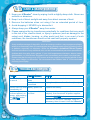
1. Keep your V.Reader clean by wiping it with a slightly damp cloth. Never use
solvents or abrasives.
2. Keep it out of direct sunlight and away from direct sources of heat.
3. Remove the batteries when not using it for an extended period of time.
4. Avoid dropping it. NEVER try to dismantle it.
5. Always keep your V.Reader away from water.
6. Please examine the toy transformer periodically for conditions that may result
in the risk of fire, electric shock, or injury to persons (such as damage to the
output cord, blades, housing, or other parts) and that, in an event of such
conditions, the transformer should not be used until properly repaired.
TM
TM
WARNING
A very small percentage of the public, due to an existing condition, may experience epileptic
seizures or momentary loss of consciousness when viewing certain types of flashing colors
or patterns, especially on television. While the V.ReaderTM Animated E-Book System
does not contribute to any additional risks, we do recommend that parents supervise their
children while they play video games. If your child experiences dizziness, altered vision,
disorientation, or convulsions, discontinue use immediately and consult your physician.
Please note that focusing on an LCD screen at close range for a prolonged period of time
may cause fatigue or discomfort. We recommend that children take a 15-minute break
for every hour of play.
TROUBLESHOOTING
Problem
Possible Reason
Screen displays with Volume is turned
no sound
down
Headphones are
connected
Screen turns on, then Battery power low
immediately off
No picture (or
Program needs to
incorrect picture) on be reset
screen, and pressing
the ON/OFF button
has no effect.
14
Solution
Adjust the volume control.
Unplug headphones from the headphone jack.
Replace the battery.
Disconnect all power supplies (batteries and
adaptor), then reconnect all power supplies.
Press the ON/OFF button.
Remove the storybook cartridge, clean it if
necessary, then re-insert it into the V.Reader .
TM