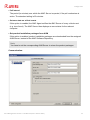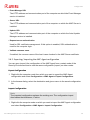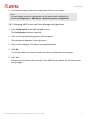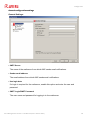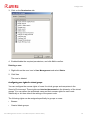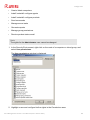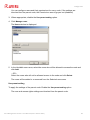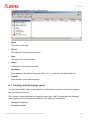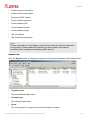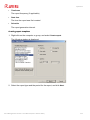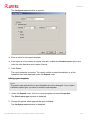
1
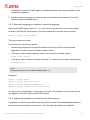
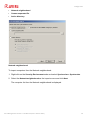
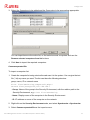
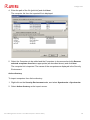
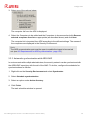
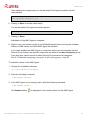
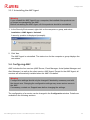
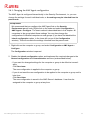
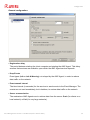
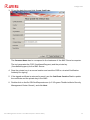
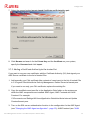
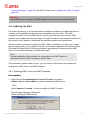
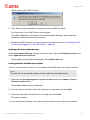
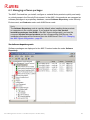
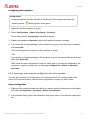
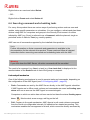
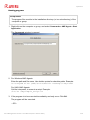
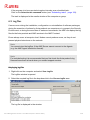
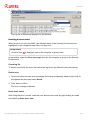
Avira Management Console
User Manual
Table of Contents
Table of Contents
1. About this manual ....................................................................... 5
1.1 Introduction ..............................................................................................................................5
1.2 Structure of the manual ...........................................................................................................5
1.3 Emphasis in text ........................................................................................................................6
1.4 Abbreviations ............................................................................................................................7
2. Product information .................................................................... 8
2.1 Functionality .............................................................................................................................9
2.2 Features ....................................................................................................................................9
2.3 Licensing .................................................................................................................................11
2.4 System requirements .............................................................................................................11
3. Installation ...............................................................................13
3.1 Important information on installation ..................................................................................13
3.2 Carrying out the installation ..................................................................................................13
3.2.1 Installing the AMC Server ......................................................................................................13
3.2.2 Installing the AMC Frontend .................................................................................................18
4. Avira Management Console Frontend ............................................20
4.1 Starting the AMC Frontend and logging in to the AMC Server ............................................20
4.2 Licensing the AMC ..................................................................................................................23
4.3 AMC Frontend user interface ................................................................................................25
5. Configuration ...........................................................................29
5.1 Overview .................................................................................................................................29
5.2 Configuring network and AMC Server connections .............................................................29
5.3 Setting up the Security Environment ....................................................................................31
5.3.1 Creating virtual groups ...........................................................................................................33
5.3.2 Adding computers to virtual groups ....................................................................................34
5.3.3 Manually assigning a computer to an existing group ........................................................35
5.3.4 Importing computers into the Security Environment .......................................................35
5.3.5 Automatic synchronization with ADS/LDAP ......................................................................39
5.3.6 Controlling and modifying created tasks ............................................................................41
5.3.7 IP Address filter .......................................................................................................................41
5.3.8 Renaming virtual groups ........................................................................................................42
5.3.9 Deleting virtual groups/computers ......................................................................................42
5.4 Adding update servers to the AUM .......................................................................................42
5.5 Installing AMC Agents in the Security Environment ............................................................43
5.5.1 Installing the AMC Agent via the AMC Frontend
(Windows XP Professional/ Vista/ Windows 7/ UNIX) ....................................................45
5.5.2 Manually installing the AMC Agent (Win XP Home Edition,
optional: Windows XP Professional/ Vista/ Windows 7) .................................................46
5.5.3 Silent Agent setup in Windows .............................................................................................49
5.5.4 Manually installing the AMC Agent (optional for UNIX systems) ..................................49
Avira Management Console - User Manual (Status: 20 Nov 2012)
2
Table of Contents
5.5.5 Uninstalling the AMC Agent .................................................................................................52
5.6 Configuring AMC ....................................................................................................................52
5.6.1 Changing the AMC Agent configuration .............................................................................53
5.6.2 Exporting/ Importing the AMC Agent configuration ........................................................56
5.6.3 Changing AMC Server and Event Manager configurations ..............................................57
5.6.4 Configuration of the Avira Update Manager ......................................................................62
5.7 SSL certificate administration ................................................................................................69
5.7.1 Creating a signed certificate for AMC Server .....................................................................70
5.7.2 Adding a Certificate Authority to the trusted list ..............................................................72
5.8 Updating the AMC ..................................................................................................................73
5.8.1 Updating AMC Server and AMC Frontend ..........................................................................73
5.8.2 Displaying and changing update tasks for the AMC Server .............................................75
5.8.3 Updating AMC Agents ............................................................................................................75
5.9 User Management ..................................................................................................................75
6. Operation ................................................................................82
6.1 Overview .................................................................................................................................82
6.2 Managing software packages .................................................................................................83
6.2.1 Adding and deleting software packages ..............................................................................84
6.2.2 Installing and uninstalling software packages ....................................................................86
6.2.3 Changing the configuration of an Avira product ...............................................................89
6.2.4 Exporting/ Importing the configuration of an Avira product ..........................................91
6.3 Creating filtered computer groups ........................................................................................92
6.4 Displaying information on a computer or group ...................................................................97
6.4.1 Displaying information on a node or computer .................................................................97
6.4.2 Displaying information in the details panel ........................................................................98
6.5 Displaying events ................................................................................................................ 104
6.6 Executing commands and scheduling tasks ....................................................................... 107
6.7 Creating and displaying reports .......................................................................................... 111
6.8 Sharing files, licenses and programs in the Security Environment ................................... 116
6.9 Log files ................................................................................................................................ 120
7. Updating the Software Repository and installed products ............... 122
7.1 Using the Avira Update Manager ....................................................................................... 122
7.1.1 Using the AUM Scheduler ................................................................................................... 124
7.1.2 Using the AUM in test mode .............................................................................................. 125
7.2 Updating packages in the Software Repository node ........................................................ 127
7.3 Updating installed Avira products ...................................................................................... 128
7.4 Update overview .................................................................................................................. 129
7.4.1 Update using AUM in automatic mode ............................................................................ 129
7.4.2 Update using AUM without automatic mode .................................................................. 130
8. Troubleshooting ...................................................................... 132
8.1 Requirements for communication between the AMC Agent and AMC Server ................ 132
8.2 Requirements for ADS synchronization ............................................................................. 133
8.3 Backup for AMC Server files ............................................................................................... 133
8.4 Error during installation of the AMC Agent ....................................................................... 134
8.5 Error during AUM updates without multilanguage support ............................................. 134
Avira Management Console - User Manual (Status: 20 Nov 2012)
3
Table of Contents
9. Products supported by AMC ....................................................... 135
9.1 Supported Avira products ................................................................................................... 135
9.2 Product-specific configuration windows ............................................................................ 135
10. Service ................................................................................. 136
10.1 Support .............................................................................................................................. 136
10.2 Contact ............................................................................................................................... 136
Avira Management Console - User Manual (Status: 20 Nov 2012)
4
About this manual
1. About this manual
This chapter contains an overview of the structure and content of this manual.
•
1.2 Structure of the manual - page 5
•
1.3 Emphasis in text - page 6
1.1 Introduction
This manual contains all the information you will need to use the Avira Management
Console.
Additional help and information is available from our website, our Technical Support hotline
and our regular newsletter (see 10. Service - page 136).
Your Avira Team
1.2 Structure of the manual
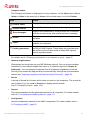
The manual for your Avira software consists of several chapters containing the following
information:
Chapter
Contents
1. About this manual - page 5
Structure of the manual, emphasis in text
2. Product information - page 8
Overview of software features
3. Installation - page 13
Important information on installation of the AMC
Server and AMC Frontend
4. Avira Management Console
Frontend - page 20
Overview of the AMC Frontend
5. Configuration - page 29
- Configuration of the network and server
connections.
- Configuration of the Security Environment.
- Configuration and updating of AMC services.
- Installation of AMC Agents.
6. Operation - page 82
Working with AMC:
- Managing software packages.
- Installing and configuring Avira products.
- Managing computer groups.
- Running commands and planning tasks.
Avira Management Console - User Manual (Status: 20 Nov 2012)
5
About this manual
Chapter
Contents
7. Updating the Software
Repository and installed
products - page 122
Methods for updating Avira products in the AMC
8. Troubleshooting - page 132
Preventing and fixing problems in the AMC
9. Products supported by AMC page 135
Avira products supported by the AMC
10. Service - page 136
Support and service from Avira Operations GmbH
& Co. KG
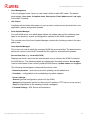
1.3 Emphasis in text
The following emphases are also used in the text to improve readability and clarity:
Emphasis in the text
Explanation
C:\Program Files\Avira\
Paths and file names
Select components
Select all
GUI elements e. g. menu options, window titles, elements
in dialog boxes
www.avira.com
Hyperlinks
6. Operation - page 80
"Creating virtual groups" page 33
Cross-references inside the document
setup.exe /remove
User input, commands and parameters
Computer amount in
group
Displayed text in dialog windows; configuration options
group
Set up boot
scripts? [y]
Terminal output (command-line)
Prerequisites
... placed before conditions which must be fulfilled prior to
performing an action.
Warning
... placed before warnings of critical data loss or hardware
damage.
Note
... placed before an important piece of information, for
example, relating to steps being carried out, or a tip
facilitating the understanding and operation of the product.
Avira Management Console - User Manual (Status: 20 Nov 2012)
6
About this manual
1.4 Abbreviations
The following abbreviations are used in this manual:
Abbreviation
Meaning
AMC
Avira Management Console
AUM
Avira Update Manager
DHCP
Dynamic Host Configuration Protocol
(Protocol for the dynamic assignment of the host IP address)
GUI
Graphical User Interface
MMC
Microsoft Management Console
SSL
Secure Sockets Layer (encryption algorithm)
TCP/IP
Transmission Control Protocol/Internet Protocol (protocol for
communication between computers)
Avira Management Console - User Manual (Status: 20 Nov 2012)
7
Product information
2. Product information
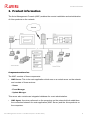
The Avira Management Console (AMC) enables the remote installation and administration
of Avira products on the network.
Components and services
The AMC consists of three components:
•
AMC Server: This is the main application which runs on a central server on the network
and consists of three services:
- Server
- Event Manager
- Update Manager
This server also contains an integrated database for event administration.
•
AMC Agent: A service performed on the computers on the network which establishes
the connection between the main application (AMC Server) and the Avira products on
the computers.
Avira Management Console - User Manual (Status: 20 Nov 2012)
8
Product information
•
AMC Frontend: A graphical user interface which can, for example, be installed on the
administrator’s computer and which facilitates the effective administration of AMC
services and components.
2.1 Functionality
The AMC Server operates with the aid of three services, each performing different tasks,
which communicate with each other via an SSL-encrypted TCP/IP connection.
It manages:
•
computers integrated into the Security Environment of AMC,
•
Avira products installed on the computers,
•
software packages supported by AMC.
Avira software packages are stored in the Software Repository of the AMC and can be
remotely installed on computers in the Security Environment. An Avira product can inherit
the configuration settings from its group, if installed via AMC.
The Event Manager receives events (e.g. virus alerts), saves them in a database and
forwards them for display and generation of reports in the AMC Frontend.
The Update Manager carries out updates to the managed Avira products, the software
packages in the AMC repository, and the AMC components.
The AMC Agent, which is installed on the computers in the Security Environment, forwards
the commands, tasks and configurations of the main application AMC Server to the Avira
products on the computers. The AMC Agent can relay events and messages from the Avira
products to the AMC Server to be displayed in the AMC Frontend.
The AMC Frontend is a snap-in for the Microsoft Management Console (MMC). This
graphical user interface clearly displays all information.
2.2 Features
All computers (Windows and Linux workstations and servers) in the Security Environment
of the company network can be managed and monitored using the AMC. The computers
are arranged in the Security Environment in a freely configurable tree structure with
hierarchical groups.
Avira Management Console - User Manual (Status: 20 Nov 2012)
9
Product information
The most important features and functions of Avira Management Console:
Configuring a secure network environment
•
Graphical user interface for the configuration and operation of AMC (snap-in for
Microsoft Management Console)
•
Silent setup of AMC Agents via the network
•
Remote installation, configuration, updating and uninstallation of the Avira security
software on all network computers
•
Central repository for Avira products for installation on the network
•
User management for adding and monitoring users and access rights to computers or
groups
•
Backup of server files
•
SSL-encrypted communication protocol
•
Support for computers with dynamically allocated IP addresses (DHCP)
Controlling Avira security products via the network
•
Central administration of product-specific actions (scan, update, etc.) via configurable
commands and tasks
•
Sharing files/licenses and Remote execution of programs from the share directory of
the AMC Server
•
Pull mechanism to reduce the network load on very large networks
•
Saving of pending operations and tasks (installation, configuration, commands) for
computers to which access is temporarily unavailable, and for pull AMC Agents
Updating Avira software via the network
•
Central and automatic updating of supported software packages and of AMC
components with Avira Update Manager
•
Monitoring products’ status
•
Central control of the update function for installed Avira products with Avira Update
Manager or via a scheduled task
•
Testing the updates before they are committed to the share directory
Avira Management Console - User Manual (Status: 20 Nov 2012)
10
Product information
Monitoring the activity of Avira products via the network
•
Event Manager to display network warnings and send email notifications for specific
events
•
Configurable reports for Avira products on the network
•
Central view of all events issued by Avira products on the network
2.3 Licensing
Licensing involves two steps:
1. the purchase of the license
2. the activation of the license after installing the Avira Management Console
Normally you receive a license file by email after purchasing Avira products and acquiring
the AMC.
The license is checked when computers are added to the Security Environment. If, for
example, you have acquired a license for 500 clients, you can include a maximum of 500
computers in the Security Environment.
Licensing is carried out after installation of the AMC (see 4.2 Licensing the AMC - page 23).
Evaluation mode
If the product is not licensed, every time the AMC Frontend starts, a notification is displayed
that Avira Management Console can be used in evaluation mode for a period of 30 days. In
evaluation mode, a maximum of 100 computers can be managed in the Security
Environment.
2.4 System requirements
AMC Server:
•
Operating system: Windows Server 2003 (x32 or x64)(newest SP), Windows Server
2008 (x32 or x64)(newest SP)
•
RAM: 1 GB dedicated to AMC Server
•
Free memory space on the hard disk: 5 GB (including all products and update files)
Avira Management Console - User Manual (Status: 20 Nov 2012)
11
Product information
AMC Frontend:
•
Operating system: Windows XP (x32 or x64)(newest SP), Windows Vista (x32 or
x64)(newest SP), Windows 7 (x32 or x64)(newest SP), Windows Server 2003 (x32 or
x64)(newest SP), Windows Server 2008 (x32 or x64)(newest SP)
•
RAM: 64 MB
•
Free memory space on the hard disk: 100 MB
AMC Agent:
•
Operating system: Windows XP (x32 or x64)(newest SP), Windows Vista (x32 or
x64)(newest SP), Windows Server 2003 (x32 or x64)(newest SP), Windows 7 (newest
SP), Windows Server 2008 (x32 or x64)(newest SP), Linux (glibc 2.2 or higher), Solaris
Sparc 9 and 10, Mac OS X version 10.6 or newer
•
RAM: 64 MB
•
Free memory space on the hard disk: 50 MB
•
Use with 64-bit Linux: Please use the required 32-bit libraries
•
Linux: strings tool is required by the AMC Agent installer
•
Linux: Start and configure sshd for authentication via password, if needed
Note
Please note that the Windows 2000 operating system is no longer supported.
Avira Management Console - User Manual (Status: 20 Nov 2012)
12
Installation
3. Installation
3.1 Important information on installation
You normally install the AMC Server on a central Windows network server and the AMC
Frontend user interface on a network computer, which you are using for AMC
administration. Both components can also be installed on the same server.
During installation, you must enter the computer’s IP addresses in a dialog box and open
certain ports, as the Avira Management Console needs these for communication.
Therefore, have the relevant information at hand during installation.
Installation steps
Installation comprises the following steps:
1. Install the AMC Server
2. Install the AMC Frontend
After installing the AMC Server and the AMC Frontend, you can configure the AMC, include
computers in the Security Environment and install and manage AMC Agents and Avira
products via the network. Details on this are available in the following chapters.
3.2 Carrying out the installation
3.2.1 Installing the AMC Server
Prerequisites
• You require administrator rights for the server.
• The ports required by the AMC Server must be opened (if necessary in the
firewall) and should not be used by other applications. The firewall integrated
into the Windows operating system, from Windows XP onwards, is configured by
the AMC Server.
1. Download the latest AMC version as a .zip file from the Avira website
(http://www.avira.com) and unzip the file to a local directory.
2. Double-click on the self-extracting file: Avira_Management_Console_Server_en.exe
A dialog box with a security alert is displayed.
Avira Management Console - User Manual (Status: 20 Nov 2012)
13
Installation
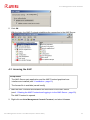
3. Click Accept to begin the installation.
The installation file is extracted. The installation dialog box is displayed.
4. Click Next.
The License Agreement window is displayed.
5. Please read the agreement carefully, then enable the option I accept the terms of the
license agreement and click Next.
Note
Please note that the acceptance of the AMC license agreement also extends to
all Avira products that you install over the AMC. You can find the Avira license
agreement on the Avira website.
The window for installation location is opened.
6. If necessary, change the destination path for the installation and click Next.
The window for configuring the IP address and server port is opened.
7. If you want to allow access to the AMC Agent installation files via the network, enable
the option Create AMC Agent Network Share. For further information, refer to
5.5.3 Silent Agent setup in Windows - page 49.
Avira Management Console - User Manual (Status: 20 Nov 2012)
14
Installation
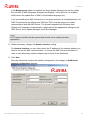
If the Multilanguage option is enabled, the Avira Update Manager mirrors the update
files for AMC in both languages (German and English). If this option is not enabled,
AUM mirrors the update files of AMC in the installed language only.
If you are installing the AMC Frontend on a computer and there is a firewall present, the
AMC Frontend ports (by default ports 7000 and 7001) must be opened, to enable
communication with the AMC Server. The firewall integrated into Windows from
Windows XP onwards is automatically configured with the appropriate settings by the
AMC Server, Avira Update Manager and Event Manager.
Note
HTTP server port 80 must be opened and should not be used by another
application.
8. Where necessary, change the Network Interface setting.
For Network Interface you can either select the IP address of the network adapter you
want to use for the AMC communication, or choose the AMC Server’s hostname in
order to use the primary network adapter that is linked to the hostname.
9. Click Next.
After the wizard has checked the network configuration, the dialog box AUM-Server
Network Configuration appears.
Avira Management Console - User Manual (Status: 20 Nov 2012)
15
Installation
10. Confirm the specified configuration by clicking Next. Or: If necessary, change the
predefined ports accordingly. The selected ports are opened automatically during
installation and then remain open.
If required, click Change... to select a different root directory. You can also use a UNC
path as the HTTP root directory and enter the UNC authentication here. However,
locally connected networks are not supported. Then press Next.
After the wizard has checked the network configuration for the AUM Server, a dialog for
entering the login data for the AMC Server opens.
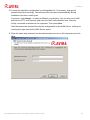
11. Enter the name and password for the administrator account on this computer and click
Next.
Avira Management Console - User Manual (Status: 20 Nov 2012)
16
Installation
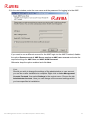
12. In the next window, enter the user name and the password for logging in to the AMC.
If you want to use a different account for the AMC login via the AMC Frontend, disable
the option Reuse account of AMC Server service as AMC user account and enter the
required settings for AMC User and AMC/ AUM Password.
Otherwise keep the option enabled and click Next.
Note
Should you wish to change the settings of the administrative or user account,
you can do so after installation is complete: Right-click on Avira Management
Console Frontend, then select Settings in the context menu. Choose the tab
Administrator Account. Here you can change all the account settings which
you have specified at installation.
Avira Management Console - User Manual (Status: 20 Nov 2012)
17
Installation
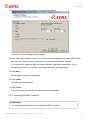
13. Continue with the configuration of the update scheduler.
Enter the required settings and click Next.
14. If the Windows Firewall is active, you will now be asked whether you want AMC Server
services to be dealt with as an exception to the Microsoft Windows Firewall.
If you confirm by selecting Yes, the firewall will be configured automatically; If you
choose No, you have to configure the firewall manually at a later stage.
15. Click Next.
The program is ready for installation.
16. Click Install.
The application is installed.
17. Click Finish.
The AMC Server and related components are now installed.
3.2.2 Installing the AMC Frontend
Prerequisites
• You require administrator rights to install the AMC Frontend.
Avira Management Console - User Manual (Status: 20 Nov 2012)
18
Installation
1. Double-click on the self-extracting file: Avira_Management_Console_Frontend_en.exe
Depending on the operating system, a dialog box with a security alert is displayed.
2. If appropriate, click Accept to begin the installation.
The installation file is extracted. The installation dialog box is displayed.
3. Click Next.
The License Agreement window is displayed.
4. Please read the agreement carefully, then enable the option I accept the terms of the
license agreement and click Next.
The window for installation path is opened.
5. If necessary, change the destination path for the installation and click Next.
The dialog box for completing the installation is displayed.
6. Click Install.
The AMC Frontend is being installed.
7. Click Finish when the installation is complete.
The Windows Start menu now contains the Programs group Avira > Avira Management
Console with the entry Avira Management Console Frontend.
Avira Management Console - User Manual (Status: 20 Nov 2012)
19
Avira Management Console Frontend
4. Avira Management Console Frontend
You can manage the AMC with the AMC Frontend graphical user interface, which consists
of a snap-in for the Microsoft Management Console (MMC).
Note
The appearance, structure and menu structure of the AMC Frontend may vary
depending on the operating system, as the AMC Frontend is a snap-in for the
Microsoft Management Console (MMC) framework. This section describes only
the proprietary Avira elements of the AMC Frontend.
For further information on the MMC and on manual integration of a snap-in,
please refer to the user manual or the online help of your operating system.
Note
The AMC Frontend displays tooltips, when you point your mouse to input fields.
4.1 Starting the AMC Frontend and logging in to the AMC Server
Starting the AMC Frontend
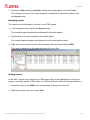
1. In Windows, open Start > Programs > Avira > Avira Management Console > Avira
Management Console Frontend.
The AMC Frontend is displayed.
Logging in to the AMC Server
2. Click on the node Avira Management Console Frontend.
Avira Management Console - User Manual (Status: 20 Nov 2012)
20
Avira Management Console Frontend
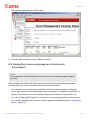
The AMC Frontend establishes the connection to the AMC Server. The Login window is
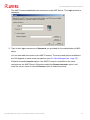
displayed:
3. Type in the Login username and Password you provided for the administrator at AMC
setup.
You can later add more users in the AMC Frontend. The menus and options available in
the GUI depend on each user's permissions (see 5.9 User Management - page 75).
Enable the Local Computer option if the AMC Frontend is installed on the same
computer as the AMC Server. Otherwise enable the Remote computer option, and
enter the server name or click the Browse button to select the server.
Avira Management Console - User Manual (Status: 20 Nov 2012)
21
Avira Management Console Frontend
If you are using a proxy for the connection to the AMC Server or have changed the port
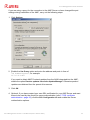
settings during installation of the AMC, carry out the following steps:
1. Click Settings.
2. Enable the Use Proxy option and enter the address and ports in form of
"IP address:port", for example
127.0.0.1:80.
If you want to obtain AMC Frontend updates from the AUM integrated into the AMC,
enable the option Receive updates from Avira Update Manager. Otherwise product
updates are obtained from the preset Avira servers.
3. Click OK.
4. Optional: If you have created your own SSL certificates for your AMC Server and want
these to be used by the clients for server authentication (see 5.7 SSL certificate
administration - page 69), click the SSL Configuration tab and enable the Server
authentication options:
Avira Management Console - User Manual (Status: 20 Nov 2012)
22
Avira Management Console Frontend
5. Click OK.
With the login, the AMC Frontend establishes the connection to the AMC Server.
4.2 Licensing the AMC
Prerequisites
• The AMC Server main application and the AMC Frontend graphical user
interface are installed (see 3. Installation - page 13)
• The license file is available (saved locally)
1. Start the AMC Frontend and establish the connection to the AMC Server
(see 4.1 Starting the AMC Frontend and logging in to the AMC Server - page 20).
The AMC Frontend is opened.
2. Right-click on Avira Management Console Frontend, and select License.
Avira Management Console - User Manual (Status: 20 Nov 2012)
23
Avira Management Console Frontend
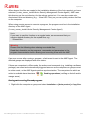
The license window is opened. The status box contains the entry Invalid highlighted in
red.
3. Click on New License and enter the path for the license file.
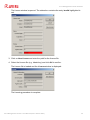
4. Select the license file (e.g. hbedv.key) and click OK to confirm.
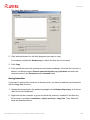
The license file is loaded and the License window is displayed:
The licensing procedure is complete.
Avira Management Console - User Manual (Status: 20 Nov 2012)
24
Avira Management Console Frontend
4.3 AMC Frontend user interface
You can use the AMC Frontend to configure and control the following components:
•
AMC Server and its modules
•
AMC Agents in the Security Environment
•
Avira software in the Software Repository
•
Avira software installed on the computers in the Security Environment
After you have logged in to the AMC, the main window is displayed.
Note
The access rights of the users determine which AMC Frontend functions are
shown.
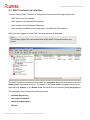
The AMC Frontend is divided into two areas: the navigation area (left-hand window) and the
details panel (right-hand window). The entries in the expandable navigation structure are
referred to as nodes e.g. the Events node, the node for the computer group win-group etc.
The navigation area contains the following nodes:
•
Software Repository
•
Security Environment
•
Network neighborhood
•
Events
Avira Management Console - User Manual (Status: 20 Nov 2012)
25
Avira Management Console Frontend
•
Reports
•
Configuration
•
User Management
•
Info Center
•
Avira Update Manager
The details panel contains detailed information on the selected nodes. The appearance of
the details panel (displayed contents, number and sequence of columns) can be changed
using the View menu options.
(see "Selecting and sorting the information displayed" - page 98)
•
Software Repository
The central database of the AMC Server for storing Avira products. The details panel
shows information on saved software packages: name, installation file, info- and license file
(see 6.2 Managing software packages - page 83).
•
Security Environment
A freely configurable, hierarchical structure of so-called virtual groups with assigned
computers. The groups can, for example, represent the business structure or the user
groups on the network.
The following nodes are displayed in the Security Environment:
- The group nodes with all computers assigned to the respective group.
- The computer nodes and the New computers node with sub-nodes for all Avira
products and AMC Agents.
- The Filtered security environment node, when filtered groups are created.
The details panel shows information on the status of groups, computers, modules, operations, tasks and events.
Group nodes:
At a group level (e.g. departments), information on sub-groups or integrated computers
is displayed: computer name and status symbols, version, status, operating system,
AMC Agent availability, etc.
Avira Management Console - User Manual (Status: 20 Nov 2012)
26
Avira Management Console Frontend
Computer nodes:
The following information is displayed for every computer, via the Views menu options
(Action > Views in the menu bar or Views in the context menu) or via the Toolbar:
Views
Details
Product status
Displays the name, icon, status and details of products
Product version
Displays the name and version number of products
Error messages
Displays errors detected by Avira products on a computer
(with the product name, error status and error message)
Events
Displays events detected by Avira products on the
computer
Tasks
Displays tasks scheduled to be performed by Avira
products on computers
Pending operations
Displays scheduled tasks for computers in offline mode
and for pull AMC Agents. These tasks are executed when
the clients revert to online mode or when AMC Agents
perform synchronization.
For details, see 6.4 Displaying information on a computer or group - page 97.
•
Network neighborhood
Workgroups and computers on your MS Windows network. You can choose whether
computers on the network display their name or IP address (right-click, Display IP
Addresses). You can integrate computers from the Network neighborhood into the
Security Environment by drag and drop or automatically, through the synchronization
feature (see "Importing computers into the Security Environment" - page 35).
•
Events
A sorted or filtered list of events which have occurred on the computers. The events list
can be filtered (e.g. by Level or Product) to display specific events
(see 6.5 Displaying events - page 104).
•
Reports
The report templates and the generated reports for all computers. For further details,
refer to 6.7 Creating and displaying reports - page 111.
•
Configuration
General configuration options for the AMC components. For further details, refer to
5.6 Configuring AMC - page 52.
Avira Management Console - User Manual (Status: 20 Nov 2012)
27
Avira Management Console Frontend
•
User Management
A list of managed users. Here you can create, delete or edit AMC users. The details
panel shows: User name, Complete name, Description, Email Address and Last login
to the AMC Frontend.
•
Info Center
A website with the latest information on your product: known issues, tips and tricks, new
application options and product updates.
•
Avira Update Manager
For each AUM server, the details panel shows the update status of the software packages in its repository, as well as configuration options for the AUM components.
The console tree of the Avira Update Manager contains the following nodes in the navigation area:
Avira Update Manager:
This is the root node to which the managed AUM Servers are added. The detail window
shows the version of the AUM Frontend and the logfile for automatic self-updates.
Servername:Port [e.g. vm-win2k3:7050]:
Displays the server name and the selected port used to connect the AUM Frontend to
the AUM Server. The following details are displayed in the detail window: Server data
(version information of the currently installed AUM Server), Update status and Logfiles.
The following entries appear underneath the server node:
- Released products - products for product updating can be added here.
- Scheduler - configuration for the scheduling of product updates.
- Server Settings:
General (general configuration options for the AUM);
Network (configuration options for the source of updates: HTTP server, proxy server);
Email (configuration for the sending of email messages).
- Frontend Settings - SSL Server authentication.
Avira Management Console - User Manual (Status: 20 Nov 2012)
28
Configuration
5. Configuration
5.1 Overview
The main application, AMC Server, and the associated services are configured with the aid
of the graphical user interface, AMC Frontend. The following steps should be performed
after installation:
•
5.2 Configuring network and AMC Server connections - page 29
•
5.3 Setting up the Security Environment - page 31
•
5.5 Installing AMC Agents in the Security Environment - page 43
The settings for the AMC Server services can be customized if necessary:
•
5.6 Configuring AMC - page 52
•
5.7 SSL certificate administration - page 69
In addition you can easily update AMC via the Internet when updates are available.
•
"Updating the AMC" - page 73
•
"Creating a task for the AMC Server update" - page 74
•
"Displaying and changing update tasks for the AMC Server" - page 75
You can adapt AMC user rights to the demands of your IT environment:
•
5.9 User Management - page 75
Starting the AMC Frontend
Carry out the steps described in 4.1 Starting the AMC Frontend and logging in to the AMC
Server - page 20.
5.2 Configuring network and AMC Server connections
You can configure the connection so that these processes are simplified when the
computer reboots and AMC Frontend starts.
Configuring the network connection
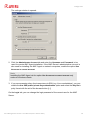
1. Right-click on the Avira Management Console Frontend node, and select Settings.
Avira Management Console - User Manual (Status: 20 Nov 2012)
29
Configuration
The settings window is opened:
2. Click the Administrator Account tab and enter the Username and Password, to be
used for remote AMC Agent installation. If the AMC Server’s administrative account is
also used for installing the AMC Agent on network computers, enable the option Use
the server’s current account.
Note
Installing the AMC Agent via the option Use the server’s current account only
works on Windows clients.
3. If you are accessing other client computers via SSH (e.g. Linux workstations), you can
enable the Use SSH public/ private key authentication option and select the Key file in
putty format with the aid of the browse button [...].
On the Login tab, you can change the login password of the current user for the AMC
Server.
Avira Management Console - User Manual (Status: 20 Nov 2012)
30
Configuration
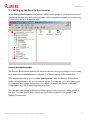
5.3 Setting up the Security Environment
In the Security Environment, AMC uses so-called virtual groups of computers to carry out
installation, configuration and monitoring tasks. Only computers integrated into the Security
Environment can be managed by AMC.
Security Environment nodes
The Security Environment presents the hierarchical structure of your network in such a way
as to optimize the installation and configuration of Avira products on the computers.
This requires the setting up of so-called virtual groups under the Security Environment
nodes, corresponding to the various network groups. For example, you can create groups
of computers from certain departments or combine computers with similar installation/
configuration (e.g. with English-language products).
You can also nest groups. Individual or multiple groups can be moved to other groups at
any time. You can choose which names you give to the computers and groups in the
Security Environment.
Avira Management Console - User Manual (Status: 20 Nov 2012)
31
Configuration
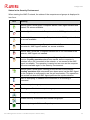
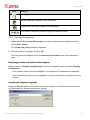
Status in the Security Environment
When starting the AMC Frontend, the status of the computers and groups is displayed in
icon form.
Icon
Meaning
Monitor green, arrow green: Computer started, AMC Agent installed and
started, full access available.
Monitor light blue, arrow red: Computer started, AMC Agent not installed.
Monitor light blue, arrow orange: Computer started, AMC Agent installed,
no access available.
Monitor dark, arrow orange: Computer switched off or not connected to
the network, AMC Agent installed, no access available.
Monitor dark, arrow red: Computer switched off or not connected to the
network, AMC Agent not installed.
Monitor dark/light blue, arrow orange, red flag on the left next to the
monitor: Pending operations have been saved, as the computer is
switched off or not connected to the network, or no access to the AMC
Agent is available. The operation is carried out as soon as the computer
becomes available again in the Security Environment.
Monitor green, arrow green, red flag on the left next to the monitor:
Pending operations and commands have been saved, as the AMC Agent
on the computer is configured to use the pull mechanism. The operations
are carried out when the AMC Agent performs the synchronization.
AMC is attempting to establish the connection or is executing a
command.
Error in computer or group.
Warning or notification in computer or group.
Virtual computer group.
Filtered security environment and filtered sub-groups.
Software package in Software Repository.
Avira Management Console - User Manual (Status: 20 Nov 2012)
32
Configuration
Icon
Meaning
AMC Agent installed on the computer.
Software package installed on the computer.
Update file in test mode, ready to be committed.
Error status. Computer, product or group must be scanned.
5.3.1 Creating virtual groups
1. Right-click on the Security Environment or a group node in the navigation area and
select New > Group.
The Create new group window is displayed.
2. Enter a name for the group and click OK.
The new group is displayed under the Security Environment node in the navigation
area.
Displaying the name or IP address of the computer
Right-click on the Network neighborhood node in the navigation area, and select Display
IP Addresses.
- If the context menu option is highlighted: The computer IP addresses are displayed.
- If the context menu option is not highlighted: Only the names of the computers are displayed.
Searching for computers or groups
Using the Search option in the context menu of any group or of the Security Environment,
you can search for certain computers or groups.
Avira Management Console - User Manual (Status: 20 Nov 2012)
33
Configuration
You can search either by hostname or IP address, or using wildcards:
*: matches any sequence of characters
?: matches any single character
\\: searches for the \ character
\*: searches for the * character
\?: searches for the ? character
Example: searching for *server? will find mainserver1 but not server12
5.3.2 Adding computers to virtual groups
From the Network neighborhood
Depending on the view settings for the Network neighborhood node, computers are
displayed by name or IP address.
1. In the navigation area, expand the Network neighborhood node and the node of your
network (e.g. Microsoft Windows network).
The connected computers are displayed in the results window.
2. Drag the computer or group from the network neighborhood into the Security
Environment.
– OR –
Right-click on a group or sub-group in the Security Environment, and select New >
Computer.
The Add new computer window is displayed.
3. Enter the Display name of the computer in the Security Environment, as well as the
hostname and IP address of the computer (Hostname/IP), and click OK.
The added computer is then displayed in its group in the navigation area under the
Security Environment node.
From the “New computers” node
There may be computers on which the AMC Agent is already installed, but which are not
yet integrated into the Security Environment. This may, for example, include laptops or
computers on which the AMC Agent was installed manually. These computers automatically
log in to the AMC Server if they are available on the network.
1. Click New computers in the Security Environment.
Avira Management Console - User Manual (Status: 20 Nov 2012)
34
Configuration
Computers on which the AMC Agent is installed and which are newly available on the
network are displayed.
2. Add the required computers to other groups in the Security Environment. To do this,
follow the steps described above.
5.3.3 Manually assigning a computer to an existing group
Starting with AMC Agent version 2.7, you can move computers from one virtual group to
another in the Security Environment, using the command line on the client computer:
agent --group <group_name>
The group name must exist.
Conventions for hierarchical groups:
•
Hierarchical groups must be specified relative to the Security Environment node,
separated by slash (/) and enclosed in double quotes.
•
If the group name contains spaces, it has to be enclosed in double quotes
("San Francisco").
•
If the group name contains the slash character (/), it has to be enclosed in apostrophes
('US/Mexico').
Note
Group names must not contain double quotes (").
Examples:
agent
agent
agent
agent
--group
--group
--group
--group
Sales
"San Francisco"
"Sales/'US/Mexico'"
"Sales/US/San Francisco"
In case of errors (for example, a group does not exist), the computer is not moved. Errors
are logged by the AMC Agent and the AMC Server.
5.3.4 Importing computers into the Security Environment
Computers can also be imported into the Security Environment via the Synchronize option in
the Security Environment’s context menu. The following sub-options are available:
Avira Management Console - User Manual (Status: 20 Nov 2012)
35
Configuration
•
Network neighborhood
•
Comma separated file
•
Active directory
Network neighborhood:
To import computers from the Network neighborhood:
1. Right-click on the Security Environment node and select Synchronize > Synchronize.
2. Select the Network neighborhood as the import source and click Next.
The computer list from the Network neighborhood is displayed.
Avira Management Console - User Manual (Status: 20 Nov 2012)
36
Configuration
3. Select the Computers to be added and the Computers to be removed as appropriate.
You can import/remove the entire list, or first select several computers and use the
Remove selected computers from list buttons.
4. Click Next to import the required computers.
Comma separated file:
To import a computer list:
1. Create the computer list using a text editor and save it in the system. You can give the text
file (*.txt) any name you want. The list must have the following structure:
group, name, IP or network name
First floor\Marketing,Computer01,mkpc1
Ground floor,Reception,192.168.146.1
- Group: Name of the group in the Security Environment, with the relative path to the
Security Environment, e.g. First floor\Marketing
- Name: Display name of the computer in the Security Environment
- IP: IP address or name of the computer on the network
2. Right-click on the Security Environment node, and select Synchronize > Synchronize.
3. Select Comma separated file as the import source.
Avira Management Console - User Manual (Status: 20 Nov 2012)
37
Configuration
4. Enter the path of the file [pclist.txt] and click Next.
The computer list from the imported file is displayed.
5. Select the Computers to be added and the Computers to be removed and click Remove
selected computers from list as appropriate (as described above) and click Next.
The computer list is imported. The names of the computers are displayed in the Security
Environment.
Active directory:
To import computers from Active directory:
1. Right-click on the Security Environment node, and select Synchronize > Synchronize.
2. Select Active directory as the import source.
Avira Management Console - User Manual (Status: 20 Nov 2012)
38
Configuration
3. Select one of the options below.
The computer list from the ADS is displayed.
4. Select the Computers to be added and the Computers to be removed and click Remove
selected computers from list as appropriate (as described above) and click Next.
The computer list is imported from ADS according to the defined settings. The names of
the computers are displayed in the Security Environment.
Note
The ADS communication port must be open to enable the import to be carried
out (see 8.2 Requirements for ADS synchronization - page 133).
5.3.5 Automatic synchronization with ADS/LDAP
In environments with multiple administrators, the security network can be synchronized with
the ADS/LDAP repository with the aid of the AMC. To do this, configure the scheduler for
synchronizations as follows:
1. Right-click on the Security Environment and select Synchronize.
2. Select Schedule synchronization.
3. Select an option under Active directory.
4. Click Finish.
The task scheduler window is opened:
Avira Management Console - User Manual (Status: 20 Nov 2012)
39
Configuration
5. Enter a task name, select the interval at which the synchronization is to take place and
click Next.
Depending on the interval selected, you can specify the data and time for the task to
start:
Avira Management Console - User Manual (Status: 20 Nov 2012)
40
Configuration
6. Click Finish.
Note
AMC uses a request mechanism to carry out a synchronization at the stipulated
intervals.
5.3.6 Controlling and modifying created tasks
Right-click on the Security Environment and select View > Synchronize tasks.
- OR Click the Synchronize tasks button:
.
5.3.7 IP Address filter
Another useful function when grouping computers in the Security Environment is the IP
Address filter option in the context menu for a group.
Avira Management Console - User Manual (Status: 20 Nov 2012)
41
Configuration
You can enter an IP address range and, as soon as the corresponding new computers log
in to the AMC Server, they are integrated into the specified group (instead of the New
computers node).
5.3.8 Renaming virtual groups
1. Right-click on a group and select Rename (Shortcut: F2).
This makes the name editable.
2. Enter the new name and click next to the box.
The new name is saved and displayed.
5.3.9 Deleting virtual groups/computers
If you are sure that no Avira products are installed on computers or in groups, they can be
deleted. Right-click on the computer or group, and select Delete.
The computer or group is removed from the Security Environment.
5.4 Adding update servers to the AUM
If you are using more than one update server for your network, you can integrate them into
the AMC Frontend by adding them under the Avira Update Manager node.
Prerequisites
• The Avira Update Manager must be installed on the server you want to add. For
further information, please refer to the Avira Update Manager user manual.
1. Right-click on the Avira Update Manager node, and select New > Add AUM server.
2. Enter the name of the server, the communication ports and the password.
The new update server is added to the AMC Frontend under Avira Update Manager.
For further information on the configuration of the AUM Server, see "Configuration of the
Avira Update Manager" - page 62.
Afterwards, you can choose which server you want to use for automatic updates to AMC
components, virtual groups or computers. See 7. Updating the Software Repository and
installed products - page 122.
Avira Management Console - User Manual (Status: 20 Nov 2012)
42
Configuration
5.5 Installing AMC Agents in the Security Environment
To install AMC Agents in the Security Environment you must have administrator rights on
all computers.
Note
Make sure that all AMC components and Avira products are always up-to-date
and can communicate with each other in the Security Environment.
Note
AMC can only monitor computers on which the AMC Agent is installed. It is
therefore recommended that you install the AMC Agents throughout the Security
Environment immediately after installation of the AMC.
If you add new groups or computers to the system at a later time, you can carry
out the installation of the AMC Agent for these groups or computers selectively.
You can use the automatic product installation feature, to install the AMC Agent
automatically on new computers (see "Automatic product installation" - page 88).
Furthermore, you can adapt the configuration of the AMC Agent at any time and assign the
new configuration to the required groups or computers (see "Changing the AMC Agent
configuration" - page 53).
Avira Management Console - User Manual (Status: 20 Nov 2012)
43
Configuration
Requirements for communication between the AMC Agent and AMC Server
• If a firewall is installed on a client, the following ports (TCP) must be enabled:
7000, 7001, 7080, 7010. ICMP queries must also be possible.
The firewall integrated into Windows since Windows Server 2003 is automatically appropriately configured by the AMC Server, Avira Update Manager and
Event Manager.
Other firewalls may disrupt the communication between AMC Agent and AMC
Server. Should this be the case you’ll find corresponding error message in the
log files (see "Displaying log files" - page 120).
• With an active Windows Firewall, exceptions for incoming ICMP echo requests
(ping), Windows remote administration and Windows file and printer sharing
must be configured.
• The Simple file sharing has to be deactivated for Windows XP: disable the option
Windows Explorer > Tools > Folder Options > View > Use simple file sharing
(recommended).
• The AMC Server must be able to access the administrative share C$ (\\<ClientIP>\C$) and the remote administration on the client with an authorized user
account.
Installation procedure
Depending on the operating system, there are various procedures for installing the AMC
Agent:
•
Remote installation via the AMC Frontend
– "Installing the AMC Agent via the AMC Frontend (Windows XP Professional/ Vista/
Windows 7/ UNIX)" - page 45
•
(optional) Manual installation with installation file
– "Manually installing the AMC Agent (Win XP Home Edition, optional: Windows XP
Professional/ Vista/ Windows 7)" - page 46
•
(optional) Silent Agent installation in Windows with a login script
– "Silent Agent setup in Windows" - page 49
•
(optional) UNIX: Manual installation with installation file
– "Manually installing the AMC Agent (optional for UNIX systems)" - page 49
Avira Management Console - User Manual (Status: 20 Nov 2012)
44
Configuration
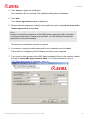
5.5.1 Installing the AMC Agent via the AMC Frontend
(Windows XP Professional/ Vista/ Windows 7/ UNIX)
Prerequisites
• Computers/groups must be integrated into the Security Environment and have
the following status:
Monitor light blue, arrow red.
1. In the navigation area, click on the Security Environment node and then on the groups/
computers on which the AMC Agent is to be installed.
The computers or groups are displayed with status icons in the results window.
2. Right-click on the group and select Installation > AMC Agent > Install.
The Administrator Account window is opened:
3. Enter the Username and the Password for the administrator account, if you are using a
different administrator account on the client computer, than on the AMC Server; On
UNIX - type the root user and password, unless using SSH.
-OR-
Avira Management Console - User Manual (Status: 20 Nov 2012)
45
Configuration
Enable the option Use the server’s current account.
Note
Installing the AMC Agent via the option Use the server’s current account works
only on Windows clients.
4. If you are accessing client computers via SSH (e.g. Linux workstations), you can enable
the Use SSH public/ private key authentication option and select the Key file in putty
format with the aid of the search button [...].
5. Click OK.
The AMC Agent is installed on the selected computers and groups.
A green icon is displayed in the frontend for the client computer (e.g.
win7x64). The
agent status Ok appears in the results window:
5.5.2 Manually installing the AMC Agent (Win XP Home Edition,
optional: Windows XP Professional/ Vista/ Windows 7)
To install the AMC Agent on a computer with the Windows XP Home Edition operating
system, you require the file Avira_Management_Console_Agent_en.exe. This file can be
found in the local directory in which you extracted the .zip file (see 3.2 Carrying out the
installation - page 13).
Avira Management Console - User Manual (Status: 20 Nov 2012)
46
Configuration
Prerequisites
• Computers/groups must be included in the Security Environment and have the
following status:
Monitor light blue, arrow red.
1. Copy the file Avira_Management_Console_Agent_en.exe to the local computer on
which you want to install the AMC Agent.
2. Double-click on the file.
A window for extracting the installation file and starting the installation is displayed
3. Click Install.
The installation file is extracted. The window for the InstallShield wizard is displayed.
4. Click Next.
The License Agreement is displayed.
5. Please read the agreement carefully, then select I accept the terms of the license
agreement, and click Next.
The AMC-Server Configuration window is displayed.
6. Enter the IP-Address or the Hostname of the AMC Server.
7. Enter the Ports you also provided during AMC Server’s installation.
Avira Management Console - User Manual (Status: 20 Nov 2012)
47
Configuration
8. Click Next.
The AMC-Agent Configuration window is opened.
9. Enter the data for the local computer: the Computer name assigned to the computer in
the Security Environment, and the Port for communication with the server, as provided
during AMC Server’s installation. Then click Next.
If the Windows Firewall is active, you will be asked whether you want AMC Agent to be
dealt with as an exception to the Microsoft Windows Firewall.
10. If you confirm by selecting Yes the firewall will be configured automatically, if you
choose No you have to configure the firewall manually at a later stage.
Click Next to confirm your choice.
The Select Destination Location window is displayed.
11. If necessary, select a different installation directory and click Next.
The program is ready for installation.
12. Click Install.
The AMC Agent is installed.
13. Click Finish.
The AMC Agent is now locally installed.
14. Restart the computer if necessary.
Avira Management Console - User Manual (Status: 20 Nov 2012)
48
Configuration
15. Start the AMC Frontend on the AMC Server (see 4.1 Starting the AMC Frontend and
logging in to the AMC Server - page 20).
The computers/groups are displayed with their status icon in the Security Environment:
Monitor green, arrow green. The agent status reads Ok.
If the computers/groups are not yet integrated into the Security Environment, they are
displayed under New computers. From here they can be moved to other Security
Environment sub-categories. See 5.3.3 Manually assigning a computer to an existing
group - page 35.
5.5.3 Silent Agent setup in Windows
As an alternative to interactive remote installation with the AMC Frontend, AMC Agents can
also be installed with a Windows login script. The installation script is executed through file
sharing. The agents are installed without further user interaction.
Prerequisites
• The client computers must have access to the shared directory in which the AMC
Server administers the AMC Agent installation file. The default path reads:
C:\Documents and Settings\All Users\Application Data\Avira\Avira Security
Management Center Server\Agent\installagent.bat. For further information, refer
to 3. Installation - page 13.
To carry out the installation of the AMC Agent in silent mode, integrate the batch file on the
client computers into a login script.
If you have installed the AMC Agent on computers which are not integrated into the
Security Environment, the relevant computers are added to the New computers group.
From here they can be moved to other Security Environment sub-categories.
See 5.3.3 Manually assigning a computer to an existing group - page 35.
5.5.4 Manually installing the AMC Agent (optional for UNIX systems)
If necessary you can also install the AMC Agent on UNIX systems manually.
The program package for installing the AMC Agent on UNIX systems
(Avira_Management_Console_Unix_Agent.tgz) is available from the Avira website
http://www.avira.com
Avira Management Console - User Manual (Status: 20 Nov 2012)
49
Configuration
Prerequisites
• Computers/groups must be included in the Security Environment and have the
following status:
Monitor light blue, arrow red.
If you have installed the AMC Agent on computers which are not integrated into
the Security Environment, the relevant computers are added to the New
computers group.
• The IP address of the server must be known.
1. Save the program package for the AMC Agent for UNIX
(Avira_Management_Console_Unix_Agent.tgz) to the computer.
2. Extract the package:
linux:/tmp# tar -xzvf Avira_Management_Console_Unix_Agent.tgz
The files are extracted.
3. Change the installation directory:
linux:/tmp# cd Avira_Management_Console_Unix_Agent\
4. Install the AMC Agent:
linux:/tmp/Avira_Management_Console_Unix_Agent#
./install --server_uri=http://HOST[:PORT] --update_uri=
http://HOST[:PORT] --display_name=<AMC display name>
The IP address of the server and the display name of the computer in the AMC Security
Environment must be specified. Port information is only required if the default port the
AMC Agent uses to communicate with the AMC Server has been changed.
The following message is displayed:
Starting Avira Management Console Agent (UNIX)
<version> installation...
The license agreement is displayed.
5. Read the text and then press y or Enter.
Avira Management Console - User Manual (Status: 20 Nov 2012)
50
Configuration
After installing the components you will be asked if the Agent should be started
automatically:
Please specify if boot scripts should be set up.
Set up boot scripts? [y]
6. Press y or Enter to create a boot script.
You will be asked if the agent should be started:
Would you like to start the Avira AMC Agent now? [y]
7. Press y or Enter.
Installation of the AMC Agent is complete.
8. Please copy your license key file in /usr/lib/AntiVir/agent before running the software.
Without a valid license, the UNIX AMC Agent will not start.
If you have installed the AMC Agent on computers which are not integrated into the
Security Environment, the relevant computers are added to the New computers group.
From here they can be moved to other Security Environment sub-categories.
See 5.3.3 Manually assigning a computer to an existing group - page 35.
To check the status of the AMC Agent:
1. Change the installation directory:
cd /usr/lib/AntiVir/agent
2. Enter the following command:
./smc-agent status
3. If the AMC Agent is not running, start it with the following command:
./smc-agent start
The Enabled status
is displayed in the results window for the AMC Agent.
Avira Management Console - User Manual (Status: 20 Nov 2012)
51
Configuration
5.5.5 Uninstalling the AMC Agent
Warning
If you uninstall the AMC Agent from a computer, the installed Avira products can
no longer be managed by the AMC.
Before uninstalling the AMC Agent, all Avira products should be uninstalled.
1. In the Security Environment, right-click on the computer or group, and select
Installation > AMC Agent > Uninstall.
A security question is displayed (example):
2. Click Yes.
The AMC Agent is uninstalled. The status icon for the computer or group displays the
new status.
5.6 Configuring AMC
AMC includes the four services (AMC Server, Event Manager, Avira Update Manager and
Alert Manager), as well as the client service, AMC Agent. Except for the AMC Agent, all
services are automatically installed when the AMC is installed.
Warning
Configuration settings should only be changed if absolutely necessary and with
the utmost care. Changing the configuration settings may cause serious errors in
the AMC.
If necessary, contact our Support team before changing the settings.
The configuration of a service can be changed in the Configuration window. Details are
available in the following sections.
Avira Management Console - User Manual (Status: 20 Nov 2012)
52
Configuration
5.6.1 Changing the AMC Agent configuration
The AMC Agent is configured hierarchically in the Security Environment, i.e. you can
change the settings for each individual node, or the settings may be inherited from its
parent node.
Prerequisites
• We recommend that you configure the AMC Agent first on the Security
Environment parent node. Right-click on the node and select Configuration >
AMC Agent > Configure. The exact method is described later in this chapter. All
computers in the group inherit these settings. You can then change the
configuration of individual computers or sub-groups (if you have first disabled the
Inherit configuration option, in the lower-left corner of the Configuration
window). This will overwrite the settings inherited from the parent node.
1. Right-click on the computer or group, and select Configuration > AMC Agent >
Configure.
The Configuration window is opened.
2. Disable the Inherit configuration option and implement the required changes to the
General configuration and Communication sections (as described below).
- If you want the changed settings for the computer or group to be effective immediately:
Click Send now.
The new configuration is applied to the computer or group.
- If you do not want the new configuration to be applied to the computer or group until a
later time:
Click Send later.
The new configuration is saved in the AMC Server’s database. It can then be
assigned to the computer or group at any time.
Avira Management Console - User Manual (Status: 20 Nov 2012)
53
Configuration
General configuration:
• Registration delay
The period between starting the client computer and starting the AMC Agent. This delay
ensures that services are available, upon which the AMC Agent service depends.
• Drop Events
Event types (Info or Info & Warning) not relayed by the AMC Agent, in order to reduce
data traffic on the network.
• Event commit interval
The time interval (in seconds) for the services to send events to the Event Manager. The
events are not sent immediately, but in batches, to reduce data traffic on the network.
• Server communication
The mechanism AMC Agents use to retrieve data from the server: Push (for clients on a
local network) or Pull (for very large networks).
Avira Management Console - User Manual (Status: 20 Nov 2012)
54
Configuration
• Pull interval
The period (in minutes) over which the AMC Server is queried, if the pull mechanism is
active. The standard setting is 60 minutes.
• Set error state on critical events
If this option is enabled, the AMC Agent notifies the AMC Server of every critical event
(e.g. virus found). The AMC Server then displays an error status for the relevant
computer.
• Get product installation packages from AUM
If this option is enabled, product installation packages are downloaded from the assigned
AUM Server, instead of the AMC Software Repository.
Note
You have to set the corresponding AUM Server to mirror the product packages.
Communication:
Avira Management Console - User Manual (Status: 20 Nov 2012)
55
Configuration
• Event Manager URL
The HTTP address and communication port of the computer on which the Event Manager
service is installed.
• Server URL
The HTTP address and communication port of the computer on which the AMC Server is
installed.
• Update URL
The HTTP address and communication port of the computer on which the Avira Update
Manager service is installed.
• Request server authentication
Used for SSL certificate management: If this option is enabled, SSL authentication is
used for the computer login.
• Validate common name
If enabled, the common name of the host is aso checked in the AMC Server certificate.
5.6.2 Exporting/ Importing the AMC Agent configuration
You can save (export) the configuration of the AMC Agent from a certain node of the
Security Environment and re-use the same configuration (import) on other nodes.
Export Configuration
1. Right-click the computer node from which you want to export the AMC Agent
configuration and select Configuration > AMC Agent > Export Configuration.
2. In the browse dialog, select the destination and give a name to the saved configuration
file.
Import Configuration
Note
The imported configuration replaces the existing one. The configuration import
also brakes the inheritance, if active.
1. Right-click the computer node on which you want to import the AMC Agent configuration
and select Configuration > AMC Agent > Import Configuration.
Avira Management Console - User Manual (Status: 20 Nov 2012)
56
Configuration
2. In the browse dialog, select the configuration file from your system.
Note
You can always revert the configuration to the parent node’s settings, by
selecting Configuration > AMC Agent > Reset to parent’s configuration.
5.6.3 Changing AMC Server and Event Manager configurations
1. Click Configuration in the AMC navigation area.
The Configuration window is opened.
2. Click on the required settings group in the left panel.
The settings are displayed in the right panel.
3. Carry out the changes. The options are explained below.
4. Click OK.
You will be asked if you want to restart the service to implement the changes.
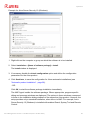
5. Click Yes.
This process only takes a few seconds. If the AMC Server restarts, the Frontend needs
to log in again.
Avira Management Console - User Manual (Status: 20 Nov 2012)
57
Configuration
General configuration settings
General Settings:
• SMTP Server
The name of the mailserver from which AMC sends email notifications.
• Sender email address
The email address from which AMC sends email notifications.
• Use login data
If a login is required for the mailserver, enable this option and enter the user and
password.
• SMPT Login/SMPT Password
The user name and password for logging in to the mailserver.
Avira Management Console - User Manual (Status: 20 Nov 2012)
58
Configuration
Server Settings
General:
• Display agent synchronization command
If this option is enabled, the Commands context menu of the Security Environment and of
computer groups contains the additional command Force agent synchronization, used for
pull AMC Agents. For further information, refer to "Push and pull mechanism" - page 107.
• Minimize GUI refresh
If you are managing lots of clients via the AMC, you can enable this option to limit AMC
Frontend refresh instances and considerably improve AMC performance. The AMC
Frontend now only updates status icons to take account of error messages or pending
operations.
Avira Management Console - User Manual (Status: 20 Nov 2012)
59
Configuration
• Reset error states older than...
To ensure the error status display is always up-to-date, the AMC can be configured to
automatically reset the error status after a specific number of hours. Enable the option
Reset error states older than... and enter the required number of hours.
Communication:
• Synchronize client node hostname or IP address with client values
If you have enabled the option Synchronize client node hostname or IP address with
client values, you can choose between Use hostname or Use IP address for updating the
client node name. If this option is enabled, the AMC always retrieves the computer name
or IP address of the client computer from the AMC Agent.
• Synchronize client node display name
Enable this option if you want to display the computer name of the client in the Security
Environment.
Avira Management Console - User Manual (Status: 20 Nov 2012)
60
Configuration
Event Settings:
Events sent by Avira products to the Event Manager (e.g. virus alerts) can be sent to an
email address. In this way, the administrator is directly informed about the events displayed
in the AMC Frontend, e.g. critical events.
• Email address
Email address of the recipient, e.g. the administrator or the collective address of the
administration system, so that multiple team members receive the notification. This applies
to the SMTP server settings from the General settings node.
• Send after count of... warning event(s)
Enable this option if you want to be notified of warnings by email. Then set the number of
events which must occur, for a notification to be sent.
• Send after count of... critical event(s)
Enable this option if you want to be notified of critical events by email. Then set the
number of events which must occur, for a notification to be sent.
Avira Management Console - User Manual (Status: 20 Nov 2012)
61
Configuration
• Send after count of... error event(s)
Enable this option if you want to be notified of error events by email. Then set the number
of events which must occur, for a notification to be sent.
• Send after count of... security event(s)
Enable this option if you want to be notified of security events by email. Then set the
number of events which must occur, for a notification to be sent.
• Delete events in database...
This option can be used to set the number of days after which event entries are
automatically deleted from the database, to ensure that not too much memory space is
used unnecessarily and database limits are not exceeded.
5.6.4 Configuration of the Avira Update Manager
The Avira Update Manager (AUM) is integrated into the AMC Frontend and is responsible
for updates to Avira software packages and installed products.
Clients on the network no longer have to download the updates themselves from the
Internet; instead you can update the products via your intranet, reducing Internet data
traffic.
The Avira Update Manager service runs on one or more servers on your network and
manages product update downloads on these servers. You can configure and control the
AUM service remotely, using the AMC Frontend.
If you install the AMC Server, an AUM service is automatically installed on the same server.
You can add new servers to the AUM node at a later time (as described under 5.4 Adding
update servers to the AUM - page 42).
Avira Management Console - User Manual (Status: 20 Nov 2012)
62
Configuration
If the automatic update mode is enabled (enabled by default, see 7. Updating the Software
Repository and installed products - page 122), update tasks no longer have to be
scheduled; moreover, the update server also does not have to be configured for each
product, because updates are automatically triggered and downloaded by the integrated
Avira Update Manager (AUM). The automatic update mode also ensures that available
updates are distributed to all client computers as quickly as possible.
You can use the Configuration settings (Configuration > Update > Default AUM for all
updates) to select a default AUM Server for all updates: AMC Frontend, Software
Repository, AMC Server (including installed AMC Agents and Avira products on the client
computers, if set to automatic mode).
Avira Management Console - User Manual (Status: 20 Nov 2012)
63
Configuration
• Synchronization
You can separately enable the repositories’ synchronization option: Automatically
synchronize software repositories between AMC and AUM servers. If this option is
enabled, AMC automatically synchronizes all AUM instances in order to mirror all
products contained in the Software Repository. If you delete or add a software package in
the Software Repository, the AMC Server deletes/adds this product from/to all AUM
servers.
In order to configure the individual AUM servers in your Security Environment, expand the
Avira Update Manager node and then the server node (for example vm-win2k3:7050)
and use the configuration options under Server Settings and Frontend Settings.
Avira Management Console - User Manual (Status: 20 Nov 2012)
64
Configuration
AUM Server - General settings:
• Download location
To define the destination directory where the updated files and program packages are to
be saved: under Root directory for update files specify the destination directory on the
server. The destination folder should also be on the network. Shares are not supported.
Note
If the destination directory is on a computer on the intranet, you must specify the
path manually in the form of a UNC- path. Ensure that you have the appropriate
rights on the destination computer. The AUM service should not be logged in as
a local system account, as this will make it impossible to log in to the destination
computer. Example:
\\Destination computer\Share\Updates\Avira\
If authentication is required on the selected server, enable the Use UNC
authentication for root directory option and specify a User and a Password.
• Updates
In the Updates area, you can enable the Activate test mode option.
In test mode, new files are loaded and shared in a test directory (hosted by a second
HTTP server). If they have been scanned, they can be applied on the standard HTTP
server and made available via the Security Environment. See "Using the AUM in test
mode" - page 125.
Avira Management Console - User Manual (Status: 20 Nov 2012)
65
Configuration
Enable the option Activate automatic mode for AMC updates, to update the
corresponding groups automatically via AUM (activated by default).
• Configure Avira Update Manager updates
Under Configure Avira Update Manager updates, you can enable the option Install AUM
service updates automatically, if you want AUM updates to be installed from the update
servers immediately after a successful download (does not apply to the AUM integrated
into the AMC).
Note
If you want to perform an update via the AUM in test mode, you first have to run
the command Commit products from the context menu. Otherwise you will not
be able to update the AMC Server and AMC Frontend at a later time.
• Log level
To define which events are to be logged in the AUM log file, go to the Log level drop-down
menu and choose between: Info, Warning, Error, Trace or Debug.
Avira Management Console - User Manual (Status: 20 Nov 2012)
66
Configuration
AUM Server - Network settings:
• Web server
To change the default download server, enable the Use own server list option, and
specify the address (IP address or computer name) of the required download server in the
Update server list field.
If the server uses a different port than port 80, the port number has to be added after the
server name. Example:
testserver1:7080,testserver2
You can also enter multiple download servers, separated by commas. One will then be
selected at random.
• HTTP Server
Change the values under Port of server and Port of test server in the HTTP Server area,
if ports 7080 and 7100 are already being used by another application on the computer.
Avira Management Console - User Manual (Status: 20 Nov 2012)
67
Configuration
• Proxy server
If you are accessing the Internet via a proxy server, enable the Use server option in the
Proxy server area, and enter the proxy server data (the Use authentication option is
optional and dependent on the settings of the proxy server).
AUM Server - Email settings:
You can define the email messages sent by the Avira Update Manager as follows:
• Email messages
In the Email messages area, enable the option Activate email notification and fill in the
following fields:
• SMTP Server
Name of mail server. The hostname should be a maximum of 127 characters.
Example: 192.168.1.100 or mail.testcompany.com
• Sender
Sender’s email address
Example: [email protected]
Avira Management Console - User Manual (Status: 20 Nov 2012)
68
Configuration
• Recipient(s)
Email address of the recipient(s). Separate individual addresses with a comma.
Example: [email protected]
• Authentication
If the mail server requires authentication, enable the Use authentication option in the
Authentication area and enter the login data for the mail server.
In the Email notifications for the following events area, you can select when AUM emails
are to be sent: Error, Warning or Information. Please also note the information contained
in the log file. You can use the Send test email button to check the notification settings.
Note
The Simple Message Transfer Protocol (SMTP) is used to send emails.
AUM Frontend Settings:
Enabling SSL server authentication
AMC supports signed SSL certificates for all server applications, including the AUM Server.
As a client application, the AUM Frontend supports SSL server authentication (for further
information on the SSL function, see below).
5.7 SSL certificate administration
SSL ensures secure communication by means of data encryption and server/client
authentication. This means that before information is exchanged, the client must verify the
true identity of the server and the server must verify the true identity of the client. When this
has been done, the communication partners can exchange their encrypted information.
Avira Management Console - User Manual (Status: 20 Nov 2012)
69
Configuration
The AMC supports signed certificates for all server applications (Event Manager, AUM
Server, AMC Server). The AMC Server contains a new tool that supports SSL certificate
creation and provision.
All AMC clients (AMC Agent, AUM Frontend, AMC Frontend) support SSL server
authentication.
5.7.1 Creating a signed certificate for AMC Server
If you want to create your own certificate for your AMC Server and want the clients to
authenticate the server, you can use the Certificate Creation Tool:
1. Double-click on the file SSLCertRequester.exe (in C:\Program Files\Avira\Avira
Security Management Center Server\), and click Next.
2. Select the first option: Create SSL Certificate Request and Private Key.
Avira Management Console - User Manual (Status: 20 Nov 2012)
70
Configuration
3. Fill out the data form and click Create Certificate.
The Common Name has to correspond to the hostname of the AMC Server’s computer.
The tool generates the CSR (YourNameReq.pem) and the private key
(YourNameKey.pem) for the AMC Server.
4. Save the private key in a secure location and send the CSR to a trusted Certification
Authority for signing.
5. If the signed certificate is returned by email, use the Certificate Creation Tool to update
the certificate and the private key in the AMC.
6. Double-click on the file SSLCertRequester.exe (in C:\Program Files\Avira\Avira Security
Management Center Server\), and click Next.
Avira Management Console - User Manual (Status: 20 Nov 2012)
71
Configuration
7. Select the second option Import signed Certificate and Private Key pair.
8. Click Browse and search for the Private Key and the Certificate on your system,
specify the Password and click Import.
5.7.2 Adding a Certificate Authority to the trusted list
If you want to use your own certificate, add the Certificate Authority (CA) that signed your
AMC Server certificate to the list of trusted CAs.
1. Add manually your CA’s certificate (the contents of cacert.pem) to the list of trusted CAs
in C:\Program Files\Avira\Avira Security Management Center Server\ssl\cacert.pem.
If you want to use only your CA’s certificate, replace the existing file.
2. Copy the modified cacert.pem file to the Application Data folder on the systems on
which the AMC components are installed: AMC Agent, AMC Frontend and AUM
Frontend. For example:
C:\Documents and Settings\All Users\Application Data\Avira\Avira Internet Update
Frontend\cacert.pem.
3. Turn on the SSL server authentication function in the configuration for the AMC Agent
(see "Changing the AMC Agent configuration" - page 53), AUM Frontend (see "AUM
Avira Management Console - User Manual (Status: 20 Nov 2012)
72
Configuration
Frontend Settings:" - page 69) and AMC Frontend (see "Installing the AMC Frontend" page 18).
Warning
If the certificate is not valid, the AMC Agents lose communication with the AMC.
5.8 Updating the AMC
For proper functioning, it is important that the software is always up-to-date and that the
versions of the individual components are compatible with each other. The AMC
components (AMC Frontend, AMC Server and all associated services, and the AMC
Agents) can be updated quickly and easily. The AMC establishes an Internet connection to
the servers for this purpose, downloads the available updates and installs them.
Internet access is required to update the AMC. Where necessary, you also have to open
the necessary ports in your network’s firewall. The firewall integrated into Windows Server
2003 and Windows Server 2008 is automatically appropriately configured by the AMC
Server, Avira Update Manager and Event Manager.
Note
During installation of the updates, the connection to the AMC Server is
interrupted and the AMC Frontend must be closed.
If the automatic update mode is active, you will only be notified that new updates are
available for AMC Server and AMC Frontend.
5.8.1 Updating AMC Server and AMC Frontend
Direct updates
1. Right-click on Avira Management Console Frontend, and select
Update > Server > Start update, in order to update the AMC Server.
– OR –
Select Update > Frontend, in order to update the AMC Frontend.
The following message is displayed:
When updating the AMC Server:
Avira Management Console - User Manual (Status: 20 Nov 2012)
73
Configuration
When updating the AMC Frontend:
2. Click Yes to confirm and where necessary close the AMC Frontend.
The connection to the AMC Server is interrupted
The AMC establishes a connection to the Avira Update Manager, downloads and
installs the updates from the Avira servers.
3. Restart the AMC Frontend, and log in again to the AMC Server (see "Starting the AMC
Frontend and logging in to the AMC Server" - page 20).
Updating with Avira Update Manager
Under Avira Update Manager, expand the server node, right-click Released products and
select Update mirrored products.
The progress of the update is displayed in the Update status tab.
Creating a task for the AMC Server update
You can create a task to check for new updates of the AMC Server at regular intervals.
Note
The task for the scheduled update must be created by the administrator.
1. Right-click on Avira Management Console Frontend and select Update > Server >
Schedule update check.
The Create a Task window is displayed.
2. Enter a name for the task, select the frequency of recurrence and click Next.
3. Select the start date and start time for the task and click Finish.
The task is created.
You can edit the task settings at any time using the context menu options (see below).
Avira Management Console - User Manual (Status: 20 Nov 2012)
74
Configuration
5.8.2 Displaying and changing update tasks for the AMC Server
Right-click on Avira Management Console Frontend, and select Update > Show tasks.
Task details for the server update are displayed in the results window
(see "Displaying tasks for software packages and AMC Server components" - page
110).
To edit a task:
1. Double-click on the task.
The Create a Task window is displayed.
2. Carry out the required changes and save the task.
5.8.3 Updating AMC Agents
It is recommended to update AMC Agents automatically via the Avira Update Manager
(default settings).
To update the AMC Agents manually over the entire Security Environment or in a specific
group:
Right-click on the Security Environment node or on the node of the group and select
Commands > AMC Agent > Start Update.
To update the AMC Agent manually on a specific computer:
Under the node of the computer in the Security Environment, right-click on AMC Agent, and
select Commands > Start Update.
You can also schedule AMC Agent updates. To do so, in the Commands window, click
the Schedule this command button.
To update the AMC Agents via AUM, when not in automatic mode:
Under Avira Update Manager, expand the server node, right-click Released products and
select Update mirrored products.
The progress of the update is displayed in the Update status window.
5.9 User Management
The User Management function lets you create users with specific access rights.
Administrators can use this function to organize the monitoring of the Security Environment
Avira Management Console - User Manual (Status: 20 Nov 2012)
75
Configuration
effectively and delegate specific IT tasks to users. Certain users can be allowed to display
specific events or reports in the AMC, whilst being unable to change any security-related
settings.
Adding new users
1. Right-click on the User Management node, and select Create new user.
The New user window is opened.
2. Enter the user name, the full name, and optionally a description and email address:
The user will receive messages about changes in products’ status, if you fill in the email
address and activate the option Receive product status email under User permissions
(described below).
3. If the account is not to be activated until a later time, select the Account is deactivated
option.
4. On the Permissions tab, configure the user permissions.
5. Click OK to save the settings.
The Password window is opened.
6. Enter the password and click OK.
Avira Management Console - User Manual (Status: 20 Nov 2012)
76
Configuration
The new user is displayed in the results window.
Configuring the user account
The following settings can be defined for all user accounts:
•
Password: Enter the password with which the user logs on to the AMC.
•
Properties: Enter the user name, the full name, the description and the email address.
•
Rights: Define access rights for the AMC.
Note
The Security Environment is visible to all users.
You can assign the following rights to users:
•
Display network neighborhood
•
Display reports
•
Modify/delete reports
•
Manage users
•
Display events
•
Delete events
•
Manage Software Repository
•
Change own login password
•
Configure AMC
•
Configure AUM
Avira Management Console - User Manual (Status: 20 Nov 2012)
77
Configuration
•
Manage filtering groups
•
Display filtering groups
Setting a password
1. Right-click on the user icon in User Management and select Set password.
The Password window is opened.
2. Enter the password and click OK.
Access to the user account is password-protected.
Setting user’s properties
1. Right-click on the user icon in User Management and select Properties.
The properties window is displayed.
2. Make the required changes to the user properties.
Avira Management Console - User Manual (Status: 20 Nov 2012)
78
Configuration
3. Click on the Permissions tab
4. Enable/disable the required permissions, and click OK to confirm.
Deleting a user
1. Right-click on the user icon in User Management and select Delete.
2. Click Yes.
The user is deleted.
Configuring user rights for virtual groups
You can configure the access rights of users for virtual groups and computers in the
Security Environment. These rights are inherited downwards in the hierarchy of the virtual
groups. You can define the authorized users and their access rights for each node
individually or let them inherit the settings of the parent node.
The following rights can be assigned specifically to groups or users:
•
Browse
•
Create/ delete groups
Avira Management Console - User Manual (Status: 20 Nov 2012)
79
Configuration
•
Create/ delete computers
•
Install/ uninstall/ configure agents
•
Install/ uninstall/ configure products
•
Send commands
•
Manage server tasks
•
Generate reports
•
Manage group permissions
•
Receive product status email
Note
The rights for the Administrator user cannot be changed.
1. In the Security Environment, right-click on the node of a computer or virtual group, and
select User permissions.
The User permissions window is displayed.
2. Highlight a user and configure his/her rights in the Permissions area.
Avira Management Console - User Manual (Status: 20 Nov 2012)
80
Configuration
You can configure users and their permissions for every node. If the settings are
inherited from the parent node, the Permissions area is greyed out (disabled)
3. Where appropriate, disable the Use parent setting option.
4. Click Manage users.
The Users window is displayed.
5. In the Available users area, select the users who will be allowed to access the node and
click Add.
– OR –
Select the users who will not be allowed access to the node and click Delete.
The users will be added to or removed from the Selected users area.
Use parent setting
To apply the settings of the parent node: Enable the Use parent setting option.
The user and access rights settings are inherited from the parent node.
Avira Management Console - User Manual (Status: 20 Nov 2012)
81
Operation
6. Operation
6.1 Overview
This chapter describes the functions of AMC. These functions may vary slightly depending
on the operating system and MMC version.
With AMC you can perform the following tasks with Avira products:
•
Store, install, uninstall and configure software packages:
6.2 Managing software packages - page 83
•
Create filtered groups in the Security Environment (using specific criteria):
6.3 Creating filtered computer groups - page 92
•
Display different information on the computers in the Security Environment after
installation of the software packages:
6.4 Displaying information on a computer or group - page 97
•
Display and filter AMC messages after installation and configuration of the software
packages:
6.5 Displaying events - page 104
•
Perform product-specific actions (e.g. scan or update) and schedule regular tasks:
6.6 Executing commands and scheduling tasks - page 107.
•
Access reports and regularly retrieve the status of the installed software and overviews of past
events and messages on the computers in the Security Environment:
6.7 Creating and displaying reports - page 111
•
Share and run files and special Avira tools via the network:
6.8 Sharing files, licenses and programs in the Security Environment - page 116
•
Record all AMC actions in log files (optional). This means, for example, that you can
identify software installation errors on the network more quickly:
6.9 Log files - page 120
Starting the AMC Frontend
Carry out the steps described in 4.1 Starting the AMC Frontend and logging in to the AMC
Server - page 20.
Avira Management Console - User Manual (Status: 20 Nov 2012)
82
Operation
6.2 Managing software packages
The AMC Frontend lets you install, configure or uninstall Avira products quickly and easily
on virtual groups in the Security Environment. In the AMC, Avira products are managed as
software packages in a proprietary database, named Software Repository under Security
Environment, and Products under each AUM Server node.
Note
The Software Repository node is used by default, when installing Avira products
on computers in the virtual groups. If you enable the option Get product
installation packages from AUM in the AMC Agent configuration, and use the
command Update mirrored products on the corresponding AUM Server, the
installation packages will be retrieved from the AUM Server. See 5.6.1 Changing
the AMC Agent configuration - page 53.
The Software Repository node
Software packages are displayed in the AMC Frontend under the node Software
Repository.
Avira Management Console - User Manual (Status: 20 Nov 2012)
83
Operation
General information about the software is displayed in the Details panel: the name of the
Avira product, the name of the installation file, the version and the license file.
6.2.1 Adding and deleting software packages
Avira products, such as Avira Professional Security 12 (Windows) are saved in the
Software Repository as software packages. A software package consists of all the Avira
product’s program files and an information file, packed in a self-extracting archive and
saved in the AMC database.
Note
Before you can install a software package in the Security Environment, you must
first obtain a license from Avira. Information on licensing can be found in the
manual for the respective Avira product.
Adding a software package
Prerequisites
• The Avira product must be saved to a computer on the local network.
1. Right-click on the Software Repository node, and select New > Software.
The window for selecting the software package opens.
2. Select the path for the software package and click Open.
The software package is saved. The data contained in the package’s information file is
displayed in the results window.
3. Click on the Browse button […], enter the path for the software license file and click
Open.
The license file path is displayed in the results window.
4. Click Accept.
Avira Management Console - User Manual (Status: 20 Nov 2012)
84
Operation
After checking the license, the software is displayed under the Software Repository and
Avira Update Manager nodes. The details panel contains information on the software.
Note
Please note that the license file is only valid for the new installation of the
software. If you want to extend the license for a specific, already installed
product, you have to renew the license file with the function Copy files (see
"Sharing license files" - page 118).
Deleting a software package
Note
Avira recommends that you do not delete existing software packages, as this
may delete linked files on the server hard disk.
1. Expand the Software Repository node.
The saved software packages are displayed.
2. Right-click on the software package and select Delete.
The software is removed from the AMC database.
Avira Management Console - User Manual (Status: 20 Nov 2012)
85
Operation
6.2.2 Installing and uninstalling software packages
Note
Read the readme.txt file in the AMC main directory.
The installation or uninstallation of software packages on computers in the Security
Environment starts in protected mode, i.e. the process cannot be either interrupted or
terminated.
The installation and uninstallation of software packages can only be carried out if all
computers in the Security Environment are in online mode, administrator access is
available and AMC Agents are enabled.
If there are computers in offline mode or AMC Agents with an enabled pull mechanism, the
actions and commands (e.g. installing a software package) are saved and automatically
triggered as soon as the computers or groups revert to online mode, or the AMC Agents
perform synchronization. The computers for which an action is available have the status
Pending operations (red flag on the left and/or orange arrow).
Note
Before the installation of a software package the Avira product must be
configured. The configuration of Avira products require precise knowledge of the
configuration parameters. Read and follow the configuration installations in the
manual of the respective Avira product before you perform a remote installation
or configuration with AMC.
Installing a software package
With AMC you can install Avira software packages on multiple computers at the same time.
The configuration will be applied as set on the corresponding nodes in the Security
Environment (see 5.3 Setting up the Security Environment - page 31).
Note
The AMC Agent must be installed first, if it is not yet available on the computer
on which a software package is to be installed.
During installation, the product-specific Install or Configuration window is displayed, in
which the required parameters can be defined (see 9.2 Product-specific configuration
windows - page 135).
Avira Management Console - User Manual (Status: 20 Nov 2012)
86
Operation
Example for Avira Server Security 12 (Windows):
1. Right-click on the computer or group on which the software is to be installed.
2. Select Installation > [Name of software package] > Install.
The Install window is displayed.
3. If necessary, disable the Inherit configuration option and define the configuration
parameters for the Avira product.
4. Click Send later, to save the configuration for future automatic installations (see
"Automatic product installation" - page 88).
- OR Click OK, to start the software package installation immediately.
The AMC Agent installs the software package. Where appropriate, program-specific
dialog and message windows are displayed. The options in these windows correspond
to those in the installation dialog windows of the respective Avira product. However, the
setup provides only a standard installation, when done via AMC. For example, Avira
Server Security 12 (Windows) is installed with enabled Guard, Systray Tool and Remote
Control.
Avira Management Console - User Manual (Status: 20 Nov 2012)
87
Operation
5. In the navigation area, click on the computer or group on which the installation was
performed.
Information on the Avira products installed on the computer is displayed in the results
window.
Uninstalling a product
Prerequisites
• Computers/groups must be included in the Security Environment and have the
following status:
Monitor green, arrow green.
1. Right-click on the computer or group on which the software is to be uninstalled.
2. In the context menu, select Installation > [Name of software package] > Uninstall.
3. Click Yes.
The product is uninstalled. The entries for this product are deleted in the results window.
Warning
Please note that some computers in your network might remain unprotected, if
you remove a security product.
Automatic product installation
You can configure automatic routines to install the AMC Agent and certain Avira products
on computers in groups, immediately after new computers are added to the group.
Note
For products to be installed automatically, the AMC Server user account must
have administrator rights on all computers, to which the automatic installation of
the AMC Agent applies.
The AMC Agent must be manually installed on UNIX systems.
1. Right-click on the group in the Security Environment and select Installation > Products.
Avira Management Console - User Manual (Status: 20 Nov 2012)
88
Operation
2. Disable the Inherit from parent option
You can then select the products to be automatically installed when a computer is
added to the group.
3. If you want to install the AMC Agent automatically, when a computer is added to the
group, activate the option Install agent automatically when not available on the target
system (Windows only).
4. Click OK.
The selected products will be automatically installed on the computers of the chosen
group. The installation configuration is applied as defined under Installation > [Name of
software package] > Install (see "Installing a software package" - page 86).
6.2.3 Changing the configuration of an Avira product
Installed Avira products can be configured for each individual node. The settings are then
inherited downwards, from the parent nodes.
We recommend that you configure the Avira product first on the Security Environment
node. All computers in the group inherit these settings. You can then change the
configuration of individual computers or sub-groups (if you have first disabled the Inherit
configuration option), overwriting the settings inherited from the parent node.
Avira Management Console - User Manual (Status: 20 Nov 2012)
89
Operation
During configuration of an Avira product, the product-specific Configuration dialog window
is displayed in which the required parameters can be defined (see 9.2 Product-specific
configuration windows - page 135).
Example for Avira Server Security 12 (Windows):
Note
A product-specific configuration window is displayed during installation and
configuration of a software package on computers in the Security Environment.
The settings shown in this window are similar to the configuration options of the
relevant Avira product.
Please refer to each product’s documentation, for further information on
configuration parameters.
If there are computers in offline mode or AMC Agents with an enabled pull mechanism, the
actions and commands (e.g. installing a software package) are saved and automatically
triggered as soon as the computers or groups revert to online mode, or the AMC Agents
perform synchronization. The computers for which an action is available have the status
Pending operations (red flag on the left and/or orange arrow).
Avira Management Console - User Manual (Status: 20 Nov 2012)
90
Operation
Configuring an Avira product
Prerequisites
• Computers/groups must be included in the Security Environment and have the
following status:
Monitor green, arrow green.
1. Right-click on the computer or group.
2. Select Configuration > [Name of product] > Configure.
The product-specific Configuration window is opened.
3. Disable the Inherit configuration option and update the product settings.
4. If you want the changed settings for the computer or group to be effective immediately,
click Send now.
The new configuration is applied to the computer or group.
-ORIf you want the changed settings for the computer or group to become effective at a later
time, click Send later.
AMC saves the new configuration locally for each node. It can then be assigned to the
computer or group at a later time, by selecting Configuration > [Name of product] >
Send now.
6.2.4 Exporting/ Importing the configuration of an Avira product
You can save (export) the configuration of an Avira product from a certain node of the
Security Environment and re-use the same configuration (import) on other nodes.
Export Configuration
1. Right-click the computer node from which you want to export the product’s configuration
and select Configuration > [product] > Export Configuration.
2. In the browse dialog, select the destination and give a name to the saved configuration
file.
Avira Management Console - User Manual (Status: 20 Nov 2012)
91
Operation
Import Configuration
Note
The imported configuration replaces the existing one. The configuration import
also brakes the inheritance, if active.
You can import a product configuration only to a product of the same family, e.g.
Avira Professional Security 12 (Windows) or Avira Server Security 12
(Windows). The language of the product is not a restriction.
1. Right-click the computer node on which you want to import the product configuration
and select Configuration > [product] > Import Configuration.
2. In the browse dialog, select the configuration file from your system.
Note
You can always revert the configuration to the parent node’s settings, by
selecting Configuration > [product] > Reset to parent’s configuration.
6.3 Creating filtered computer groups
You can use the New > Filtering group option in the context menu of the Security
Environment, to create sub-groups of computers which satisfy specific criteria. Filtering can
be performed according to the following criteria:
•
Error status
•
Product with an error message
•
Installed or non-installed product
•
Computers, groups, hostnames or IP addresses
•
Last AMC Agent’s registration date
You can then execute commands directly for the filtered group and do not have to search
the entire Security Environment for the required computers.
Avira Management Console - User Manual (Status: 20 Nov 2012)
92
Operation
1. Right-click on the Security Environment node or on a group and select New > Filtering
group.
The filter wizard opens.
2. Enter a name for the filtered group you want to create (e.g. Errors), and select the
corresponding filter type from the menu.
Avira Management Console - User Manual (Status: 20 Nov 2012)
93
Operation
Error state:
Select the first filter type if you want to include in a sub-group all computers on which an
error has occurred. Then click Finish.
The sub-group (e.g. Errors) is displayed under the Filtered security environment node.
Product reporting an error:
Select the second filter type if you want to include in a sub-group all computers on which
a product has reported an error. Then click Next.
The window Module error status filter is opened.
Select the module errors to be included in a group and click Finish.
Avira Management Console - User Manual (Status: 20 Nov 2012)
94
Operation
The sub-group is displayed under the Filtered security environment node.
Installed/ Not installed product:
Select the third filter type if you want to include in a sub-group all computers on which a
specific product has been installed or not installed. Then click Next.
The Product filter window is opened.
Select the required product and click Finish.
The sub-group is displayed under the Filtered security environment node.
Wildcard search criteria:
Select the fourth filter type if you want to include in a sub-group all computers with name
or hostname matching a specific search criterion. Then click Next.
Avira Management Console - User Manual (Status: 20 Nov 2012)
95
Operation
The Text filter window is opened.
Enter the hostname or the IP address you search for (* and ? wildcards supported).
Click Finish.
The sub-group is displayed under the Filtered security environment node.
AMC Agent’s last registration date:
Select the fifth filter type if you want to include computers in a sub-group on the basis of
the last AMC Agent registration. Then click Next.
The Last registration filter window is opened.
Avira Management Console - User Manual (Status: 20 Nov 2012)
96
Operation
Enter a time period in which the last interaction is to have taken place, e.g. 14 days.
(default value: 14 days; minimum value: 1 day; maximum value: 365 days.)
Click Finish.
The sub-group is displayed under the Filtered security environment node.
6.4 Displaying information on a computer or group
6.4.1 Displaying information on a node or computer
Basic information on each node or computer can be displayed via the Properties context
menu.
Properties of virtual groups:
Right-click on a virtual group under the Security Environment node and select Properties.
The Properties window is displayed:
Information on a virtual group:
•
Computer amount in group: The number of computers in the group.
•
Available: The number of computers currently connected to the AMC.
•
Product and Count: The name and number of products installed in the group.
Computer properties:
Right-click on a computer under the Security Environment node and select Properties.
The Computer properties window is opened:
Avira Management Console - User Manual (Status: 20 Nov 2012)
97
Operation
Information on a computer:
•
Display name: The name of the computer in the Security Environment.
•
Hostname/IP: The hostname or IP address on the network.
6.4.2 Displaying information in the details panel
AMC saves information on each computer and group in the Security Environment, which
you can display and if necessary sort in the details panel.
When selecting a computer, various Views are available via the context menu or toolbar:
•
For a group: Status, Error messages, Tasks and Pending operations
•
For a computer: Product status, Product version, Error messages, Events, Tasks and
Pending operations
Selecting and sorting the information displayed
Prerequisites
• Computers/groups must be included in the Security Environment and have the
following status:
Monitor green, arrow green.
1. Right-click on the computer or group you want to display information on and select the
required view from the Views option (alternately you can use the relevant toolbar
button): Product status, Product version, Error messages, Events, Tasks or Pending
operations.
The relevant information is displayed in the details panel.
2. In the context menu select View > Large/Small Icons to display large or small icons for
computers, products, tasks and events in the results window.
3. In the context menu, select View > List or View > Detail to display the elements or
element details in table form.
4. The Add/Remove Columns option in the View menu lets you customize the display in
the results window. The table can be sorted by clicking on the column heading.
5. Using the Customize option in the View menu, you can show or hide different elements
of the MMC and snap-in interface (menus, toolbars, console tree, etc.)
Avira Management Console - User Manual (Status: 20 Nov 2012)
98
Operation
Status view
This view displays the following information for each group:
•
Name
The name of the computer.
•
Operating system
Information on the operating system used.
•
Computer status
Information on the computer: "Online", "Offline", "Online, no agent installed" or "Not
available".
•
Hostname/IP
The hostname or IP address on the network.
•
Configuration
The configuration settings of the AMC Agent (inherited or defined).
•
Last notification
The data and time of the last AMC Agent registration.
•
Installed products
A list of the products already installed on the relevant computer which can be managed
using the AMC.
If you select a computer in the Security Environment, the following information is displayed
in the Product status
view:
Avira Management Console - User Manual (Status: 20 Nov 2012)
99
Operation
•
Product name
•
Product state
•
Status details
Status view for the Filtered security environment:
Product version view
This view displays information on all Avira program modules installed on the computer.
•
Module name
A list of Avira products installed on the computer.
Avira Management Console - User Manual (Status: 20 Nov 2012)
100
Operation
•
Module version
Information of the file version.
•
Module details
A description of the file.
Events view
Every Avira product on a computer generates product-specific events which are retrieved
and saved by the AMC Agent:
•
Computername
The name of the computer on which the event was reported by the Avira product.
•
Level
Avira products assign a level (degree of importance) to every event: Critical, Warning,
Information, Security, Error.
•
Product
The name of the Avira product reporting the event.
•
Actor
The name of the program component reporting the event.
•
Message
The product-specific text relating to the event.
•
Time
The date and time of the event.
Avira Management Console - User Manual (Status: 20 Nov 2012)
101
Operation
Tasks view
Every Avira product on a computer supports product-specific commands (e.g. for executing
scans or updates). These commands can be executed as scheduled tasks at regular
intervals with the aid of the AMC.
You can display these tasks for each computer and each group. The group tasks are
displayed in each computer’s scheduler.
•
Node
The name of the computer or group.
•
Name
The user-defined task name.
•
Period
The frequency of the task: hourly, daily, weekly, etc.
•
Start
The date and time of the first execution of the task.
•
Actor
The Avira product carrying out the task.
•
Command
The product-specific command for the task (e.g. update). The parameters of the command are not displayed at this point.
•
Weekdays
The weekdays for commands which are based on days of the week (Mon, Tue, Wed,
etc).
Avira Management Console - User Manual (Status: 20 Nov 2012)
102
Operation
•
Created
The date and time of the creation of the task.
Pending operations view
Every Avira product supports product-specific commands (e.g. for performing scans or
updates) which can be executed as scheduled actions at regular intervals with the aid of
the AMC. If the action cannot be carried out because computers are in offline mode or the
Agent is using the pull mechanism, the command or action is saved as a pending
operation. The operation is then carried out as soon as the computer becomes available
again or the agent performs synchronization.
You can display the pending operations for each group and each computer.
•
Computer name
The name of the computer on which the pending operation is to be carried out.
•
Operation
The operation type, e.g. installation or command.
•
Product
The product for which the operation was created.
•
Remarks
Information on the pending operation, such as command type and creation date.
•
Created
The date and time of the creation of the operation.
Avira Management Console - User Manual (Status: 20 Nov 2012)
103
Operation
Error messages view
If errors occur on computers in the Security Environment during actions in AMC, the
affected computers are highlighted in the AMC Frontend.
Errors always occur at computer level. Nodes cannot produce errors, as they do not
present physical structures on the network.
You can display the errors for each group and each computer.
•
Computer name
The name of the computer on which the error has occurred.
•
Product name
The name of the product reporting the error.
•
Error message
The text of the error message.
•
Error state
The status of the error.
•
Created
The date and time of the event.
6.5 Displaying events
Every Avira product generates specific events which are collected by AMC and displayed in
the AMC Frontend. The AMC Agent collects the generated events and saves them in the
local database.
Avira Management Console - User Manual (Status: 20 Nov 2012)
104
Operation
These events can then be displayed in the AMC Frontend:
•
You can display and sort events which have occurred on specific computers in the
Security Environment node (see 6.4 Displaying information on a computer or group page 97).
•
You can display and sort events which have occurred on all computers in the Events
node. You can use filter criteria only on the Events node.
Note
The number of events depends on the number of managed computers and it can
take a long time to display all events.
Events node
The details panel of the Events node contains detailed information on all events that have
occurred in the Security Environment.
The Events view for the whole Security Environment corresponds roughly to the Events
view for each computer’s node (see also 6.4 Displaying information on a computer or group
- page 97).
If you double-click on an event, the detailed information is displayed in a separate window.
You can easily identify the computer on which an event occurred: right-click the event and
select the Jump to computer option.
Avira Management Console - User Manual (Status: 20 Nov 2012)
105
Operation
Displaying and filtering events
You can filter events as needed, to only display specific events. The following options are
available:
•
No Filter: All events are displayed in the details panel.
•
Level: Only events at a specific level (Critical, Warning, Information, Security, Error) are
displayed.
•
Product: The events generated by a specific product are displayed. The products which
can be filtered are listed under Filter > Product.
•
String: Only events which contain a specific sequence of characters are displayed.
The Events node contains events transmitted to the AMC Agent by Avira products in the
Security Environment (e.g. to a virus scanner).
1. Click on Events.
All Security Environment events are displayed unfiltered in the details panel.
2. If you click on a column heading, data is sorted according to this criterion, e.g. by Level
or Time.
3. Right-click on Events, select Filter and then the required filter option.
The filtered data is displayed in the results window.
– OR –
Select Filter > String and enter the character sequence to be used for the search and
filter function in the String filter window:
4. After entering the text, click OK.
The scanned events are displayed in the results window.
Deleting events
As over time the list of events gets more and more extensive, you can delete events to save
memory space.
Avira Management Console - User Manual (Status: 20 Nov 2012)
106
Operation
Right-click on an event and select Delete.
– OR –
Right-click on Events and select Delete all.
6.6 Executing commands and scheduling tasks
For every Avira product there are various ways of performing actions such as scan and
update, using specific parameters or schedules. You can configure, activate and plan these
actions using AMC for computers and groups in the Security Environment. An action
initiated by AMC (e.g. Scan) is referred to as a Command, while the planned, single or
periodical action is called a Task (e.g. weekly update).
AMC can run all commands supported by the installed Avira products.
Note
Further information on Avira commands and parameters is available in the
documentation for the relevant Avira product. Please read and follow all relevant
instructions before executing commands and scheduling tasks with the AMC.
Warning
If you shut down the AMC Server, all active commands will be cancelled.
The result of a command (e.g. Scan) or task (e.g. Scan hard disk) is displayed in the
results window of the Events node or that of the group or computer.
Push and pull mechanism
One of the following mechanisms is used to execute tasks and commands, depending on
the configuration of the AMC Agent (see 5.6 Configuring AMC - page 52).
•
Push: Commands are sent by the AMC Server directly to the AMC Agents’ scheduler.
If AMC Agents are in offline mode, actions and commands are saved as Pending operations and run as soon as the AMC Agent is connected again.
Computers on which an action has not been carried out have the status Pending operations:
•
Monitor dark, arrow orange, red flag on the left.
Pull: Contrary to the push mechanism, AMC Agents in pull mode retrieve commands
from the Server at configurable intervals. All operations are treated as pending. This
mechanism enables the management of clients, which cannot be directly accessed by
Avira Management Console - User Manual (Status: 20 Nov 2012)
107
Operation
the AMC Server (e.g. out-of-office laptops). Moreover, the pull mode can ensure a better
distribution of the traffic load over the network.
Computers with pull-agents have the following status icon:
-
Monitor green, arrow green, red flag on the left (in online mode)
-
Monitor dark, arrow orange, red flag on the left (in offline mode)
Under certain circumstances, a synchronization may be forced for pull AMC Agents. The
command Force agent synchronization is available for this purpose. It can be enabled as
follows:
•
In the navigation area, click Configuration > Server Settings, click on General and
enable the Display agent synchronization command option.
The following command is then displayed in the context menu for the Security
Environment and the context menu of each computer: Commands > Force agent
synchronization.
Executing commands
1. Right-click on the computer or group, and select Commands.
A sub-menu is displayed showing all installed Avira products.
2. Select the required product and then the required command (e.g. Start update).
If the command has parameters, these can be entered in the Commands dialog box.
Example for Avira Professional Security 12 (Windows):
3. Enter the required parameters and click OK.
The command is executed and the event is displayed in the results window of the
Events node. With a pull AMC Agent, the command is saved as a pending operation
until synchronization is carried out.
Avira Management Console - User Manual (Status: 20 Nov 2012)
108
Operation
Scheduling tasks
Execution of all available commands can be scheduled for a specific time. In the AMC, a
scheduled command is referred to as a task.
1. Right-click on the computer or group, and select Commands.
A sub-menu is displayed showing all installed Avira products.
2. Select the required product and then the required command (e.g. Start update).
If the command has parameters, the application path and other parameters can be
given in the Commands dialog box.
3. Select the required parameters and click Schedule this command.
The Create a Task window is displayed:
4. Enter a task name and select the frequency of recurrence.
Avira Management Console - User Manual (Status: 20 Nov 2012)
109
Operation
5. Click Next.
The window for selecting time and data settings is opened:
6. Select the start time and start date and click Finish.
The task is created and displayed in the details panel of the computer or group (see
"Tasks view" - page 102).
Displaying tasks and pending operations
The scheduled tasks are displayed in the results window of the computer or group on which
the execution is scheduled.
Right-click on the computer or group, and select Tasks or Pending operations.
The tasks are displayed, together with further information, in the details panel (see
"Tasks view" - page 102).
Displaying tasks for software packages and AMC Server components
Scheduled tasks for updating AMC Server components or software packages are displayed
under Avira Management Console Frontend:
Right-click on Avira Management Console Frontend, and select Update > Show tasks.
Avira Management Console - User Manual (Status: 20 Nov 2012)
110
Operation
The tasks are displayed in the results window.
•
Name
The name of the task.
•
Period
The selected frequency of execution.
•
Start
The time of the first execution.
•
Status
Information on the task execution.
•
Weekdays
Short names of the days of the week (Mon, Tue...), when the task should be run.
•
Created
Date and hour of the task’s creation.
6.7 Creating and displaying reports
You can let the AMC Agent create reports for individual computers or computer groups in
the Security Environment.
First, create a report template for a specific report type. AMC can generate the following
report types for all Avira products installed in the Security Environment.
•
Managed computers
•
Managed products
Avira Management Console - User Manual (Status: 20 Nov 2012)
111
Operation
•
Product version information
•
Product license information
•
Engine and VDF version
•
Found malware (general)
•
Found malware (file)
•
Found malware (email)
•
Found malware (Http)
•
Top 10 malware
•
Top 10 infected computers
Note
Further information on report types can be found in the manual for the respective
Avira product. Please read the information on report types in the manual
carefully before creating and scheduling AMC reports.
Reports node
Click the Reports node, to display the reports and the report templates in the details panel.
•
Template name
The user-defined report name.
•
Template type
The selected report type.
•
Group
The virtual group or computer for which the report is created.
Avira Management Console - User Manual (Status: 20 Nov 2012)
112
Operation
•
Timeframe
The report frequency (if applicable)
•
Start time
The time the report was first created.
•
Schedule
The report generation interval.
Creating report templates
1. Right-click on the computer or group, and select Create report.
The following window is displayed:
2. Select the report type and the period for the report, and click Next.
Avira Management Console - User Manual (Status: 20 Nov 2012)
113
Operation
The Configure report window is opened:
3. Enter a name for the report template.
4. If the report is to be created at regular intervals, enable the Schedule report option and
enter the start date/time and creation interval.
5. Click Finish.
The report template is created. The report is either created immediately or at the
scheduled time and displayed under the Reports node.
Editing report templates
Note
The report type selected for a report template cannot be changed. If you require
a different report type, you have to create a new template.
1. Under the Reports node, click on a report template and select Properties.
The Select report type window is displayed.
2. Change the period where appropriate and click Next.
The Configure report window is displayed.
Avira Management Console - User Manual (Status: 20 Nov 2012)
114
Operation
3. Change the Name and the Scheduler settings where appropriate, and click Finish.
The changes are saved. The report template is displayed in the results window under
the Reports node.
Displaying reports
The reports can be displayed in list form or as HTML pages.
1. In the navigation area, expand the Reports node.
The available report templates are displayed in the details panel.
2. Double-click on a report template in the details panel.
The created report templates are displayed with the start and end date.
3. Right-click on the required report in the navigation area and select List or HTML.
The report is displayed in the selected format (e.g. as a list).
Printing reports
In the AMC, reports are processed as HTML pages and can be displayed and printed out
using an operating system HTML editor (e.g. Microsoft Word or Microsoft Internet Explorer)
1. Select the report in the HTML view, as described in the previous section.
2. Right-click on the report and select Print.
Avira Management Console - User Manual (Status: 20 Nov 2012)
115
Operation
The report is opened in the HTML editor.
3. Print the report using the editor’s Print command.
6.8 Sharing files, licenses and programs in the Security
Environment
Note
On computers in the Security Environment, you can only share programs signed
by Avira.
AMC provides two options for sharing and executing files and executable programs
(certified by Avira) on all computers in the Security Environment.
•
You can share and if required immediately execute files and programs (configured
where appropriate with start parameters and commands) on individual computers or in
groups. In this way you can, for example, deploy virus removers, license files, etc.
•
You can configure AMC Agents on computers to execute programs by remote access.
You can also schedule the execution of these programs as tasks (see also "Scheduling
tasks" - page 109).
Avira Management Console - User Manual (Status: 20 Nov 2012)
116
Operation
When shared, the files are copied to the installation directory of the Avira product you have
selected (\\<amc_server_install>\Avira Security Management Center Agent\). AMC uses
this directory as the root directory for the actions carried out. You can also create subdirectories in this root directory (e.g. ...\New-VDF-Files), so you can quickly retrieve the files
on the computer.
When using remote access to execute a program, the program must be in the installation
directory of the AMC Agent
(\\<amc_server_install>\Avira Security Management Center Agent\).
Note
If you want to use this function on a regular basis, we recommend that you
create a default directory for the copied files, e.g.
…\Shared files.
Warning
Please note the following when sharing executable files:
Read the information on the programs, commands and parameters in the
program documentation before sharing and executing these with the AMC.
If an error occurs after running a program, a fault event is sent to the AMC Agent. The
affected groups are displayed with error status.
If there are computers in offline mode, the actions and commands (e.g. installing a software
package) are saved and automatically triggered as soon as the computers or groups revert
to online mode, or the AMC Agents perform synchronization. The computers for which an
action is available have the status
Pending operations (red flag on the left and/or
orange arrow).
Sharing and executing files and programs
1. Right-click the computer or group and select Installation > [Avira product] > Copy files.
Avira Management Console - User Manual (Status: 20 Nov 2012)
117
Operation
The Copy files window is opened:
2. Click add and browse for the files/ programs you want to copy.
If necessary, indicate the Subdirectory in which the files are to be copied.
3. Click Copy.
4. If the copied files are to be opened and executed immediately: Click the file in the list, to
select it, enable the option Execute selected file after copy operation and enter the
required values in the Parameter and Command fields.
Sharing license files
If you want to extend the license for an Avira product, you have to load the new license file
with the Copy files function.
1. Update the license file for the software package in the Software Repository so it can be
used for future installations.
2. Right-click on the computer or group on which the product is installed in the Security
Environment, and select Installation > [Avira product] > Copy files. Then follow the
steps as described above.
Avira Management Console - User Manual (Status: 20 Nov 2012)
118
Operation
Running programs
Prerequisites
• The program files must be in the installation directory (or in a sub-directory) of the
computer or group.
1. Right-click on the computer or group, and select Commands > AMC Agent > Start
Application.
The Commands window is opened.
2. For Windows AMC Agents:
Enter the path and file name. Use double quotes for absolute paths. Example:
"C:\Program Files (x86)\Avira\AntiVir Desktop\licmgr.exe"
For UNIX AMC Agents:
Call the interpreter, to execute a script. Example:
/bin/sh /tmp/sample_script.sh
3. If the program is to be executed immediately and only once: Click OK.
The program will be executed.
– OR –
Avira Management Console - User Manual (Status: 20 Nov 2012)
119
Operation
If the program is to be executed at regular intervals as a scheduled task:
Click on the Schedule this command button (see "Scheduling tasks" - page 109).
The task is displayed in the results window of the computer or group.
6.9 Log files
If errors occur during the installation, configuration or uninstallation of software packages,
during the execution of actions by Avira products on computers or in groups in the Security
Environment, or during the execution of tasks and commands, the AMC can display the log
files for the Avira products and AMC services in the AMC Frontend.
Errors always occur at computer level. Nodes cannot produce errors, as they do not
present physical structures on the network.
Note
You cannot view the logfiles, if the AMC Server cannot connect to the Agents
(e.g. the AMC Agent is behind a firewall).
Note
For troubleshooting it is recommended that you first check the Avira product’s log
files and have them at hand when you contact support services.
Displaying log files
1. Right-click on the computer and select View Logfile.
The logfiles window is opened.
2. Select the required log file in the drop-down list in the Choose logfile area:
The log file is displayed in the window.
Avira Management Console - User Manual (Status: 20 Nov 2012)
120
Operation
3. Select a filter from the drop-down list:
The log file is filtered and displayed in the window.
Resetting the error status
When an error occurs in the AMC, the affected areas of the Security Environment are
highlighted in the navigation area with a red stop icon.
Prerequisites
• An error icon
is displayed next to the computer or group node.
In the toolbar, select the Error messages view for the computer or group in the Security
Environment.
Check log file
To identify and rectify the error, first check the log file for the affected node (see above).
Delete error
1. To prevent other relevant error messages from being accidentally deleted, right-click on
the appropriate error and select Delete.
2. Click Yes to confirm.
The error message is deleted.
Reset error status
After fixing the error’s cause, reset the error status of the node by right-clicking the node
and selecting Reset error state.
Avira Management Console - User Manual (Status: 20 Nov 2012)
121
Updating the Software Repository and installed products
7. Updating the Software Repository and
installed products
The Software Repository and installed Avira products can be automatically updated with
the aid of the Avira Update Manager. The AUM is integrated into AMC and is a component
of AMC’s configuration.
Avira products can be updated in the AMC by various means:
•
Automatic update mode (enabled by default): automatically updates the software
packages and installed products via the integrated AUM Server, according to the AUM
Scheduler.
– OR –
•
If you disable the Automatic update option (right-click a computer or group and select
Automatic update > Disabled), you can update the products manually, using an update
command or via scheduled tasks.
Note
Avira products installed on the computers in the Security Environment can be
updated via Internet or intranet connection, depending on the configuration of
the update routine. Updates are performed separately on each computer. The
products in the Software Repository are not updated in this way.
Please read and follow the updating instruction in the manuals for the respective
Avira products before you perform updates via AMC.
When updating Avira products in the Software Repository, products installed on
the computers in the Security Environment are not updated.
7.1 Using the Avira Update Manager
The Avira Update Manager service is preconfigured, i.e. no further user actions are
required after installation of the AMC Server. AUM distributes the updated files across the
entire network so that client computers do not require Internet access to perform updates.
Avira Management Console - User Manual (Status: 20 Nov 2012)
122
Updating the Software Repository and installed products
The automatic update mode is enabled by default: all AUM servers automatically mirror all
packages contained in the AMC Software Repository.
Avira Management Console - User Manual (Status: 20 Nov 2012)
123
Updating the Software Repository and installed products
7.1.1 Using the AUM Scheduler
To configure the interval at which Avira Update Manager scans for available product
updates and downloads them to the corresponding AUM server:
1. In the navigation area, click on the node of the AUM server being configured.
2. Click Scheduler:
3. In the Scheduling area, activate the Enable scheduling function and then the required
update interval (Once, Hourly, Daily, Weekly, Monthly or Every x days/hours/
minutes).
4. If you have enabled Every x days/hours/minutes enter an update interval. The
minimum interval is 15 minutes.
5. Specify the start date and time for the first update in the Start time/ Start date fields.
The scheduler has been configured. When you exit the dialog box you will automatically
receive a prompt to save all changes. The service performs product updates at the
specified date and time and at the appropriate intervals.
Note
The selected interval must be at least 5 minutes longer than the interval set for
the automatic copying of files in test mode.
Avira Management Console - User Manual (Status: 20 Nov 2012)
124
Updating the Software Repository and installed products
7.1.2 Using the AUM in test mode
The AUM can also be used in test mode. This mode can be enabled in the AUM
configuration window:
1. Enable the Activate test mode option under Server Settings > General.
In test mode, new files are loaded into a special test directory (Test products) on a
second HTTP server. The files remain in this location until they are committed.
You can assign the test repository of an AUM Server to a group, to test the updates:
2. Right-click the group and select Automatic update > Use update test server.
Avira Management Console - User Manual (Status: 20 Nov 2012)
125
Updating the Software Repository and installed products
After validation, the test files can be committed (Released products), to serve as update
source to the other groups.
3. Right-click on Test products, and select Commit products.
The test files can also be committed automatically:
Under Server Settings > General, enable the option Commit test files automatically
and enter the required time (in minutes).
Note
The selected interval must be at least 5 minutes less than the interval set for
updating the products.
The files will be moved after this period of time has elapsed.
4. Click Yes to confirm the change. The AUM servers are first reinitialized.
Warning
If the server was offline at the time of the planned commit operation, the test files
are released as soon as the server booted up again. This is to say that if the
automatic commit is scheduled for 9:30 p.m. and the server is offline at that time,
but will be booted up again at 10 p.m., the automatic commit will take place at
10 p.m.
If problems occur during the test, the moving of the test files can be terminated. Right-click
on the Test products node and select Drop upcoming commit.
Alternately, you can type the following command in the command line:
--drop_automatic_commit
This means that the automatic commit command remains active, but currently queued files
are deleted. New files are not saved in the queue until the next update.
Manual commit, which allows files to be committed individually at any time is still available
via the context menu of the Test products node.
Note
If you want to perform an update via the AUM in test mode, you first have to click
on Released products in the context menu. Otherwise you will not be able to
update the AMC Server and AMC Frontend at a later time.
Avira Management Console - User Manual (Status: 20 Nov 2012)
126
Updating the Software Repository and installed products
7.2 Updating packages in the Software Repository node
It is recommended to update the Software Repository via the integrated AUM Server using
the automatic update mode (enabled by default).
Manually updating software packages
If the automatic mode is disabled (Server Settings > General > Activate automatic mode
for AMC updates under the relevant AUM server node), you can update the Software
Repository manually:
Right-click the Software Repository node and select Update Software Repository > Start
Update.
– OR –
Right-click on a software package in the Software Repository and select Update > Execute
update.
AMC creates a connection to the specified update server, downloads the available
software updates and saves them in the Software Repository node.
Scheduling regular updates of software packages
You can update software packages in the AMC Server at regular intervals by creating an
update task. You can update all software packages or only specific software packages.
1. Right-click the Software Repository node and select Update Software Repository >
Schedule update.
– OR –
Right-click on a specific software package in Software Repository and select Update >
Schedule update.
The Create a Task window is displayed.
2. Enter a name for the task, select the frequency of recurrence, and click Next.
In the next window, you will be asked to enter start date and start time details.
3. Select the start date and start time and click Finish.
The task is saved.
You can edit the task at any time using the options in the context menu (see "Displaying
tasks for software packages and AMC Server components" - page 110).
Avira Management Console - User Manual (Status: 20 Nov 2012)
127
Updating the Software Repository and installed products
7.3 Updating installed Avira products
It is recommended to update the Software Repository via the integrated AUM Server using
the automatic update mode (enabled by default).
In case you added more AUM servers to AMC, you can select an update server which you
can use to update Avira products on specific computers or in specific groups:
1. Right-click on the computer or group in the Security Environment and select Automatic
update.
2. Click Inherit settings from parent node to disable this option, if it is still enabled.
3. Click the option Use [server] for updating.
Manually updating installed Avira products
Note
If you want to execute update commands and tasks manually via the Avira
Update Manager, you must disable the Automatic update option in the context
menu of the Security Environment, group or computer node (Right-click the
node: Automatic update > Disabled).
Right-click on the group or computer, and select Commands > [Avira product] > Start
update.
The update routine for the Avira product is started and the new program files are
installed.
You can schedule update tasks for Avira products installed on the computers in the
Security Environment. For further information, refer to 6.6 Executing commands and
scheduling tasks - page 107.
Avira Management Console - User Manual (Status: 20 Nov 2012)
128
Updating the Software Repository and installed products
7.4 Update overview
You update all Avira products via the AUM, by selecting the Update mirrored products
option under Released products or under Products > Test products.
Alternately you can update the AUM itself, using the AUM scheduler.
7.4.1 Update using AUM in automatic mode
The AUM has an automatic update mode for updates in the AMC. You can enable this
function under:
•
Server Settings > General > Activate automatic mode for AMC updates under the
relevant AUM server node
•
Automatic update > Use [server] for updating in the context menu of the Security
Environment, group or computer node, for the Avira installed products
The automatic mode is enabled by default.
The following table contains a list of updatable program modules and indicates which can
be automatically updated.
Program module
Can be automatically updated?
Products in AUM repository
Yes
AMC Software Repository
Yes
AMC Agent
Yes
Installed products
Yes
AMC Server
No (You are only notified that new updates are available,
when you log in.)
AMC Frontend
AUM service
No (You are only notified that new updates are available,
when you log in.)
On AMC-integrated AUM - No (It is updated together
with the AMC Server.)
On further AUM servers - Yes
Note
If the repositories’ synchronization option is enabled (Configuration > Update >
Automatically synchronize software repositories between AMC and AUM
servers), AMC automatically synchronizes all AUM instances in order to mirror
all products contained in the Software Repository.
Avira Management Console - User Manual (Status: 20 Nov 2012)
129
Updating the Software Repository and installed products
7.4.2 Update using AUM without automatic mode
The automatic update mode can be disabled under:
•
Server Settings > General > Activate automatic mode for AMC updates under the
relevant AUM server node
•
Automatic update > Disabled under Security Environment, group or computer node, for
the Avira installed products
If the automatic mode is disabled, only products in AUM repository are updated. All other
program modules have to be manually updated.
The following table shows:
•
how to start the update of any available update module
•
how to determine which AUM is updating the respective module
Update module
Update procedure
Update AUM
Configuration
AMC Server
Right-click the AMC
Frontend node:
Update > Server >
Start update
Default AUM server
Configuration >
Update > Default
AUM for all updates
AMC Frontend
Right-click the AMC
Frontend node:
Update > Frontend
Default AUM server
Configuration >
Update > Default
AUM for all updates
Software
Repository
Right-click the
Software Repository
node: Update
Software Repository
> Start Update
Default AUM server
Configuration >
Update > Default
AUM for all updates
AMC Agent
Right-click the AMC
Agent node:
Commands > Start
Update
Any AUM displayed
in the AMC or
another source
AMC Agent:
Configuration >
Communication >
Update URL
Product
Right-click a product
node: Commands >
Start update
Any AUM displayed
in the AMC or
another source
[Avira product]:
Configuration >
Configure > Update
Avira Management Console - User Manual (Status: 20 Nov 2012)
130
Updating the Software Repository and installed products
Update module
Update procedure
Update AUM
Configuration
AUM service on
AMC-integrated
AUM
Right-click the AUM
server node: Start
AUM server service
self update
AMC-integrated
AUM
none
AUM service on
further AUM
servers
Right-click the AUM
server node: Start
AUM server service
self update
Further AUM
servers
none
Avira Management Console - User Manual (Status: 20 Nov 2012)
131
Troubleshooting
8. Troubleshooting
Note
Make sure that all AMC components and Avira products are always up-to-date
and can communicate with each other effectively in the Security Environment.
8.1 Requirements for communication between the AMC Agent and
AMC Server
Prerequisites
• If a firewall is installed on a client, the following ports (TCP) must be enabled:
7000, 7001, 7080, 7100. ICMP queries must also be allowed.
• With an active Windows Firewall, exceptions for incoming ICMP echo requests
(ping), Windows remote administration and Windows file and printer sharing
must be configured.
• The Simple file sharing must be deactivated for Windows XP: uncheck the option
Windows Explorer > Tools > Folder Options > View > Use simple file sharing
(recommended).
• The AMC Server must be able to access the administrative share C$ (\\<ClientIP>\C$) and the remote administration on the client with an authorized user
account.
Warning
Other firewalls may disrupt the communication between AMC Agent and AMC
Server. Should this be the case you’ll find corresponding error messages in the
log files (see "Displaying log files" - page 120).
Avira Management Console - User Manual (Status: 20 Nov 2012)
132
Troubleshooting
8.2 Requirements for ADS synchronization
Prerequisites
• It must be possible to terminate domain names using the DNS.
• When using a firewall, all Active Directory ports must be open. These ports
include:
- 389 (LDAP)
- 88 (Kerberos)
- 636 (LDAP over SSL)
- 3268 (Global Catalog LDAP)
- 3269 (Global Catalog LDAP over SSL)
The firewall integrated into Windows Server 2003 and 2008 is automatically
configured by the AMC Server, AMC Agent, AUM and Event Manager.
• The user account for the AMC Server must have access rights for Active Directory.
• There should be no group rules to prevent access to Active Directory.
8.3 Backup for AMC Server files
1. To create a backup for the AMC Server, right-click on the Avira Management Console
Frontend node and select Backup server files.
A message will appear informing you that the backup may take several minutes.
2. Click Yes.
You can now navigate to the location for saving the backup archive in an Explorer
window on the AMC Server, and enter a name for the resulting .zip file.
On completion of the backup, an information window will appear describing how the
archive can be restored:
Avira Management Console - User Manual (Status: 20 Nov 2012)
133
Troubleshooting
8.4 Error during installation of the AMC Agent
Reason
The Use simple file sharing (recommended) option in Windows is enabled (Control panel
> Folder options > View > Advanced settings).
This option sets the Force Guest flag to the value 1. Administrator access is no longer
possible and the AMC Agent cannot be installed.
Solution
Disable the option.
8.5 Error during AUM updates without multilanguage support
Reason
If you do not enable the Multilanguage option during AMC installation, the integrated AUM
will mirror only the language of the current installation (English or German). If you add
further AUM servers to your AMC, they will not be able to update AMC components from
the integrated AUM, because they attempt to run an "all languages" update.
Solution
1. Disable the repositories’ synchronization option: Configuration > Update >
Automatically synchronize software repositories between AMC and AUM servers.
2. Remove any language-dependent files from the integrated AUM’s repository.
3. Add All-Language files instead.
4. Re-activate the repositories’ synchronization option.
Avira Management Console - User Manual (Status: 20 Nov 2012)
134
Products supported by AMC
9. Products supported by AMC
9.1 Supported Avira products
Avira Management Console currently supports the following Avira products which have to be
purchased separately. For further information, please go to our website:
http://www.avira.com
•
Avira Professional Security 13 (Windows)
•
Avira Server Security 13 (Windows)
•
Avira Professional Security 12 (Windows)
•
Avira Server Security 12 (Windows)
•
Avira Mac Security
•
Avira AntiVir Professional 10 (Windows)
•
Avira AntiVir Server 10 (Windows)
•
Avira AntiVir Server (UNIX)
•
Avira AntiVir Professional (UNIX)
•
Avira AntiVir MailGate (UNIX)
•
Avira AntiVir WebGate (UNIX)
9.2 Product-specific configuration windows
In the AMC, Avira products are managed as software packages. A product-specific
configuration window is displayed during installation and configuration of a software
package on computers in the Security Environment. The options in this window are similar
to the configuration options of the relevant Avira product. In the AMC, they are only shown
in another form. For further information, refer to "Changing the configuration of an Avira
product" - page 89.
You can find detailed information on configuration options in the manual for the respective
Avira product.
Warning
Loss of product functions due to incorrect configuration:
Please read the chapter on configuration in the manual of the respective Avira
product, before changing configuration settings in the AMC.
Avira Management Console - User Manual (Status: 20 Nov 2012)
135
Service
10. Service
10.1 Support
Support service
All necessary information on our comprehensive support service can be obtained from our
website http://www.avira.com.
Forum
Before you contact the hotline, we recommend that you visit our user forum at
http://forum.avira.com.
FAQs
Please also read the FAQs section on our website.
Your question may already have been asked and answered by other users in this section.
10.2 Contact
Address
Avira Operations GmbH & Co. KG
Kaplaneiweg 1
D-88069 Tettnang
Germany
Internet
You can find further information about us and our products at the following address:
http://www.avira.com
Avira Management Console - User Manual (Status: 20 Nov 2012)
136
This manual was created with great care. However, errors in design and contents
cannot be excluded. The reproduction of this publication or parts thereof in any form
is prohibited without previous written consent from Avira Operations GmbH & Co. KG.
Issued Q4-2012
Brand and product names are trademarks or registered trademarks of their
respective owners. Protected trademarks are not marked as such in this manual.
However, this does not mean that they may be used freely.
© 2012 Avira Operations GmbH & Co. KG. All rights reserved.
Errors and omissions excluded.
Avira Operations GmbH & Co. KG
Kaplaneiweg 1 | 88069 Tettnang
Germany
Telephone: +49 7542-500 0
Facsimile: +49 7542-500 3000
www.avira.com