1
PIMA II OperationsManual
of the plasticsamplelocatedin the shutter,while the raw datais
displayedsimultaneouslyon the screen. After the plastii:scanis
complete,the softwareinstructsPIMA to proceedwith a second
scan, this being,the referencescan. Finally, the HP2OOPC
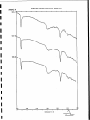
calculatesa ratio and resamplesthe data,which is thendisplayed
on the screenasthe spectrumof the plasticsample.
5.7 Measurement
Of Samples
Obtaina quantityof your favourite sampleof kaoliniteandplace
it in a glass(don’tuseplastic!)containerif in powderform.
Locatedto the front of the PlMA is the opticalport whereyour
samplewill be placed.Press‘M’ for Measureon the PC; PlMA
will power up and displaythe systemparametersthen requesta
secondkeystroketo confirm the measurement;press‘M’ again.
The PIMA will now take a raw measurementof the sample
placedat the opticalport. Preventany movementsof the sample
as this could produceincorrect resultsby introducingdistortion
into the data.
Notice that the raw data is displayedin real time during the
samplingprocess.
When the measurement
is complete,the PIMA will sounda beep
vindicatingthat the sampleis not requiredanymore. Removethe
sample from the optical port. PIMA will now carry out the
measurementon the internal reference sample. When the
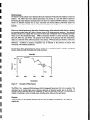
referencemeasurementis completedthe resultsare displayedon
the HP200PCscreenasthe samplespectrum.
5.8 Saving A
Measurement
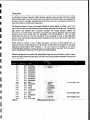
To save the currently displayedmeasurementpress the key
sequence‘F’ for FILE, ‘S’for SAVE. On the display,a window
will openshowingvariousoptionsthat canbe entered.
The first optionis the filename,and~ihiscannow be typedin. The
next option is a code option usedfor databasesorting. Simply
pressthe TAB’ key to stepto this option. The final optionis the
commentoption. Once again,pressthe TAB’ key to accessthis
option.Type the requiredcommentandthenpressthe <ENTER>
key. This procedurewill save the measurementto the SRAM
cardas a file: Eachfile savedwill havean extensioncalled‘.DSP
12