1
Chapter 4: BIOS Setup
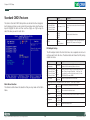
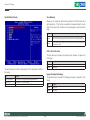
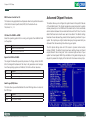
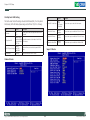
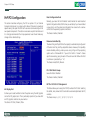
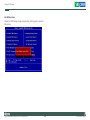
Quick Power On Self Test
Typematic Rate Setting
This category speeds up Power On Self Test (POST) after you power up the
computer. If it is set to Enable, BIOS will shorten or skip some check items
during POST.
This feature enables you to control the keystroke repeat rate when you
depress a key continuously. When enabled, you can manually adjust the
settings using the two typematic controls (Typematic Rate and Typematic
Delay). If disabled, the BIOS will use the default setting.
Item
Description
Enabled
Enable quick POST
Item
Description
Disabled
Normal POST
Enabled
Enable typematic rate/delay setting
Disabled
Disable typematic rate/delay setting
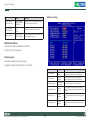
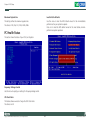
First/Second/Third/Other Boot Device
Security Option
The BIOS attempts to load the operating system from the devices in the
sequence selected in these items.
Select whether the password is required every time the system boots or only
when you enter setup.
Item
Description
LS120
LS120 Device
Hard Disk
Hard Disk Device
CDROM
CDROM Device
ZIP100
ZIP-100 Device
USB-FDD
USB Floppy Device
USB-ZIP
USB ZIP Device
USB-CDROM
USB CDROM Device
Note:
LAN
Network Device
Disabled
Disabled any boot device
To disable security, select PASSWORD SETTING at Main Menu and then you
will be asked to enter password. Do not type anything and just press <Enter>,
it will disable security. Once the security is disabled, the system will boot and
you can enter Setup freely.
Item
Description
System
The system will not boot and access to Setup will be denied if the correct password
is not entered at the prompt.
Setup
The system will boot, but access to Setup will be denied if the correct password is
not entered at the prompt.
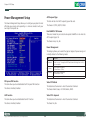
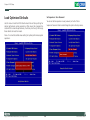
Boot Up NumLock Status
Select power on state for NumLock.
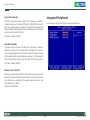
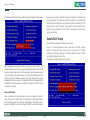
APIC Mode
Item
Description
On
Enable NumLock
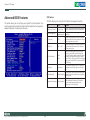
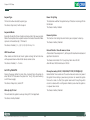
The BIOS supports versions 1.4 of the Intel® multiprocessor specification.
When enabled, The MPS Version 1.4 Control for OS can be activated.
Off
Disable NumLock
Copyright © 2009 NEXCOM International Co., Ltd. All Rights Reserved.
The choice: Enabled/Disabled.
17
MPPC 2210/T User Manual