1
Hardware Installation
This section deals with installing Image4 cards and spreading the Windows desktop across all the screens. If
you are intending to use the Image4 cards with other Datapath products, you should follow this section to
get the Windows desktop working correctly first.
System Requirements
•
A Pentium PCIe bus computer with sufficient free PCIe slots.
•
A least 1GByte of RAM.
•
Windows® Vista, XP, Server 2008, Windows® 7 (Server 2008 or Windows® 7 64-bit required for greater
than 8 screen support).
Unpacking
Your packing box should contain the following items:
•
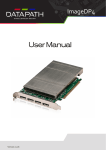
The Image4 PCIe plug-in card.
•
Two VGA-Y-cables or two DVI-Y-cables depending on model purchased
•
A Genlock cable.
•
Installation CD-ROM
VGA-Y-Cable
DVI-Y-Cable
Cables are provided depending on which card you have purchased for
example:
•
Image4
Image4 supplied with two VGA-Y splitter cables.
•
Image4-DVI
Image4 supplied with two DVI-Y splitter cables.