1
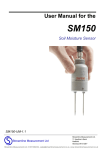
User Manual for the SM150 Soil Moisture Sensor SM150-UM-1 Delta-T Devices Ltd Notices Copyright All parts of the SM150 design and documentation are the exclusive right of Delta-T Devices and covered under copyright law. Copyright © 2011 Delta-T Devices Ltd. Patents The SM150 is protected under international law by the following patents:USA: Patent US7944220 Europe: Patent EP1836483 Australia: Patent AU2005315407 China: Patent Application CN101080631 EMC Compliance See page 31. Design changes Delta-T Devices Ltd reserves the right to change the designs and specifications of its products at any time without prior notice. User Manual Version: SM150-UM-1 Delta-T Devices Ltd 130 Low Road, Burwell Cambridge CB25 0EJ UK Nov 2011 Tel: +44 1638 742922 Fax: +44 1638 743155 email: [email protected] web: www.delta-t.co.uk Contents Introduction Description Features Dimensions Parts list Care and Safety How the SM150 works Operation Cable Connections Installation HH150 Meter HH2 Meter Logger connections and configuration GP1 Logger 5 5 5 6 7 8 9 10 10 11 12 13 14 14 DL6 Logger 15 DL2e Logger 16 Other data loggers 17 Calibration Soil calibration 18 19 Sensor calibration 21 Soil moisture reading 22 Troubleshooting 24 Technical Reference 26 Specifications Definitions SM150 User Manual 1.0 26 32 Introduction 3 References 34 Appendix 1 35 Soil-specific Calibration Laboratory calibration for non-clay soils Laboratory calibration for clay soils 35 36 39 Technical Support 42 Index 44 SM150 User Manual 1 Introduction 4 Introduction Description The SM150 measures soil moisture content. Its sealed plastic body is attached to two sensing rods which insert directly into the soil for taking readings. A waterproof plug connects to a choice of signal cables. Both extension cables and extension tubes can be used. The soil moisture output signal is a differential analogue DC voltage. This is converted to soil moisture by a data logger or meter using the supplied general soil calibrations. It can also be calibrated for specific soils. Features Soil moisture accurate to ± 3% Low salinity sensitivity Excellent stability Minimal soil disturbance Easy installation at depth in augured holes Waterproof connector to IP68 Rugged, weather-proof and can be buried. Good electrical immunity Choice of cabling system options Cable connector, cylindrical profile and extension tube design simplifies removal for servicing Dedicated HH150 meter kit for simple readings HH2 meter, GP1, DL6 or DL2e loggers compatible See also Specifications on page 26 SM150 User Manual 1.0 Introduction 5 Dimensions Cable connector sealed to IP68 M12, 5 pin, male 12 92 mm Thread ¾inch BSP for connecting to Extension Tube(s) 67 mm 51mm 22mm 40 mm SM150 User Manual 1 Introduction 6 Parts list Your shipment may include the following: HH150 soil moisture sensor HH150 +SM150 Kit HH150 includes 1m cable, Connects to SM150 SMCS/d-HH2 1.5m cable Connects SM150 to HH2 SMSC/sw-05 5m cable 100mm flying leads Connect to GP1 & DL6 loggers SMSC/lw-05 5m cable 200mm flying leads Connect to DL2 data logger Logger extension cables EXT/5W-05 5m EXT/5W-10 10m EXT/5W-25 25m Extension tubes ML/EX50 50cm ML/EX100 100cm SM-AUG-100 Spiral Auger 1.2m SM150 User Manual 1.0 Introduction 7 Care and Safety The rods of the SM150 are sharp in order to ease insertion. Care must be taken and handling precautions followed. To prevent personal injury and damage to the probe always store and transport the SM150 in this protective tube CAUTION Avoid touching the rods or exposing SHARP them to other sources of static charge, particularly when powered up. Keep the SM150 in its protective tube when not in use. PINS Take care when attaching cables to ensure that the connectors are clean, undamaged and properly aligned before pushing the parts together. Do not pull the SM150 out of the soil by its cable. If you feel strong resistance when inserting the SM150 into soil, it is likely you have encountered a stone. Stop pushing and re-insert at a new location. Do not touch the pins, particularly when the sensor is attached to a cable. An electrostatic discharge from your body can typically cause a temporary -10mV offset in sensor readings for up to one hour. At worse it may permanently damage the sensor. SM150 User Manual 1 Introduction 8 How the SM150 works When power is applied to the SM150... ...it creates a 100MHz waveform (similar to FM radio). The waveform is applied to a pair of stainless steel rods which transmit an electromagnetic field into the soil. The water content of the soil surrounding the rods... ...dominates its permittivity. (A measure of a material‟s response to polarisation in an electromagnetic field. Water has a permittivity 81, compared to soil 4 and air 1) The permittivity of the soil has a strong influence on the applied field… Vout …which is detected by the SM150, resulting in a stable voltage output that… Soil Moisture 22 % ...acts as a simple, sensitive measure of soil moisture content. SM150 User Manual 1.0 Introduction 9 Operation Cable Connections HH150 includes 1m cable, Connects to SM150 SMCS/d-HH2 1.5m cable Connects SM150 to HH2 Logger extension cables EXT/5W-05 5m EXT/5W-10 10m EXT/5W-25 25m For wiring colour codes see Logger connections and configuration on page 14 Take care when attaching cables to ensure that the connectors are clean, undamaged and properly aligned before pushing the parts together. Screw together firmly to ensure the connection is water-tight. Extension cables* can be joined up to a recommended maximum of 100m (for GP1, DL6 or DL2e data loggers) – see Specifications on page 26. *Note: for full accuracy, do not use extension cables with the HH150 SM150 User Manual 1 Operation 10 Installation Surface installation and spot measurements Clear away any stones. Pre-form holes in very hard soils before insertion. Push the SM150 into the soil until the rods are fully inserted. Ensure good soil contact. If you feel strong resistance when inserting the SM150, you have probably hit a stone. Stop, and re-insert at a new location. Installing at depth Make a 45mm diameter hole, preferably at about 10° to the vertical using the SM-AUG-100 auger. Connect an extension tube e.g. ML/EX50 Push the SM150 into the soil until rods are fully inserted. Ensure good soil contact. Alternatively Dig a trench, and install horizontally. SM150 User Manual 1 Operation 11 HH150 Meter Connect the SM150 to the HH150 meter. With the meter OFF, press the right off – menu button. This wakes and allows you to set the meter to display readings - either as % volumetric water content of Mineral or Organic soils, or to show the sensor output in Volts. Press off to save the current Setting and turn the meter off. With the meter off, press the left on – read button to take a reading. Repeat as required. You may wish to write down the readings. Turn on, take and display reading Turn on, show current setting Organic 32.2%vol Organic ▼ Read Read OFF Organic 34.3%vol Mineral ▼ Read OFF Read Volts ▼ Read SM150 User Manual 1 Operation 12 HH2 Meter This assumes you have version 2.6 or later for both the PC software HH2Read and the HH2 firmware (see foot of page). Connect the SM150 to the HH2 meter. Press Esc to turn the meter on, and if necessary press again until the HH2 displays the start-up screen. Set the meter to read from an SM150: ► ► Press Set and scroll down to the Device option. ► Press Set to confirm this choice. Press Set again and scroll down to select SM150. Device: SM150 Make sure the HH2 is correctly configured for your soil type: ► ► At the start-up screen, press Set and scroll down to the Soil Type option. ► Press Set to confirm this choice. Press Set again and scroll down to the appropriate soil type (use Mineral for sand, silt or clay soils or Organic for peaty soils) Soil Type: Mineral Choose the units you want for displaying readings. ► ► ► At the start-up screen, press Set and scroll down to the Display option. Press Set again and scroll down to select units. Press Set to confirm this choice. Press Read to take a reading. Press Store to save or Esc to discard the reading. Remove the SM150 from the soil and move to a new location... If you have saved data, connect your HH2 to a PC and run HH2Read to retrieve the readings. SM150 Store? 20.3 %vol For an upgrade contact Delta-T. See also: HH2 User Manual and HH2 User Manual Addendum to V4 – SM150 Support.: SM150 User Manual 1 Operation 13 Logger connections and configuration GP1 Logger 4 SM150s can connect to a GP1, but results recorded via channels 3&4 are less accurate. Requirements GP1 logger (with v1.47 firmware or later) PC running DeltaLINK (version 2.6 or later) SM150 with SMSC/sw-05 cable Channel 1 and 2 wiring SM150 wire Colour GP1 terminal Power 0V brown CH1/2 (GND) Power V+ white CH1/2 (PWR) Signal HI blue CH1/2 (+) Signal LO black CH1/2 (-) Cable shield green CH1/2 (GND) Not used grey Not connected Channel 3 and 4 wiring SM150 wire Colour GP1 terminal Power 0V brown CH1/2 (GND) or WET GND Power V+ white CH1/2 (PWR) or WET PWR Signal HI blue Temp3/4 (IN) Signal LO black Temp3/4 (GND) Cable shield green Temp3/4 (GND) or WET GND Not used grey Not connected In the DeltaLINK sensor menu configure each sensor type SM150. Note: channels 1&2 are wired differently to 3&4. Note also that the relative positions of the terminals change on the left and right sides of the GP1 See also GP1 Quick Start Guide and the DeltaLINK on-line Help. SM150 User Manual 1 Operation 14 DL6 Logger 6 SM150s can be connected to a DL6. Each is wired as a differential, powered sensor. These details illustrate connection to channel 6 SM300 wiring Colour DL6 terminal Power 0V brown 0V Power V+ white V+ Signal HI blue IN+ Signal LO black IN- Cable shield green Not used grey Not connected 1 In DeltaLINK configure channel 6 as type SM150. See also the DL6 Quick Start Guide and the DeltaLINK online Help. 1 You need the PC logger software DeltaLINK version 2.6 or later obtainable online at www.delta-t.co.uk or from the Software and manuals CD Issue 5 SM150 User Manual 1 Operation 15 DL2e Logger Up to 60 SM150s can be connected to a DL2e. Each moisture sensor is connected as a differential, powered sensor. These details illustrate connection to channel 58 using a LAC1 input card configured in 15-channel mode, and warm-up channel 63: SM150 wiring Colour DL2e terminal Power 0V brown CH62- or 61- Power V+ white CH63 NO Signal HI blue CH58+ Signal LO black CH58- Cable shield green CH61- or 62- Not used grey Not connected Note: If using channel 58 ensure the LAC1 card ribbon is attached to the connector block opposite terminal groups 46-60. See page 3 of DL2e Quick Start Guide. Configure the chosen DL2e logger channels by selecting the appropriate S1M 2 and S1O sensor types for mineral and organic soils listed in the Ls2Win sensor library. See also the DL2e User Manual and the Ls2Win online help 2 You need a PC running Ls2Win version 1.0 SR8 or later. A free upgrade can be obtained from www.delta-t.co.uk or from the Software and manuals CD Issue 5. SM150 User Manual 1 Operation 16 Other data loggers The SM150 soil moisture output should be connected as a differential, powered sensor. Configure the logger to convert the SM150 readings from milliVolts into soil moisture units by using either :Polynomial conversion on page 22 or Linearisation table conversion on page 23 Note: Output signals in the range 0 to 1.0 volts from the SM150, corresponding to ~0 to 60% water content in mineral soils – see Linearisation table conversion on page 23. Note: The SM150 has been optimised for warm-up of 0.5 to 1 second duration. It is recommended that the sensor is not powered continuously. . SM150 User Manual 1 Operation 17 Calibration The SM150 is provided with general calibrations for mineral and organic soils which can be used to convert the output from the sensor directly into soil moisture when used with Delta-T loggers and moisture meters. This section explains how these calibrations work, how to adapt them for other soils and how to provide calibrations for other data loggers. The SM150 measures volumetric soil moisture , by detecting the dielectric properties of the damp soil – the permittivity, , or more conveniently the refractive index, which is closely equivalent to . The SM150 response is best understood in these stages: SM150 User Manual 1 Operation 18 Soil calibration Damp soil is essentially a mixture of soil particles, air and water, and together these components determine its dielectric properties, including the refractive index . The refractive index of the mixture is approximated simply by adding the contributions from the individual components [ref 4.]. For a particular soil, the contribution from the soil particles can be assumed to be constant, so the refractive index measured by the SM150 is only affected by changes to the water content, . This relationship simplifies to: a0 a1 where the coefficients a0 and a1 conveniently parameterise the dielectric properties of soils. Soil refractive index (√ε) Soil calibrations 8.0 6.0 4.0 Slope (a1) 2.0 Offset (a0) 0.0 0.0 0.2 0.4 0.6 0.8 Soil moisture (m3.m-3) Note that: a0 dry _ soil is usually between 1.3 to 2.3 a1 corresponds approximately to water 1 and usually takes a value about 8.0. Real soil values for a0 and a1 can vary significantly from these guidelines when they are affected by other factors – in particular, bound water in clay may result in higher values of a1. SM150 User Manual 1 Operation 19 General soil calibrations Most soils can be characterised simply by choosing one of the two general calibrations we supply, one for mineral soils (predominantly sand, silt and clay) and one for organic soils (with a high organic matter content). a0 a1 Mineral soils 1.6 8.4 Organic soils 1.3 7.7 General soil calibrations Soil refractive index 8.0 Mineral 6.0 Organic 4.0 2.0 0.0 0.0 0.2 0.4 0.6 3 0.8 -3 Soil Moisture (m .m ) These values have been used to generate the polynomial conversions and linearisation tables in the Soil moisture reading section. Soil-specific calibration Instead of adopting these general calibrations, you may wish to determine specific calibration values of a0 and a1 for your soil. This procedure is fairly straightforward if you can get access to standard laboratory equipment and is described in detail in Appendix 1 on page 35. Soil specific calibration can significantly improve the accuracy of individual readings - but make less of an improvement to readings where installation and sampling errors are high. SM150 User Manual 1 Operation 20 Sensor calibration Each SM150 is individually adjusted to provide consistent dielectric performance: SM150 dielectric performance 8.0 6.0 4.0 √ε 2.0 0.0 0.00 0.20 0.40 0.60 0.80 1.00 1.20 SM150 output (V) This response can be approximated either by a polynomial (below) or by a linearisation table (see next page): Polynomial (for use over the full range of SM300 readings) √ where V is the SM150 output in Volts SM150 User Manual 1 Operation 21 Linearisation table (for use over the full range of SM150 readings) V V V V V 0.000 1.000 0.300 3.576 0.600 5.101 0.900 6.778 1.200 8.924 0.075 1.942 0.375 3.964 0.675 5.503 0.975 7.232 1.275 9.743 0.150 2.620 0.450 4.337 0.750 5.917 1.050 7.720 1.350 10.808 0.225 3.144 0.525 4.713 0.825 6.342 1.125 8.270 1.425 12.242 Soil moisture reading Polynomial conversion Combining the Soil calibrations and Sensor calibration steps, the conversion equation becomes: [ ] where a0 and a1 are the calibration coefficients For a generalised mineral soil this becomes: And for a generalised organic soil: SM150 User Manual 1 Operation 22 Linearisation table conversion The conversion from SM150 reading (Volts) to soil moisture 3 -3 (m .m or %vol) can be accomplished by a look-up table. The following table lists the values used for the DL2e data logger: Soil moisture %vol Mineral Organic soil soil Volts Volts Soil moisture %vol -4 0 4 8 12 16 20 24 28 32 36 40 44 48 -2.090 0.046 0.076 0.110 0.149 0.195 0.248 0.308 0.373 0.440 0.507 0.573 0.636 0.699 -2.090 0.022 0.046 0.074 0.105 0.140 0.180 0.226 0.279 0.336 0.397 0.458 0.520 0.580 52 56 60 64 68 72 76 80 84 88 92 96 100 104 SM150 User Manual 1 Mineral soil Organic soil Volts Volts 0.758 0.818 0.876 0.933 0.987 1.039 1.087 1.130 1.170 1.206 1.238 1.267 1.294 2.090 0.638 0.695 0.750 0.805 0.859 0.910 0.962 1.010 1.056 1.099 1.138 1.174 1.207 2.090 Operation 23 Troubleshooting Always try to identify which part of the measurement system is the source of the difficulty. For the SM150 this may fall into one of the following areas: The measurement device What equipment is being used to read the probe output? An HH150 or HH2 Moisture Meter. A data logger such as the GP1, DL6 or DL2e Check Versions Check you have the correct versions: HH2 Meter: Firmware version 2.6 or later and PC software HH2Read version 2.6 or later are recommended. GP1 & DL6 Loggers: DeltaLINK version 2.6 or later is required. DL2e Logger: Ls2Win 1.0 SR8 or later is required Consult the user manuals or the on-line help for these devices and their related software. Try alternative types of equipment if you have them available. Check that you are using an appropriate soil calibration and the correct conversion method – see Calibration section. The SM150 itself Try to isolate the problem into one of the following areas The SM150 or the connecting cable Then try to narrow down the area further Mechanical problems faults, or damage Electrical or electronic problems or faults SM150 User Manual 1 Troubleshooting 24 Functional check Air reading Hold the SM150 in air and away from other objects and take a reading using an HH150 or HH2 meter or voltmeter or a logger with no more than 5m of cable. Warning: Do not touch the pins A typical electrostatic discharge from your body can create a temporary -10mV offset in sensor readings lasting an hour. In air an SM150 gives an output of 0 ±4mV. Note: the HH150 reports under-range if the reading is less than zero. Water reading Immerse the pins in water and measure the output in volts. In the UK the sensor will typically read about 1.5 volts in tap water (because the salinity is typically 50mS.m-1). The “water reading” you get will depend on the salinity of your local water. Note: HH150 meter indicates “TOO WET” above 1.5V or 85% vol. SM150 fully immersed in water - as read by HH150 and HH2 meters 100.00% Output (Volts) "TOO WET" 1.6 90.00% 1.4 80.00% 70.00% 1.2 60.00% 1.0 50.00% 0.8 40.00% Volts 0.6 Output (%vol) 1.8 30.00% % vol (mineral) 0.4 20.00% %vol (organic) 0.2 10.00% 0.0 Soil moisture readings are not correct when no soil is present i.e. at 100% vol. SM150 tables and polynomial constants are optimised at 220 -1 mS.m for soil moisture values below 70%vol 0.00% 0 100 200 300 400 500 600 Conductivity ECp (mS.m-1) Graph: showing the effect of salinity on SM150 sensor output when fully immersed in water with no soil present. SM150 User Manual 1 Troubleshooting 25 Technical Reference Specifications Accuracy Measurement range Salinity error Conductivity response Temperature sensitivity Sampling volume Output signal Output compatible with Maximum cable length Power requirement Operating range Environment Sample volume Dimensions/Weight 3.0% vol over 0 to 70 % vol and 0-60°C 3 0 to 100% vol but less accurate above 70%vol -1 5% vol over 100 to 1000 mS.m and 0-60% vol See page 27 See page 28 See page 29 0-1 V differential 0 to 60% nominal HH150, HH2, GP1, DL6, DL2e 1m (HH150 meter) 100m (GP1, DL6 and DL2e data loggers) 5-14VDC, 18mA for 1s -20 to +60°C 4 IP68 55 x 70mm diameter 143 x 40 mm diameter/ 0.1 kg 3 In water (no soil present) the reading may not be 100% vol. It depends on a0 and a1 but can still be used as a quick check that the unit is working. See also page 25 4 With Delta-T supplied cables SM150 User Manual 1 Technical Reference 26 Conductivity response This chart shows how salinity affects the output of the soil moisture sensor at various soil moisture levels. SM150 conductivity response at different water contents 1.8 100% (water) 1.6 ~60% ~45% 1.4 ~38% SM150 output (V) ~30% 1.2 ~20% 1.0 0.8 Typical artificial substrate conditions 0.6 0.4 Typical soil conditions 0.2 0.0 0 100 200 300 400 500 600 -1 Conductivity ECp (mS.m ) nonsaline slightly saline moderately saline strongly saline extremely saline 0 200 400 600 800 1000 1200 1400 1600 mS.m-1 0 2 4 6 8 10 12 14 16 dS.m-1 Classification of salinity SM150 User Manual 1 Technical Reference 27 Temperature response of soil moisture readings The effect of temperature on the SM150 soil moisture readings in any particular soil will depend on a combination of effects: The SM150 soil moisture electronics has very low temperature sensitivity, and makes a negligible contribution to the overall sensitivity. The refractive index of water (, see Calibration section) reduces as the temperature increases. This produces a negative temperature response particularly in soils or substrates with high water content. Water that is bound to the surface of soil particles has a much lower refractive index than free water. The percentage of bound water decreases with temperature and this produces a positive temperature response particularly in clay soils at lower water contents. The last two effects partially offset each other, but in soil conditions where one or the other effect dominates, the SM150 will appear to have a significant temperature response. This illustration is based on the model in reference 7, see page 34. Illustrating temperature dependence of SM150 readings in a clay soil Apparent soil moisture content (m3.m-3) 0.5 θ ~ 0.4 θ ~ 0.3 0.4 θ ~ 0.2 θ ~ 0.1 bound water 0.3 0.2 0.1 0 0 10 20 30 40 50 Soil temperature (°C) Note: ice has a quite different refractive index from water, so SM150 soil moisture readings cannot be interpreted reliably when inserted into soil below 0°C. SM150 User Manual 1 Technical Reference 28 Sampling Volume The SM150 is most sensitive to signals very close to the two rods, but a small proportion of the signal reaches up to 50mm from the rods. SM150 field of sensitivity surrounding the rods 0.08 0.07 0.06 0.05 0.04 0.03 0.02 0.01 5 0 15 -5 -5 5 10 Distance parallel to plane of rods from a centre line between the rods (mm) 20 25 -15 -25 -20 -15 -10 15 0 Minimum soil sample size: Full accuracy requires a soil volume of one litre but the additional error from taking a reading in a 0.5 litre sample is negligible SM150s may interact if they are placed too close together – they should be separated by at least 100mm. SM150 User Manual 1 Technical Reference 29 If the SM150 is inserted too close to the wall of a plant pot the sensing field can “see” outside the pot. This behaviour is shown in the graph below. For best results keep a gap of at least 25mm (1 inch) between the body of the sensor and the wall of the plant pot. SM150 User Manual 1 Technical Reference 30 Electromagnetic Compatibility (EMC) General information SM150 is a Class A product, intended for operation in nonresidential environments. Only use cables and accessories authorised by Delta-T (sensor cables from other sources for example may adversely affect product performance and affect quality of results). If possible route cables along the soil surface or bury them – this also reduces possible trip hazard and animal damage. Do not modify the product or its supplied accessories. See also SM150 EMC Guidance on the Software and Manuals CD Issue 5 Regulatory information Europe This device conforms to the essential requirements of the EMC directive 2004/108/EC, based on the following test standards: EN61326-1:2006 Electrical requirement for measurement, control and laboratory use. EMC requirements: Group 1, Class A equipment – (emissions section only). EN61326-1:2006 Electrical requirement for measurement, control and laboratory use. EMC requirements: Basic Immunity (immunity section only). FCC compliance (USA) This device conforms to Part 18 of FCC rules – Industrial, Scientific & Medical Equipment. Note: with reference to FCC Part 18.115 Elimination and investigation of harmful interference. (a) The operator of the ISM equipment that causes harmful interference to radio services shall promptly take appropriate measures to correct the problem. SM150 User Manual 1 Technical Reference 31 Definitions Volumetric Soil Moisture Content is defined as V VW VS where Vw is the volume of water contained in the sample and Vs is the total volume of the soil sample. 3 -3 The preferred units for this ratio are m .m , though %vol is frequently used. 3 -3 Soil Moisture Content varies from approx. 0.02 m .m for sandy 3 -3 soils at the permanent wilting point, through approx. 0.4 m .m for 3 -3 clay soils at their field capacity, up to values as high as 0.85 m .m in saturated peat soils. Gravimetric Soil Moisture Content is defined as g.g - where MW is the mass of water in the sample, and M S is the total mass of the dry sample. To convert from volumetric to gravimetric water content, use the equation G V W S SM150 User Manual 1 where W is the density of water (= 1g.cm ), -3 and S is the bulk density of the sample ( MS VS ). Technical Reference 32 Organic and Mineral soil definitions: The general calibrations have been optimised to cover a wide range of soil types, based on the following definitions: Soil type optimised use for around organic organic contents: content: bulk density range: -3 (g.cm ) use for bulk densities: -3 (g.cm ) Mineral ~ 1 %C* < 7 %C 1.25 - 1.5 > 1.0 Organic ~ 40 %C > 7 %C 0.2 - 0.7 < 1.0 * Note: %C denotes “percentage Carbon” and is a measure of organic content Salinity -1 The preferred SI units for ionic conductivity are mS.m (where S is Siemens, the unit of electric conductance. Dimensionally it is -1 equivalent to the inverse of resistance i.e. Ohm ). The following conversions apply: 1 mS.m -1 = 0.01 dS.m -1 = 0.01 mS.cm = 10 µS.cm -1 -1 Soil salinity can be classified using the following descriptive categories: nonsaline slightly saline moderately saline strongly saline extremely saline 0 200 400 600 800 1000 1200 1400 1600 mS.m-1 0 2 4 6 8 10 12 14 16 dS.m-1 Classification of salinity See also http://www.land.vic.gov.au/DPI/Vro/vrosite.nsf/pages/water_spotting_soil_salting_class_ranges#s1 SM150 User Manual 1 Technical Reference 33 References 1. Gaskin, G.J. and J.D. Miller, 1996 Measurement of soil water content using a simplified impedance measuring technique. J. Agr. Engng Res 63, 153-160 2. Topp, G.C., J. L. Davis and A. P Annan 1980 Electromagnetic determination of soil water content. Water Resour. Res 16(3) 574-582 3. Whalley, W.R. 1993 Considerations on the use of time-domain reflectometry (TDR) for measuring soil moisture content. Journal of Soil Sci. 44, 1-9 4. White, I., J.H. Knight, S.J. Zegelin, and Topp, G.C. 1994 Comments on „Considerations on the use of time-domain reflectometry (TDR) for measuring soil water content‟ by W R Whalley Journal of Soil Sci. 45, 503-508 5. Roth, C.H., M.A. Malicki, and R. Plagge, 1992 Empirical evaluation of the relationship between soil dielectric constant and volumetric water content as the basis for calibrating soil moisture measurements. Journal of Soil Sci. 43, 1-13 6. Knight, J.H. 1992 Sensitivity of Time Domain Reflectometry measurements to lateral variations in soil water content. Water Resour. Res., 28, 2345-2352 7. Or, D. and J.M. Wraith 1999 Temperature effects on soil bulk dielectric permittivity measured by time domain reflectometry: A physical model. Water Resour Res., 35, 371-383 SM150 User Manual 1 References 34 Appendix 1 Soil-specific Calibration This note provides details of 2 techniques for generating soilspecific calibrations: Laboratory calibration for substrates* and non-clay soils Laboratory calibration for clay soils * We use the term substrate to refer to any artificial growing medium. Underlying principle Soil moisture content () is proportional to the refractive index of the soil () as measured by the SM150 (see Calibration section). The goal of calibration is to generate two coefficients (a0, a1) which can be used in a linear equation to convert probe readings into soil moisture: a0 a1 SM150 User Manual 1 Appendix 1 35 Laboratory calibration for non-clay soils This is the easiest technique, but it‟s not suitable for soils that shrink or become very hard when dry. Equipment you will need: SM150 and meter Soil corer (if doing a calibration for a cohesive soil rather than sand or a substrate) Heat-resistant beaker ( 0.5 litre) Weighing balance (accurate to < 1g) Temperature controlled oven (for mineral soils or substrates) Process Notes and example Collect a damp sample of the soil or substrate. This sample needs to be unchanged from its in-situ density, to be 0.5 litre, to have the correct dimensions to fit the beaker, and to be generally uniform in water content. For cohesive soils this is most easily done with a soil-corer. Sandy soils can be poured into the beaker, but you should take the subsequent measurements immediately, as the water will quickly begin to drain to the bottom of the beaker. Compressible soils and composts often require measurement of the in-situ density and then need to be carefully reconstituted at that density within the beaker. Measure the volume occupied by the sample. Ls = 463.5ml Weigh the sample, including the beaker. Ww = 743.3g SM150 User Manual 1 Appendix 1 36 Insert SM150 into the sample and record its output in Volts. Vw = 0.350V Dry the sample thoroughly. With mineral soils this is usually achieved by keeping it in the oven at 105°C for several hours or days (the time required depends on the sample size and porosity). For organic soils and composts it‟s usual to air-dry the sample to avoid burning off any volatile factions. Weigh the dry sample in the beaker. W0 = 627.2g Re-insert the SM150 into the dry sample and record this reading. V0 = 0.051V Calculate a0 For the SM150, In the dry soil V = V0 = 0.051 Volts Substitute this into the equation √ gives √ Since 0 = 0, this is the value needed for a0 a0 = 1.66 Calculate w The water content of the wet soil, w, can be calculated from the weight of water lost during drying, (Ww – W0) and its SM150 User Manual 1 Appendix 1 37 volume, Ls: w Ww W0 Ls 743.3 627.2 463.5 0.25 w = 0.25 Calculate a1 In the wet soil V = Vw = 0.350 Volts and substituting gives w 3.79 Finally a1 w 0 w 0 3.79 1.66 0.25 0 8.51 a1 = 8.51 Result a0 = 1.66 a1 = 8.51 In this example this soil is now calibrated. You can now use these two numbers in place of the standard mineral or organic calibration factors to convert SM150 readings into volumetric water content θ using: a0 a1 See also page Underlying principle on page 35 SM150 User Manual 1 Appendix 1 38 Laboratory calibration for clay soils This technique is adapted to avoid the near-impossibility of inserting the SM150 into completely dry clay soil. It requires taking measurements at 2 significantly different, but still damp, moisture levels. Equipment you will need: Process SM150 and meter Soil corer Heat-resistant beaker ( 500ml) Weighing balance (accurate to < 1g) Temperature controlled oven Notes and example Collect a wet sample of the clay soil: 25 to 30% water content would be ideal. This sample needs to be unchanged from its in-situ density, to be 500ml, to have the correct dimensions to fit the beaker, and to be generally uniform in water content. This is most easily done with soil-corer. Measure the volume occupied by the sample. Ls = 463.5ml Weigh the wet sample, including the beaker. Ww = 743.3g SM150 User Manual 1 Appendix 1 39 Insert SM150 into the wet sample and record its output in Volts. Vw = 0.349V Dry the sample until still moist, ~15% water content. Gentle warming can be used to accelerate the process, but take care not to over-dry in places, and allow time for the water content to equilibrate throughout the sample before taking a reading. Reweigh. Wm = 693.2g Re-measure with the SM150. Vm = 0.180V Dry the sample thoroughly. With clay soils this is usually achieved by keeping it in the oven at 105°C for several hours or days (the time required depends on the sample size and porosity). Weigh the dry sample in the beaker. W0 = 627.2g SM150 User Manual 1 Appendix 1 40 Calculations Substituting in the SM150 equation √ provides two dielectric values, w and m, at two known water contents, w and m For the wet soil Substituting Vw = 0.349 gives √ for For the moist soil ( Substituting Vm = 0.180 gives √ for Calculate a1 ) Then ( ) √ √ a1 = 9.00 Calculate a0 and √ ( ) a0 = 1.58 Result a1 = 9.00 a0 = 1.58 In this example this soil is now calibrated. You can now use these two numbers in place of the standard mineral or organic calibration factors to convert SM150 readings into volumetric water content θ using: a0 a1 See also page Underlying principle on page 35 SM150 User Manual 1 41 Technical Support Terms and Conditions of Sale Our Conditions of Sale (ref: COND: 1/07) set out Delta-T's legal obligations on these matters. The following paragraphs summarise Delta T's position but reference should always be made to the exact terms of our Conditions of Sale, which will prevail over the following explanation. Delta-T warrants that the goods will be free from defects arising out of the materials used or poor workmanship for a period of twelve months from the date of delivery. Delta-T shall be under no liability in respect of any defect arising from fair wear and tear, and the warranty does not cover damage through misuse or inexpert servicing, or other circumstances beyond their control. If the buyer experiences problems with the goods they shall notify Delta-T (or Delta-T‟s local distributor) as soon as they become aware of such problem. Delta-T may rectify the problem by replacing faulty parts free of charge, or by repairing the goods free of charge at Delta-T's premises in the UK during the warranty period. If Delta-T requires that goods under warranty be returned to them from overseas for repair, Delta-T shall not be liable for the cost of carriage or for customs clearance in respect of such goods. However, Delta-T requires that such returns are discussed with them in advance and may at their discretion waive these charges. Delta-T shall not be liable to supply products free of charge or repair any goods where the products or goods in question have been discontinued or have become obsolete, although Delta-T will endeavour to remedy the buyer‟s problem. Delta-T shall not be liable to the buyer for any consequential loss, damage or compensation whatsoever (whether caused by the negligence of the Delta-T, their employees or distributors or otherwise) which arise from the supply of the goods and/or services, or their use or resale by the buyer. Delta-T shall not be liable to the buyer by reason of any delay or failure to perform their obligations in relation to the goods and/or services if the delay or failure was due to any cause beyond the Delta-T‟s reasonable control. Service, Repairs and Spares Users in countries that have a Delta-T distributor or technical representative should contact them in the first instance. Spare parts for our own instruments can be supplied and can normally be despatched within a few working days of receiving an order. Spare parts and accessories for products not manufactured by Delta-T may have to be obtained from our supplier, and a certain amount of additional delay is inevitable. No goods or equipment should be returned to Delta-T without first obtaining the return authorisation from Delta-T or our distributor. On receipt of the goods at Delta-T you will be given a reference number. Always refer to this reference number in any subsequent correspondence. The goods will be inspected and you will be informed of the likely cost and delay. We normally expect to complete repairs within one or two weeks of receiving the equipment. However, if the equipment has to be forwarded to our original supplier for specialist repairs or recalibration, additional delays of a few weeks may be expected. For contact details see below. Technical Support Users in countries that have a Delta-T distributor or technical representative should contact them in the first instance. Technical Support is available on Delta-T products and systems. Your initial enquiry will be acknowledged immediately with a reference number. Make sure to quote the reference number subsequently so that we can easily trace any earlier correspondence. In your enquiry, always quote instrument serial numbers, software version numbers, and the approximate date and source of purchase where these are relevant. Contact details: Technical Support Delta-T Devices Ltd 130 Low Road Burwell Cambridge CB25 0EJ England (UK) Tel: +44 1638 742922 Fax: +44 1638 743155 E-mail: [email protected] [email protected] Web: www.delta-t.co.uk Index A DL6, 15 E Air reading, 25 C Cable Connections, 10 Calibration, 18 check, 25 generalised, 22 sensor, 21, 22 soil, 19, 22 Soil, 35 soil-specific, 35 Care and safety, 8 Care and Safety, 8 Certification emc, 31 Conductivity response, 27 Connections, 10, 14 Conversions linearisation table, 20, 21 polynomial, 20, 21 Copyright, 2 D Data logger, 17, 23, 24, 25 DL2e, 16, 23, 24 DL6, 15, 24 GP1, 14, 15, 24 other, 17 Definitions, 32 Description, 5 Dielectric performance, 21 refractive index, 18, 19, 35 Dimensions, 6 EMC, 31 Extension cables, 10 F FCC compliance, 31 Features, 5 G GP1, 14, 15, 24 H HH150 meter, 12 HH2, 25 HH2 Meter, 13 I Installation buried, 11 insertion rod, 11 surface, 11 L Linearisation table, 22 volts to %vol, 17, 23 M Moisture content, 5, 9, 34, 35 O Organic and Mineral, 33 P Parts, 7 Patent, 2 Permittivity, 9, 18, 34 Polynomial conversion, 22 R References, 34 Regulatory information, 31 Rods, 8, 9, 11 clay, 19, 20, 32, 35, 36, 39 mineral, 18, 20, 22, 36, 37, 40 organic, 18, 20, 22, 33, 37 stony, 11 soil calibrations, 20 Specifications, 2, 26 T Technical support, 42, 43 Temperature response of soil moisture readings, 28 Troubleshooting, 24 V Volumetric Soil Moisture, 32 S W Salinity, 33 Sampling Volume, 29 Servicing, 43 Soil Warning : Do not touch the pins, 25 Water reading, 25 Technical Support Delta-T Devices Ltd 130 Low Road Burwell Cambridge CB25 0EJ England (UK) Tel: +44 1638 742922 Fax: +44 1638 743155 E-mail: [email protected] [email protected] Web: www.delta-t.co.uk