1
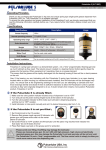
Operating Instructions Operating Instructions PANEL DESCRIPTIONS Front Panel CONNECT AND OPERATE 1) Connect the input source into DVI converter (Input cables are optional) 2) Connect the HDMI device into the HDMI output of DVI converter 3) Insert the DC side of 5V power supply into DVI converter and then connect the AC side of the power supply into the wall outlet. ① ② ③ 1) Power input. 2) Indicator of Power input: When power is on the corresponding LED lights. MAINTENANCE 3) DVI input port (Video only). Rear Panel ① ② ③ 1) SPDIF digital audio input 2) R/L audio input 3) HDMI output port. 3 Attention: Insert/Extract cable gently. Clean this unit with a soft, dry cloth. Never use alcohol, paint thinner or benzene to clean this unit. PRODUCT SERVICE 1) Damage requiring service: The unit should be serviced by qualified service personnel if: (a) The DC power supply cord or AC adaptor has been damaged; (b) Objects or liquids have gotten into the unit; (c) The unit has been exposed to rain; (d) The unit does not operate normally or exhibits a marked change in performance; (e) The unit has been dropped or the cabinet damaged. 2) Servicing Personnel: Do not attempt to service the unit beyond that described in these operating instructions. Refer all other servicing to authorized servicing personnel. 3) Replacement parts: When parts need replacing ensure the servicer uses parts specified by the manufacturer or parts that have the same characteristics as the original parts. Unauthorized substitutes may result in fire, electric shock, or other hazards. 4) Safety check: After repairs or service, ask the servicer to perform safety checks to confirm that the unit is in proper working condition. 4