1
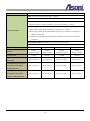
1. Preface APV7000 series is an all-in-one IP video management software, user can use single software and related license code to do the following functions: NVR Server: Connect and record the video/audio of IP Cameras and IP Video Servers. The NVR server is working under background after Windows is startup. NVR Client: The console for access and control the local or remote NVR server, provides live-view, playback, event notification and configuration. CMS Server: If a NVR server (the primary NVR server) connects to multiple NVR servers simultaneously, it is called CMS (Central Management System) architecture. This primary NVR server is sometimes referred to as the "CMS server". The CMS server is allowed to perform live-view, playback, event notification and configuration across multiple NVR servers at the same time. The CMS server is working under background after Windows is startup. CMS Client: The console for access and control the local or remote CMS server, provides live-view, playback, event notify and configuration. Panorama Function: Beside the normal camera, this software also supports panorama (fisheye) camera, provides multiple panorama view modes in live and playback video. APV7000 series supports vary ways to record the video, including normal recording, schedule recording, motion-triggered recording, alarm-triggered recording and manual recording. In addition, E-Map and Multi-Monitor are the built-in functions to make this recording software handy. Through activating the remote access function, this software provides fully remote accessed and controlled by CMS, NVR Client program and IE web browser; also provides live-view video for iPhone and other 3G mobile phone. Note: To keep using this software without charge, the PC must connect to Internet always, once our license-server can’t detect your PC through Internet, the software will not work until the PC connects to Internet again. 2