1
PCI LPT & RS232
Software Guide
Port Settings In Windows 95 & 98.
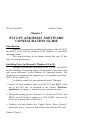
Double clicking on a Communications Port that belongs to a
PCI LPT and RS232 card will display general properties window for
that port (in this case COM2). Selecting the Port Settings tab produces:
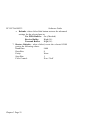
Settings available in these windows are:
1. Baud Rate - determines the baud rate at which the selected
port operates.
• the maximum value of operation is 115,200, even though
the maximum value selectable is 921,600 - this is due to
standard Windows COM port drivers being used.
2. Data Bits.
3. Parity.
Change to suit remote device.
4. Stop Bits.
5. Flow Control.
Chapter 3 Page 19