1
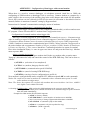
APPENDIX 9: Setting of communication with data logger via Ethernet
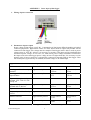
Setting depends on type of communication device. Below are described general steps and
examples illustrate data logger equipped with own Ethernet interface or with converter UDS-1000
from Lantronix.
Procedure:
1. Probably knowing of MAC address of converter or data logger is necessary (if it is equipped
with Ethernet interface). MAC address is mostly specified on the manufacturer label.
Example of MAC address: 00-20-4A-80-F2-FB
2. Ask administrator of your network to assign free IP address
Example of IP address: 194.168.1.211
3. Connect data logger to Ethernet network (directly or via converter) and switch on its power
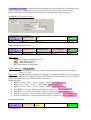
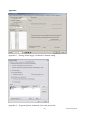
4. Run user SW for data logger and in window Configuration - Setting communication display
parameters of the Ethernet communication device (button New or Change) and use selection
Search (next to IP address). If device is not found (detect e.g. by means of disconnecting
from Ethernet network and see, if there is any change in the search), then follow the below
instruction.
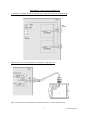
5. If connection is not successful, try to disconnect the computer from the network and use
crossed Ethernet cable to connect data logger to the computer directly and repeat the setting.
If IP address is set correctly, communication device is found, but data logger does not work,
check setting of Communication interface. Best way is to check on display of data logger: must
be set to Ethernet.
Solving problems with communication:
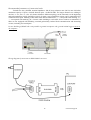
A) data logger is connected to the network by external converter (UDS100, UDS1000,
UDS1100...):
Problem can be in setting of communication interface and communication speed of Ethernet
output itself. In this case proceed this way:
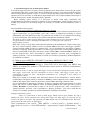
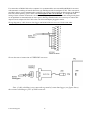
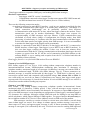
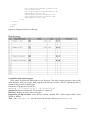
Run internet browser and enter directly data logger IP address (it is necessary to have
installed Java script), wait for reading of www pages of this device.
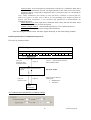
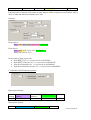
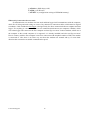
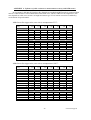
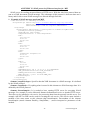
Enter at bookmark Port Properties or Channel 1:
- Serial protocol:
RS232, if data logger contains Ethernet interface or you communicate with data
logger connected to converter UDS-10 connected to RS232 interface of data logger
RS485-2 wire, if converter is connected to RS485 interface of one or several data
loggers
- Speed – communication speed, must be the same, as set on data logger itself (can
be found from data logger menu of MS5D LCD)
- Character Size: 8, Parity: None, Stopbit: 1, Flow Control: None, UDP Datagram
Mode: Disable, Remote IP Address: same as used before, Local Port: 10001,
Disconnect Mode: Ignore DTR, Other items: Disabled
Save the configuration to the device finally and try to find data logger again.
24
ie-ms2-ms5app-04