1
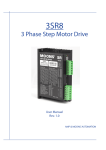
SR8-Plus
2 Phase Step Motor Drive
User Manual
Rev. 1.1
AMP & MOONS’ Automation
SR8-Plus User Manual
Contents
1 Introduction................................................................................... 3
1.1 Overview.............................................................................................3
1.2 Features..............................................................................................3
1.3 Block diagram.....................................................................................4
2 Mounting the Drive ...................................................................... 4
3 Connections................................................................................. 5
3.1 Connecting to the Power Supply........................................................5
3.2 Connecting to a Motor........................................................................5
3.3 Connecting to the Inputs.....................................................................6
3.3.1 High Speed Digital Inputs.............................................................................6
3.3.2 The Enable (EN) Digital Input.......................................................................7
3.3.3 Programmable Output..................................................................................8
4 Switch Selection........................................................................... 9
4.1
4.2
4.3
4.4
4.5
4.6
4.7
Running Current.................................................................................9
Idle Current.........................................................................................9
Microstepping...................................................................................10
Self Test............................................................................................10
Step Smoothing Filter....................................................................... 11
Load Inertia....................................................................................... 11
Step Noise Filter............................................................................... 11
5 Motor Selection.......................................................................... 12
5.1 Recommended motors.....................................................................13
6 Error Codes................................................................................ 15
7 Reference Materials................................................................... 15
7.1 Mechanical Outline...........................................................................15
7.2 Specifications....................................................................................16
7.2.1 Electrical Specifications..............................................................................16
7.2.2 Environmental Specifications.....................................................................16
7.3 Torque Curves..................................................................................17
8 Contacting MOONS’................................................................... 18
Rev. 1.0
5/10/2012
2
SR8-Plus User Manual
1 Introduction
Thank you for selecting the MOONS’ SR8-Plus Motor Drive. We hope our commitment to performance, quality and economy will make a successful motion control project.
1.1 Overview
The SR series drives are cost-effective, high performance 2 phase step drives. The design is
based on advanced digital current control technology, and features high torque, low noise, and low
vibration. The running current and microstep resolution are switch selectable.
1.2 Features
• Power Supply - operates from a 24 to 75 volt DC power supply
• Output Power - position switch selectable, 8 settings, max 7.8 amps peak
• Current Control - advanced digital current control provides excellent high speed torque
• Microstep Resolution - position switch selectable, 16 settings: 200, 400, 800, 1600, 3200, 6400,
12800, 25600, 1000, 2000, 4000, 5000, 8000, 10000, 20000, 25000 step/rev
• Speed Range - speeds up to 3000 rpm
• Anti Resonance - raises the system-damping ratio to eliminate midrange instability and allow
stable operation throughout the speed range of the motor.
• Auto Setup - measures motor parameters and configures motor current control and anti-reso
nance gain settings
• Microstep Emulation - performs high resolution stepping by synthesizing coarse steps into fine
micro-steps
• Control Modes - Step & Direction or CW/CCW pulse
• Input Digital Filters - 2 MHz digital filter for high speed inputs
• Motor Type Select - a 16 bit rotary switch is used to select the desired motor database which
is pre-loaded at the Factory
• Load Inertia Select - as part of the motor database each motor can be selected for use with
low or high load inertia.
• Idle Current - switch selectable for 50% or 90% idle running current reduction 1 second after
the motor stops
• Self Test - switch selectable, the drive will perform a 2 rev, 1 rps, CW/CCW move test
3
Rev. 1.0
5/10/2012
SR8-Plus User Manual
1.3 Block diagram
SR8-Plus
Block Diagram
24-75 VDC
External
Power Supply
+24 to 75VDC
GND
5Volt DC
Power Supply
Step Filter
Load Inertia
Noise Filter
Self Test
Step Res4
Step Res3
Step Res2
Step Res1
Idle Current
Current Level 3
Current Level 2
Current Level 1
3.3VDC
Internal
Logic
Supply
Switch to SPI
STEPDIR+
DIREN+
EN-
I/O Connector
STEP+
OUT+
OUT-
Optical
Iso
Digital
Filter
Optical
Iso
Digital
Filter
Optical
Iso
Digital
Filter
Voltage
Temp
Det.
MOSFET
PWM
Power
Amplifier
DSP
Driver
Controller
encoder
Over
Current
Det.
Software
Filter
Optical
Iso
motor
Optional
LED
I/O Configurations
STEP(5-24V)
: Step Input
: CW Pulse
DIR(5-24V)
: Dir Input
: CCW Pulse
EN(5-24V)
: Enable Input
: Reset Fault
OUT(30V, 100mA)
: Fault Output
2 Mounting the Drive
The SR8-Plus Step Drive can be mounted on the wide or the narrow side of the chassis. If it is
mounted on the wide side, M3 screws should be used through the four corner holes. For narrow
side mounting applications, M3 screws can be used in the two side holes.
The amplifiers in the drive generate heat. To operate the drive continuously at maximum power
forced air cooling, as from a fan, should be provided.
Never use the drive in a space where there is no air flow or where other devices can cause the
surrounding air to be more than 40 °C. Never put the drive where it can get wet or where metal
particles can fall into it.
Rev. 1.0
5/10/2012
4
SR8-Plus User Manual
3 Connections
LED
To use the SR8-Plus Step Drive, the following
items are needed:
Control signal
• A power supply (24 - 75 VDC)
• Pulse & Direction signal
Switches for
selecting
• A compatible step motor
Motor
Connector
3.1 Connecting to the Power Supply
Power
Connector
Grounding
OUTOUT+
ENEN+
DIRDIR+
STEPSTEP+
SW8
SW7
SW6
SW5
SW4
SW3
SW2
SW1
BB+
AA+
VV+
Switches for
selecting
SW12
SW11
SW10
SW9
Screw
If the power supply does not have a fuse on the
output or some kind of short circuit current limiting
device, a fast acting fuse is required. A 8 amp fast acting fuse should be installed in line with the
“+” power supply lead.
Connect the motor power supply “+” terminal to the drive terminal labeled “V+”. Connect the power
supply “-” to the drive terminal labeled “V-”.
Be careful not to reverse the wires.
3.2 Connecting to a Motor
White
A
White A
Brown
Green
Green
Brown
C
Yellow C
Yellow
Gray
Gray B
Blue
B
Red
Pink
D
Pink
Blue
Red D
5
Rev. 1.0
5/10/2012
SR8-Plus User Manual
3.3 Connecting to the Inputs
3.3.1 High Speed Digital Inputs
The SR8-Plus drives include two high-speed inputs called STEP and DIR. They accept 5 to 24
volt single-ended or differential signals, up to 2 MHz. Typiclly these inputs connect to an external
controller that provides step & direction command signals. You can also connect a master encoder
to the high-speed inputs for “following” applications. Or you can use these inputs with Wait Input, If
Input, Feed to Sensor, Seek Home and other such commands.
Connection diagrams follow:
+5V to +24V out
Indexer
with
sinking
outputs
DIR+
DIR-
DIR
SR8-Plus
STEP+
STEP-
STEP
Connecting to indexer with sinking outputs
Indexer
with
sourcing
outputs
DIR
DIR+
COM
DIR-
STEP
STEP+
SR8-Plus
STEP-
Connecting to indexer with sourcing outputs
Indexer
with
differential
outputs
DIR+
DIR+
DIR-
DIR-
STEP+
STEP+
STEP-
STEP-
SR8-Plus
Connecting to indexer with differential outputs
Many high speed indexers have differential outputs
Rev. 1.0
5/10/2012
6
SR8-Plus User Manual
3.3.2 The Enable (EN) Digital Input
The EN input enables or disables the drive amplifier. It is an optically isolated input that accepts
a 5 to 24 volt single-ended or differential signal. The maximum voltage that can be applied to the
input is 28V.
When EN input is closed, the driver amplifier is deactivated, all the MOSFETs will shut down, and
the motor will be free. When EN input is open, the drive is activated.
When the drive has encountered an error and the fault is removed from system, a falling signal
into the EN input will reset the error status and activate the drive amplifier again.
+
5 to 24
volt
power
supply
EN+
SR8-Plus
Switch Relay
(closed=logic low)
-
EN-
Connecting the input to a switch or relay
5~24V
power supply
Indexer
with
sourcing
outputs
OUT+
-
+
EN+
SR8-Plus
OUT-
EN-
Connecting the input to sourcing outputs
5~24V
power supply
Indexer
with
sinking
outputs
OUT+
-
+
EN+
SR8-Plus
OUT-
EN-
Connecting the input to sinking outputs
7
Rev. 1.0
5/10/2012
SR8-Plus User Manual
3.3.3 Programmable Output
The FAULT Output is optically isolated. The maximum collector current is 100mA, and the maximum collector to emitter voltage is 30 volts. The output can be wired to sink or source current.
When drive is working normally, the output is open. When the drive encounters an error, the output
closes.
5~24V
power supply
+
Load
OUT+
SR8-Plus
-
OUTConnecting a sinking output
5~24V
power supply
-
+
IN
OUT+
SR8-Plus
OUT-
COM
PLC
Connecting a sourcing output
5~24V
power supply
-
+
IN
OUT+
SR8-Plus
OUT-
PLC
COM
Connecting a sourcing output again
relay
OUT+
SR8-Plus
OUT-
1N4935 suppression diode
Driving a relay
Rev. 1.0
5/10/2012
8
5~24V
power supply
+
-
SR8-Plus User Manual
4 Switch Selection
SW1
SW2
SW3
SW4
Running Current
SW9
SW10
Self test
SW5
Idle current
SW11
SW6
SW7
SW8
Microstepping
SW12
Load Inertia
Step Smoothing Filter
Step Noise Filter
4.1 Running Current
The output current of the SR8-Plus Step Drive is set by the SW1, SW2, and SW3 switches and
can be changed as necessary. There are 8 settings available according to the ON/OFF combination of the switches.
Peak
SW1
SW2
SW3
2.4A
ON
ON
ON
3.0A
OFF
ON
ON
3.8A
ON
OFF
ON
4.5A
OFF
OFF
ON
5.6A
ON
ON
OFF
6.4A
OFF
ON
OFF
7.0A
ON
OFF
OFF
7.8A
OFF
OFF
OFF
SR8-Plus
2.4A
3.0A
3.8A
4.5A
5.6A
6.4A
7.0A
7.8A
4.2 Idle Current
The running current of the SR8-Plus drive is automatically reduced anytime the motor isn’t moving. Setting the SW4 switch to ON reduces the current to 50% of it running value. Setting this
switch to OFF maintains 90% of the running current. This 90% setting is useful when a high holding torque is required. To minimize motor and drive heating it is highly recommended that the idle
current reduction feature be set to 50% unless the application requires the higher setting.
4
4
ON
50%
OFF
90%
9
Rev. 1.0
5/10/2012
SR8-Plus User Manual
4.3 Microstepping
The microstep resolution is set by the SW5, SW6, SW7 and SW8 switches. There are 16 settings.
Microstep(steps/rev)
SW5
SW6
SW7
SW8
200
ON
ON
ON
ON
400
OFF
ON
ON
ON
800
ON
OFF
ON
ON
1600
OFF
OFF
ON
ON
3200
ON
ON
OFF
ON
6400
OFF
ON
OFF
ON
12800
ON
OFF
OFF
ON
25600
OFF
OFF
OFF
ON
1000
ON
ON
ON
OFF
2000
OFF
ON
ON
OFF
4000
ON
OFF
ON
OFF
5000
OFF
OFF
ON
OFF
8000
ON
ON
OFF
OFF
10000
OFF
ON
OFF
OFF
20000
ON
OFF
OFF
OFF
25000
OFF
OFF
OFF
OFF
4.4 Self Test
Setting switch SW9 to ON after the drive is powered up will cause the drive to perform a self
test move of 2 revolutions both CW and CCW at 1rps. Setting switch SW9 to OFF disables this
feature.
9
9
OFF
ON
SELF TEST
Rev. 1.0
5/10/2012
10
SR8-Plus User Manual
4.5 Step Smoothing Filter
Setting switch SW10 to ON selects this function; setting it to OFF will disable it. Command signal
smoothing can soften the effect of immediate changes in velocity and direction, making the motion
of the motor less jerky. An added advantage is that it reduces wear on mechanical components.
This function can cause a short delay in following the control signal, and should be used with that
in mind.
10
10
ON
OFF
4.6 Load Inertia
Switch SW11 selects the load inertia. Set it to ON for high inertia applications and to OFF for low
inertia applications. The load inertia selection can help the SR8-Plus drive to calculate the current
control parameter, which is used in Anti-Resonance. If the load inertia is close to that of the motor
rotor, select the low (OFF) setting. If the load inertia is higher than that of the motor rotor, select
the high (ON) setting.
11
11
ON
High
OFF
Low
4.7 Step Noise Filter
Switch SW12 sets the digital signal filter. The STEP and DIR signal inputs have built-in digital
filters and this setting will reduce external noise. If the system works on the low microstep, select
the 150 KHz (ON) setting. If the system works on the high microstep, select the 2 MHz (OFF) setting.
12
12
ON
150 KHz
11
OFF
2MHz
Rev. 1.0
5/10/2012
SR8-Plus User Manual
5 Motor Selection
Each position of the 16-bit rotary switch selects a different motor, and automatically sets the
configuration parameters in the drive. The SR8-Plus drive comes programmed with up to 8 typical motors as factory defaults. Drives can be customized with specially selected motors when
required.
The rotary switch also selects a low or high inertia for each motor to allow for various load conditions. The low setting is 1:1, and the high setting is 10:1. Each motor in the loaded database has
unique settings to optimize the anti-resonance. See the table below.
When the motor selection is changed, the drive power supply will need to be cycled.
Motor selections ending in L are for low inertia and those ending in H are for high inertia.
Rev. 1.0
5/10/2012
Switch Bit
SR8-Plus
0
NC
1
23HS0421
2
23HS2450
3
23HS3455
4
23HS5402
5
24HS2402
6
24HS5401
7
34HD0404
8
34HD1404
9
34HD2403
A
34HD4404
B
34HD6401
C
NC
D
NC
E
NC
F
NC
12
SR8-Plus User Manual
5.1 Recommended motors
23HS Series 1.8°
16 ±1
L Max.
56.4Max.
47.14±0.20
4-Ø5.1 +0.200
-0
D
47.14±0.20
D
C
1.6±0.2
4.8±0.3
C-C(2:1)
D-D(2:1)
0
Ø6.35-0.012
5.8±0.1
0
Ø6.35-0.012
300±10
AWG22 UL3266
5.8±0.1
Ø38.1±0.05
15 ±0.2
C
56.4Max.
20.6 ±0.5
15 ±0.2
These dimensions are for the double shaft models. For the single shaft models,
ignore the shadow (
) area.
Parameters
PART#
SHAFT
WIRING
DIAG
#OF
LEADS
LENGTH
HOLDING
TORQUE
CURRENT
OHMS
ROTOR
INERTIA
MOTOR
WEIGHT
mm
N·m
A/PHASE
Ω/PHASE
g·cm2
Kg
23HS0421-01
Single Shaft
41.0
0.6
2.2
1.8
135.0
0.42
23HS0421-02
Double Shaft
54.0
1.2
2.2
2.4
260.0
0.6
23HS2450-01
Single Shaft
76.0
1.8
2.2
2.9
460.0
1.0
23HS2450-02
Double Shaft
41.0
0.6
4.5
0.48
135.0
0.42
23HS3455-01
Single Shaft
54.0
1.2
4.5
0.63
260.0
0.6
23HS3455-02
Double Shaft
76.0
1.8
4.5
0.75
460.0
1.0
A
4
24HS Series 1.8°
60.5Max.
47.14±0.35
16 ±1
L Max.
4-Ø4.52±0.1
47.14±0.35
Ø38.1±0.05
15 ±0.2
C
D
D
C
60.5Max.
20.6 ±0.5
15 ±0.2
AWG22 UL3266
0
Ø8-0.012
7.5±0.1
D-D(2:1)
90°
0
Ø6.35-0.012
7.5±0.1
C-C(2:1)
5.8±0.1
7.5±0.3
300±10
1.5 ±0.2
These dimensions are for the double shaft models. For the single shaft models,
ignore the shadow (
) area.
Parameters
PART#
SHAFT
24HS2402-08N
Single Shaft
24HS5401-10N
Single Shaft
24HS5401-24N
Double Shaft
WIRING
DIAG
#OF
LEADS
A
4
LENGTH
HOLDING
TORQUE
CURRENT
OHMS
ROTOR
INERTIA
MOTOR
WEIGHT
mm
N·m
A/PHASE
Ω/PHASE
g·cm2
Kg
54.0
1.2
4.5
0.43
450.0
0.83
85.0
2.5
4.5
0.65
900.0
1.4
13
Rev. 1.0
5/10/2012
SR8-Plus User Manual
34HD Series 1.8°
L Max.
10±0.3
37±0.5
4-Ø6.5±0.2
22±0.2
D
C
D
69.6±0.2
C
86.5Max.
25±0.2
Ø73.025±0.025
86.5Max.
69.6±0.2
25±1
(12)
2±0.2
(16.5)
300±10
(26.5)
C-C(2:1)
D-D(2:1)
26±0.1
90°
0
Ø14-0.012
0
Ø9.5-0.012
8.5±0.1
AWG22 UL2464
13±0.1
These dimensions are for the double shaft models. For the single shaft models,
ignore the shadow (
) area.
Parameters
PART#
SHAFT
34HD0404-08
Single Shaft
34HD0404-09
Double Shaft
34HD1404-06
Single Shaft
34HD1404-07
Double Shaft
34HD2403-07
Single Shaft
34HD2403-08
Double Shaft
Rev. 1.0
5/10/2012
WIRING
DIAG
A
#OF
LEADS
4
LENGTH
HOLDING
TORQUE
CURRENT
OHMS
ROTOR
INERTIA
MOTOR
WEIGHT
mm
N·m
A/PHASE
Ω/PHASE
g·cm2
Kg
66.5
3.0
7.0
0.24
1100.0
1.6
96.0
5.0
7.0
0.33
1850.0
2.7
125.5
7.1
7.0
0.49
2750.0
3.8
14
SR8-Plus User Manual
6 Error Codes
The SR8-Plus Step Drive has one bicolor (red/green) LED to indicate status. When the motor is
enabled, the green LED flashes slowly. When the green LED is solid, the motor is disabled. If the
red LED flashes, an error has occurred. Errors are indicated by a combination of red and green
flashes as follows:
Code
Error
Solid green
no alarm, motor disabled
Flashing green
no alarm, motor enabled
3 red,1 green
drive over heating
3 red,2 green
internal voltage out of range
4 red,1 green
power supply over voltage
4 red,2 green
power supply under voltage
5 red,1 green
Over current/short circuit
6 red,1 green
Open motor winding
7 Reference Materials
112
22.50
33
3
2-4.50
7.1 Mechanical Outline
118
22.30 22.50
75.50
4-Ф3.50
3
112
Unit:mm
15
Rev. 1.0
5/10/2012
SR8-Plus User Manual
7.2 Specifications
7.2.1 Electrical Specifications
Parameter
Min.
Typ.
Max.
Unit
Power Supply
24
-
75
VDC
Output Current (Peak)
2.4
-
7.8
amps
2
-
2M
Hz
STEP Minimum Pulse Width Hi and Low
250
-
-
ns
DIR Minimum Pulse Width
62.5
-
-
us
Under Voltage Protection
-
20
-
VDC
Over Voltage Protection
-
60
-
VDC
4.0
-
28
VDC
OUT mxinmum output current
-
-
100
mA
OUT maximum voltage
-
-
30
V
Step Frequency
STEP/DIR Input Signal Voltage
7.2.2 Environmental Specifications
Heat Sinking Method
Natural cooling or fan-forced cooling
Surrounding Air Conditions
Avoid dust, oily mist and corrosive air
Operating Temperature
0 - 40°C (32 - 104°F)
Maximum Ambient Humidity
90% non-condensing
Shock
5.9m/s² maximum
Storage Temperature
-10 - 70°C (14 - 158°F)
Rev. 1.0
5/10/2012
16
SR8-Plus User Manual
7.3 Torque Curves
23HS0421
0.6
Drive:SR8-Plus
Microstep:20000 steps/rev
Current:4.5A(Peak)
23HS2450
48V
24V
75V
1.2
.
0.3
1.2
0.1
0.6
0.4
0.2
0
10
20
30
Speed(rps)
40
0
50
23HS3455
Drive:SR8-Plus
Microstep:20000 steps/rev
Current:4.5A(Peak)
75V
1.5
1.5
0.6
0.3
0
10
20
30
Speed(rps)
40
Drive:SR8-Plus
Microstep:20000 steps/rev
Current:4.5A(Peak)
48V
10
24V
75V
48V
1.0
0.5
20
30
Speed(rps)
Drive:SR8-Plus
Microstep:20000 steps/rev
Current:7.0A(Peak)
3.0
Torque(N m)
Torque(N m)
0
75V
.
24V
40
48V
50
75V
2.5
2.0
1.5
1.0
0.5
0
10
34HD1404
20
30
Speed(rps)
Drive:SR8-Plus
Microstep:20000 steps/rev
Current:7.0A(Peak)
40
0
50
48V
75V
Torque(N m)
.
. 3.0
2.0
1.0
0
10
0
10
20
30
Speed(rps)
40
50
34HD2403
24V
4.0
Torque(N m)
Drive:SR8-Plus
Microstep:20000 steps/rev
Current:4.5A(Peak)
34HD0404
24V
. 1.5
0
50
0.3
0
50
2.0
5.0
40
0.6
24HS5401N
0
20
30
Speed(rps)
. 0.9
0.9
2.5
10
1.2
1.2
0
0
24HS2402N
48V
24V
Torque(N m)
Torque(N m)
1.8
.
75V
. 0.8
0.4
0
48V
24V
1.0
Torque(N m)
Torque(N m)
0.5
Drive:SR8-Plus
Microstep:20000 steps/rev
Current:4.5A(Peak)
20
30
Speed(rps)
40
8.0
7.0
6.0
5.0
4.0
3.0
2.0
1.0
0
Drive:SR8-Plus
Microstep:20000 steps/rev
Current:7.0A(Peak)
0
50
17
10
24V
20
30
Speed(rps)
48V
75V
40
50
Rev. 1.0
5/10/2012
SR8-Plus User Manual
8 Contacting MOONS’
Service Center
+86-400-820-9661
Headquarters
No. 168 Mingjia Road Industrial Park North Minhang District Shanghai 201107, P.R. China
Tel: +86(0)21-52634688
Fax: +86(0)21-62968682
E-mail: [email protected]
MOONS' Industries (Europe) S.r.l.
Via Torri Bianche n.1 20059 Vimercate(MB) Italy
Tel: +39 039 62 60 521
Fax: +39 039 96 31 409
MOONS' Industries (South-East Asia) Pte Ltd.
33 Ubi Avenue 3 #08-23 Vertex Singapore 408868
Tel: +65 6634 1198
Fax: +65 6634 1138
Shenzhen Branch Office
Room 2209, 22/F, Kerry Center,No. 2008 Renminnan Road Shenzhen 518001 P. R.China
Tel: +86 (0)755 25472080
Fax: +86 (0)755 25472081
Beijing Branch Office
Room 202, Unit 2, 7th Building,Huilongsen International Science & Technology Industry Park,
No.99, Kechuang 14th
Street,Beijing 101111 P. R.China
Tel: +86 (0)10 59755578
Fax: +86 (0)10 59755579
Qingdao Branch Office
Room 10E, No.73 Wangjiao Mansion, mid. Hongkong Road Qingdao 266071 P. R.China
Tel: +86 (0)532 85879625
Fax: +86 (0)532 85879512
Wuhan Branch Office
Room 3001, World Trade Tower, No.686 Jiefang Avenue, Jianghan District, Wuhan 430022 P.R.China
Tel: +86 (0)27-85448742
Fax: +86 (0)27-85448355
Nanjing Branch Office
Room 302, Building A, Tengfei Creation Center,55 Jiangjun Avenue, Jiangning District,Nanjing
211100 P. R.China
Tel: +86 (0)25 52785841
Fax: +86 (0)25 52785485
Rev. 1.0
5/10/2012
18