1
ENGLISH
ENGLISH
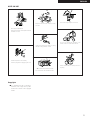
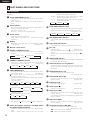
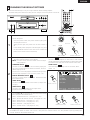
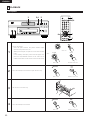
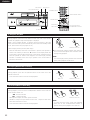
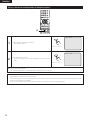
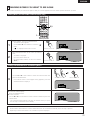
Playing a Certain Section Repeatedly (A-B Repeat Playback)
PROGRAM
/DIRECT
CLEAR
SEARCH MODE
CALL
BACK LIGHT
ANGLE
SUBTITLE
AUDIO
TOP MENU
DISPLAY
MENU
RETURN
STOP
STILL/PAUSE
SKIP
PLAY
SLOW/SEARCH
PAGE
1,2
REPEAT
A-B
RANDOM
MARKER
ZOOM
SETUP
PICTURE
ADJUST
PICT ADJ.
MEMORY
DIMMER
PURE DIRECT
SELECT
A TO B
SET A
A TO B
SET B
A-B
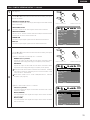
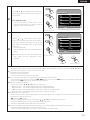
1
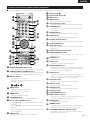
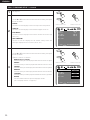
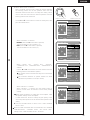
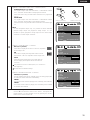
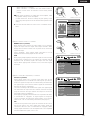
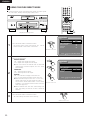
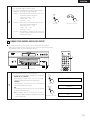
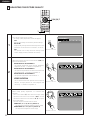
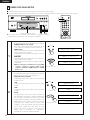
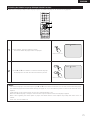
During playback, press the A-B button.
• This sets start point A.
Remote control unit
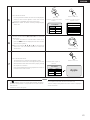
A-B
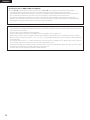
2
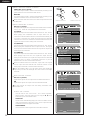
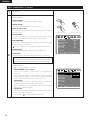
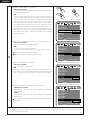
Press the A-B button again.
• This sets end point B, and repeat playback of the A-B section
starts.
Remote control unit
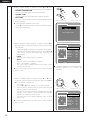
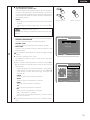
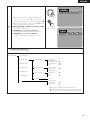
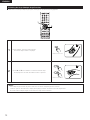
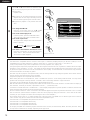
✽ To return to normal playback:
Press the A-B button until “A TO B CANCELED” appears on the TV screen.
NOTES:
• Repeat playback may not work for some DVDs.
• The repeat playback and A-B repeat playback functions will not work for DVDs and video CDs for which the elapsed time is not
shown on the display during playback.
• In some cases, subtitles may not be displayed near the A and B points during A-B repeat playback.
66