1
ENGLISH
ENGLISH
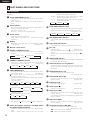
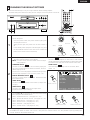
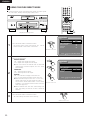
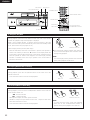
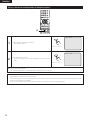
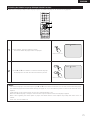
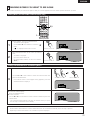
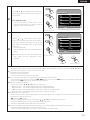
Switching the Subtitle Language (Multiple Subtitle Function)
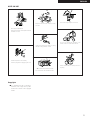
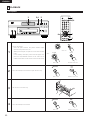
2 With DVDs containing multiple subtitle language signals, the subtitle language can be switched during playback.
CLOSE
SELECT
FORMAT
NTSC/PAL
SUPER AUDIO
CD SETUP
PROGRAM
/DIRECT
CLEAR
SEARCH MODE
CALL
BACK LIGHT
ANGLE
SUBTITLE
AUDIO
TOP MENU
DISPLAY
MENU
RETURN
STOP
STILL/PAUSE
SKIP
1
2
PLAY
SLOW/SEARCH
PAGE
REPEAT
A-B
RANDOM
MARKER
ZOOM
SETUP
PICTURE
ADJUST
PICT ADJ.
MEMORY
DIMMER
PURE DIRECT
SELECT
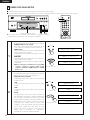
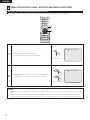
SUBTITLE : 01/ 0 3 ENGLISH
SUBTITLE
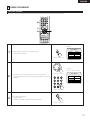
1
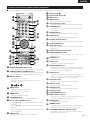
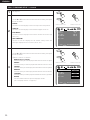
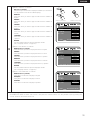
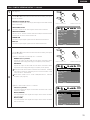
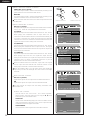
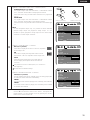
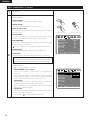
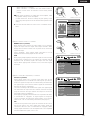
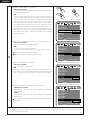
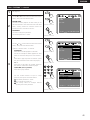
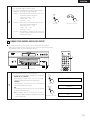
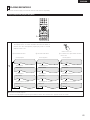
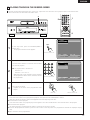
During playback, press the SUBTITLE button.
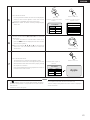
• The current subtitle language number is displayed.
Remote control unit
SUBTITLE : 02/ 0 3 FRENCH
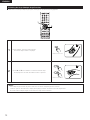
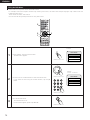
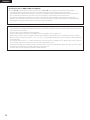
2
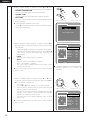
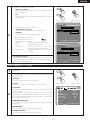
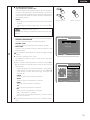
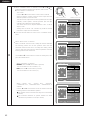
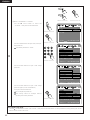
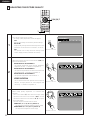
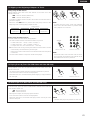
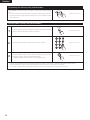
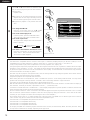
Use the • and ª cursor buttons to select the desired language.
• The display turns off when the SUBTITLE button is pressed.
Remote control unit
NOTES:
• If the desired language is not set after pressing the • and ª cursor buttons several times, the disc does not include that language.
• The subtitle language set with the default settings (see pages 30, 31.) is set when the power is turned on and when the disc is
replaced.
If that language is not included on the disc, the disc’s default language is set.
• When the subtitle language is changed, several seconds may be required for the new language to appear.
• When a disc supporting the closed caption is played, the subtitle and the closed caption may overlap each other on the TV
monitor.
in this case, turn the subtitle off.
71