1
Operating instructions multimess
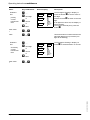
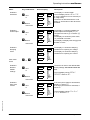
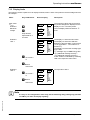
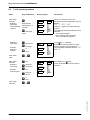
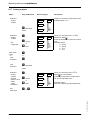
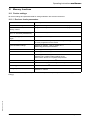
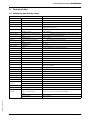
8.14 Damping factor
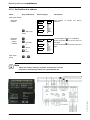
Menu
Key combination
Submenu
Damping
factor
Device display
U
I
O
O
U Start input
Set
voltage
V .....
U next digit
or
L2
L3
mode
Submenu
Damping
factor
L1
U
I
O
O
R cancel
L1
L2
L3
or
Q save
Main menu
Extra
X or W
Note
X or W
Submenu
Damping
factor
Set
current
V .....
U next digit
or
R cancel
or
Q save
DF
UPh-N
UPh-Ph
I
S
P
Q
cos ϕ
kWh
kvarh
Harmon.
Extra
DF
UPh-N
UPh-Ph
I
S
P
Q
cos ϕ
kWh
kvarh
Harmon.
Extra
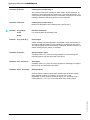
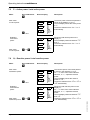
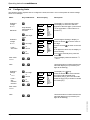
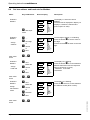
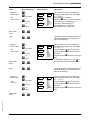
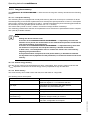
The display L1 shows the damping
coefficient for acquiring the voltage.
The display L2 shows the damping
coefficient for acquiring the current.
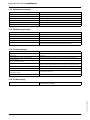
When calling the menu, the following
text will be displayed in the unit display:
DFCCDAMPINGFACTOR
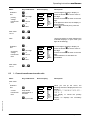
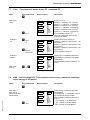
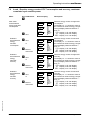
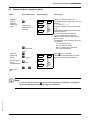
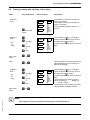
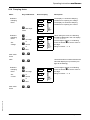
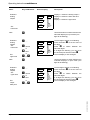
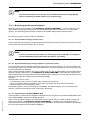
The first digit in display L1 is flashing.
Press the button V to set the value of
this digit.
Range of values: 0 - 8
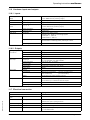
Use these buttons to switch between the
individual displays in input mode (one
digit will be flashing).
U
I
O
O
L1
L2
L3
DF
UPh-N
UPh-Ph
I
S
P
Q
cos ϕ
kWh
kvarh
Harmon.
Extra
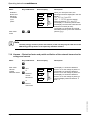
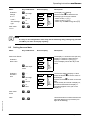
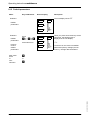
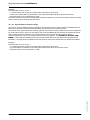
The first digit in display L2 is flashing.
Press the button V to set the value of
this digit.
Range of values: 0 - 8
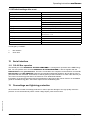
X or W
EDEBDA0122 / 4809-1 GB
Main menu
Extra
Description
Version 3.00
Page 47 of 66