1
Operating instructions multimess
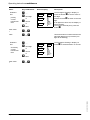
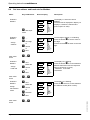
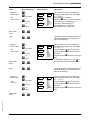
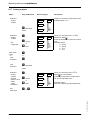
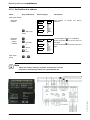
8.17 Analog outputs
Menu
Key combination
Submenu
Analog
outputs
Device display
4-20
L1
L2
U Start input
L3
mode
Submenu
Analog
outputs
Set
output type
Main menu
Extra
or
next
submenu
V .....
4-20
R cancel
L1
L2
or
Q save
L3
Description
mA
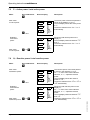
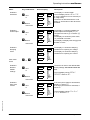
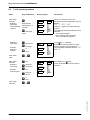
Display L1 shows the output value of the
analog outputs 1 to 3.
UPh-N
UPh-Ph
I
S
P
Q
cos ϕ
kWh
kvarh
Harmon.
Extra
mA
UPh-N
UPh-Ph
I
S
P
Q
cos ϕ
kWh
kvarh
Harmon.
Extra
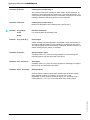
When you call up the menu, 4-20 is
flashing in display L1.
Press the button V to select the output
type.
Possible values:
0 - 20 mA
4 - 20 mA
0 - 10 V
2 - 10 V
W
or
X
next
submenu
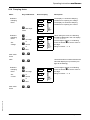
U Start input
Submenu
Analog
outputs
Activate
Output 1 and
Select
output
data point
V .....
Set
lower limit
X or W
mode
R cancel
ana.1
L1
L2
or
Q save
L3
OFF
UPh-N
UPh-Ph
I
S
P
Q
cos ϕ
kWh
kvarh
Harmon.
Extra
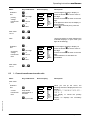
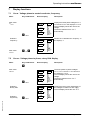
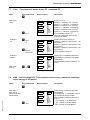
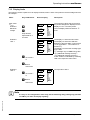
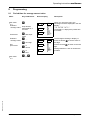
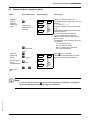
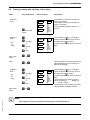
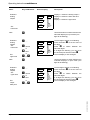
When you call up the menu, Off is
flashing in the unit display.
Press V to activate the output and to
set up the outputdata point.
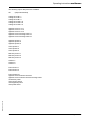
Possible values:
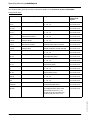
refer to the following output data points
EDEBDA0122 / 4809-1 GB
Page 50 of 66
Version 3.00