1
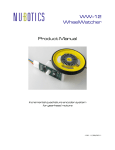
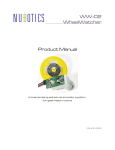
ME-210 Unicoder Product Manual Intelligent Incremental and Absolute High Resolution Encoder with Servo Pulse Generator 1.04 9/30/2012 Unicoder Features nonvolatile angle sensing 1024 positions per rotation measures velocity in terms of encoder ticks per second I2C command interface, 400KHz max 3.3 volt operation I2C lines are 5 volt tolerant field-upgradable firmware via RS232 readable position, angle, and velocity readable realtime counter for velocity calibration quadrature and index pulse output programmability: o index pulse location o zero angle location o resolution: 7, 8, 9, and 10 bit o direction of rotation (CW or CCW) o output modes: quadrature, sign-magnitude, or BLDC motor commutation o servo control pulse generator Description Nubotics breaks new ground with this unique new sensor. Combining the best of both incremental and absolute encoders, while providing new information such as total distance travelled, programmable index pulse and angle origin, and instantaneous velocity using an intelligent bus (I2C), the Nubotics Unicoder ME-210 solves many problems for electromechanical designers. And, as the shaft and case are designed to replace rectangular potentiometers used for angle sensing in many standard size RC servos, robot builders now have a powerful new way to measure joint position, wheel velocity, total distance travelled, and more. In addition to controlling and querying the included magnetic encoder chip (Austria Microsystems AS5040), the ME-210 also provides an optional RC servo control pulse generator as a convenience. This would allow the user to control and query an RC servo completely over I2C. ME-210 Parts List 1. 2. ME-210 encoder, preassembled 6" eight lead color-coded cable (sold separately) Installation Internal to an RC servo (continuous rotation): The ME-210 Unicoder encoder can be press fit in the rectangular depression inside a standard size RC servo (depending on make and model) once the RC servo’ s feedback potentiometer has been removed (a common operation when converting an RC servo for continuous rotation operation). By adding an ME-210 Unicoder encoder, a customer supplied controller can accurately measure and control the operation of a continuous rotation servo. Internal to an RC servo (angle positioning): In this application, the feedback between shaft angle, as sensed by the ME-210, and control of the RC servo’ s DC motor must be provided in one of two ways: 1. External to the RC servo, a customer-developed controller produces RC servo control pulses to drive the RC servo electronics, while using the ME-210 as a feedback device, using a control system such as a PID position loop to effect desired motion. 2. External to the RC servo, a customer-developed controller, which includes a DC motor driver, directly controls the RC servo’ s DC motor itself, again using the ME-210 as a feedback device for the customer’ s control system. NOTE: as the RC servo’ s feedback potentiometer has been removed to allow the ME210 to be mounted, the RC servo control circuit is no longer provided directly with the feedback signal it needs to close the loop. As a result, some other means must be provided as described in points 1 and 2. External to an RC servo (angle positioning): By mechanically coupling the ME-210 Unicoder encoder to the RC servo output shaft externally, the RC servo control electronics continue to provide angle control using the internal potentiometer for feedback. Meanwhile, the customer-provided controller can use the ME-210 Unicoder encoder to sense the actual position of the shaft, which is heretofore otherwise not able to be determined. Other Applications: The ME-210 Unicoder encoder is well suited for all kinds of rotary motion sensing. Shaft: The ME-210 Unicoder encoder’ s .125" diameter shaft is not designed to be load bearing. Case retention: The case can be press fit in a hole properly undersized for the nominal Unicoder dimention of .394”x .438” . Other mounting schemes are possible. Unicoder ME-210 Product Manual 3 Material Warning: the white plastic parts of the ME-210 are manufactured using 3D printing technology, via the Stratasys FDM process, and are made from ABS plastic. They are quite strong, but will separate between layers if stressed too much. Communications The ME-210 Unicoder encoder provides one physical interface for transmission of commands and status information: I2C. Connection to I2C is via J1. External ~4.7K ohm pull up resistors on both SDA and SCL are required for proper I2C operation. IMPORTANT: reading commands, which require the ME-210 Unicoder encoder to return data, will employ I2C clock stretching to hold off the master (your controller) until data is available. Unpredictable results occur if clock stretching is not respected by your controller. Clock stretching means that the slave will hold SCL low until data is available, after which it will release SCL. The master should detect this, and then continue the transfer. Each Unicoder command has the following structure: CommandCode [[param1][param2]...] EndOfLine where CommandCode is either an 8 bit value between 0x41 (ASCII ‘ A’ ) and 0x5A (ASCII ‘ Z’ ), or the special value 0x2E (ASCII ‘ .’ ), the “ Sync”command. Commands can be set commands, action commands or get commands. Parameters and return values can be 8, 16, or 32 bits in length. Each Unicoder command returns one of the following results: Sync EndOfLine Ack EndOfLine Nack EndOfLine CommandCode [[param1][param2]...] EndOfLine Sync is the 8 bit value 0x2E (ASCII ‘ .’ ). It indicates that the Unicoder confirms receipt of a Sync command. Ack is the 8 bit value 0x61 (ASCII ‘ a’ ), and is returned for all set or action commands that were valid and successfully processed. Nack is the 8 bit value 0x6E (ASCII ‘ n’ ) and is returned for all commands which are Unicoder ME-210 Product Manual 4 invalid for any reason –bad CommandCode, illegal characters in the parameter fields, wrong command length, premature command termination due to receipt of a Sync command, or failure to perform the command. CommandCode and associated parameters are returned for all valid get commands, in order to return the values queried. The factory default I2C Slave Address for the Unicoder is 0011000 = 0x18; this is the upper 7 bits of the 8 bit I2C address byte, where the least significant bit indicates the direction of transfer (1 = read, 0 = write), per the I2C standard. The complete 8 bit I2C address byte would then be 0x30 or 0x31: 7 6 5 4 3 2 1 0 0 0 1 1 0 0 0 R/W A common source of error when first using any I2C device results from using the wrong slave address. Some I2C APIs want the 7 bit value, and others want the 8 bit value. For example, the Ridgesoft RoboJDE’ s I2CMaster.transfer() method wants the 8 bit value, whereas the Savage Innovations OOPIC wants a 7 bit value. EndOfLine is indicated implicitly by means of the number of bytes written to the slave (the Unicoder) by the master (your robot controller). After writing the slave address, CommandCode, and parameter bytes as required by the command, the master simply ends the transfer by signaling a STOP condition after receiving ACK on the last byte. The master can optionally request the return value of the command using a REPEATED START or a separate START in read mode, and request a single byte. For complex query commands which both require you to write one or more parameters and also read one or more return values, you would first issue a START, the slave address with the WRITE bit set, the CommandCode and any required parameters, a repeated START condition, the slave address with the READ bit set, and then the return values can be read. Your master would read as many bytes as it required or until an I2C NACK condition occurred. It would then signal a STOP condition. Alternatively, in a single master environment, separate START/STOP conditions can occur for each phase of a complex query command –first write the command and its parameters if any (which may be required to specify what is being queried, e.g., which digital I/O pin), then a read transaction will read the CommandCode plus the returned parameters. Be sure to compare the CommandCode to that which you originally issued, to make sure the parameters are what you expect. NOTE: This non-standard method of reading parameters was added to Unicoder ME-210 Product Manual 5 support access from Via MiniITX boards and others under Linux. In that environment, the I2C sensor library can be used to communicate with I2C peripherals such as Devantech SRF08 sonar rangers as well as the Unicoder. Most Unicoder commands can be issued with a single library call, except for commands which require parameters to be written and also read in the same command. In that case, you must issue separate write and read requests. Parameters are specified in binary format, with the least significant byte first in order to be compatible with SMBus standards. For example, one could set the current distance to 500 (decimal = 1F4 hexadecimal) units by issuing the following command: START [SlaveAddr / Write] Ack ‘ D’Ack F4 Ack 01 Ack STOP From Master SDA From WC SDA START Addr / Write ‘ D’ 0xF4 0x01 0011000 0 01000100 1111010 0 00000001 STOP Ack Ack Ack Ack 0 0 0 0 Where ‘ D’is the 8 bit ASCII value for the capital letter dee = 0x44, and in this case, Ack represents the I2C notion of acknowledgement, not the Unicoder Ack character. In this case, because only 16 bits of a 32 bit parameter were written, the Unicoder automatically sign extends the 16 bit value to 32 bits; so, 01F4h becomes 000001F4h. Unicoder ME-210 Product Manual 6 ME-210 Command Set Modifier abbreviations: c = single character modifier (usually ascii 0 or 1) mn = single 8 bit byte in I2C mode mnop = single 16 bit word in I2C mode (least significant bytes first) mnopqrst = single 32 bit dword in I2C mode (least significant bytes first) Name Code Hex Params Written Response Read Meaning Communication Commands Sync . 2E none Echo ‘E’ 45 mn . (2E) we are synchronized ‘E’ nm echo back nibbles in reversed order Informational Commands Name ‘N’ 4E none ‘NwcXX’ 5 byte string: device name ‘Uc’ = Unicoder, firmware version XX Status ‘S’ 53 none ‘S’ mnop current device status (see below) Get Time ‘T’ 54 none ‘T’ mnopqrst read current 32 bit system time in multiples of 489ns; clock is accurate to +/-2%, so use this to calibrate velocity and period measurements Reset ‘R’ 52 none none reset the device (reboot) Set Const ‘F’ 46 mn op [qr...] ‘a’ set constant number ‘mn’ to value ‘op’; multiple sequential bytes can be written Store Consts ‘F’ 46 FFFF ‘a’ store all constants in nonvolatile memory Get Const ‘F’ 46 mn ‘F’ mn op [qr...] gets value of constant ‘mn’; multiple sequential bytes can be read Control Commands Motion Commands Get Velocity ‘V’ 56 none ‘V’ mnop query currently measured velocity in encoder ticks per second; (signed 16 bit value; least significant byte first) Set Distance ‘D’ 44 mnopqrst ‘a’ set current distance; 32 bit signed integer; least significant byte first; short transfers will be sign extended Get Distance ‘D’ 44 none ‘D’ mnopqrst query current distance travelled; 32 bit signed integer; least significant byte first Get Angle ‘W’ 57 none ‘W’ mnop query current shaft angle (resolution and location of zero can be modified via constants 5 and 6) Get Period ‘P’ 50 none ‘P’ mnopqrst query time between last two encoder ticks, in multiples of 489ns Servo Control Pulse Generator (Experimental; requires AS5040 Mode 2 = Sign / Magnitude) Coast ‘C’ 43 none ‘a’ stop issuing servo control pulses on TP2 Set Pulse Width ‘M’ 4D mnop ‘a’ enable and set servo control pulse generation on TP2; range is +/- 2047 centered at zero position which is specified in constants 7 and 8 Get Pulse Width ‘M’ 4D none ‘M’ mnop return current pulsewidth value; bytes 00 80 (16 bit value 8000h) is returned if currently disabled Upload Firmware - connect pin 5 to TTL level serial RX, pin 6 to TTL level serial TX; upload via NDi protocol at 38400 baud. The WCLoader.exe sample program implements this protocol. ‘n’ (6E) Unicoder ME-210 Product Manual not-acknowledge; returned for illegal commands, ill-formed commands 7 User-Modifiable Constants Default Name Meaning 0-1 1 WriteCnt number of times constants have been written to flash memory (read only) 2 31h MODE mode (see below) 3 4 BAUD RS232 baud rate (see below; ignored in current firmware implementations) 4 30h I2CADR I2C slave address (8 bit address; LSB is ignored, as that is the I2C W/R bit) CHANGE TAKES PLACE IMMEDIATELY! 5 2 ProgLo AS5040 Prog Low Byte 6 0 ProgHi AS5040 Prog High Byte 7 251 ZeroLo Servo Control Pulse Neutral (Zero Motion) Value Low Byte 8 11 ZeroHi Servo Control Pulse Neutral (Zero Motion) Value High Byte 9 10 FilterN Digital IIR low pass period filter denominator 10 1 FilterK Digital IIR low pass period filter numerator Mode Constant Bit Assignments (constant address 2) Bit Name Default Meaning 0 I2C Mode 1 indicates this device uses I2C 1 RS232Mode 0 this device does not support RS232 (except for firmware upgrades) 2 HexComms 0 this device only supports binary communications (not ASCII hex) 3 ShortMode 0 use compact return data format (omit command code as first byte) 4 InvertServo 1 servo control pulses on TP2 are high for 20ms - current pulse width 5 FilterPeriod 1 Period & velocity measurement are processed by a digital IIR low pass filter whose characteristics are set by the FilterN and FilterK constants 6 unused 0 set to 0 for compatibility with future firmware revisions 7 unused 0 “ ” Baud Rate Selection (constant address 3) Value / Baud Rate 0 / 1200 1 / 4800 2 / 9600 3 / 19200 Unicoder ME-210 Product Manual Value / Baud Rate 4 / 38400 5 / 57600 6 / 115200 7 / 230400 (experimental) 8 AS5040 Prog Bit Definitions (constant addresses 5 and 6) Bit Number Name Meaning 0-1 Mode output mode: 0: default; 1: quadrature; 2: sign/magnitude; 3: BLDC commutation 2-3 Div resolution: 0: 10 bit; 1: 9 bit; 2: 8 bit; 3: 7 bit 4 IndexLen 0: 1 pulse wide; 1: 3 pulses wide 5-14 Zero/Idx location of zero angle and index pulse (always 10 bit resolution) 15 CCW 0: angle increases clockwise; 1: angle increases counter clockwise Status Bit Definitions (returned by the status command) Bit Number Name Meaning 0 MagDEC asserted when magnet moved away from IC (magnetic field strength decreasing) 1 MagINC asserted when magnet moved toward IC (magnetic field strength increasing) 2 LIN linearity alarm - angle may be invalid; magnet outside of XYZ tolerances 3 COF CORDIC overflow - angle is invalid; magnet outside of XYZ tolerances 4 OCF offset compensation finished - startup complete, data valid Unicoder ME-210 Product Manual 9 Command Set Detailed Descriptions Name: Sync Code: ‘.’ (0x2E) Params: none Returns: ‘.’ Description: This command serves as an early test of communications with a Unicoder, to determine of the Unicoder is present and the I2C slave address matches between your master program and the setting of the Unicoder. To cancel a partial command string in I2C mode, stop the master transfer after the incorrect number of bytes for the specific command. Name: Echo Code: ‘E’ (0x45) Params: mn, 8 bit value to be echoed back Returns: nm, 8 bit echo value with nibbles reversed Description: This command is used to test communications between your master program and the Unicoder. The nibbles are reversed to ensure that your program is not communicating with some other device which happens to echo back characters in an unmodified fashion. Name: Name Code: ‘N’ (0x4E) Params: none Returns: ‘NUcxx’, where xx is the firmware version Description: This command lets you confirm that your program is talking to a Unicoder (the Uc part of the name string), and also to determine the current firmware version. 5 ASCII characters are always returned, regardless of physical interface type (RS232 or I2C). Name: Status Code: ‘S’ (0x53) Params: none Returns: ‘S’ mnop, 8 bits of status (see p.9 for bit definitions) Description: This command lets you determine the current operating mode of the Unicoder. Name: Get Time Unicoder ME-210 Product Manual 10 Code: ‘T’ (0x54) Params: none Returns: mnopqrst, a 32 bit time in multiples of 489ns Description: This command returns the elapsed time, in multiples of 489ns, since the last reset. Use this command to compensate for oscillator drift, by comparing successive readings with a more accurate clock, such as that provided by a crystal oscillator-driven microcontroller. Compensation should then be applied to period or velocity measurements. Name: Reset Code: ‘R’ (0x52) Params: none Returns: none Description: This command resets the device; after reset, the values of the user-modifiable constants will be retrieved from nonvolatile memory and made active. Name: Code: Params: Set Constant ‘F’ (0x46) mn op, two 8 bit values; mn is the constant to change, and op is the value to change it to Returns: ‘a’ or ‘n’ Description: This command lets you directly modify any user-modifiable constant in the Unicoder (see the table on p.7 for details). Please do not modify any constants if you don’ t know what you are doing. These are stored in volatile RAM, and so will be forgotten after reset or power cycle; use the “ Store Constants In Nonvolatile Memory”command (below) to retain any custom settings. NOTE 1: you may write any number of constants up through the end of the constant table simply by sending multiple bytes before issuing an I2C STOP. NOTE 2: current firmware versions ignore the baud rate constant, as the Unicoder only supports asynchronous serial mode for boot-loading, which is fixed at 38400 baud. The I2C master sets the bit rate for I2C mode, not the I2C slave (i.e., the Unicoder), so the baud rate constant does not play a role in I2C mode. NOTE 3: all changes to constants take place immediately; thus, changing the I2C address of the Unicoder takes place immediately, so the next command must be to the new address. Unicoder ME-210 Product Manual 11 Name: Store Constants In Nonvolatile Memory Code: ‘F’ (0x46) Params: FF FF (two 8 bit values, with all bits set to one) Returns: ‘a’ or ‘n’ Description: This will result in the storage of all user-modifiable constants. NOTE: the flash locations used have a finite lifespan, so do not use the Store Constants command more than necessary. Name: Code: Params: Get Constant ‘F’ (0x46) mn, a single 8 bit value specifying the constant number to read Returns: ‘F’ mn op, where op is the 8 bit value of constant number mn Description: This will return the current value of any of the user modifiable constants. You can read any number of constants up through the end of the constant table, simply by reading multiple bytes before issuing a STOP command. Name: Code: Params: Returns: Get Velocity ‘V’ (0x56) none mnop, the current measured velocity of the shaft in encoder ticks per second Description: This returns the actual measured velocity of the encoder shaft. Use of the FilterPeriod MODE bit is recommended to reduce the affect of AS5040 nonlinearity errors and mechanical assembly tolerances on velocity measurements (see Get Period below). Note that because the clock oscillator of the ME-210 Unicoder encoder is only accurate to +/- 2%, calibration by periodically monitoring elapsed Unicoder time is recommended. Velocity is calculated from the Period using the relation: V = 1 / (P * 489ns) where the Period P is measured in terms of multiples of 489ns, giving a velocity in encoder ticks per second. Unicoder ME-210 Product Manual 12 Name: Set Distance Code: ‘D’ (0x44) Params: mnopqrst, a 32 bit count of encoder ticks Returns: ‘a’ or ‘n’ Description: This command sets the current number of ticks (distance). Motion that occurs after this will result in the current number of ticks changing based on the current resolution and direction of rotation. For example, if the AS5040 Prog register CCW bit is 0, clockwise rotations of the shaft will cause the current number of ticks to increase; counter clockwise rotations will case it to decrease. Name: Get Distance Code: ‘D’ (0x44) Params: none Returns: mnopqrst, a 32 bit count of encoder ticks Description: This command returns the current measured distance the shaft has rotated so far (since reset or the last setting of distance using the Set Distance command). Name: Get Angle Code: ‘W’ (0x57) Params: none Returns: mnop, the current measured angle (0 to 1023) Description: This returns the current angle, in encoder ticks, referenced to the current Zero/Index value in the AS5040 Prog register (0 by default). Full 10 bit resolution is always returned. Name: Get Period Code: ‘P’ (0x50) Params: none Returns: mnopqrst, a 32 bit time between recent ticks Description: This command returns the period (time between) encoder ticks; the unit of time measured is in multiples of 489ns. If the FilterPeriod MODE bit is set to 1, then the values of the FilterN and FilterK constants will be used to control the frequency response of a single pole digital Infinite Impulse Response (IIR) low pass filter; the period measurements will be fed to this filter every 20ms. The Velocity measurement is calculated from this filtered Period measurement. Unicoder ME-210 Product Manual 13 The filter takes the following form: Pn = average period for all encoder ticks during the previous 20ms Fn = (Fn-1 * (FilterN –FilterK) + Pn * FilterK) / FilterN Fn is the value returned by the Get Period command when FilterPeriod is 1. If the FilterPeriod MODE bit is set to 0, then the period, and thus the velocity as well, will not be filtered to remove noise. In this case, this command returns the elapsed time, in multiples of 489ns, between the most recent two encoder ticks. The Velocity measurement is calculated from this unfiltered Period measurement. Note that because the clock oscillator of the ME-210 Unicoder encoder is only accurate to +/2%, calibration by periodically monitoring elapsed Unicoder time is recommended. Name: Coast Code: ‘C’ (0x43) Params: none Returns: ‘a’ or ‘n’ Description: This command turns off the servo pulse generator, allowing a servo whose control pin is connected to TP2 to coast to a stop. Name: Set Pulse Width Code: ‘M’ (0x4D) Params: mnop, a signed 16 bit pulsewidth delta in units of 489ns Returns: ‘a’ or ‘n’ Description: This experimental feature of the Unicoder ME-210 allows the Unicoder to generate 50Hz RC servo control pulses on test point 2 (TP2); this can be cancelled using the Coast command. The active portion of the servo control pulses will be the sum of the Servo Control Pulse Neutral constant values with this command’ s specified 16 bit signed delta parameter. The default values for the Servo Control Pulse Neutral constants result in an active time of 1.5ms, which is the industry standard RC servo neutral pulse width. The signed delta parameter must be between 2047 and +2047, corresponding to RC servo control pulse widths between 0.5ms and 2.5ms. The InvertServo MODE bit controls whether the signal output on TP2 is active high or active low. If InvertServo is 0, then the pulses will be high for (Neutral+Delta) * 489ns then low until a total of 20ms has passed. If InvertServo is 1, then the pulses will be low for (Neutral+Delta) * 489ns and high for the rest of the period. This can be useful if your servo requires a buffer or level shifter (a gate, a transistor, etc.) to provide a high enough control signal voltage, and that buffer or level shifter inverts. The ME-210 can output at most 3.3v on TP2, which might not be enough for some servos to register. Unicoder ME-210 Product Manual 14 Name: Get Pulse Width Code: ‘M (0x4D Params: none Returns: mnop, a signed 16 bit pulsewidth delta Description: This command returns the current pulse width delta, or, if the servo pulse generator is off, it returns 0x8000. Unicoder ME-210 Product Manual 15 Table 1: Servo Compatibility The ME-210's rectangular shape fits in the potentiometer recess of some makes and models of hobby servos. The following is an incomplete list. Manufacturer Model GWS S03N S03T S03TXF S06 Hitec HS322HD Note: if your specific servo is not listed, it may still fit. However, you will have to open up the servo case to determine the shape and size of the potentiometer. Many models use a round potentiometer, the result of which is that the currently shipping versions of the ME-210 would be incompatible. Opening of any RC servo will most likely violate it’ s manufacturer’ s warranty. Note: some servos, such as the Hitec HS322HD, that take rectangular potentiometers orient the potentiometer 180 degrees around compared to the GWS models. So, in order to use the ME-210 with them, you will need to rotate the large white housing of the ME-210 as follows: 1. unscrew the two T5 Torx screws (a 1.4mm flat blade jeweler's screwdriver can work in a pinch) 2. rotate the large white plastic housing by 180 degrees; the existing screw holes in the housing will line up with the existing holes in the thin white spacer and the PCB 3. reassemble the ME-210, being sure not to over tighten the screws, as doing so can strip the plastic threads Unicoder ME-210 Product Manual 16 Connector Pinout Pin Quadrature Sign/Magnitude Commutation Recommended Color 1 Index Index W Brown 2 ChA CLK U Orange 3 ChB DIR V Blue 4 /Reset Grey 5 SCL Violet 6 SDA Green 7 Gnd Black 8 Vcc Red NOTE: pin 1 has a square pad on the PCB; the rest have round pads. Pin 1 is adjacent to the unpopulated part CC2; pin 8 is adjacent to capacitor CC1, which is itself adjacent to the U2, the 3mm square, black, integrated circuit. Unicoder ME-210 Product Manual 17 Specifications Value Min Supply Voltage, Vcc Supply Current Resolution Max Units 3.0 3.6 18.1 26.8 mA 64 1024 Ticks/360" Shaft Diameter .125 Shaft Length .375 Case Width .394 Case Length .438 PCB Width .500 PCB Length .700 Overall Width .560 Overall Length .713 Overall Height 1.07 Volts inches Interfacing Examples Please visit http://www.nubotics.com to view and download example code for Ridgesoft RoboJDE Java and other controllers. Support Please visit the Unicoder support forum at http://www.nubotics.com/forums/viewforum.php?f=5 Document History Rev 1.0 - initial draft Rev 1.01 –final Rev 1.02 –added color codes Rev 1.03 –cables sold separately; note about plastic material used; note about rotating housing to fit some servos Rev 1.04 –clarify byte order of multi-byte parameters; use of baud rate constant; immediacy of changing i2c address constant (and others); identification of pin 1 vs. pin 8 on connector, including photos; fixed spelling errors Produced by Noetic Design, Inc., 25 NW 23rd PL, STE 6 PMB 181, Portland OR 97210 Copyright © 2009-2012 Noetic Design, Inc. All rights reserved. Unicoder ME-210 Product Manual 18