1
Document
Technical Specification
project title: Reader Suite – User Manual
version: v1.06
status:
date:
2013-03-05
doc
2 The Main Window
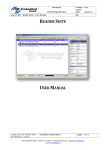
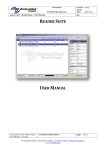
After the installation start the Reader Suite and you will get to the main screen.
The main screen is split up into three
parts.
The big widget in the middle of the window is the main
widget, which contains an overview of all used reader and
scanned tags.
At the bottom of the window there are a few control widgets,
to start and stop a scan and to clear the screen.
On the right side of the window there is an information widget, which shows
context dependent information. If you click on a reader entry in the main
window, you will get information about the reader; if you click on a tag entry,
you will get information about the tag; if you click into the white space of the
main widget, you will get information about the application itself. Initial there is
no reader and no tag in the Reader Suite so the application information is
shown.
20130304_EN_UM - Reader-Suite User Manual_v1.06.docx
created by: Stefan Detter
page: 3 von 12
RF-Embedded GmbH • Kufsteiner Straße 11 • D-83080 Oberaudorf • [email protected]
www.rf-embedded.eu