1
Appendix H
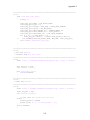
%
%
%
%
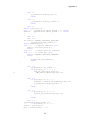
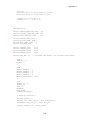
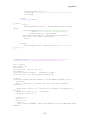
varargout
hObject
eventdata
handles
cell array for returning output args (see VARARGOUT);
handle to figure
reserved - to be defined in a future version of MATLAB
structure with handles and user data (see GUIDATA)
% Get default command line output from handles structure
varargout{1} = handles.output;
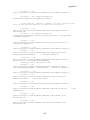
% --- Executes on button press in update_pushbutton.
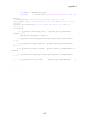
function update_pushbutton_Callback(hObject, eventdata, handles)
% hObject
handle to update_pushbutton (see GCBO)
% eventdata reserved - to be defined in a future version of MATLAB
% handles
structure with handles and user data (see GUIDATA)
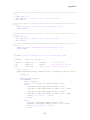
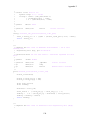
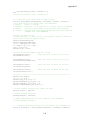
x=0;
handles.data=csvread('C:\tinyos\cygwin\opt\tinyos1.x\contrib\xbow\tools\src\xlisten\all_sensors.csv',4,0);
%row=4 column=0;
%handles.data=csvread('C:\tinyos\cygwin\opt\tinyos1.x\contrib\xbow\tools\src\xlisten\temp.csv',4,0); %row=4 column=0;
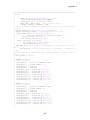
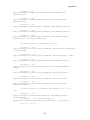
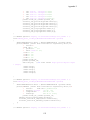
board_id=handles.data(:,1);
Max1=size(board_id);
%Initialize Gps data if no data is recorded
m_gps=ones(1,14);
%handles.current_data = handles.ieplot;
j=1;
k=1;
for n =1:Max1,
if (board_id(n) == 81)
%write that row of data to a matrix called sensors
m_sensors(j,:)=handles.data(n,:);
j=j+1;
else
m_gps(k,:)=handles.data(n,:);
k=k+1;
end %end if else
%search for GPS data
end %for loop
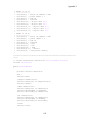
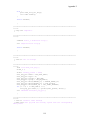
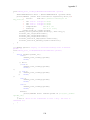
%assign main sensor readings to handles structure
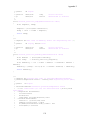
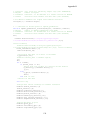
handles.time=m_sensors(:,2)
time=m_sensors(:,2);
handles.counter=m_sensors(:,7);
handles.direction=m_sensors(:,8);
handles.pres=m_sensors(:,9);
handles.humidity=m_sensors(:,10);
handles.rain_gauge=m_sensors(:,11);
handles.temperature=m_sensors(:,12);
%assign GPS data to plot
handles.gps=m_gps;
handles.latitude=m_gps(:,5);
handles.longitude=m_gps(:,6);
139