1
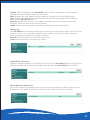
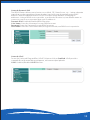
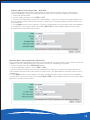
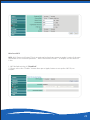
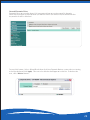
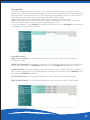
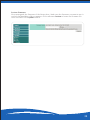
Wireless-Basic Encryption Type WPA/WPA2 Mixed
It is recommended to enable encryption on your wireless router before your wireless
network adapters. Please establish wireless connectivity before enabling encryption.
1. Select WPA/WPA2 Mixed mode.
2. Next to Cipher Mode, select TKIP or AES.
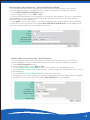
3. Next to RADIUS Server IP Address enter the IP Address of your RADIUS server.
4. Next to RADIUS Server Port, enter the port you are using with your RADIUS server. 1812 is
the default port.
5. Next to RADIUS Server Shared Secret, enter the security key.
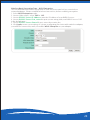
6. Click Apply to save your settings. If you are configuring the router with a wireless adapter,
you will lose connectivity until you enable WPA/WPA2 Mixed on your adapter.
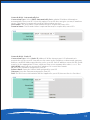
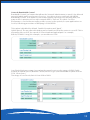
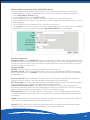
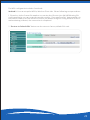
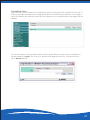
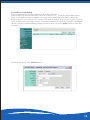
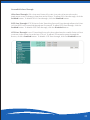
Wireless-Advanced
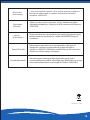
Broadcast SSID: Select disabled if you do not want the SSID of your wireless network to be
broadcasted by the AW-NR580. If Disabled is selected, the SSID of the AW-NR580 will not be
seen by Site Survey utilities so your wireless clients will have to know the SSID of your AWNR580 in order to connect to it.
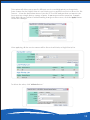
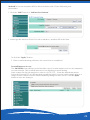
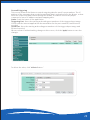
Channel Width:
20MHz - Select if you are not using any 802.11n wireless clients.
Dynamic 20/40 - This is the default setting. Select if you are using both 802.11n and non802.11n wireless devices.40MHz - Select if you are using all 802.11n devices for maximum
performance.
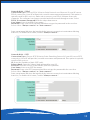
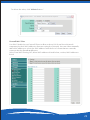
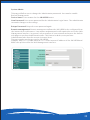
Beacon Period: Beacons are packets sent by an Access Point to synchronize a wireless
network. Specify a value. 100 is the default setting and is recommended.
RTS Threshold: This value should remain at its default setting of 2436. If inconsistent data
flow is a problem, only a minor modification should be made.
Fragmentation Threshold: The fragmentation threshold, which is specified in bytes,
determines whether packets will be fragmented. Packets exceeding the 2346 byte setting
will be fragmented before transmission. 2436 is the default setting.
DTIM Interval: (Delivery Traffic Indication Message) 1 is the default setting. A DTIM is a
countdown informing clients of the next window for listening to broadcast and multicast
messages.
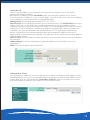
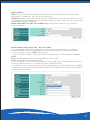
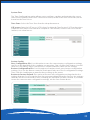
WMM: WMM is QoS for your wireless network. Enable this option to improve the quality of
video and voice applications for your wireless clients.
ShortGI: Check this box to reduce the guard interval time therefore increasing the data
capacity. However, it’s less reliable and may create higher data loss.
21