1
EQUIPMENT:
FIRECLASS DUO-CEL
WRITTEN BY: RKP
PUBLICATION:
OM_DUO-CEL_APP
CHECKED BY: AP
ISSUE No. & DATE:
0
01/03/12
to be confirmed without being too intrusive for other
occupants.
A genuine fire alarm condition overrides the test
mode and operates the sounders normally.
9. Overview of Engineers
Functions
This section provides an overview of the functions
available to the engineer.
9.1
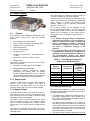
Engineer’s configuration process
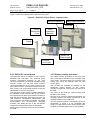
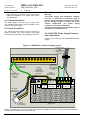
On the DUO-CEL panel, most of the Engineer‟s
configuration facilities are controlled by DIL
switches located on the motherboard, accessed by
removing the front cover of the panel. Each
configuration feature has its own dedicated DIL
switch. The DIL switches are as follows:
1: Z1 NON LATCH
2: RESISTOR EOL
3: ALERT MODE
4: DEPEND CONF
5: ZONAL ALARMS
6: S/C FIRE
7: AUX. RESET
8: DISABLE BUZ
9: REP CONFIG
10: SNDR EXPAND (not used)
11: SPARE
12: SPARE
Most functions simply require the appropriate DIL
switch to be either ON or OFF.
The DEPEND CONF DIL switch initiates a
programming mode in which the engineer is able to
select the required zone and set or clear it‟s
dependency mode status. The dependency mode
status is stored in EEPROM and is not lost if the
panel is powered down.
The REP CONFIG DIL switch (not available on the 1
& 2 zone panels) initiates a programming mode in
which the engineer is able to set the number of
repeaters connected to the panel. This data is
stored in EEPROM and is not lost when the panel is
powered down.
On the DUO-CEL repeater, only two DIL switches
are available:
1: NUM REP A
2: NUM REP B
Their setting is shown below:
Repeater No.
NUM REP A
NUM REP B
0 (Disabled)
OFF
OFF
1
ON
OFF
2
OFF
ON
3
ON
ON
9.1.1 Zone Dependency selection
When the zone dependency configuration DIL
switch (Depend Conf) is switched to the ON
position, the panel sounds the internal buzzer and
illuminates the SYSTEM FAULT LED to indicate
that the programming mode has been initiated. The
current status of the zones is displayed on the zone
fault LEDs; LED OFF – No Dependency, LED ON –
zone configured for dependency.
Operation of the SELECT button will then switch
the Select cursor on, flashing at the zone 1 fault
LED.
Pressing the Select button again will move the
flashing cursor to the next zone. The cursor will be
switched off after the last zone (1, 2, 4 or 8,
depending on the panel) or if no buttons are
pressed for 30 seconds.
Note that in the Engineer’s programming mode,
any faults, tests or disablements are masked
and are not shown on the display. The panel will
not respond to faults or fires.
With the cursor flashing on the required zone,
pressing the Disable button toggles the state of the
Dependency mode for that zone.
Once all required zones have been configured and
the configuration DIL switch is returned to the OFF
position, the panel will return to normal operation.
Factory default:
All zones are configured for no dependency.
Dependency Details:
This mode of operation conforms to BS EN542:1997 Clause 7.12.1 Type A Dependency.
Operation of an automatic fire detector on a zone
configured to the dependency mode will not
immediately indicate the fire alarm condition on the
panel. A 30-minute counter will be started and the
zone will be held in reset for 5 seconds (no power).
After the zone power is reinstated, if any automatic
fire detector on the same zone operates within 30
minutes, the panel will raise the fire alarm condition.
If no detectors or MCPs are operated on the zone
before the 30-minute timer ends, the zone will
return to coincidence detection (i.e. a detector
alarm on the zone will start the 30-minute timer
again).
Operation of Evacuate MCPs at any time will
always raise a fire alarm immediately.
Operation of an automatic fire detector or MCP on
any zone not configured for dependency will always
raise a fire alarm immediately.
9.1.2 Repeater configuration
When the Repeater configuration DIL switch (REP
CONFIG) is switched to the ON position, the panel
sounds the internal buzzer and illuminates the
SYSTEM FAULT LED to indicate that the
programming mode has been initiated. The current
PAGE 21 of 45