1
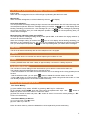
Line in used & Missed call & Message LED indication
Line in use:
When the unit is engaged on line, the LED will light up indicating that the line is used.
Missed call:
When a missed call appears, it will be indicated by the icon
on display.
Voice mail indication:
This unit provides a message waiting facility if the user has subscribed to the CLIP service through the
local telephone operator. When the message waiting is received, the
icon on LCD display will be
blinking reminding you that there is / are messages for you. You can hear the messages by following
the service instructions from your local telephone operator. The
icon will stop blinking after you
review all the messages.
Message waits indication under special PBX:
This unit provides a message waiting facility under special PBX, It will detect the ringing cadence (4
seconds On and 9 seconds Off).
When the message waiting is received, the
icon on LCD display will be blinking reminding you
that there is / are messages for you. You can hear the messages by following the service instructions
from you local telephone operator. The
icon will stop blinking after you review all the messages.
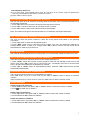
Auto timer
The timer will start automatically after 6s if the telephone line is engaged.
Flash, R
Press the flash button to reset the line without replacing the handset on hook.
Pause
Pressing PAUSE button will insert a delay of approximately 3 seconds in a dialing sequence.
ON-SCREEN DIALING
The unit has on-screen dialing function which allows you to edit the number before dial it out.
The following procedure describes how to use this function:
- Leave the handset on the cradle and ensure that the unit is not seizing the line using speaker phone
function
” button to delete the number shown on the LCD.
- Dial the wished number, you can press “
- Press “OK” button to confirm and the unit will dial out the number using hands free mode, or if the
user already engage the line, the number will dial out directly.
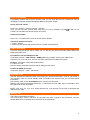
Memory programming & dial out
One Touch Memory
[1] Press “MENU” Keys, select “STORE” by pressing “OK” Key for confirmation.
[2] The display shows NAME: enter the name using the alphanumeric keys. Use “
” button to
delete any errors. Press “OK” button to confirm the name.
[3] Enter the number to store and press “ M1 ” button to save it in one touch memory dialing or " M1 “
to save it in the directory.
View Direct Memory & Dial out
[1] In on-hook mode, press M1 button.
[2] Press “OK” key to dial out.
Note: One touch memory cannot be deleted but can be replaced by a new stored entry.
6