1
Installing the Developing System
The Bone101 service is something similar to the Arduino IDE, which is a high-level
programming environment, where beginners can try simple programs using an
integrated IDE and a dedicated JavaScript library.
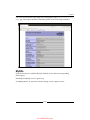
You can take a look at this system using the tutorial at http://beagleboard.org/
support/bone101. However, we are going to disable this service in the next section
because it's not useful to better understand how the computer peripherals can be
connected to and managed by the BeagleBone Black, and also, in order to get a
standard LAMP suite, we need port 80 to be free.
Setting up a developing system
Ok, first of all, we should set up the networking settings, since we are going to
download a lot of software packages. The Ethernet cable should be plugged into
the BeagleBone Black's Ethernet connector and the other end should be connected
to the LAN switch. If the connection works, we should see the following line in the
BeagleBone Black's kernel messages:
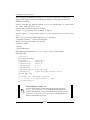
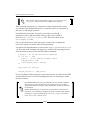
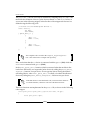
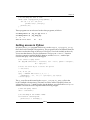
libphy: 4a101000.mdio:00 - Link is Up - 100/Full
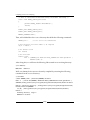
Let me remind you that you can use either the tail -f /var/log/
kern.log or dmesg command to see the kernel messages.
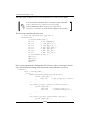
We can avoid using an Ethernet connection with a network trick; in fact,
the host PC can be used as a gateway, for the BeagleBone Black, that
can access the Internet using the USB cable. In the host, we can use the
following commands:
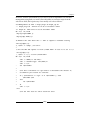
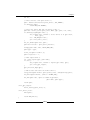
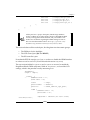
# iptables --table nat --append POSTROUTING --outinterface eth1 -j MASQUERADE
# iptables --append FORWARD --in-interface eth4 -j
ACCEPT
# echo 1 >> /proc/sys/net/ipv4/ip_forward
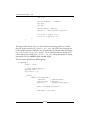
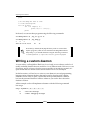
Then, on the BeagleBone Black, we can set the gateway through the USB
cable using the following command:
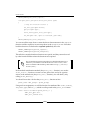
root@beaglebone:~# route add default gw 192.168.7.1
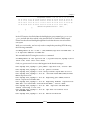
The eth1 device is the preferred Internet connection on the host
system, while the eth4 device is the BeagleBone Black's device as
viewed on the host system, as already seen earlier.
[ 10 ]