1
Chapter 7: Plotting: The Basics
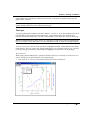
graph window must, by definition, contain at least one layer. If all layers are deleted from the page, the
graph window is deleted.
Note: When printing a graph, only the graphics within the page actually print. Be careful not to position
graphic elements (which you want to print) outside the page.
The Layer
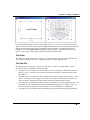
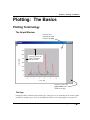
A typical graph generally includes at least three elements: a set of X, Y, Z (for 3D) coordinate axes, one or
more data plots, and associated text and graphic labels. Origin combines these three elements into a
movable, sizeable unit called a layer. To create a custom graph, you can place up to 50 layers on the page.
Note: Text and drawing objects (lines, arrows, etc.) will only move with a layer if they are attached to that
layer (Layer Frame or Layer and Scales). For more information, search on “attach” in the Origin Help file.
To move or size a layer, click on an axis to generate a highlighted boundary (which determines the default
frame location). The layer is moved by clicking and dragging to a new location within the page. The layer
is sized by clicking on a boundary control handle and dragging to the desired size (within the page).
The Active Layer
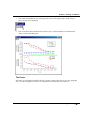
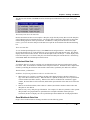
When a page contains multiple layers, operations which act on the layer necessarily act on the active layer.
A layer is made active by performing one of the following steps:
•
Click on the X, Y, or Z axis (or anywhere inside the frame) of the desired layer.
Plotting Terminology • 150