1
Getting started
This integrated TV is equipped with both Digital and Analog
system. To switch between Digital and Analog TV press
A/D on the remote control.
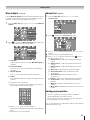
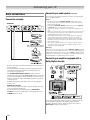
TV SETUP menu chart
About DTV Menu
Learning about the menu system
We suggest you familiarize yourself with the display charts
before using the menu system:
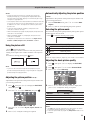
to display menu, then press v or w to select main
menu headings.
• Press r or s to select sub manu headings.
to select or adjust setting.
• Press
to display the next menu.
• Press
• Press
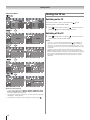
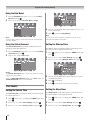
Displaying the Digital TV/Analog TV SETUP
menu chart
When source input " DTV "or " ATV " is selected, press
to display the TV SETUP menu chart.
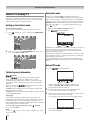
The menu will display "DTV Menu" if Digital TV selected.
The menu will display "ATV Menu" if Analog TV selected.
There will be some functions which not available in Digital
TV.
11