1
ADSL Router
User’s Manual
User’s Manual
ACORP
ADSL Router
LAN110 / LAN410
(1-Port / 4-Port)
(с) ACORP 2008
Revision 2.0
Page 1 of 58
ADSL Router
User’s Manual
Contents
1
2
3
System Overview ...................................................................................................................................... 4
1.1
General Description ................................................................................................................. 4
1.2
Specifications........................................................................................................................... 4
1.2.1
ADSL Standard ............................................................................................................... 4
1.2.2
Software Features........................................................................................................... 4
1.2.3
Management ................................................................................................................... 5
Hardware Installation ................................................................................................................................ 5
2.1
Hardware Requirements.......................................................................................................... 5
2.2
Hardware Setup Procedures ................................................................................................... 5
2.3
Descriptions of LEDs and Interfaces ....................................................................................... 6
2.3.1
Front Panel ..................................................................................................................... 6
2.3.2
Rear Panel ...................................................................................................................... 7
Software Configuration ............................................................................................................................. 8
3.1
LAN Configuration ................................................................................................................... 9
3.2
WAN Configuration ................................................................................................................ 10
3.2.1
Channel Configuration .................................................................................................. 10
3.2.2
ATM Setting................................................................................................................... 12
3.2.3
ADSL Setting................................................................................................................. 14
3.3
Services Configuration .......................................................................................................... 15
3.3.1
DHCP Settings .............................................................................................................. 15
3.3.1.1
DHCP Server Configuration ................................................................................. 15
3.3.1.2
DHCP Relay Configuration .................................................................................. 16
3.3.2
DNS Configuration ........................................................................................................ 17
3.3.2.1
DNS Server .......................................................................................................... 17
3.3.2.2
Dynamic DNS....................................................................................................... 18
3.3.3
Firewall Configuration ................................................................................................... 20
3.3.3.1
IP/Port Filtering..................................................................................................... 20
3.3.3.2
MAC Filtering........................................................................................................ 21
3.3.3.3
Port Forwarding.................................................................................................... 23
3.3.3.4
DMZ...................................................................................................................... 24
3.3.3.5
URL Blocking........................................................................................................ 25
3.3.3.6
Domain blocking................................................................................................... 27
3.3.4
IGMP Proxy Configuration ............................................................................................ 28
3.3.5
UPnP Configuration ...................................................................................................... 30
3.3.6
RIP Configuration.......................................................................................................... 31
(с) ACORP 2008
Revision 2.0
Page 2 of 58
ADSL Router
User’s Manual
3.4
Advance Configuration .......................................................................................................... 33
3.4.1
Bridging ......................................................................................................................... 33
3.4.2
Routing.......................................................................................................................... 34
3.4.3
SNMP Configuration ..................................................................................................... 35
3.4.4
IP QoS........................................................................................................................... 37
3.4.5
Remote Access ............................................................................................................. 39
3.5
Diagnostic .............................................................................................................................. 40
3.5.1
Ping ............................................................................................................................... 40
3.5.2
ATM Loopback .............................................................................................................. 41
3.5.3
ADSL............................................................................................................................. 42
3.5.4
Diagnostic Test.............................................................................................................. 43
3.6
Admin..................................................................................................................................... 44
3.6.1
Commit/Reboot ............................................................................................................. 44
3.6.2
Backup/Restore ............................................................................................................ 44
3.6.3
System Log ................................................................................................................... 45
3.6.4
Password ...................................................................................................................... 46
3.6.5
Upgrade Firmware ........................................................................................................ 46
3.6.6
ACL ............................................................................................................................... 47
3.6.7
Time Zone ..................................................................................................................... 48
3.7
4
Statistics................................................................................................................................. 49
3.7.1
Interfaces ...................................................................................................................... 49
3.7.2
ADSL............................................................................................................................. 50
Channel Mode Configuration .................................................................................................................. 50
4.1
Bridge Mode .......................................................................................................................... 50
4.2
MER (Mac Encapsulating Routing) Mode ............................................................................. 52
4.3
PPPoE Mode ......................................................................................................................... 53
4.4
PPPoA Mode ......................................................................................................................... 54
4.5
1483 Routed Mode ................................................................................................................ 55
Appendices ...................................................................................................................................................... 56
A.1
1483 Bridged Model ........................................................................................................................ 56
A.2
1483 MER Model............................................................................................................................. 56
A.3
PPPoE Model .................................................................................................................................. 57
A.4
PPPoA Model .................................................................................................................................. 57
A.5
1483 Routed Model ......................................................................................................................... 58
(с) ACORP 2008
Revision 2.0
Page 3 of 58
ADSL Router
User’s Manual
1 System Overview
1.1 General Description
The ADSL router is a high-speed ADSL2+ Ethernet router that is specifically designed to connect to
the Internet and to directly connect to your local area network (LAN) via high-speed 10/100 Mbps
Ethernet. The ADSL2+ modem is compatible with the latest ADSL standards, including ADSL2 and
ADSL2+, and supports up to 24 Mbps downstream and 1.5 Mbps upstream to deliver true
broadband speed and throughput.
To ensure fully compatibility, the DSL device was tested with all major DSLAMs, and support
standard 10/100 Mbps Base-T Ethernet interface allowing user easily to link to PC or other
Switches/Hubs. The DSL device is an idea solution for multi-users utilizing build-in channel mode
(PPPoE/A, IPoA, IPoE), IP routing, NAT functionalities sharing the ADSL link. The DSL device is
also a perfect solution for the residential users, it supports the users with bridge mode in host based
PPPoE Client.
1.2 Specifications
1.2.1 ADSL Standard
ITU-T G.992.1 (G.dmt)
ANSI T1.413 Issue 2
G.992.2 (G.lite)
G.994.1 (G.hs)
Auto-negotiating rate adaptation
ADSL2 G.dmt.bis (G.992.3)
ADSL2 G.lite.bis (G.992.4)
ADSL2+ (G.992.5)
1.2.2 Software Features
RFC-1483/2684 LLC/VC-Mux bridged/routed mode
RFC-1577 Classical IP over ATM
RFC-2516 PPPoE
RFC-2364 PPPoA
ITU-T 1.610 F4/F5 OAM send and receive loop-back
802.1d Spanning-Tree Protocol
DHCP Client/Server/Relay
NAT
(с) ACORP 2008
Revision 2.0
Page 4 of 58
ADSL Router
User’s Manual
RIP v1/v2
DNS Relay Agent
DMZ support
IGMP Proxy/Snooping
Stateful Packet Inspection
Protection against Denial of Service attacks
IP Packet Filtering
QoS
Dynamic DNS
UPnP support
1.2.3 Management
Web-based Configuration
Menu-driven Command-line Interpreter
Telnet Remote Management
SNMP v1/v2/Trap
Firmware upgrade through FTP, TFTP and HTTP
Configuration backup/restore
Diagnostic Tool
2 Hardware Installation
2.1 Hardware Requirements
12V/1A AC power adaptor
RJ-45 Ethernet cable
RJ-11 ADSL line
2.2 Hardware Setup Procedures
1. Connect RJ-11 line from LAN110/LAN410H5200 to DSLAM.
2. Connect RJ-45 line from your PC to LAN110/LAN410 Ethernet port.
3. Connect the 12V/1A AC power.
(с) ACORP 2008
Revision 2.0
Page 5 of 58
ADSL Router
User’s Manual
2.3 Descriptions of LEDs and Interfaces
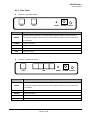
2.3.1 Front Panel
LAN110 1port ADSL Router
Power
LED
Color
Power
Green
ADSL
Green
Internet
Green
LAN
ADSL
Green
Internet
LAN
Status
Descriptions
OFF
Power OFF
GREEN
Power ON
OFF
Can not find DSLAM
BLINK
Start to handshaking with DSLAM
ON
Sync OK with DSLAM
OFF
PPP failed
BLINK
Internet data transiting
ON
PPP passed and allow internet surfing
OFF
No LAN link
ON
LAN link established and active
LAN410 4ports ADSL Router
Power
ADSL
Internet
LED
Color
POWER
Green
1
Internet
LAN1 – LAN4
Green
Green
Green
LAN
Status
3
4
Descriptions
OFF
Power OFF
GREEN
Power ON
OFF
ADSL
2
Can not find DSLAM
BLINK
Start to handshaking with DSLAM
ON
Sync OK with DSLAM
OFF
PPP failed
BLINK
Internet data transiting
ON
PPP passed and allow internet surfing
OFF
No LAN link
BLINK
ON
LAN Data transiting
LAN link established and active
(с) ACORP 2008
Revision 2.0
Page 6 of 58
ADSL Router
User’s Manual
2.3.2 Rear Panel
LAN110 1 port ADSL Router
LINE
LAN
RESET POWER ON/OFF
Items
Usage
Resets to factory defaults. To restore factory defaults, keep the device powered
RESET
on and push a paper clip into the hole. Press down the button over 5 seconds and
then release
POWER
Power connector
ON/OFF
Power on and off
LAN
Ethernet RJ-45 port
LINE
DSL RJ-11 port
LAN410 4 ports ADSL Router
LINE
LAN
Items
RESET POWER ON/OFF
Usage
Resets to factory defaults. To restore factory defaults, keep the device powered
RESET
on and push a paper clip into the hole. Press down the button over 5 seconds and
then release
POWER
Power connector
ON/OFF
Power on and off
LAN
Ethernet RJ-45 port
LINE
DSL RJ-11 port
(с) ACORP 2008
Revision 2.0
Page 7 of 58
ADSL Router
User’s Manual
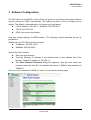
3 Software Configuration
The DSL device is an ADSL2+ router. When you power on the device, the system will boot
up and connect to ADSL automatically. The system provides a PVC for bridge test by
default. The default configurations for the system are listed below.
LAN IP address: 192.168.1.1, NetMask: 255.255.255.0
VPI/VCI for ATM: 0/0.
ADSL Line mode: Auto-detect.
User can change settings via WEB browser. The following sections describe the set up
procedures.
Please set your PC’s Ethernet port as follow:
IP address: 192.168.1.XXX
NetMask: 255.255.255.0
Access the Web Console:
Start your web browser.
Type the Ethernet IP address of the modem/router on the address bar of the
browser. Default IP address is 192.168.1.1.
The Enter Network Password dialog box appears. Type the user name and
password and then click OK. (the default user name is “Admin” and password is
“Admin”)
Once you have connected to ADSL2+ router. You will see the status page.
(с) ACORP 2008
Revision 2.0
Page 8 of 58
ADSL Router
User’s Manual
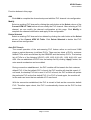
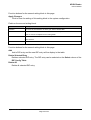
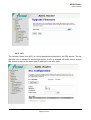
This page displays the ADSL modem/router’s current status and settings. Click the
“Refresh” button to update the status
Function buttons in this page:
Refresh
Update the status of this page
3.1 LAN Configuration
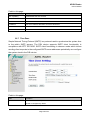
This page shows the current setting of LAN interface. You can set IP address and subnet
mask for LAN interface in this page.
Fields in this page:
Field
Description
IP Address
The IP address your LAN hosts use to identify the device’s LAN port.
Subnet Mask
LAN subnet mask.
Function buttons in this page:
Apply Changes
Click to save the setting to the configuration. New parameters will take effect after save
into flash memory and reboot the system. See section “Admin” for save details.
Undo
Discard your changes.
(с) ACORP 2008
Revision 2.0
Page 9 of 58
ADSL Router
User’s Manual
3.2 WAN Configuration
There are three sub-menu for WAN configuration: [Channel Config], [ATM Settings], and
[ADSL Settings].
3.2.1 Channel Configuration
ADSL modem/router comes with 8 ATM Permanent Virtual Channels (PVCs) at the most.
There are mainly three operations for each of the PVC channels: add, delete and modify.
And there are several channel modes to be selected for each PVC channel. For each of the
channel modes, the setting is quite different accordingly. Please reference to the section –
Channel Mode Configuration for details.
(с) ACORP 2008
Revision 2.0
Page 10 of 58
ADSL Router
User’s Manual
Function buttons in this page:
Add
Click Add to complete the channel setup and add this PVC channel into configuration.
Modify
Select an existing PVC channel by clicking the radio button at the Select column of the
Current ATM VC Table before we can modify the PVC channel. After selecting a PVC
channel, we can modify the channel configuration at this page. Click Modify to
complete the channel modification and apply to the configuration.
Delete Selected
Select an existing PVC channel to be deleted by clicking the radio button at the Select
column of the Current ATM VC Table. Click Delete Selected to delete this PVC
channel from configuration.
Auto PVC Search
The overall operation of the auto-sensing PVC feature relies on end-to-end OAM
pings or packet discovery to defined PVCs. There are two kinds of PVCs: customer
default PVCs which are defined by the OEM/ISP and the backup PVCs. The backup
list of PVCs is of the following VPI/VCI: 0/35, 8/35, 0/43, 0/51, 0/59, 8/43, 8/51, and
8/59. We can add/delete VPI/VCI into the backup list. By clicking “Apply” button, the
auto-search mechanism can be enabled.
During connection establishment, the PVC module will first search the first customer
default PVC. If the first default PVC is found, the PVC module will stop this search. If
not found, the backup PVC list is used. If a PVC is found, the PVC module will update
the particular PVC as the first default PVC. If no PVC is found again, the module will
let the end-user know that no available VCC was found.
With the connection established, the PVC is stored in flash as the connection default
PVC. Therefore upon reboot, this PVC is automatically chosen as the PVC for that
connection.
(с) ACORP 2008
Revision 2.0
Page 11 of 58
ADSL Router
User’s Manual
3.2.2 ATM Setting
The page is for ATM PVC QoS parameters setting. The DSL device support 4 QoS
mode —CBR/rt-VBR/nrt-VBR/UBR.
Fields in this page:
Field
Description
VPI
Virtual Path Identifier. This is read-only field and is selected on the Select column in
the Current ATM VC Table.
VCI
Virtual Channel Identifier. This is read-only field and is selected on the Select
column in the Current ATM VC Table. The VCI, together with VPI, is used to identify
the next destination of a cell as it passes through to the ATM switch.
(с) ACORP 2008
Revision 2.0
Page 12 of 58
ADSL Router
User’s Manual
QoS
Quality of Server, a characteristic of data transmission that measures how accurately
and how quickly a message or data is transferred from a source host to a destination
host over a network. The four QoS options are:
−
UBR (Unspecified Bit Rate): When UBR is selected, the SCR and
MBS fields are disabled.
−
CBR (Constant Bit Rate): When CBR is selected, the SCR and MBS
fields are disabled.
−
nrt-VBR (non-real-time Variable Bit Rate): When nrt-VBR is
selected, the SCR and MBS fields are enabled.
−
rt-VBR (real-time Variable Bit Rate): When rt-VBR is selected, the
SCR and MBS fields are enabled.
PCR
Peak Cell Rate, measured in cells/sec., is the cell rate which the source may never
exceed.
SCR
Sustained Cell Rate, measured in cells/sec., is the average cell rate over the
duration of the connection.
MBS
Maximum Burst Size, a traffic parameter that specifies the maximum number of cells
that can be transmitted at the peak cell rate.
Function buttons in this page:
Apply Changes
Set new PVC OoS mode for the selected PVC. New parameters will take effect after
save into flash memory and reboot the system. See section “Admin” for save details.
Undo
Discard your settings.
(с) ACORP 2008
Revision 2.0
Page 13 of 58
ADSL Router
User’s Manual
3.2.3 ADSL Setting
The ADSL setting page allows you to select any combination of DSL training modes.
Fields in this page:
Field
Description
ADSL modulation
Choose prefered xdsl standard protocols.
G.lite : G.992.2
G.dmt : G.992.1
T1.413 : T1.413 issue #2
ADSL2 : G.992.3
ADSL2+ : G.992.5
Annex L : Enable ADSL2/ADSL2+ Annex L capability
Annex M : Enable/Disable ADSL2/ADSL2+ Annex M capability
ADSL Capability
“Bitswap Enable” : Enable/Disable bitswap capability.
“SRA Enable” : Enable/Disable SRA (seamless rate adaptation) capability.
Function buttons in this page:
Tone Mask
Choose tones to be masked. Masked tones will not carry any data.
Apply Changes
Click to save the setting to the configuration and the modem will be retrained.
(с) ACORP 2008
Revision 2.0
Page 14 of 58
ADSL Router
User’s Manual
3.3 Services Configuration
3.3.1 DHCP Settings
You can configure your network and DSL device to use the Dynamic Host Configuration
Protocol (DHCP). This page provides DHCP instructions for implementing it on your
network by selecting the role of DHCP protocol that this device wants to play. There are two
different DHCP roles that this device can act as: DHCP Server and DHCP Relay.
3.3.1.1 DHCP Server Configuration
By default, the device is configured as a DHCP server, with a predefined IP address pool of
192.168.1.2 through 192.168.1.100 (subnet mask 255.255.255.0).
Fields in this page:
Field
Description
IP Pool Range
Specify the lowest and highest addresses in the pool.
Max Lease Time
The Lease Time is the amount of time that a network user is allowed to maintain a
network connection to the device using the current dynamic IP address. At the end
(с) ACORP 2008
Revision 2.0
Page 15 of 58
ADSL Router
User’s Manual
of the Lease Time, the lease is either renewed or a new IP is issued by the DHCP
server. The amount of time is in units of seconds. The default value is 86400
seconds (1 day). The value –1 stands for the infinite lease.
Domain Name
A user-friendly name that refers to the group of hosts (subnet) that will be assigned
addresses from this pool.
Function buttons in this page:
Apply Changes
Set new DHCP server configuration. New parameters will take effect after save into
flash memory and reboot the system. See section “Admin” for save details.
Undo
Discard your changes.
3.3.1.2 DHCP Relay Configuration
Some ISPs perform the DHCP relay function for their customers’ home/small office network.
In this case, you can configure this device to act as a DHCP relay agent. When a host on
your network requests Internet access, the device contacts your ISP to obtain the IP
configuration, and then forward that information to the host. You should set the DHCP
mode after you configure the DHCP relay.
(с) ACORP 2008
Revision 2.0
Page 16 of 58
ADSL Router
User’s Manual
Fields in this page:
Field
Description
DHCP Server Address Specify the IP address of your ISP’s DHCP server. Requests for IP information from your LAN
will be passed to the default gateway, which should route the request appropriately.
Apply Changes
Click here to save the setting to the configuration
3.3.2 DNS Configuration
There are two submenus for the DNS Configuration: [DNS Server] and [Dynamic DNS]
3.3.2.1 DNS Server
This page is used to select the way to obtain the IP addresses of the DNS servers.
Fields in this page:
Field
Description
Attain DNS
Select this item if you want to use the DNS servers obtained by the WAN interface
Automatically
via the auto-configuration mechanism.
Set DNS Manually
Select this item to configure up to three DNS IP addresses.
(с) ACORP 2008
Revision 2.0
Page 17 of 58
ADSL Router
User’s Manual
Function buttons in this page:
Apply Changes
Set new DNS relay configuration. New parameters will take effect after save into flash
memory and reboot the system. See section “Admin” for save details.
Undo
Discard your changes.
3.3.2.2 Dynamic DNS
Each time your device connects to the Internet, your ISP assigns a different IP address to
your device. In order for you or other users to access your device from the WAN-side, you
need to manually track the IP that is currently used. The Dynamic DNS feature allows you
to register your device with a DNS server and access your device each time using the same
host name. The Dynamic DNS page allows you to enable/disable the Dynamic DNS feature.
(с) ACORP 2008
Revision 2.0
Page 18 of 58
ADSL Router
User’s Manual
On the Dynamic DNS page, configure the following fields:
Field
Description
Enable
Check this item to enable this registration account for the DNS server.
DDNS provider
There are two DDNS providers to be selected in order to register your device with:
DynDNS and TZO. A charge may occurs depends on the service you select.
Hostname
Domain name to be registered with the DDNS server.
Username
User-name assigned by the DDNS service provider.
Password
Password assigned by the DDNS service provider.
Function buttons in this page:
Add
Add this registration into the configuration.
Remove
Remove the selected registration from the Dynamic DNS Table.
(с) ACORP 2008
Revision 2.0
Page 19 of 58
ADSL Router
User’s Manual
3.3.3 Firewall Configuration
Firewall contains several features that are used to deny or allow traffic from passing
through the device.
3.3.3.1 IP/Port Filtering
The IP/Port filtering feature allows you to deny/allow specific services or applications in the
forwarding path.
Fields on the first setting block:
Field
Description
Outgoing Default Action
Specify the default action on the LAN to WAN forwarding path.
Incoming Default Action
Specify the default action on the WAN to LAN forwarding path.
Function button for this first setting block:
Apply Changes
Click to save the setting of default actions to the configuration.
(с) ACORP 2008
Revision 2.0
Page 20 of 58
ADSL Router
User’s Manual
Fields on the second setting block:
Field
Description
Rule Action
Deny or allow traffic when matching this rule.
Direction
Traffic forwarding direction.
Protocol
There are 3 options available: TCP, UDP and ICMP.
(Source) IP Address
The source IP address assigned to the traffic on which filtering is applied.
(Source) Subnet Mask
Subnet-mask of the source IP.
(Source) Port
Starting and ending source port numbers.
(Destination) IP Address
The destination IP address assigned to the traffic on which filtering is applied.
(Destination) Subnet Mask Subnet-mask of the destination IP.
(Destination) Port
Starting and ending destination port numbers.
Function buttons for this second setting block:
Add
Click to save the rule entry to the configuration.
Function buttons for the Current Filter Table:
Delete Selected
Delete selected filtering rules from the filter table. You can click the checkbox at the
Select column to select the filtering rule.
Delete All
Delete all filtering rules from the filter table.
3.3.3.2 MAC Filtering
The MAC filtering feature allows you to define rules to allow or deny frames through the
device based on source MAC address, destination MAC address, and traffic direction.
(с) ACORP 2008
Revision 2.0
Page 21 of 58
ADSL Router
User’s Manual
Fields on the first setting block:
Field
Description
Outgoing Default Action
Specify the default action on the LAN to WAN bridging/forwarding path.
Incoming Default Action
Specify the default action on the WAN to LAN bridging/forwarding path.
Function button for this first setting block:
Apply Changes
Click to save the setting of default actions to the configuration.
Fields on the second setting block:
Field
Description
Rule Action
Deny or allow traffic when matching this rule.
Direction
Traffic bridging/forwarding direction.
Source MAC Address
he source MAC address. It must be xxxxxxxxxxxx format. Blanks can be used in
the MAC address space and are considered as don’t care.
Destination MAC Address
The destination MAC address. It must be xxxxxxxxxxxx format. Blanks can be
used in the MAC address space and are considered as don’t care.
(с) ACORP 2008
Revision 2.0
Page 22 of 58
ADSL Router
User’s Manual
Function buttons for this second setting block:
Add
Click to save the rule entry to the configuration.
Function buttons for the Current Filter Table:
Delete Selected
Delete selected filtering rules from the filter table. You can click the checkbox at the
Select column to select the filtering rule.
Delete All
Delete all filtering rules from the filter table.
3.3.3.3 Port Forwarding
Firewall keeps unwanted traffic from the Internet away from your LAN computers. Add a
Port Forwarding entry will create a tunnel through your firewall so that the computers on the
Internet can communicate to one of the computers on your LAN on a single port.
(с) ACORP 2008
Revision 2.0
Page 23 of 58
ADSL Router
User’s Manual
Fields in this page:
Field
Description
Port Forwarding
Enable / Disable the port-forwarding feature.
Protocol
There are 3 options available: TCP, UDP and Both.
Enable
Check this item to enable this entry.
Remote IP Address
The source IP address from which the incoming traffic is allowed. Leave blank
for all.
Public Port
The destination port number that is made open for this application on the
WAN-side
Local IP Address
IP address of your local server that will be accessed by Internet.
Local Port
The destination port number that is made open for this application on the
LAN-side.
Interface
Select the WAN interface on which the port-forwarding rule is to be applied.
Function buttons for the setting block:
Add
Click to save the rule entry to the configuration.
Function buttons for the Current Port Forwarding Table:
Delete Selected
Delete the selected port forwarding rules from the forwarding table. You can click the
checkbox at the Select column to select the forwarding rule.
Delete All
Delete all forwarding rules from the forwarding table.
3.3.3.4 DMZ
A DMZ (Demilitarized Zone) allows a single computer on your LAN to expose ALL of its
ports to the Internet. Enter the IP address of that computer as a DMZ (Demilitarized Zone)
host with unrestricted Internet access. When doing this, the DMZ host is no longer behind
the firewall.
(с) ACORP 2008
Revision 2.0
Page 24 of 58
ADSL Router
User’s Manual
Fields in this page:
Field
Description
DMZ HOST
Enable / Disable the DMZ feature.
DMZ Host IP Address
IP address of the local host. This feature sets a local host to be exposed to the
Internet.
Function buttons in this page:
Apply Changes
Click to save the setting to the configuration.
3.3.3.5 URL Blocking
The URL Blocking is the web filtering solution. The firewall includes the ability to block
access to specific web URLs based on string matches. This can allow large numbers of
URLs to be blocked by specifying only a FQDN (such as tw.yahoo.com). The URL Blocking
enforce a Web usage policy to control content downloaded from, and uploaded to, the Web.
(с) ACORP 2008
Revision 2.0
Page 25 of 58
ADSL Router
User’s Manual
Fields in this page:
Field
Description
URL Blocking
Enable / Disable the URL Blocking feature.
FQDN
A fully qualified domain name (or FQDN) is an unambiguous domain name that
specifies the node's position in the DNS tree hierarchy absolutely, such as
tw.yahoo.com. The FQDN will be blocked to access.
Keyword
The filtered keyword such as yahoo. If the URL includes this keyword, the URL will
be blocked to access.
Function buttons in this page:
Apply Changes
Click to disable/enable the URL Blocking capability
Add (FQDN)
Add FQDN into URL Blocking table.
Delete Selected (FQDN)
Delete the selected FQDN from the URL Blocking table. You can click the checkbox at
the Select column to select the Blocked FQDN.
Delete All (FQDN)
(с) ACORP 2008
Revision 2.0
Page 26 of 58
ADSL Router
User’s Manual
Delete all selected FQDN from the URL Blocking table.
Add (Keyword)
Add filtered keyword into Keyword Filtering table.
Delete Selected (Keyword)
Delete the selected keyword from the keyword Filtering table. You can click the
checkbox at the Select column to select the filtered keyword.
Delete All (Keyword)
Delete all selected keyword from the keyword Filtering table.
3.3.3.6 Domain blocking
The firewall includes the ability to block access to specific domain based on string matches.
For example, if the URL of Taiwan Yahoo web site is “tw.yahoo.com” and you enter
“yahoo.com”, the firewall will block all the DNS queries with “yahoo.com” string. So the Host
will be blocked to access all the URLs belong to “yahoo.com” domain. That means you can
protect your computer, your house, your office and anything else that uses DNS from being
able to service domains that you don’t want to load.
Fields in this page:
Field
Description
Domain Blocking
Enable / Disable the Domain Blocking feature.
Domain
The blocked domain. e.g. If the URL of Taiwan Yahoo web site is tw.yahoo.com,
the domain can be yahoo.com.
(с) ACORP 2008
Revision 2.0
Page 27 of 58
ADSL Router
User’s Manual
Function buttons in this page:
Apply Changes
Click to disable/enable the Domain Block capability
Add
Add domain into Domain Block table.
Delete Selected
Delete the selected domain from the Domain Block table. You can click the checkbox
at the Select column to select the Blocked domain.
Delete All
Delete all selected blocked domains.
3.3.4 IGMP Proxy Configuration
Multicasting is useful when the same data needs to be sent to more than one hosts. Using
multicasting as opposed to sending the same data to the individual hosts uses less network
bandwidth. The multicast feature also enables you to receive multicast video stream from
multicast servers.
IP hosts use Internet Group Management Protocol (IGMP) to report their multicast group
memberships to neighboring routers. Similarly, multicast routers use IGMP to discover
which of their hosts belong to multicast groups. This device supports IGMP proxy that
handles IGMP messages. When enabled, this device acts as a proxy for a LAN host
making requests to join and leave multicast groups, or a multicast router sending multicast
packets to multicast group on the WAN side.
When a host wishes to join a multicast group, it sends IGMP REPORT message to the
device’s IGMP downstream interface. The proxy sets up a multicast route for the interface
and host requesting the video content. It then forwards the Join to the upstream multicast
router. The multicast IP traffic will then be forwarded to the requesting host. On a leave, the
proxy removes the route and then forwards the leave to the upstream multicast router.
The IGMP Proxy page allows you to enable multicast on WAN and LAN interfaces. The
LAN interface is always served as downstream IGMP proxy, and you can configure one of
the available WAN interfaces as the upstream IGMP proxy.
(с) ACORP 2008
Revision 2.0
Page 28 of 58
ADSL Router
User’s Manual
Upstream: The interface that IGMP requests from hosts are sent to the
multicast router.
Downstream: The interface data from the multicast router are sent to hosts in
the multicast group database.
Fields in this page:
Field
Description
IGMP Proxy
Enable/disable IGMP proxy feature
Proxy Interface
The upstream WAN interface is selected here.
Function buttons in this page:
Apply Changes
Click to save the setting to the configuration.
Undo
Discard your settings.
(с) ACORP 2008
Revision 2.0
Page 29 of 58
ADSL Router
User’s Manual
3.3.5 UPnP Configuration
The DSL device supports a control point for Universal Plug and Play (UPnP) version 1.0,
and supports two key features: NAT Traversal and Device Identification. This feature
requires one active WAN interface. In addition, the host should support this feature. In the
presence of multiple WAN interfaces, select an interface on which the incoming traffic is
present.
With NAT Traversal, when an UPnP command is received to open ports in NAT, the
application translates the request into system commands to open the ports in NAT and the
firewall. The interface to open the ports on is given to UPnP when it starts up and is part of
the configuration of the application.
For Device Identification, the application will send a description of the DSL device as a
control point back to the host making the request.
Fields in this page:
Field
Description
UPnP Daemon
Enable/disable UPnP feature.
WAN Interface
Select WAN interface that will use UPnP from the drop-down lists.
Function buttons in this page:
Apply Changes
Click to save the setting to the system configuration.
(с) ACORP 2008
Revision 2.0
Page 30 of 58
ADSL Router
User’s Manual
3.3.6 RIP Configuration
RIP is an Internet protocol you can set up to share routing table information with other
routing devices on your LAN, at your ISP’s location, or on remote networks connected to
your network via the ADSL line.
Most small home or office networks do not need to use RIP; they have only one router,
such as the ADSL Router, and one path to an ISP. In these cases, there is no need to
share routes, because all Internet data from the network is sent to the same ISP gateway.
You may want to configure RIP if any of the following circumstances apply to your network:
−
Your home network setup includes an additional router or RIP-enabled PC
(other than the ADSL Router). The ADSL Router and the router will need to
communicate via RIP to share their routing tables.
−
Your network connects via the ADSL line to a remote network, such as a
corporate network. In order for your LAN to learn the routes used within your
corporate network, they should both be configured with RIP.
−
Your ISP requests that you run RIP for communication with devices on their
network..
Fields on the first setting block:
Field
Description
RIP
Enable/disable RIP feature.
(с) ACORP 2008
Revision 2.0
Page 31 of 58
ADSL Router
User’s Manual
Function buttons for the second setting block in this page:
Apply Changes
Click to save the setting of this setting block to the system configuration
Fields on the second setting block:
Field
Description
Interface
The name of the interface on which you want to enable RIP.
Receive Mode
Indicate the RIP version in which information must be passed to the DSL device in
order for it to be accepted into its routing table.
Send Mode
Indicate the RIP version this interface will use when it sends its route information to
other devices.
Function buttons for the second setting block in this page:
Add
Add a RIP entry and the new RIP entry will be display in the table
Delete Selected Entry
Delete a selected RIP entry. The RIP entry can be selected on the Select column of the
RIP Config Table.
Delete All
Delete all selected RIP entry.
(с) ACORP 2008
Revision 2.0
Page 32 of 58
ADSL Router
User’s Manual
3.4 Advance Configuration
3.4.1 Bridging
You can enable/disable Spanning Tree Protocol and set MAC address aging time in this
page.
Fields in this page:
Field
Description
Ageing Time
Set the Ethernet address ageing time, in seconds. After [Ageing Time] seconds of
not having seen a frame coming from a certain address, the bridge will time out
(delete) that address from Forwarding DataBase (fdb).
802.1d Spanning Tree Enable/disable the spanning tree protocol
Function buttons in this page:
Apply Changes
Save this bridge configuration. New configuration will take effect after saving into flash
memory and rebooting the system. See section “Admin” for details.
Show MACs
List MAC address in forwarding table.
(с) ACORP 2008
Revision 2.0
Page 33 of 58
ADSL Router
User’s Manual
3.4.2 Routing
The Routing page enables you to define specific route for your Internet and network data.
Most users do not need to define routes. On a typical small home or office LAN, the existing
routes that set up the default gateways for your LAN hosts and for the DSL device provide
the most appropriate path for all your Internet traffic.
−
On your LAN hosts, a default gateway directs all Internet traffic to the LAN port(s) on the DSL
device. Your LAN hosts know their default gateway either because you assigned it to them
when you modified your TCP/IP properties, or because you configured them to receive the
information dynamically from a server whenever they access the Internet.
−
On the DSL device itself, a default gateway is defined to direct all outbound Internet traffic to
a route at your ISP. The default gateway is assigned either automatically by your ISP
whenever the device negotiates an Internet access, or manually by user to setup through the
configuration.
You may need to define routes if your home setup includes two or more networks or
subnets, if you connect to two or more ISP services, or if you connect to a remote corporate
LAN.
Fields in this page:
Field
Description
Enable
Check to enable the selected route or route to be added.
(с) ACORP 2008
Revision 2.0
Page 34 of 58
ADSL Router
User’s Manual
Destination
The network IP address of the subnet. The destination can be specified as the IP
address of a subnet or a specific host in the subnet. It can also be specified as all
zeros to indicate that this route should be used for all destinations for which no
other route is defined (this is the route that creates the default gateway).
Subnet Mask
The network mask of the destination subnet. The default gateway uses a mask of
0.0.0.0.
Next Hop
The IP address of the next hop through which traffic will flow towards the
destination subnet.
Metric
Defines the number of hops between network nodes that data packets travel. The
default value is 0, which means that the subnet is directly one hop away on the
local LAN network.
Interface
The WAN interface to which a static routing subnet is to be applied.
Function buttons in this page:
Add Route
Add a user-defined destination route.
Update
Update the selected destination route on the Static Route Table.
Delete Selected
Delete a selected destination route on the Static Route Table.
Show Routes
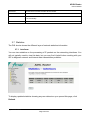
Click this button to view the DSL device’s routing table. The IP Route Table displays,
as shown in Figure.
3.4.3 SNMP Configuration
Simple Network Management Protocol (SNMP) is a troubleshooting and management
protocol that uses the UDP protocol on port 161 to communicate between clients and
(с) ACORP 2008
Revision 2.0
Page 35 of 58
ADSL Router
User’s Manual
servers. The DSL device can be managed locally or remotely by SNMP protocol.
Fields in this page:
Field
Description
System Description
System description of the DSL device.
System Contact
Contact person and/or contact information for the DSL device.
System Name
An administratively assigned name for the DSL device.
System Location
The physical location of the DSL device.
System Object ID
Vendor object identifier. The vendor’s authoritative identification of the network
management subsystem contained in the entity.
Trap IP Address
Destination IP address of the SNMP trap.
Community name
Name of the read-only community. This read-only community allows read
(read-only)
operation to all objects in the MIB.
Community name
Name of the write-only community. This write-only community allows write
(write-only)
operation to the objects defines as read-writable in the MIB.
Function buttons in this page:
Apply Changes
Save SNMP configuration. New configuration will take effect after saving into flash
memory and rebooting the system. See section “Admin” for details.
(с) ACORP 2008
Revision 2.0
Page 36 of 58
ADSL Router
User’s Manual
3.4.4 IP QoS
The DSL device provides a control mechanism that can provide different priority to different
users or data flows. The QoS is enforced by the QoS rules in the QoS table. A QoS rule
contains two configuration blocks: Traffic Classification and Action. The Traffic
Classification enables you to classify packets on the basis of various fields in the packet
and perhaps the physical ingress port. The Action enables you to assign the strictly priority
level for and mark some fields in the packet that matches the Traffic Classification rule. You
can configure any or all field as needed in these two QoS blocks for a QoS rule.
(с) ACORP 2008
Revision 2.0
Page 37 of 58
ADSL Router
User’s Manual
Fields on the first setting block of this page:
Field
Description
IP QoS
Enable/disable the IP QoS function.
Src IP
The IP address of the traffic source.
(Src) Netmask
The source IP netmask. This field is required if the source IP has been entered.
(Src) Port
The source port of the selected protocol. You cannot configure this field without
entering the protocol first.
Dst IP
The IP address of the traffic destination.
(Dst) Netmask
The destination IP netmask. This field is required if the destination IP has been
entered.
(Dst) Port
The destination port of the selected protocol. You cannot configure this field without
entering the protocol first.
Protocol
The selections are TCP, UDP, ICMP and the blank for none. This field is required if
the source port or destination port has been entered.
Physical Port
The incoming ports. The selections include LAN ports, wireless port, and the blank
for not applicable.
Fields on the second setting block of this page:
Field
Description
Outbound Priority
The priority level for the traffic that matches this classification rule. The possible
selections are (in the descending priority): p0, p1, p2, p3.
Precedence
Select this field to mark the IP precedence bits in the packet that match this
classification rule.
TOS (IP Type of
Select this field to mark the IP TOS bits in the packet that match this classification
Service)
rule.
802.1p
Select this field to mark the 3-bit user-priority field in the 802.1p header of the packet
that match this classification rule. Note that this 802.1p marking is workable on a
given PVC channel only if the VLAN tag is enabled in this PVC channel.
(с) ACORP 2008
Revision 2.0
Page 38 of 58
ADSL Router
User’s Manual
3.4.5 Remote Access
The Remote Access function can secure remote host access to your DSL device from LAN
Fields in this page:
Field
Description
LAN
Check/un-check the services on the LAN column to allow/un-allow the services
access from LAN side; and “WAN”:
WAN
Check/un-check the services on the WAN column to allow/un-allow the services
access from WAN side.
WAN Port
This field allows the user to specify the port of the corresponding service. Take the
HTTP service for example; when it is changed to 8080, the HTTP server address for
the WAN side is http://dsl_addr:8080, where the dsl_addr is the WAN side IP
address of the DSL device.
(с) ACORP 2008
Revision 2.0
Page 39 of 58
ADSL Router
User’s Manual
3.5 Diagnostic
The DSL device supports some useful diagnostic tools.
3.5.1 Ping
Once you have your DSL device configured, it is a good idea to make sure you can ping the
network. A ping command sends a message to the host you specify. If the host receives the
message, it sends messages in reply. To use it, you must know the IP address of the host
you are trying to communicate with and enter the IP address in the Host Address field. Click
Go! To start the ping command, the ping result will then be shown in this page.
Fields in this page:
Field
Description
Host Address
The IP address you want to ping.
(с) ACORP 2008
Revision 2.0
Page 40 of 58
ADSL Router
User’s Manual
3.5.2 ATM Loopback
In order to isolate the ATM interface problems, you can use ATM OAM loopback cells to
verify connectivity between VP/VC endpoints, as well as segment endpoints within the
VP/VC. ATM uses F4 and F5 cell flows as follows:
−
F4: used in VPs
−
F5: used in VCs
An ATM connection consists of a group of points. This OAM implementation provides
management for the following points:
−
Connection endpoint: the end of a VP/VC connection where the ATM cell are terminated
−
Segment endpoint: the end of a connection segment
This page allows you to use ATM ping, which generates F5 segment and end-to-end
loop-back cells to test the reachability of a segment endpoint or a connection endpoint.
Fields in this page:
Field
Description
Select PVC
Select the PVC channel you want to do the loop-back diagnostic.
Flow Type
The ATM OAM flow type. The selection can be F5 Segment or F5 End-to-End.
Loopback Location ID
The loop-back location ID field of the loop-back cell. The default value is all 1s
(ones) to indicate the endpoint of the segment or connection.
(с) ACORP 2008
Revision 2.0
Page 41 of 58
ADSL Router
User’s Manual
3.5.3 ADSL
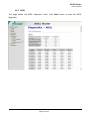
This page shows the ADSL diagnostic result. Click Start button to start the ADSL
diagnostic.
(с) ACORP 2008
Revision 2.0
Page 42 of 58
ADSL Router
User’s Manual
3.5.4 Diagnostic Test
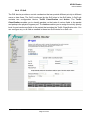
The Diagnostic Test page shows the test results for the connectivity of the physical layer
and protocol layer for both LAN and WAN sides.
Fields in this page:
Field
Description
Select the Internet
The available WAN side interfaces are listed. You have to select one for the WAN
Connection
side diagnostic.
(с) ACORP 2008
Revision 2.0
Page 43 of 58
ADSL Router
User’s Manual
3.6 Admin
3.6.1 Commit/Reboot
Whenever you use the Web configuration to change system settings, the changes are
initially placed in temporary storage. These changes will be lost if the device is reset or turn
off. To save your change for future use, you can use the commit function.
Function buttons in this page:
Commit and Reboot
Whenever you use the web console to change system settings, the changes are
initially placed in temporary storage. To save your changes for future use, you can use
the Commit/Reboot function. This function saves your changes from RAM to flash
memory and reboot the system.
IMPORTANT! Do not turn off your modem or press the Reset button while this procedure is
in progress.
3.6.2 Backup/Restore
This page allows you to backup and restore your configuration into and from file in your
host.
(с) ACORP 2008
Revision 2.0
Page 44 of 58
ADSL Router
User’s Manual
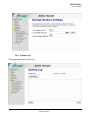
3.6.3 System Log
This page shows the system log.
(с) ACORP 2008
Revision 2.0
Page 45 of 58
ADSL Router
User’s Manual
3.6.4 Password
The first time you log into the system, you use the default password. There are two-level
logins: admin and user. The admin and user password configuration allows you to change
the password for administrator and user.
Fields in this page:
Field
Description
User Name
Selection of user levels are: admin and user.
Old Password
Enter the old password for this selected login.
New Password
Enter the new password here.
Confirmed Password
Enter the new password here again to confirm.
3.6.5 Upgrade Firmware
To upgrade the firmware for the DSL device:
−
Click the Browse button to select the firmware file.
−
Confirm your selection.
−
Click the Upload button to start upgrading.
IMPORTANT! Do not turn off your DSL device or press the Reset button while this procedure is in progress.
(с) ACORP 2008
Revision 2.0
Page 46 of 58
ADSL Router
User’s Manual
3.6.6 ACL
The Access Control List (ACL) is a list of permissions attached to the DSL device. The list
specifies who is allowed to access this device. If ACL is enabled, all hosts cannot access
this device except for the hosts with IP address in the ACL table.
(с) ACORP 2008
Revision 2.0
Page 47 of 58
ADSL Router
User’s Manual
Fields in this page:
Field
Description
ACL Capability
Enable/disable the ACL function
Enable
Check to enable this ACL entry
Interface
Select the interface domain: LAN or WAN
IP Address
Enter the IP address that allow access to this device.
Subnet Mask
Enter the subnet mask of the IP address
3.6.7 Time Zone
Simple Network Timing Protocol (SNTP) is a protocol used to synchronize the system time
to the public SNTP servers. The DSL device supports SNTP client functionality in
compliance with IETF RFC2030. SNTP client functioning in daemon mode which issues
sending client requests to the configured SNTP server addresses periodically can configure
the system clock in the DSL device
Fields in this page:
Field
Description
Current Time
The current time of the specified time zone. You can set the current time by
yourself or configured by SNTP.
(с) ACORP 2008
Revision 2.0
Page 48 of 58
ADSL Router
User’s Manual
Time Zone
The time zone in which the DSL device resides.
Enable SNTP
Enable the SNTP client to update the system clock.
SNTP server
The IP address or the host name of the SNTP server. You can select from the list
or set it manually.
3.7 Statistics
The DSL device shows the different layer of network statistics information.
3.7.1 Interfaces
You can view statistics on the processing of IP packets on the networking interfaces. You
will not typically need to view this data, but you may find it helpful when working with your
ISP to diagnose network and Internet data transmission problems.
To display updated statistics showing any new data since you opened this page, click
Refresh.
(с) ACORP 2008
Revision 2.0
Page 49 of 58
ADSL Router
User’s Manual
3.7.2 ADSL
This page shows the ADSL line statistic information.
4 Channel Mode Configuration
ADSL router supports multiple channel operation modes. This section will show procedures
to configure the router.
4.1 Bridge Mode
ADSL modem/router is bridge mode enabled by factory default. There is a 1483-bridged
mode PVC 5/35 in system.
(с) ACORP 2008
Revision 2.0
Page 50 of 58
ADSL Router
User’s Manual
1. Open the WEB page at “WAN /Channel Config”.
2. Select the Channel Mode to “1483 Bridged”. Set the parameters VPI/VCI and
Encapsulation mode according to the CO DSLAM’s setting.
3. Click “Add” button to add this channel into VC table.
4. Open the WEB page at “Admin/ Commit/Reboot”. Press “Commit” to save the
settings into flash memory.
5. The new settings will take effect after reboot the system.
(с) ACORP 2008
Revision 2.0
Page 51 of 58
ADSL Router
User’s Manual
4.2 MER (Mac Encapsulating Routing) Mode
1. Open the WEB page at “WAN /Channel Config”.
2. Select the Channel Mode to “1483 MER”. Set the parameters VPI/VCI and
Encapsulation mode according to the CO DSLAM’s setting.
3. Set “Local IP Address:” according to the IP that ISP assigned for your router. Set
“Remote IP Address” to the ISP’s gateway.
4. Click “Add” button to add this channel into VC table.
5. Open the WEB page at “Admin/ Commit/Reboot”. Press “Commit” to save the
settings into flash memory.
6. The new settings will take effect after reboot the system.
(с) ACORP 2008
Revision 2.0
Page 52 of 58
ADSL Router
User’s Manual
4.3 PPPoE Mode
1. Open the WEB page at “WAN /Channel Config”.
2. Select the Channel Mode to “PPPoE”. Set the parameters VPI/VCI and
Encapsulation mode according to the CO DSLAM’s setting.
3. Enter User Name/password from your ISP.
4. Click “Add” button to add this channel.
5. Enable DHCP server to allow the local PCs share the PPP connection. Reference
to section 3.3.1.1 DHCP Server Configuration.
6. Set DNS address from your ISP. Reference to section 3.3.2 DNS Configuration.
7. Open the WEB page at “Admin/ Commit/Reboot”. Press “Commit” to save the
settings into flash memory.
8. The new settings will take effect after reboot the system.
(с) ACORP 2008
Revision 2.0
Page 53 of 58
ADSL Router
User’s Manual
4.4 PPPoA Mode
1. Open the WEB page at “WAN /Channel Config”.
2. Select the Channel Mode to “PPPoA”. Set the parameters VPI/VCI and
Encapsulation mode according to the CO DSLAM’s setting.
3. Enter User Name/password from your ISP.
4. Click “Add” button to add this channel.
5. Enable DHCP server to allow the local PCs share the PPP connection. Reference
to section 3.3.1.1 DHCP Server Configuration.
6. Set DNS address from your ISP. Reference to section 3.3.2 DNS Configuration.
7. Open the WEB page at “Admin/ Commit/Reboot”. Press “Commit” to save the
settings into flash memory.
8. The new settings will take effect after reboot the system.
(с) ACORP 2008
Revision 2.0
Page 54 of 58
ADSL Router
User’s Manual
4.5 1483 Routed Mode
1. Open the WEB page at “WAN /Channel Config”.
2. Select the Channel Mode to “1483 Routed”. Set the parameters VPI/VCI and
Encapsulation mode according to the CO DSLAM’s setting.
3. In WAN IP settings, give the local and remote IP address from your ISP or use
DHCP to get them automatically if your ISP support it. Local IP is the address of
ADSL router. Remote IP is the ISP’s gateway address.
4. Click “Add” button to add this channel.
5. Open the WEB page at “Admin/ Commit/Reboot”. Press “Commit” to save the
settings into flash memory.
6. The new settings will take effect after reboot the system.
(с) ACORP 2008
Revision 2.0
Page 55 of 58
ADSL Router
User’s Manual
Appendices
Appendix : Protocol Stacks
A.1
1483 Bridged Model
A.2
1483 MER Model
(с) ACORP 2008
Revision 2.0
Page 56 of 58
ADSL Router
User’s Manual
A.3
PPPoE Model
A.4
PPPoA Model
(с) ACORP 2008
Revision 2.0
Page 57 of 58
ADSL Router
User’s Manual
A.5
1483 Routed Model
(с) ACORP 2008
Revision 2.0
Page 58 of 58