1
Logging during loading
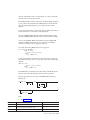
When you use the onload utility to create tables from an onunload input tape,
onload can load information only into a database without logging. Thus, before
you load a table into an existing, logged database, you must end logging for the
database.
You also might want to consider loading during off-peak hours. Otherwise, you
might fill the logical-log files or consume excessive shared-memory resources. After
you load the table, create a level-0 dbspace backup before you resume database
logging.
When you use onload to create databases from an onunload input tape, the
databases that result are not ANSI-compliant and do not use transaction logging.
You can make a database ANSI compliant or add logging after you load the
database.
The onload utility performs all its loading within a transaction. This feature allows
the changes to be rolled back if an error occurs.
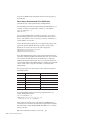
Movement of simple large objects to a blobspace
If you load a table that contains simple large objects stored in a blobspace, the
onload utility asks you if you want to move them to another blobspace.
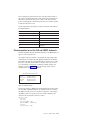
If you respond yes, onload displays the blobspace name where the simple large
objects were stored when the tape was created. It then asks you to enter the name
of the blobspace where you want the simple large objects stored.
If you enter a valid blobspace name, onload moves all simple-large-object columns
in the table to the new blobspace. Otherwise, onload prompts you again for a valid
blobspace name.
Ownership and privileges
When you load a new database, the user who runs the onload utility becomes the
owner. Ownership within the database (tables, views, and indexes) remains the
same as when the database was unloaded to tape with onunload.
To load a table, you must have the Resource privilege on the database. When
onload loads a new table, the user who runs onload becomes the owner unless
you specify an owner in the table name. (You need the DBA privilege for the
database to specify an owner in the table name.)
The onunload utility does not preserve synonyms or access privileges. To obtain a
listing of defined synonyms or access privileges, use the dbschema utility, which
Chapter 11, “The dbschema utility,” on page 11-1 describes, before you run
onunload.
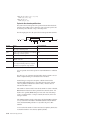
Exclusive locking during a load operation
During a load operation, the onload utility places an exclusive lock on the new
database or table.
Loading proceeds as a single transaction, and onload drops the new database or
table if an error or system failure occurs.
13-10
IBM Informix Migration Guide