1
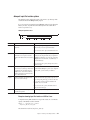
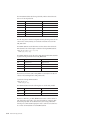
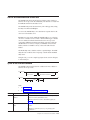
To determine how many pages were allocated and where they were allocated, run
oncheck -pe and look for the word TBLSpace. This space must be available on the
device where the root chunk will be located.
For information about space requirements for Informix Version 12.10, see
“Checking and configuring available space” on page 3-2.
Related concepts:
“Checking and configuring available space” on page 3-2
Save copies of the current configuration files
Save copies of the ONCONFIG and concsm.cfg files for when you migrate to
Informix Version 12.10 again.
Informix uses the concsm.cfg file to configure CSMs.
Save system catalog information
If your current database server instance uses secure-auditing masks or external
spaces, and you want to preserve the associated catalog information, you must
unload these system catalog tables before you revert.
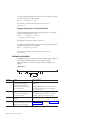
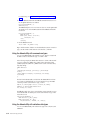
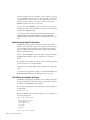
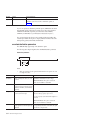
Run the following command to unload the system catalog tables:
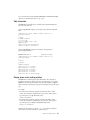
$INFORMIXDIR/etc/smi_unld
When the smi_unld utility finishes unloading the information, the utility displays
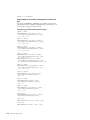
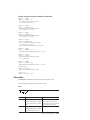
instructions for reloading the information. Save these instructions. After you
complete the reversion and bring up your database server, you can reload the data
that you preserved. Follow the instructions given with the smi_unld utility for
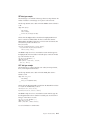
reloading the information. Typically, you run the following command:
$INFORMIXDIR/etc/smi_load $INFORMIXDIR/etc/
Verify the integrity of the Version 12.10 data
Verify the integrity of your Version 12.10 data, if you did not do this after you
migrated.
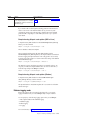
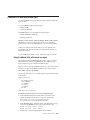
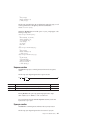
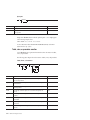
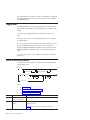
To verify the integrity of your data, run the following commands:
oncheck
oncheck
oncheck
oncheck
-cI database_name
-cD database_name
-cr
-cc database_name
If the oncheck utility finds any problems, the utility prompts you to respond to
corrective action that it can perform. If you respond Yes to the suggested corrective
action, run the oncheck command again to make sure the problem has been fixed.
The oncheck utility cannot fix data that has become corrupt. If the oncheck utility
is unable to fix a corruption problem, you might need to contact Technical Support
before your proceed.
You will also need to verify the integrity of your data after you revert.
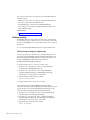
Back up Informix Version 12.10
Before you begin the reversion, make a complete level-0 backup of Informix
Version 12.10.
Chapter 7. Reverting from Informix Version 12.10
7-9