1
VERSION - 3.0
2.
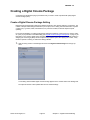
Enter an appropriate name and description in the Name and Description fields.
3.
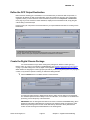
Configure the settings as needed in the Inspector window.
See “About the Digital Cinema Package Pane” on page 16 for information about assigning settings.
About Additional Settings and Presets
While Compressor can generally be used to apply other settings and presets, such as filters, cropping, frame
sizing, video retiming, etc., it is recommended that these changes be applied to the content source prior to
DCP creation and processing.
4.
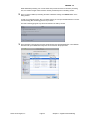
Click Okay to accept the changes to the Digital Cinema Package settings.
5.
Click Save to save the Digital Cinema Package settings.
Note: Once defined, each custom Digital Cinema Package setting can be quickly assigned by dragging
it onto the desired job.
QuVIS Technologies, Inc.
Page 23
Wraptor™ – Digital Cinema Mastering