1
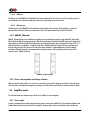
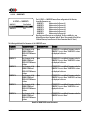
4.3.1.4 FACTORY SETTING
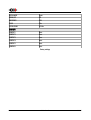
A1 SETUP >> FACTORY SETTING
FIRMWARE VERSION
UPDATE FIRMWARE
RESET ALL SETTING
SHORTCUTS
1.0
Update
Reset
Default mapping
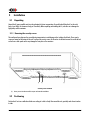
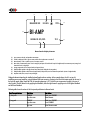
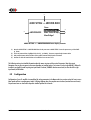
The A1 SETUP >> FACTORY SETTING menu allows to get information about
current A1 firmware version, to update the A1 firmware and to reset the unit to
default configuration (or subset of setting).
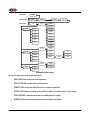
Accessible Parameters are:
- FIRMWARE VERSION: Current firmware version (read only)
- UPDATE FIRMWARE: Allows to update the unit's firmware
- RESET ALL SETTING: Returns the unit to factory settings
- SHORTCUTS:
Redefines all Shortcuts to factory default
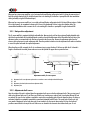
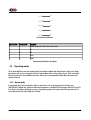
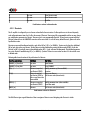
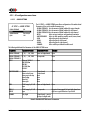
The following table details the Parameters of the FACTORY SETTING menu:
PARAMETER
RELATED ACTION/VALUE REQUIRED OPTIONS
REMARKS
FIRMWARE VERSION
Firmware version
None
Firmware version indicates the version of the
current firmware. Format is x.y. This parameter is
read only.
UPDATE FIRMWARE
Update
None
Selecting 'Update' launches the A1 firmware update
process. A USB flash disc drive with a valid set of
firmware must be inserted in the A-shaped USB port
RESET ALL SETTING
Reset
None
Selecting 'Reset' returns the A1 to its factory
settings. Factory settings are detailed in the
Specifications section.
SHORTCUTS
Default mapping
None
Selecting 'Default Mapping' returns the A1's
Shortcuts to their factory settings. Factory settings
are detailed in the Specifications section.
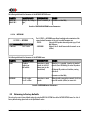
Details of FACTORY SETTING menu Parameters
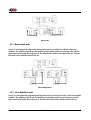
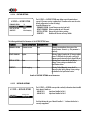
4.3.1.5 INSTALLED OPTIONS
A1 SETUP >> INSTALLED OPTIONS
ANALOG IN 1
ANALOG IN 2
Analog in left
Analog in right
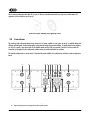
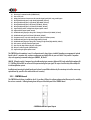
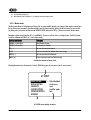
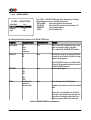
The A1 SETUP >> OPTIONS menu provides read-only information about installed
slot-in boards. Details are:
- ANALOG IN 1:
Input board installed in Slot 1
- ANALOG IN 2:
Input board installed in Slot 2
Each slot indicates the type of board it handles. A '-' indicates that the slot is
currently unpopulated.
36
A1 User Manual
Rev 1.2