1
5. Advanced operation
5.21.6 DICOM error threshold
About DICOM error threshold
The threshold to define the DICOM compliance can be modified in steps of 5% starting from 5 to 30%.
When the maximum deviation is not bigger than the selected threshold, the compliance check will be OK.
To set the DICOM error threshold:
1. Bring up the OSD main menu.
2. Navigate to the Configuration > Calibration > Embedded QA menu.
3. Enter the DICOM preferences submenu.
4. Set DICOM error threshold as desired and confirm.
5.22 Image scaling
About image scaling
Enabling image scaling will multiply each individual pixel to one or more adjacent pixels so that the size
of the displayed image will be a multiple of the original image source video input signal.
Image scaling is only possible when the resolution of your display’s video input signal
is less than or equal to half the maximum resolution of the display.
To enable/disable image scaling:
1. Bring up the OSD main menu.
2. Navigate to the Configuration > Image Source menu.
3. Enter the Scaling submenu.
4. Select Enabled/Disabled as desired and confirm.
5.23 Image source selection modes
About image source selection modes
Your Coronis Uniti automatically detects the number of video input signals connected, attaches them to the
correct display side and applies the correct video settings to it (resolution, video encoding mode, refresh
rate,...). However, it may be needed to manually select the video input signal(s) to be displayed on a
certain display side or to adjust certain video settings yourself. The start to this is selecting one of the
following image source selection modes available for your display:
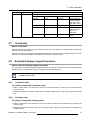
Automatic
One Image Source
40
In this mode, your display automatically detects the
connected video input signals, attaches them to the
correct display side and applies the correct video
settings to it (resolution, video encoding mode,
refresh rate,...). No video settings are available
when this mode is selected.
This mode is intended for displaying and manually
configuring only one connected video input signal.
When selecting this mode, the video settings
become available for the selected video input
signal.
K5902079 CORONIS UNITI 19/12/2014