1
Table of contents
1
2
3
Start ........................................................................................................................................................ 5
1.1
Requirements ............................................................................................................................ 5
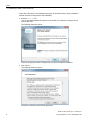
1.2
Installing the SIMIT Virtual Controller ....................................................................................... 6
Basics of SIMIT VC ............................................................................................................................... 13
2.1
General structure ....................................................................................................................13
2.2
Description of the functions ....................................................................................................14
2.3
Supported system functions ...................................................................................................15
2.4
Handling synchronous faults ...................................................................................................17
2.5
Sequential control system of SIMIT VC ..................................................................................18
2.6
Supported communications connections ................................................................................20
2.7
Communication services .........................................................................................................22
2.8
Communication with PCS 7 OS/WinCC via SIMATIC NET ....................................................24
2.9
Input and output system (mapping of the field bus and its devices) .......................................24
2.10
Synchronization of the emulated control systems ..................................................................25
2.11
Synchronization of SIMIT VC with SIMIT SF ..........................................................................26
Creating a new emulation project .......................................................................................................... 29
3.1
Requirements ..........................................................................................................................29
3.2
3.2.1
3.2.2
3.2.3
Exporting PCS 7 engineering data .........................................................................................29
Exporting hardware configuration files....................................................................................29
Exporting a symbol table ........................................................................................................31
Creating and exporting an STL Source ..................................................................................31
3.3
Using wizards ..........................................................................................................................33
3.4
Creating a new project ............................................................................................................34
3.5
Configuring the computer .......................................................................................................36
3.6
Importing resources ................................................................................................................39
3.7
Distribution of resources .........................................................................................................42
3.8
Configuring resources .............................................................................................................44
3.9
Importing HLL Blocks ..............................................................................................................48
3.10
Adapting the timing behavior ..................................................................................................51
3.11
3.11.1
3.11.2
3.11.2.1
Configuring communications connections ..............................................................................53
AS/AS communications connections ......................................................................................56
S7 communications connections ............................................................................................58
Connections to PCS 7 OS/WinCC ..........................................................................................60
SIMIT Virtual Controller (VC) - User Manual
Operating Manual, 11/2014, A5E32889042-AB
3