1
1680.book Page 136 Thursday, March 1, 2001 4:28 PM
Installing the TCP/IP Protocol on
Windows Me and Windows 2000
When running Windows Me or Windows 2000, your TCP/IP protocol should
automatically be set correctly for the station it is installed if you are not running a
DHCP server. To check the protocol, follow these steps.
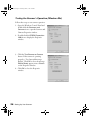
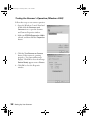
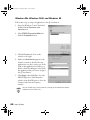
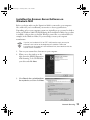
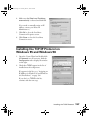
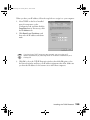
1. Open the Control Panel and double-click
the Network & Dial Up Connections
icon. Then, double-click the Local Area
Connection icon to display the screen to
the right.
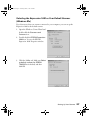
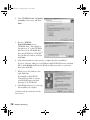
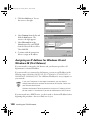
2. Click the Properties button to display the
Local Area Properties screen.
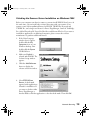
3. Double-click Internet Protocol (TCP/IP)
to display the Internet Protocol Properties
screen.
136
Installing the TCP/IP Protocol