1
Chapter 2
Alliance system menu
System menu option 16, Bypass/unbypass RAS/DGP
Use this menu to bypass Remote Arming Stations (RAS) and Data Gathering Panels (DGP). Fault, tamper, and
system alarm messages from bypassed RAS or DGP are excluded from the security system.
Use this menu if a RAS or DGP has generated a system alarm, or is out of service, and needs to be bypassed
while awaiting service.
Bypass/Unbypass RAS/DGP
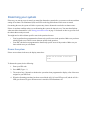
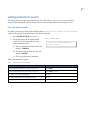
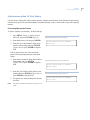
To Bypass/Unbypass RAS/DGP, do the following:
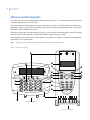
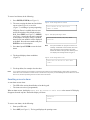
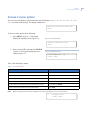
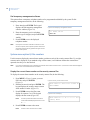
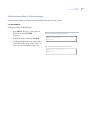
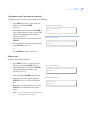
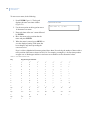
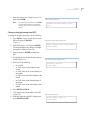
1. Press MENU* Figure 1), enter your user
PIN code, and press ENTER Figure 1). The
keypad displays the Bypass/Unbypass RAS/
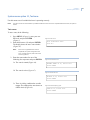
DGP window (Figure 87).
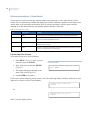
2. Enter 16 (for menu 16) and press ENTER.
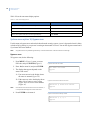
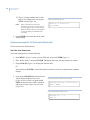
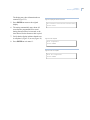
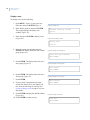
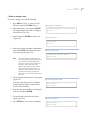
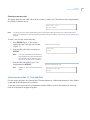
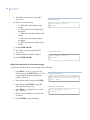
3. Enter 1 for RAS (Figure 88) and 2 for DGP
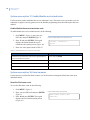
(Figure 89) and press ENTER
Note:
Bypassing a DGP does NOT bypass the
alarm zones on that DGP, but does disable
DGP off-line/on-line reporting (tamper
switch).
Note:
Bypassing a RAS or DGP also resets any
system alarms generated by the RAS or
DGP
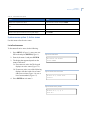
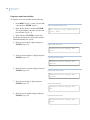
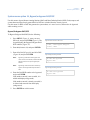
4. Enter the RAS/DGP number to be bypassed
and press ENTER.
If the number entered is not recorded, it is
added and displayed (bypassed).
If the number entered is already recorded, it
is deleted and removed from the display
(unbypassed).
5. Press ENTER to exit this menu.
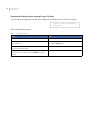
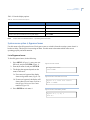
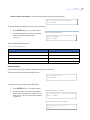
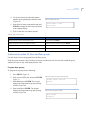
Figure 87. Enter Access Code screen
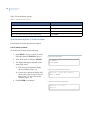
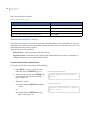
1-RAS, 2-DGP Bypass/Unbypass
0-Exit, Menu:
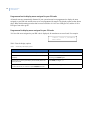
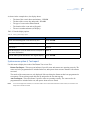
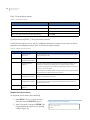
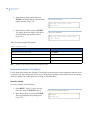
Figure 88. Bypass/Unbypass RAS
No RAS Are Bypassed
Bypass RAS:
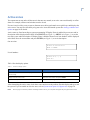
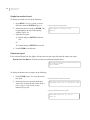
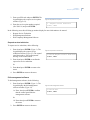
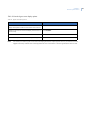
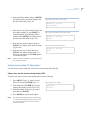
Figure 89. Bypass/Unbypass DGP
No DGPs Are Bypassed
Bypass DGP:
55