1
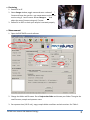
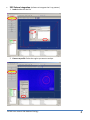
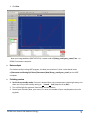
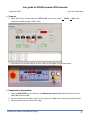
3. Click Run. Now your integrated data (RINT ASCII file) is saved under z:\Group_name\your_name\*.asc on RIGAKU instrument computer. Data analysis For the data analysis using JADE program, the data you saved on z:\ drive is also shared under c:\Document and Settings\All Users\Documents\data\Group_name\your_name\ on the JADE computer. Finishing session 1. Set the X-ray standby mode: If no one is booked after your measurement is done right away, turn down the X-ray to the standby setting at kV and mA. (Keep the X-ray ON.) 2. Turn off the light for specimen illumination and the monitor. 3. Record your activities (data, your name, PI’s name, the number of your sample patterns) on the log book. RIGAKU user manual UW-Madison Geology 5