1
Chapter: 2 GUI Reference
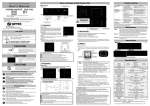
Figure : Environmet GUI. All the devices of the SCLH application are shown.
2.1 SLCH > Status
At the top of the main window there is a section displaying the main status of the SLCH application.
2.1.1 SLCH > Status > LASER permission
Big round LED type status displaying the authorization condition for the LASER, according to
the SLCH rules.
Green LASER AUTHORIZED.
Red LASER FORBIDDEN.
2.1.2 SLCH > Status > Remaining authorization time
Seconds until current authorized time window closes.
2.1.3 SLCH > Status > LASER connection
Green ONLINE, SLCH application is successfully connected to the LASER control system.
This means that the LASER control system is able to receive the authorization messages from
SLCH.
Red OFFLINE, no communication is currently established. SLCH application runs and
evaluates the authorization state for the LASER, regardless of this connection status.
3
SLCH User Manual