1
SETUP
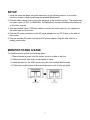
1. Install the stand and base, using the instructions in the following section, or mount the
monitor to a wall or desk mount using the included M4x8screws.
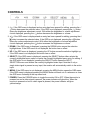
2. Connect video cable(s) from your source device(s) to the monitor's input(s). The monitor has
five video inputs (1x DVI, 2x HDMI-MHL, 2x DisplayPort) and can simultaneously display up
to four video sources.
3. Use the included 3.5mm TRS audio cable to connect the audio output of your computer to
the audio input on the monitor.
4. Plug the DC power connector on the AC power adapter into the DC IN port on the back of
the monitor.
5. Plug the included AC power cord into the AC power adapter. Plug the other end into a
nearby power outlet.
MONITOR STAND & BASE
To install the stand, perform the following steps:
1. Place a blanket or towel on a flat surface, such as a table or the floor.
2. Place the monitor face down on the blanket or towel.
3. Install the stand on the VESA mount using the four included M4x8 screws.
4. Fit the base on the bottom of the stand and press it until it clicks into place.
7