1
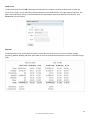
Call Option
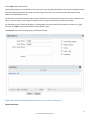
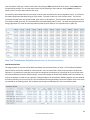
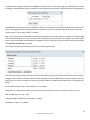
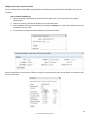
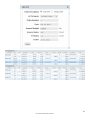
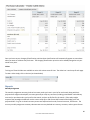
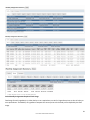
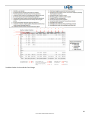
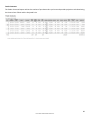
To add a new Call Option click on Add+ at the bottom of the screen.
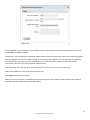
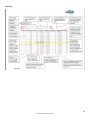
Lot Category: Assign the trade to a Lot Category. You will be asked to choose from a drop down menu.Example: Fed
Beef, Feeder Beef
Option Description: Use the drop down menu to select from Corn, Canadian Dollar, Feeder Cattle or Live Cattle. Once
you have made your selection a second drop down menu will appear. Use the drop down list to choose the month for
the trade.
Futures and Canadian Dollar: These are automatically generated once the futures month is selected and reflect current
quotes.
Option Type: Choose if this is a short or longcall. Will default to long
# of contracts: This is the number of contracts that you traded, not the dollar amount. You can enter full or partial
contracts here. Example: traded ten contracts, enter 10 here.
Contract Strike: Enter the Strike Price
Purchase Premium: Enter the Price you paid/sold for the option.
Expiry: The Expiry date is automatically filled in once the futures month is selected using the expiry date from DTN
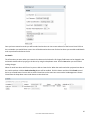
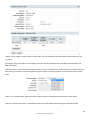
Option Date: The date automatically defaults to today's date. However, it can be changed by clicking on the Date field
box. A calendar will appear and you can choose the appropriate date.
44
Linus7 User's Manual 2012 Version 1.6