1
THE DINI GROUP
LOGIC Emulation Source
User Guide
DN6000K10SE
LOGIC EMULATION SOURCE
DN6000K10SE User Manual Version 1.2
Note: The DN6000K10SE is available in an x1, x4 or x8 PCI Express channel configuration. This Manual
covers all products.
© The Dini Group
1010 Pearl Street • Suite 6
La Jolla, CA92037
Phone 858.454.3419 • Fax 858.454.1279
[email protected]
www.dinigroup.com
Table of Contents
ABOUT THIS MANUAL ......................................................................................................................................................................................................... 1
1
2
3
MANUAL CONTENTS.................................................................................................................................................................................................... 1
ADDITIONAL RESOURCES ............................................................................................................................................................................................ 1
CONVENTIONS ............................................................................................................................................................................................................. 2
3.1
Typographical ......................................................................................................................................................................................................... 2
3.2
Online Document..................................................................................................................................................................................................... 3
4
RELEVANT INFORMATION ........................................................................................................................................................................................... 4
GETTING STARTED .............................................................................................................................................................................................................. 6
1
2
3
PRECAUTION ................................................................................................................................................................................................................ 6
THE DN6000K10SE LOGIC EMULATION KIT ........................................................................................................................................................... 6
INSTALLATION INSTRUCTIONS .................................................................................................................................................................................... 8
3.1
Jumper Setup ........................................................................................................................................................................................................... 8
3.2
Jumper Description ................................................................................................................................................................................................. 9
3.3
Powering ON the DN6000K10SE......................................................................................................................................................................... 12
4
PLAYING WITH YOUR DN6000K10SE ...................................................................................................................................................................... 13
INTRODUCTION TO VIRTEX-II PRO AND ISE ............................................................................................................................................................ 16
1
VIRTEX-II PRO ........................................................................................................................................................................................................... 16
Summary of Virtex-II Pro Features ...................................................................................................................................................................... 16
PowerPC™ 405 Core ........................................................................................................................................................................................... 17
RocketIO 3.125 Gbps Transceivers ...................................................................................................................................................................... 17
Virtex-II FPGA Fabric.......................................................................................................................................................................................... 18
2
FOUNDATION ISE 6.1I ............................................................................................................................................................................................... 20
2.1
Foundation Features............................................................................................................................................................................................. 20
2.1.1
Design Entry.................................................................................................................................................................................................. 20
2.1.2
Synthesis........................................................................................................................................................................................................ 21
2.1.3
Implementation and Configuration ............................................................................................................................................................... 21
2.1.4
Board Level Integration ................................................................................................................................................................................ 22
3
VIRTEX-II PRO EMBEDDED DEVELOPMENT KIT ....................................................................................................................................................... 22
1.1
1.2
1.3
1.4
INTRODUCTION TO THE SOFTWARE TOOLS............................................................................................................................................................ 24
1
EXPLORING THE SOFTWARE TOOLS .......................................................................................................................................................................... 24
1.1
AETEST ................................................................................................................................................................................................................. 24
1.1.1
Getting Started with AETEST ...................................................................................................................................................................... 26
1.1.2
Main Menu .................................................................................................................................................................................................... 27
1.1.3
PCI Express Menu......................................................................................................................................................................................... 27
1.1.4
Memory Menu............................................................................................................................................................................................... 27
1.1.5
Flash Menu.................................................................................................................................................................................................... 36
1.1.6
Daughter Board Menu................................................................................................................................................................................... 37
2
GETTING MORE INFORMATION ................................................................................................................................................................................. 38
2.1
Printed Documentation ......................................................................................................................................................................................... 38
2.2
Electronic Documentation .................................................................................................................................................................................... 38
2.3
Online Documentation .......................................................................................................................................................................................... 38
PROGRAMMING/CONFIGURING THE HARDWARE................................................................................................................................................. 39
1
2
3
4
PROGRAMMING THE CPLD ....................................................................................................................................................................................... 39
PROGRAMMING THE MCU......................................................................................................................................................................................... 44
CONFIGURING HYPERTERMINAL .............................................................................................................................................................................. 48
CONFIGURING THE FPGA USING SELECTMAP......................................................................................................................................................... 48
4.1
Bit File Generation for SelectMAP Configuration............................................................................................................................................... 49
4.2
Creating Configuration File “main.txt”............................................................................................................................................................... 53
4.2.1
Verbose Level ............................................................................................................................................................................................... 53
4.2.2
Sanity Check ................................................................................................................................................................................................. 54
4.2.3
8442 Synthesizer Settings ............................................................................................................................................................................. 54
4.2.4
Format of “main.txt” ..................................................................................................................................................................................... 54
4.3
Starting SelectMAP Configuration ....................................................................................................................................................................... 56
4.3.1
Description of Main Menu Options .............................................................................................................................................................. 57
4.4
PC Bit File Sanity Check....................................................................................................................................................................................... 59
4.5
Bitstream Encryption ............................................................................................................................................................................................ 60
BOARD HARDWARE ........................................................................................................................................................................................................... 62
1
INTRODUCTION TO THE BOARD ................................................................................................................................................................................. 62
DN6000K10SE Functionality ............................................................................................................................................................................... 62
VIRTEX-II PRO FPGA................................................................................................................................................................................................ 63
2.1
FPGA (2VP70) Facts ............................................................................................................................................................................................ 63
2.2
FPGA Bankout Diagram....................................................................................................................................................................................... 64
FPGA CONFIGURATION ............................................................................................................................................................................................ 65
3.1
Micro Controller Unit (MCU) .............................................................................................................................................................................. 65
3.1.1
MCU Memory Map....................................................................................................................................................................................... 66
3.1.2
MCU JTAG Interface.................................................................................................................................................................................... 67
3.1.3
MCU Programming Connector..................................................................................................................................................................... 67
3.1.4
RS232 Interface............................................................................................................................................................................................. 67
3.2
Configuration CPLD............................................................................................................................................................................................. 68
3.2.1
CPLD Programming Connector.................................................................................................................................................................... 69
3.2.2
Design Notes on the CPLD........................................................................................................................................................................... 69
3.3
SmartMedia ........................................................................................................................................................................................................... 70
3.3.1
SmartMedia Connector ................................................................................................................................................................................. 71
3.3.2
SmartMedia connection to CPLD/MCU....................................................................................................................................................... 71
3.4
Boundary-Scan (JTAG, IEEE 1532) Mode........................................................................................................................................................... 72
3.4.1
FPGA Serial/JTAG Connector ..................................................................................................................................................................... 72
3.4.2
FPGA JTAG connection to Configuration CPLD ........................................................................................................................................ 73
CLOCK GENERATION ................................................................................................................................................................................................. 73
4.1
Clock Methodology ............................................................................................................................................................................................... 73
4.2
Clock Source Jumpers........................................................................................................................................................................................... 75
4.2.1
Clock Source Jumper Header........................................................................................................................................................................ 76
4.3
RoboClocks............................................................................................................................................................................................................ 77
4.3.1
RoboClock PLL Clock Buffers..................................................................................................................................................................... 77
4.3.2
RoboClock Configuration Jumpers............................................................................................................................................................... 78
4.3.3
Clock Configuration Headers........................................................................................................................................................................ 82
4.3.4
Useful Notes and Hints ................................................................................................................................................................................. 82
4.3.5
Customizing the Oscillators .......................................................................................................................................................................... 83
4.4
External Clocks ..................................................................................................................................................................................................... 83
4.4.1
External SMA Clock ..................................................................................................................................................................................... 83
4.4.2
Connections between FPGA and External SMA Clock Inputs .................................................................................................................... 84
4.5
DDR Clocking ....................................................................................................................................................................................................... 84
4.5.1
Clocking Methodology ................................................................................................................................................................................. 84
4.5.2
Connections between FPGA and DDR PLL Clock Buffer .......................................................................................................................... 85
4.6
Power PC (PPC) Clock......................................................................................................................................................................................... 86
4.6.1
Clocking Methodology ................................................................................................................................................................................. 86
4.6.2
Connections between FPGA and DDR PLL Clock Buffer .......................................................................................................................... 86
4.7
Rocket IO Programmable Clocks ......................................................................................................................................................................... 86
4.7.1
Clocking Methodology ................................................................................................................................................................................. 87
4.7.2
Connections between FPGA and RocketIO Clock Synthesizers ................................................................................................................. 87
4.8
PCI Express Clock ................................................................................................................................................................................................ 88
RESET TOPOLOGY ...................................................................................................................................................................................................... 88
5.1
DN6000K10SE Reset ............................................................................................................................................................................................ 88
5.2
PPC Reset.............................................................................................................................................................................................................. 89
MEMORY .................................................................................................................................................................................................................... 89
6.1
FLASH ................................................................................................................................................................................................................... 89
6.1.1
FLASH Connection to the FPGA ................................................................................................................................................................. 90
6.2
Synchronous SRAM............................................................................................................................................................................................... 93
6.2.1
SSRAM Configuration.................................................................................................................................................................................. 97
6.2.2
SSRAM Clocking.......................................................................................................................................................................................... 97
6.2.3
SRAM Termination....................................................................................................................................................................................... 98
6.2.4
SSRAM Connection to the FPGA ................................................................................................................................................................ 98
1.1
2
3
4
5
6
6.3
DDR SDRAM....................................................................................................................................................................................................... 107
6.3.1
Basics of DDR Operation ........................................................................................................................................................................... 108
6.3.2
DDR SDRAM Configuration ..................................................................................................................................................................... 108
6.3.3
DDR SDRAM Clocking ............................................................................................................................................................................. 109
6.3.4
DDR SDRAM Termination ........................................................................................................................................................................ 109
6.3.5
DDR SDRAM Power Supply ..................................................................................................................................................................... 111
6.3.6
DDR SDRAM Connection to the FPGA .................................................................................................................................................... 111
7
ROCKET IO TRANSCEIVERS..................................................................................................................................................................................... 117
7.1
Gigabit Ethernet Fiber........................................................................................................................................................................................ 118
7.1.1
Agilent HFBR-5710L/LP Small Form Factor Pluggable (SFP) Optical Transceiver (J2, J3)................................................................... 118
7.1.2
FPGA to Transceiver................................................................................................................................................................................... 119
7.2
Infiniband/HSSCD2............................................................................................................................................................................................. 120
7.2.1
FPGA to InfiniBand/HSSDC2 Connector .................................................................................................................................................. 120
7.3
Serial ATA ........................................................................................................................................................................................................... 121
7.3.1
FPGA to Serial ATA Connector ................................................................................................................................................................. 121
7.4
SMA Connectors.................................................................................................................................................................................................. 121
7.4.1
FPGA to SMA Connector ........................................................................................................................................................................... 122
8
CPU DEBUG AND CPU TRACE ................................................................................................................................................................................ 123
8.1
CPU Debug ......................................................................................................................................................................................................... 123
8.1.1
CPU Debug Connector................................................................................................................................................................................ 124
8.1.2
CPU Debug Connection to FPGA .............................................................................................................................................................. 124
8.1.3
CPU Trace ................................................................................................................................................................................................... 125
8.1.4
CPU Trace Connector ................................................................................................................................................................................. 125
8.1.5
Combined CPU Trace/Debug Connection to FPGA .................................................................................................................................. 126
9
GPIO LED’S ............................................................................................................................................................................................................ 126
9.1
Status Indicators.................................................................................................................................................................................................. 126
9.2
FPGA GPIO LED’s............................................................................................................................................................................................. 127
10
PCI EXPRESS INTERFACE ........................................................................................................................................................................................ 128
10.1
PCI Express Slots............................................................................................................................................................................................ 128
10.2
PCI Express Core............................................................................................................................................................................................ 129
10.3
PCI Express Edge Connector ......................................................................................................................................................................... 129
10.3.1
Connection between the PCI connector and the FPGA.......................................................................................................................... 130
10.4
PCI Express Clock Interface........................................................................................................................................................................... 132
10.4.1
Connection between the PCI Express connector and the FPGA............................................................................................................ 132
11
POWER SYSTEM ....................................................................................................................................................................................................... 132
11.1
In-System Operation........................................................................................................................................................................................ 133
11.2
Stand Alone Operation.................................................................................................................................................................................... 133
11.2.1
External Power Connector ...................................................................................................................................................................... 134
11.2.2
Power Monitors....................................................................................................................................................................................... 135
11.2.3
Power Indicators...................................................................................................................................................................................... 135
12
TEST HEADER & DAUGHTER CARD CONNECTIONS ................................................................................................................................................ 135
12.1
Test Header ..................................................................................................................................................................................................... 135
12.1.1
Test Header Connector............................................................................................................................................................................ 137
12.1.2
Test Header Pin Numbering.................................................................................................................................................................... 137
12.2
DN3000K10SD Daughter Card...................................................................................................................................................................... 138
12.2.1
Daughter Card LED’s ............................................................................................................................................................................. 140
12.2.2
Power Supply .......................................................................................................................................................................................... 141
12.2.3
Unbuffered IO ......................................................................................................................................................................................... 142
12.2.4
Buffered IO ............................................................................................................................................................................................. 142
12.2.5
LVDS IO ................................................................................................................................................................................................. 142
12.2.6
Connection between FPGA and the Daughter Card Headers................................................................................................................. 143
13
MECHANICAL ........................................................................................................................................................................................................... 150
APPENDIX ............................................................................................................................................................................................................................ 152
1
APPENDIX A: AETEST INSTALLATION INSTRUCTIONS......................................................................................................................................... 152
DOS and Windows 95/98/ME using DPMI ........................................................................................................................................................ 152
Windows (All Versions)....................................................................................................................................................................................... 152
Linux.................................................................................................................................................................................................................... 153
Solaris.................................................................................................................................................................................................................. 154
2
APPENDIX B: AETEST BASIC C++ FUNCTIONS.................................................................................................................................................... 155
2.1
bar_write_byte .................................................................................................................................................................................................... 155
2.1.1
Description .................................................................................................................................................................................................. 155
2.1.2
Arguments ................................................................................................................................................................................................... 155
2.1.3
Return Values.............................................................................................................................................................................................. 155
2.1.4
Notes............................................................................................................................................................................................................ 155
2.2
bar_write_word................................................................................................................................................................................................... 156
1.1
1.2
1.3
1.4
2.2.1
Description .................................................................................................................................................................................................. 156
2.2.2
Arguments ................................................................................................................................................................................................... 156
2.2.3
Return Values.............................................................................................................................................................................................. 156
2.2.4
Notes............................................................................................................................................................................................................ 156
2.3
bar_write_dword................................................................................................................................................................................................. 157
2.3.1
Description .................................................................................................................................................................................................. 157
2.3.2
Arguments ................................................................................................................................................................................................... 157
2.3.3
Return Values.............................................................................................................................................................................................. 157
2.3.4
Notes............................................................................................................................................................................................................ 157
2.4
bar_read_byte ..................................................................................................................................................................................................... 158
2.4.1
Description .................................................................................................................................................................................................. 158
2.4.2
Arguments ................................................................................................................................................................................................... 158
2.4.3
Return Values.............................................................................................................................................................................................. 158
2.4.4
Notes............................................................................................................................................................................................................ 158
2.5
bar_read_word.................................................................................................................................................................................................... 159
2.5.1
Description .................................................................................................................................................................................................. 159
2.5.2
Arguments ................................................................................................................................................................................................... 159
2.5.3
Return Values.............................................................................................................................................................................................. 159
2.5.4
Notes............................................................................................................................................................................................................ 159
2.6
bar_read_dword.................................................................................................................................................................................................. 160
2.6.1
Description .................................................................................................................................................................................................. 160
2.6.2
Arguments ................................................................................................................................................................................................... 160
2.6.3
Return Values.............................................................................................................................................................................................. 160
2.6.4
Notes............................................................................................................................................................................................................ 160
2.7
dma_buffer_allocate ........................................................................................................................................................................................... 161
2.7.1
Description .................................................................................................................................................................................................. 161
2.7.2
Arguments ................................................................................................................................................................................................... 161
2.7.3
Return Values.............................................................................................................................................................................................. 161
2.7.4
Notes............................................................................................................................................................................................................ 161
2.8
dma_buffer_free .................................................................................................................................................................................................. 162
2.8.1
Description .................................................................................................................................................................................................. 162
2.8.2
Arguments ................................................................................................................................................................................................... 162
2.8.3
Return Values.............................................................................................................................................................................................. 162
2.8.4
Notes............................................................................................................................................................................................................ 162
2.9
dma_write_dword ............................................................................................................................................................................................... 163
2.9.1
Description .................................................................................................................................................................................................. 163
2.9.2
Arguments ................................................................................................................................................................................................... 163
2.9.3
Return Values.............................................................................................................................................................................................. 163
2.9.4
Notes............................................................................................................................................................................................................ 163
2.10
dma_read_dword ............................................................................................................................................................................................ 164
2.10.1
Description .............................................................................................................................................................................................. 164
2.10.2
Arguments ............................................................................................................................................................................................... 164
2.10.3
Return Values.......................................................................................................................................................................................... 164
2.10.4
Notes........................................................................................................................................................................................................ 164
2.11
pci_rdwr .......................................................................................................................................................................................................... 165
2.11.1
Description .............................................................................................................................................................................................. 165
2.11.2
Arguments ............................................................................................................................................................................................... 165
2.11.3
ReturnValues........................................................................................................................................................................................... 165
2.11.4
Notes........................................................................................................................................................................................................ 166
2.12
DeviceIoControl .............................................................................................................................................................................................. 167
2.12.1
Description .............................................................................................................................................................................................. 167
2.12.2
Arguments ............................................................................................................................................................................................... 167
2.12.3
Return Values.......................................................................................................................................................................................... 167
2.12.4
Notes........................................................................................................................................................................................................ 168
2.12.5
Derived Functions ................................................................................................................................................................................... 169
List of Figures
Figure 1 - DN6000K10SE LOGIC Emulation Board....................................................................................................................................................... 7
Figure 2 - Default Jumper Setup............................................................................................................................................................................................ 9
Figure 3 - DN6000K10SE Board Recognition .................................................................................................................................................................26
Figure 4 - DN6000K10SE Not Found...............................................................................................................................................................................26
Figure 5 - Main Menu ............................................................................................................................................................................................................27
Figure 6 - Memory Menu ......................................................................................................................................................................................................28
Figure 7 - Memory Write DWORD....................................................................................................................................................................................29
Figure 8 - Memory Read DWORD.....................................................................................................................................................................................30
Figure 9 - Memory Write/Read DWORD.........................................................................................................................................................................31
Figure 10 - BAR Memory Fill...............................................................................................................................................................................................32
Figure 11 - Bar Memory Write .............................................................................................................................................................................................33
Figure 12 - Bar Memory Display..........................................................................................................................................................................................34
Figure 13 - Bar Memory Range Test ...................................................................................................................................................................................35
Figure 14 - Bar Memory Address/Data Bitwise Test.......................................................................................................................................................36
Figure 15 - Flash Menu..........................................................................................................................................................................................................36
Figure 16 - Daughter Board Menu ......................................................................................................................................................................................37
Figure 17 - New Project Screen Shot..................................................................................................................................................................................49
Figure 18 - Input File.............................................................................................................................................................................................................50
Figure 19: New Project Dialog Box ...................................................................................................................................................................................50
Figure 20: Project Navigator ...............................................................................................................................................................................................51
Figure 21 - Main Menu ..........................................................................................................................................................................................................57
Figure 22 - Interactive Configuration Option Menu........................................................................................................................................................58
Figure 23 - DN6000K10SE Block Diagram......................................................................................................................................................................62
Figure 24 - Bankout Diagram...............................................................................................................................................................................................65
Figure 25 - MCU JTAG Connector ....................................................................................................................................................................................67
Figure 26 - MCU Programming Connector.......................................................................................................................................................................67
Figure 27 - MCU Serial Port.................................................................................................................................................................................................68
Figure 28 - CPLD Programming Header ...........................................................................................................................................................................69
Figure 29 - SmartMedia Connector .....................................................................................................................................................................................71
Figure 30 - FPGA Serial/JTAG Connector.......................................................................................................................................................................73
Figure 31 - Clocking Block Diagram...................................................................................................................................................................................74
Figure 32 - LVPECL Clock Input Terminations ..............................................................................................................................................................76
Figure 33 - Clock Source Jumper.........................................................................................................................................................................................76
Figure 34 - RoboClock Functional Block Diagram ..........................................................................................................................................................78
Figure 35 - RoboClock Configuration Jumpers ................................................................................................................................................................82
Figure 36 - External SMA Clock..........................................................................................................................................................................................84
Figure 37 - DDR DCM Implementation ...........................................................................................................................................................................85
Figure 38 - PPC External Clock...........................................................................................................................................................................................86
Figure 39 - REFCLK/BREFCLK Selection Logic ..........................................................................................................................................................87
Figure 40 - Reset Topology Block Diagram ......................................................................................................................................................................88
Figure 41 - FLASH Connection .........................................................................................................................................................................................90
Figure 42 - SSRAM Connection ..........................................................................................................................................................................................94
Figure 43 - SSRAM Flow-trough.........................................................................................................................................................................................95
Figure 44 - SSRAM Pipeline.................................................................................................................................................................................................95
Figure 45 - SSRAM ZBT Flow-trough ...............................................................................................................................................................................96
Figure 46 - SSRAM ZBT Pipeline .......................................................................................................................................................................................96
Figure 47 - Syncburst and ZBT SSRAM Timing ..............................................................................................................................................................96
Figure 48 - Clock Level Translation ....................................................................................................................................................................................97
Figure 49 - DDR SDRAM Connection............................................................................................................................................................................109
Figure 50 - SSTL2 Class 1 Termination............................................................................................................................................................................110
Figure 51 - SSTL2 Class 2 Termination............................................................................................................................................................................110
Figure 52 - DDR VTT Termination Regulator ...............................................................................................................................................................111
Figure 53 - Recommended connections for the HFBR-5710L ....................................................................................................................................119
Figure 54 - CPU Debug Connector ..................................................................................................................................................................................124
Figure 55 - Combined Trace/Debug Connector Pinout ...............................................................................................................................................125
Figure 56 - PCI Express Interface.....................................................................................................................................................................................130
Figure 57 - ATX Power Supply..........................................................................................................................................................................................134
Figure 58 - External Power Connection...........................................................................................................................................................................134
Figure 59 - Test Header.......................................................................................................................................................................................................136
Figure 60 - Test Header Pin Numbering..........................................................................................................................................................................137
Figure 61 - DN3000K10SD Daughter Card Block Diagram........................................................................................................................................138
Figure 62 - DN3000K10S Daughter Card .......................................................................................................................................................................139
Figure 63 - Assembly drawing for the DN3000K10SD ................................................................................................................................................140
List of Tables
Table 1 – Jumper Description ..............................................................................................................................................................................................10
Table 2: Main Menu Options ..............................................................................................................................................................................................27
Table 3 - Daughter Board Options......................................................................................................................................................................................37
Table 4: S2 Dipswitch Configuration Settings..................................................................................................................................................................56
Table 5: HyperTerminal Main Menu Options..................................................................................................................................................................57
Table 6: HyperTerminal Interactive Configuration Menu Options..............................................................................................................................59
Table 7: Sanity Check Command Line Options...............................................................................................................................................................59
Table 8 - MCU Memory Map...............................................................................................................................................................................................66
Table 9 - FPGA Configuration Modes ...............................................................................................................................................................................70
Table 10 - FPGA configuration file sizes ...........................................................................................................................................................................71
Table 11 - Connection between CPLD/MCU ..................................................................................................................................................................71
Table 12 - FPGA JTAG connection to Configuration CPLD .......................................................................................................................................73
Table 13 - Clocking inputs to the FPGA............................................................................................................................................................................74
Table 14 - Clock Source Signals ...........................................................................................................................................................................................75
Table 15 - RoboClock Configuration Signals ....................................................................................................................................................................78
Table 16 - Connection between FPGA and External User Clock Connections (SMA).............................................................................................84
Table 17 - Connection between FPGA and DDR PLL Clock Driver ..........................................................................................................................85
Table 18 - Connection between FPGA and External PPC Oscillator ..........................................................................................................................86
Table 19 - Connections between FPGA and Rocket IO Oscillators.............................................................................................................................87
Table 20 - PPC Reset .............................................................................................................................................................................................................89
Table 21 - Connection between FPGA and FLASH .......................................................................................................................................................90
Table 22 - Connection between FPGA and SRAM's.......................................................................................................................................................98
Table 23 - Connection between FPGA and DDR SDRAM.........................................................................................................................................112
Table 24 - Pinout of R14K-ST11 Gigabit Fiber Transceiver........................................................................................................................................118
Table 25 - Connections between FPGA and R14K-ST11 Gig-E Fiber......................................................................................................................119
Table 26- Connections between FPGA and Infniband/HSSDC2 ..............................................................................................................................120
Table 27 - Connections between FPGA and SATA.......................................................................................................................................................121
Table 28 - Connections between FPGA and SMA Connectors...................................................................................................................................122
Table 29 - RocketIO Performance ....................................................................................................................................................................................122
Table 30 - CPU Debug connection to FPGA .................................................................................................................................................................124
Table 31 - Combined CPU Trace/Debug connection to FPGA.................................................................................................................................126
Table 32 - GPIO LED's......................................................................................................................................................................................................127
Table 33 – FPGA GPIO LED's ........................................................................................................................................................................................128
Table 34 - PCI Express Connections to the FPGA .......................................................................................................................................................130
Table 35 - CDR Parameters................................................................................................................................................................................................132
Table 36 - Connection between the PCI Express connector and the FPGA ............................................................................................................132
Table 37 – Voltage Indicators ............................................................................................................................................................................................135
Table 38 - External Power Connections...........................................................................................................................................................................141
Table 39 - Connection between FPGA and the Daughter Card Headers ..................................................................................................................143
Table 40: bar_write_byte Arguments.............................................................................................................................................................................155
Table 41: bar_write_word Arguments ...........................................................................................................................................................................156
Table 42: bar_write_dword Arguments.........................................................................................................................................................................157
Table 43: bar_read_byte Arguments..............................................................................................................................................................................158
Table 44: bar_read_word Arguments ............................................................................................................................................................................159
Table 45: bar_read_dword Arguments..........................................................................................................................................................................160
Table 46: dma_buffer_allocate Arguments..................................................................................................................................................................161
Table 47: dma_buffer_free Arguments..........................................................................................................................................................................162
Table 48: dma_write_dword Arguments ......................................................................................................................................................................163
Table 49: dma_read_dword Arguments........................................................................................................................................................................164
Table 50: pci_rdwr Arguments ........................................................................................................................................................................................165
Table 51: DeviceIoControl Arguments .........................................................................................................................................................................167
A B O U T
T H I S
1
Chapter
M A N U A L
About This Manual
This User Guide accompanies the DN6000K10SE LOGIC
Emulation Board. For specific information regarding the
Virtex-II Pro parts, please reference the datasheet.
1 Manual Contents
This manual contains the following chapters:
Chapter 1, “About This Manual”, how to use this manual, and additional resources.
Chapter 2, “Getting Started”, contains information on the contents of the LOGIC
Emulation Kit.
Chapter 3, “Introduction to the Virtex-II Pro and ISE”, an overview of the Vitex-II
platform and the software features.
Chapter 4, “Introduction to the Software Tools”, information regarding test software.
Chapter 5, “Programming/Configuring the Hardware”, step-by-step information on
programming and configuring the hardware.
Chapter 6, “Board Hardware”, detailed description of board hardware.
2 Additional Resources
For additional information, go to http://www.dinigroup.com/. The following table
lists some of the resources you can access from this website. You can also directly
access these resources using the provided URLs.
Resource
DN6000K10SE User Guide
Description/URL
www.dinigroup.com
1
A B O U T
T H I S
M A N U A L
Resource
Description/URL
User Manual
This is the main source of technical information. The manual
should contain most of the answers to your questions
Dini Group Web Site
The web page will contain the latest manual, application
notes, FAQ, articles, and any device errata and manual
addenda. Please visit and bookmark:
http://www.dinigroup.com
Pages from The Programmable Logic Data Book, which
contains device-specific information on Xilinx device
characteristics, including readback, boundary scan,
configuration, length count, and debugging
http://support.xilinx.com/partinfo/databook.htm
Data Book
E-Mail
You may direct questions and feedback to the Dini Group
using this e-mail address: [email protected]
Phone Support
Call us at 858.454.3419 during the hours of 8:00am to
5:00pm Pacific Time.
FAQ
The download section of the web page contains a document
called DN6000K10SE Frequently Asked Questions
(FAQ). This document is periodically updated with
information that may not be in the User’s Manual.
3 Conventions
This document uses the following conventions. An example illustrates each
convention.
3.1 Typographical
The following typographical conventions are used in this document:
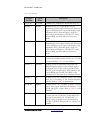
Convention
Meaning or Use
Example
Courier font
Messages, prompts, and
program files that the system
displays
speed grade: 100
Courier bold
Literal commands that you
enter in a syntactical statement
ngdbuild
design_name
Commands that you select
from a menu
File
Keyboard shortcuts
Ctrl+C
Garamond bold
DN6000K10SE User Guide
www.dinigroup.com
Open
2
A B O U T
T H I S
M A N U A L
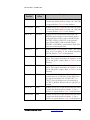
Convention
Meaning or Use
Example
Variables in a syntax statement
for which you must supply
values
ngdbuild design_name
References to other manuals
See the Development System
Reference Guide for more
information.
Emphasis in text
If a wire is drawn so that it
overlaps the pin of a
symbol, the two nets are
not connected.
Braces [ ]
An optional entry or
parameter. However, in bus
specifications, such as bus[7:0],
they are required.
ngdbuild [option_name]
design_name
Braces { }
A list of items from which you
must choose one or more
lowpwr ={on|off}
Vertical bar |
Separates items in a list of
choices
lowpwr ={on|off}
Vertical ellipsis
Repetitive material that has
been omitted
IOB #1: Name = QOUT’
Italic font
-
IOB #2: Name = CLKIN’
-
-
-
-
Horizontal ellipsis . . .
Repetitive material that has
been omitted
allow block block_name
Prefix “0x” or suffix
“h”
Indicates hexadecimal notation
Read from address
0x00110373, returned
4552494h
Letter “#” or “_n”
Signal is active low
INT# is active low
loc1 loc2 ... locn;
fpga_inta_n is active low
3.2 Online Document
The following conventions are used in this document:
Convention
DN6000K10SE User Guide
Meaning or Use
www.dinigroup.com
Example
3
A B O U T
T H I S
M A N U A L
Blue Text
Cross-reference link to a
location in the current file or in
another file in the current
document
See the section “Additional
Resources” for details.
Refer to “Title Formats” in
Chapter 1 for details.
Red Text
Cross-reference link to a
location in another document
See Figure 2-5 in the
Virtex-II Pro Handbook
Blue, underlined text
Hyperlink to a website (URL)
Go to
http://www.xilinx.com for
the latest datasheets.
4 Relevant Information
Information about PCI can be obtained from the following sources:
Reference the PCI Special Interest Group for the latest in PCI/PCI-X Specifications:
PCI Special Interest Group http://www.pcisig.com
2575 NE Kathryn St. #17
Hillsboro, OR 97124
FAX: (503) 693-8344
Other recommended specifications include:
PCI Industrial Computer Manufacturers Group (PICMG) http://picmg.org
401 Edgewater Place, Suite 500
Wakefield, MA 01880, USA
TEL: 781-224-1100
FAX: 781-224-1239
Suggested reference books (available from Amazon):
Tom Shanley, Don Anderson, PCI Express System Architecture, Inc. Mindshare
Samir Palnitkar, Verilog HDL: A Guide to Digital Design and Synthesis, ISBN: 0-13451675-3
Sundar Rajan, Essential VHDL: RTL Synthesis Done Right
DN6000K10SE User Guide
www.dinigroup.com
4
A B O U T
T H I S
M A N U A L
Edwin Breecher, The IQ Booster: Improve Your IQ Performance Dramatically
DN6000K10SE User Guide
www.dinigroup.com
5
G E T T I N G
2
Chapter
S T A R T E D
Getting Started
Congratulations on your purchase of the DN6000K10SE
LOGIC Emulation Board! You can begin by installing the
software, or by powering on your DN6000K10SE. If you
wish to begin installation, please follow the installation
instructions. The remainder of this chapter describes the
contents of the box and how to start using the
DN6000K10SE LOGIC Emulation Board.
1 Precaution
The DN6000K10SE is sensitive to static electricity, so treat the PCB accordingly. The
target markets for this product are engineers that are familiar with FPGA’s and circuit
boards, so a lecture in ESD really isn’t appropriate (and wouldn’t be read anyway).
However, the following web page has an excellent tutorial on the “Fundamentals of
ESD” for those of you who are new to ESD sensitive products:
http://www.esda.org/basics/part1.cfm
The DN6000K10SE has been factory tested and pre-programmed to ensure correct
operation. You do not need to alter any jumpers or program anything to see the board
work. A reference design is included on the enclosed CD. Please verify that the board
is in working order by following the steps below:
2 The DN6000K10SE LOGIC Emulation Kit
The DN6000K10SE LOGIC Emulation Kit provides a complete development
platform for designing and verifying applications based on the Xilinx Virtex-II Pro
FPGA family. The DN6000K10SE can be hosted in a PCI Express slot, or can be
used in a stand-alone application. This DN6000K10SE enables designers to implement
embedded processor based applications with extreme flexibility using IP cores and
DN6000K10SE User Guide
www.dinigroup.com
6
G E T T I N G
S T A R T E D
customized modules. The Virtex-II Pro FPGA with its integrated PowerPC processor
and powerful Rocket I/O. Multi-Gigabit Transceivers (MGT) make it possible to
develop highly flexible and high-speed serial transceiver applications.
The DN6000K10SE, in its standard configuration, includes PCI Express x1, x4 or x8
interface, 512K x 36 SRAM (4), 16M x 16 DDR SDRAM (4), 4M x 16 FLASH (2), an
RS232 port for monitor and a SmartMedia interface for configuration. There are 9 low
skew clock sources that are distributed to the FPGA and the test header. A 200-pin test
header allows for connection to individual FPGA’s IO banks, using a custom daughter
card. Figure 1 - shows the DN6000K10SE Logic Emulation Board.
Figure 1 - DN6000K10SE LOGIC Emulation Board
The DN6000K10SE LOGIC Emulation Kit includes the following:
DN6000K10SE development board (2VP70 or 2VP100 in the FF1704
package) Note: Specific speed grade parts required for various
RocketIO/Power PC operating speeds, refer to Xilinx datasheet.
32MB SmartMedia Card, with reference design and main.txt
32MB SmartMedia Card, for customer use (blank)
FlashPath Adapter to copy bit files to the SmartMedia Card(s)
RS232 Serial cable, female to female (6ft)
IDC 10-pin to DB 9-pin adaptor cable
DN6000K10SE User Guide
www.dinigroup.com
7
G E T T I N G
S T A R T E D
Jumpers 0.1”(x10)
Documentation/Reference CD
Optional items that support development efforts (not provided):
Xilinx ISE software
JTAG cable
Coax loop back cables
Daughter Card
ATAVRISP kit (for MCU reprogramming)
Note: The DN6000K10SE is available in an x1, x4 or x8 PCI Express channel
configuration. This Manual covers all products.
3 Installation Instructions
3.1 Jumper Setup
Figure 2 indicates the factory jumper configuration of the DN6000K10SE.
DN6000K10SE User Guide
www.dinigroup.com
8
G E T T I N G
S T A R T E D
Figure 2 - Default Jumper Setup
3.2 Jumper Description
Table 1 – describes the functionality of the installed jumpers on the DN6000K10SE.
DN6000K10SE User Guide
www.dinigroup.com
9
G E T T I N G
S T A R T E D
Table 1 – Jumper Description
Jumper
Installed
Signal
Name
Description
JP3.A5-B5
CLOCKB
Oscillator (X3) connected to RoboClock #1 (U32)
JP4.B3-C3
MODE1
ROBOCLOCK #1, Output Mode: This pin
determines the clock outputs’ disable state. When this
input is HIGH, the clock outputs will disable to highimpedance (HI-Z). When this input is LOW, the
clock outputs will disable to “HOLD-OFF” mode.
When in MID, the device will enter factory test
mode.
JP4.B4-C4
MODE2
ROBOCLOCK #2, Output Mode: This pin
determines the clock outputs’ disable state. When this
input is HIGH, the clock outputs will disable to highimpedance (HI-Z). When this input is LOW, the
clock outputs will disable to “HOLD-OFF” mode.
When in MID, the device will enter factory test
mode.
JP4.A8-B8
CDS1
ROBOCLOCK #1, Output Divider Function Select:
Controls the divider function of bank 1 & 1 (CCLK)
of outputs. Refer to Table 4 in the datasheet.
JP5.B1-C1
REFSEL1
ROBOCLOCK #1, Reference Select Input: The
REFSEL input controls how the reference input is
configured. When LOW, it will use the REFA pair
(PLL1A) as the reference input. When HIGH, it will
use the REFB pair (PLL1BC, PLL1BNC) as the
reference input. This input has an internal pull-down.
JP5.B2-C2
FS1
ROBOCLOCK #1, Frequency Select: This input
must be set according to the nominal frequency
(fNOM). Refer to Table 1 in the datasheet.
JP5.A4-B4
FBDS01
JP5.A6-B6
FBDIS1
ROBOCLOCK #1, Feedback Divider Function
Select: These inputs determine the function of the
QFA0 and QFA1 outputs. Refer to Table 4 in the
datasheet.
ROBOCLOCK #1, Feedback Disable: This input
controls the state of QFA[0:1]. When HIGH, the
QFA[0:1] is disabled to the “HOLD-OFF” or
“HI-Z” state; the disable state is determined by
OUTPUT_MODE. When LOW, the QFA[0:1] is
enabled.
DN6000K10SE User Guide
www.dinigroup.com
10
G E T T I N G
Jumper
Installed
S T A R T E D
Signal
Name
Description
JP5.A9-B9
DDS0
ROBOCLOCK #1, Output Divider Function Select:
Controls the divider function of bank 1 & 1 (DCLK)
of outputs. Refer to Table 4 in the datasheet.
JP5.A10-B10
DDS1
ROBOCLOCK #1, Output Divider Function Select:
Controls the divider function of bank 1 & 1 (DCLK)
of outputs. Refer to Table 4 in the datasheet.
JP6.A1-B1
REFSEL2
ROBOCLOCK #2, Reference Select Input: The
REFSEL input controls how the reference input is
configured. When LOW, it will use the REFA pair
(DCLK3 or FPGA_CLKOUT) as the reference
input. When HIGH, it will use the REFB pair
(PLL2BC or PLL2BNC) as the reference input. This
input has an internal pull-down.
JP6.B2-C2
FS2
ROBOCLOCK #2, Frequency Select: This input
must be set according to the nominal frequency
(fNOM). Refer to Table 1 in the datasheet.
JP6.A4-B4
FBDS02
ROBOCLOCK #2, Feedback Divider Function
Select: These inputs determine the function of the
QFA0 and QFA1 outputs. Refer to Table 4 in the
datasheet.
JP6.A5-B5
FBDS12
JP6.A6-B6
FBDIS2
JP6.A9-B9
EDS0
ROBOCLOCK #2, Feedback Divider Function
Select: These inputs determine the function of the
QFA0 and QFA1 outputs. Refer to Table 4 in the
datasheet.
ROBOCLOCK #2, Feedback Disable: This input
controls the state of QFA[0:1]. When HIGH, the
QFA[0:1] is disabled to the “HOLD-OFF” or
“HI-Z” state; the disable state is determined by
OUTPUT_MODE. When LOW, the QFA[0:1] is
enabled.
ROBOCLOCK #2, Output Divider Function Select:
Controls the divider function of bank 1, 2, 3 & 4
(ECLK) of outputs. Refer to Table 4 in the datasheet.
JP6.A10-B10
EDS1
DN6000K10SE User Guide
ROBOCLOCK #2, Output Divider Function Select:
Controls the divider function of bank 1, 2, 3 & 4
(ECLK) of outputs. Refer to Table 4 in the datasheet.
www.dinigroup.com
11
G E T T I N G
S T A R T E D
3.3 Powering ON the DN6000K10SE
This section describes what is necessary to power-up the DN6000K10SE.
1. Install the DN6000K10SE in the test PC.
Note: To use the board’s PCI Express interface, you need a motherboard with PCI
Express slots. The connector on DN6000K10SE is PCI Express x1, x4 or x8 (1, 4
or 8 lanes). Most PCI Express motherboards have one x16 slot for graphics and a
few x1 slots for I/O. Note the reference design shipped with the board is a 1 lane
design, so if you have an 8 lane board and you want to use this reference design, an
adapter is required.
2. Install the SmartMedia card containing the PCI Express reference design into
the DN6000K10SE.
WARNING: Do not use a separate ATX power supply with the board when
it is plugged into a PCI slot! Instead, use a molex connector from the host
PC’s power supply, plugged into the board’s molex terminal.
3. Power ON the test PC and allow booting in DOS mode.
Note: The FPGA programming will commence as soon as the DN6000K10SE is
powered on if the SmartMedia card contains the necessary configuration file and
bit files. In general, the FPGA will be programmed prior to the PCI Express
devices being configured. However, some computers have a “FastBoot” or
“QuickBoot” feature which speeds up the booting process of the PC. These
features are incompatible with the FPGA programming sequence of the
DN6000K10SE as the FPGA may not be configured prior to PCI Express bus
activity. As a result, the DN6000K10SE will not be recognized by the computer.
Workaround: If the computer has a “FastBoot” or “QuickBoot” (or similar)
feature, it should be disabled. Otherwise, a soft-reset should be performed (by
simultaneously pressing the CTRL-ALT-DELETE keys) after the computer has
completed the Power-On Self Test (POST). This will allow the DN6000K10SE
enough time to configure the FPGA so that the computer will recognize the
DN6000K10SE device.
Note: The PCI Express spec allows 3.3V to be within +-10%. But the
DN6000K10SE would stay in reset if 3.3V is not within +-5%. So it is possible for
a power supply to be PCI Express compliant but does not work with our board.
You can measure 3.3V at test point TP17. If this is not within +-5% of 3.3V,
please try different power supplies.
DN6000K10SE User Guide
www.dinigroup.com
12
G E T T I N G
S T A R T E D
4 Playing with your DN6000K10SE
At this point, the DN6000K10SE should be powered on with the PC booted in DOS
mode. The FPGA should also be programmed with the PCI Express reference design
supplied by The Dini Group. The ASIC Emulator Test Utility (AETEST) can now be
used in DOS to verify the functionality of the DN6000K10SE.
1. If the AETEST utility is not yet installed, refer to Appendix A for installation
instructions.
2. Run the AETEST utility appropriate for the Operating System.
•
“AETESTDJ.EXE” for Windows 95/98/ME using DPMI
•
“AETEST_WDM.EXE” for Windows 2000/XP
•
“aetest_linux” for linux.
3. The AETEST utility should now recognize the DN6000K10SE with the
DEVICE_ID of 0x1611 and its VENDOR_ID of 0x17DF.
4. Follow the on-screen instructions until the Main Menu is displayed.
DN6000K10SE User Guide
www.dinigroup.com
13
G E T T I N G
S T A R T E D
5. From the Main Menu, choose “Memory Menu”. The memory menu will now
appear.
6. The DN6000K10SE features DDR SDRAM, SRAM, and Flash memory
devices. The DN6000K10SE specific memory tests are designed to exercise
and verify the functionality of those features. Select one of the memory
devices to be tested.
DN6000K10SE User Guide
www.dinigroup.com
14
G E T T I N G
S T A R T E D
7. The AETEST Test utility will now test the selected memory device using the
memory controllers available in the PCI reference design. Press any key to exit
the selected memory device test. The test should complete successfully, as
indicated by the dots.
8. Congratulations! You have now programmed the DN6000K10SE and
successfully executed our AETEST utility to exercise various features of the
DN6000K10SE.
DN6000K10SE User Guide
www.dinigroup.com
15
I N T R O D U C T I O N
T O
V I R T E X - I I
P R O
A A N D
I S E
3
Chapter
Introduction to Virtex-II
Pro and ISE
1 Virtex-II Pro
The Virtex-II Pro FPGA solution is the most technically sophisticated silicon and
software product development in the history of the programmable logic industry. The
goal was to revolutionize system architecture “from the ground up.” To achieve that
objective, the best circuit engineers and system architects from IBM, Mindspeed, and
Xilinx co developed the world's most advanced FPGA silicon product. Leading teams
from top embedded systems companies worked together with Xilinx software teams to
develop the systems software and IP solutions that enabled new system architecture
paradigm.
The result is the first FPGA solution capable of implementing high performance
system-on-a-chip designs previously the exclusive domain of custom ASICs, yet with
the flexibility and low development cost of programmable logic. The Virtex-II Pro
family marks the first paradigm change from programmable logic to programmable
systems, with profound implications for leading-edge system architectures in
networking applications, deeply embedded systems, and digital signal processing
systems. It allows custom user-defined system architectures to be synthesized, nextgeneration connectivity standards to be seamlessly bridged, and complex hardware and
software systems to be co-developed rapidly with in-system debug at system speeds.
Together, these capabilities usher in the next programmable logic revolution.
1.1 Summary of Virtex-II Pro Features
The Virtex-II Pro has an impressive collection of both programmable logic and hard
IP that has historically been the domain of the ASICs.
•
High-performance FPGA solution including:
o Up to twenty-four RocketIO™ embedded multi-gigabit transceiver
blocks (based on Mindspeed's SkyRail™ technology)
DN6000K10SE User Guide
www.dinigroup.com
16
I N T R O D U C T I O N
T O
V I R T E X - I I
P R O
A A N D
I S E
o Up to four IBM® PowerPC™ RISC processor blocks
•
Based on Virtex™-II FPGA technology
o Flexible logic resources, up to 125,136 Logic Cells
o SRAM-based in-system configuration
o Active Interconnect™ technology
o SelectRAM™ memory hierarchy
o Up to 556 Dedicated 18-bit x 18-bit multiplier blocks
o High-performance clock management circuitry
o SelectIO™-Ultra technology
o Digitally Controlled Impedance (DCI) I/O
1.2 PowerPC™ 405 Core
•
Embedded 300+ MHz Harvard architecture core
•
Low power consumption: 0.9 mW/MHz
•
Five-stage data path pipeline
•
Hardware multiply/divide unit
•
Thirty-two 32-bit general purpose registers
•
16 KB two-way set-associative instruction cache
•
16 KB two-way set-associative data cache
•
Memory Management Unit (MMU)
o 64-entry unified Translation Look-aside Buffers (TLB)
o Variable page sizes (1 KB to 16 MB)
•
Dedicated on-chip memory (OCM) interface
•
Supports IBM CoreConnect™ bus architecture
•
Debug and trace support
•
Timer facilities
1.3 RocketIO 3.125 Gbps Transceivers
•
Full-duplex serial transceiver (SERDES) capable of baud rates from 622 Mb/s
to 3.125 Gb/s (please reference the Xilinx datasheet for speed grade
limitations)
•
80 Gb/s duplex data rate (16 channels)
DN6000K10SE User Guide
www.dinigroup.com
17
I N T R O D U C T I O N
T O
V I R T E X - I I
P R O
A A N D
I S E
•
Monolithic clock synthesis and clock recovery (CDR)
•
Fibre Channel, Gigabit Ethernet, 10 Gb Attachment Unit Interface (XAUI),
and
•
Infiniband-compliant transceivers
•
8-, 16-, or 32-bit selectable internal FPGA interface
•
8B /10B encoder and decoder
•
50/75 on-chip selectable transmit and receive terminations
•
Programmable comma detection
•
Channel bonding support (two to sixteen channels)
•
Rate matching via insertion/deletion characters
•
Four levels of selectable pre-emphasis
•
Five levels of output differential voltage
•
Per-channel internal loopback modes
•
2.5V transceiver supply voltage
1.4 Virtex-II FPGA Fabric
Description of the Virtex-II Family fabric follows:
•
SelectRAM memory hierarchy
o Up to 10 Mb of True Dual-Port RAM in 18 Kb block SelectRAM
resources
o Up to 1.7 Mb of distributed SelectRAM resources
o High-performance interfaces to external memory
•
Arithmetic functions
o Dedicated 18-bit x 18-bit multiplier blocks
o Fast look-ahead carry logic chains
•
Flexible logic resources
o Up to 111,232 internal registers/latches with Clock Enable
o Up to 111,232 look-up tables (LUTs) or cascadable variable (1 to 16
bits) shift registers
o Wide multiplexers and wide-input function support
o Horizontal cascade chain and Sum-of-Products support
DN6000K10SE User Guide
www.dinigroup.com
18
I N T R O D U C T I O N
T O
V I R T E X - I I
P R O
A A N D
I S E
o Internal 3-state busing
•
High-performance clock management circuitry
o Up to eight Digital Clock Manager (DCM) modules
Precise clock de-skew
Flexible frequency synthesis
High-resolution phase shifting
o 16 global clock multiplexer buffers in all parts
•
Active Interconnect technology
o Fourth-generation segmented routing structure
o Fast, predictable routing delay, independent of fanout
o Deep sub-micron noise immunity benefits
•
Select I/O-Ultra technology
o Up to 852 user I/Os
o Twenty two single-ended standards and five differential standards
o Programmable LVTTL and LVCMOS sink/source current (2 mA to
24 mA) per I/O
o Digitally Controlled Impedance (DCI) I/O: on-chip termination
resistors for single-ended I/O standards
o PCI support(1)
o Differential signaling
840 Mb/s Low-Voltage Differential Signaling I/O (LVDS)
with current mode drivers
Bus LVDS I/O
HyperTransport™ (LDT) I/O with current driver buffers
Built-in DDR input and output registers
o Proprietary
high-performance
SelectLink
communications between Xilinx devices
technology
for
High-bandwidth data path
Double Data Rate (DDR) link
Web-based HDL generation methodology
•
SRAM-based in-system configuration
o Fast SelectMAP™ configuration
DN6000K10SE User Guide
www.dinigroup.com
19
I N T R O D U C T I O N
T O
V I R T E X - I I
P R O
A A N D
I S E
o Triple Data Encryption Standard (DES) security option (bitstream
encryption)
o IEEE1532 support
o Partial reconfiguration
o Unlimited reprogrammability
o Readback capability
•
Supported by Xilinx Foundation™ and Alliance™ series development systems
o Integrated VHDL and Verilog design flows
o ChipScope™ Pro Integrated Logic Analyzer
•
0.13-µm, nine-layer copper process with 90 nm high-speed transistors
•
1.5V (VCCINT) core power supply, dedicated 2.5V VCCAUX auxiliary and
VCCO power supplies
•
IEEE 1149.1 compatible boundary-scan logic support
•
Flip-Chip and Wire-Bond Ball Grid Array (BGA) packages in standard 1.00
mm pitch
•
Each device 100% factory tested
2 Foundation ISE 6.1i
ISE Foundation is the industry's most complete programmable logic design
environment. ISE Foundation includes the industry's most advanced timing driven
implementation tools available for programmable logic design, along with design entry,
synthesis and verification capabilities. With its ultra-fast runtimes, ProActive Timing
Closure technologies, and seamless integration with the industry's most advanced
verification products, ISE Foundation offers a great design environment for anyone
looking for a complete programmable logic design solution.
2.1 Foundation Features
2.1.1
Design Entry
ISE greatly improves your “Time-to-Market”, productivity, and design quality with
robust design entry features. ISE provides support for today's most popular methods
for design capture including HDL and schematic entry, integration of IP cores as well
as robust support for reuse of your own IP. ISE even includes technology called IP
Builder, which allows you to capture your own IP and reuse it in other designs.
ISE's Architecture Wizards allow easy access to device features like the Digital Clock
Manager and Multi-Gigabit I/O technology. ISE also includes a tool called PACE
(Pinout Area Constraint Editor), which includes a front-end pin assignment editor, a
DN6000K10SE User Guide
www.dinigroup.com
20
I N T R O D U C T I O N
T O
V I R T E X - I I
P R O
A A N D
I S E
design hierarchy browser, and an area constraint editor. By using PACE, designers are
able to observe and describe information regarding the connectivity and resource
requirements of a design, resource layout of a target FPGA, and the mapping of the
design onto the FPGA via location/area.
This rich mixture of design entry capabilities provides the easiest to use design
environment available today for your logic design.
2.1.2
Synthesis
Synthesis is one of the most essential steps in your design methodology. It takes your
conceptual Hardware Description Language (HDL) design definition and generates the
logical or physical representation for the targeted silicon device. A state of the art
synthesis engine is required to produce highly optimized results with a fast compile and
turnaround time. To meet this requirement, the synthesis engine needs to be tightly
integrated with the physical implementation tool and have the ability to proactively
meet the design timing requirements by driving the placement in the physical device. In
addition, cross probing between the physical design report and the HDL design code
will further enhance the turnaround time.
Xilinx ISE provides the seamless integration with the leading synthesis engines from
Mentor Graphics, Synopsys, and Synplicity. You can use the synthesis engine of our
choice. In addition, ISE includes Xilinx proprietary synthesis technology, XST. You
have options to use multiple synthesis engines to obtain the best-optimized result of
your programmable logic design.
2.1.3
Implementation and Configuration
Programmable logic design implementation assigns the logic created during design
entry and synthesis into specific physical resources of the target device.
The term “place and route” has historically been used to describe the implementation
process for FPGA devices and “fitting” has been used for CPLDs. Implementation is
followed by device configuration, where a bitstream is generated from the physical
place and route information and downloaded into the target programmable logic
device.
To ensure designers get their product to market quickly, Xilinx ISE software provides
several key technologies required for design implementation:
•
Ultra-fast runtimes enable multiple “turns” per day
•
ProActive™ Timing Closure drives high-performance results
•
Timing-driven place and route combined with “push-button” ease
•
Incremental Design
DN6000K10SE User Guide
www.dinigroup.com
21
I N T R O D U C T I O N
•
2.1.4
T O
V I R T E X - I I
P R O
A A N D
I S E
Macro Builder
Board Level Integration
Xilinx understands the critical issues such as complex board layout, signal integrity,
high-speed bus interface, high-performance I/O bandwidth, and electromagnetic
interference for system level designers.
To ease the system level designers' challenge, ISE provides support to all Xilinx leading
FPGA technologies:
•
System IO
•
XCITE
•
Digital clock management for system timing
•
EMI control management for electromagnetic interference
To really help you ensure your programmable logic design works in context of your
entire system, Xilinx provides complete pin configurations, packaging information, tips
on signal integration, and various simulation models for your board level verification
including:
•
IBIS models
•
HSPICE models
•
STAMP models
3 Virtex-II Pro Embedded Development Kit
EDK is the Virtex-II Pro Embedded Development Kit, and is included to provide an
existing framework of hardware and software code to explore the capabilities of the
Virtex-II Pro, as well as a basis to build new systems.
A wide variety of software and hardware tools are used to build a Virtex-II Pro™
design. EDK The design flow is a tool chain methodology that exists to simplify the
entire design process by providing integration between the tools and automating tasks.
The main focus of the design flow is integrating the programs with each other to
accomplish the system design.
The system design process can be loosely divided into the following tasks:
•
Builds the software application
DN6000K10SE User Guide
www.dinigroup.com
22
I N T R O D U C T I O N
T O
V I R T E X - I I
P R O
A A N D
I S E
•
Simulates the hardware description
•
Simulates the hardware with the software application
•
Simulates the hardware into the FPGA using the software application in onchip memory
•
Runs timing simulation
•
Configures the bitstream for the FPGA
DN6000K10SE User Guide
www.dinigroup.com
23
I N T R O D U C T I O N
T O
T H E
S O F T W A R E
T O O L S
4
Chapter
Introduction to the
Software Tools
This chapter introduces the software tools as well as references to
more information.
1 Exploring the Software Tools
1.1 AETEST
AETEST utility program is used primarily to test and verify the functionality of the
DN6000K10SE Logic Emulation board.
All AETEST source code is included on the CD-ROM shipped with your
DN6000K10SE Logic Emulation kit. AETEST can be installed on a variety of
operating systems, including:
•
DOS and Windows 95/98/ME using DPMI (DOS Protected Mode Interface)
•
Windows 98/ME using a VxD driver
•
Windows 2000/XP (Windows WDM)
•
Windows NT
•
Linux
•
Solaris
Detailed installation instructions for each version may be found in Appendix A:
AETEST Installation Instructions.
The AETEST utility program contains the following tests:
DN6000K10SE User Guide
www.dinigroup.com
24
I N T R O D U C T I O N
T O
T H E
S O F T W A R E
T O O L S
•
PCI Test
•
Memory Tests (SRAM & DDR)
•
FLASH Test
•
Daughter Card Test (with or without cables)
•
BAR Memory Range Tests
AETEST also provides the user with the following abilities:
•
Recognize the DN6000K10SE
•
Read FPGA F Revision
•
Display Vendor and Device ID
•
Set PCI Device and Function Number
•
Display all configured PCI devices
•
Various loops for PCI device-function and ID numbers
•
Write and Read Configuration DWORD
•
Write DWORD, Read DWORD and Write/Read DWORD (Same Address)
•
BAR Memory Fill, Write and Display
•
Configure/Save BAR’s from/to a file
All of AETEST’s tests and functionality are based upon simple C++ functions.
Descriptions of a variety of functions may be found in Appendix B: AETEST Basic
C++ Functions.
NOTE: All of the screen captures are taken from the aetest_wdm.exe
implementation of the AETEST utility program unless otherwise noted. Certain
functions may be missing from the figures. However, all functions will be
discussed in their proper context.
DN6000K10SE User Guide
www.dinigroup.com
25
I N T R O D U C T I O N
1.1.1
T O
T H E
S O F T W A R E
T O O L S
Getting Started with AETEST
Once AETEST is installed and the DN6000K10SE board is powered on, the user can
execute his/her incarnation of AETEST. The DN6000K10SE is defined by its
DEVICE_ID of 0x1600 and its VENDOR_ID of 0x17df. AETEST should
immediately recognize the DN6000K10SE Logic Emulation board shown in Figure 3.
Figure 3 - DN6000K10SE Board Recognition
Upon recognition, AETEST will notify the user which device was found. In certain
implementations, the entire configuration space and the configuration of the BARs is
sent to the screen immediate following the board recognition notification.
If AETEST does not recognize the DN6000K10SE, AETEST will alert the user (See
Figure 4).
Figure 4 - DN6000K10SE Not Found
DN6000K10SE User Guide
www.dinigroup.com
26
I N T R O D U C T I O N
T O
T H E
S O F T W A R E
T O O L S
AETEST will still run however several DN6000K10SE specific options will not be
available.
1.1.2
Main Menu
Upon powering up and after board recognition, the user must merely press a key to
enter the Main Menu shown in Figure 5.
Figure 5 - Main Menu
The possible Main Menu options and a description can be found in Table 2.
Table 2: Main Menu Options
Option
Function Name
Description
0
Read FPGA F Revision
Displays the revision of the reference design in FPGA F
1
PCI Menu
Takes User to PCI Menu
2
Memory Menu
Takes User to Memory Menu
5
Daughter Board Menu
Take User to Daughter Board Menu
1.1.3
PCI Express Menu
1.1.4
Memory Menu
Upon entering the Memory Menu from the Main Menu, AETEST will output a screen
similar to the one shown in Figure 6.
DN6000K10SE User Guide
www.dinigroup.com
27
I N T R O D U C T I O N
T O
T H E
S O F T W A R E
T O O L S
Figure 6 - Memory Menu
The possible Memory Menu options and their descriptions are listed below. In each
description, an example transaction will be shown. The accesses will focus on SSRAM
#4 at the AETEST address location of 0x200000.
NOTE: The AETEST address is offset by 2 to the left when compared to the
actual SSRAM address. For example, AETEST address 0x200000 is equivalent to
the SSRAM address 0x80000.
Write DWORD (Opt: 1)
‘Write DWORD’ allows the user to write to any location in the Base Address Registers
(BAR). All 4 gigabytes of PCI memory can be accessed. A minimum of 1 to a
maximum of 1024 DWORDs can be written, in sequential order, to the same address.
Figure 7 shows a typical memory write.
Once the option is chosen, the user must input the BAR Number followed by the
address within the specified BAR. Then, the user needs to input the number of
DWORDs to be written (in decimal). The data to be written must be entered for each
DWORD. Finally the user must choose to repeat the write access indefinitely or not.
Pressing any key will stop a looping write.
DN6000K10SE User Guide
www.dinigroup.com
28
I N T R O D U C T I O N
T O
T H E
S O F T W A R E
T O O L S
Figure 7 - Memory Write DWORD
The transaction shown in Figure 7 writes the DWORD 0xabcdef45 to address
0x200000 of SSRAM #4.
Read DWORD (Opt: 2)
‘Read DWORD’ allows the user to read a DWORD from any location in the Base
Address Registers (BAR). Figure 8 shows a typical memory read.
Once the option is chosen, the user must input the Bar Number followed by the
address location. Then, the user is given three options:
1. AETEST will read the DWORD stored at the specified address and display it.
2. Same as option 1, however the transaction is repeated indefinitely.
3. AETEST will read the DWORD stored at the specified address repeatedly.
Options 2 and 3 are useful for debugging read transactions.
DN6000K10SE User Guide
www.dinigroup.com
29
I N T R O D U C T I O N
T O
T H E
S O F T W A R E
T O O L S
Figure 8 - Memory Read DWORD
Figure 8 shows a read of the DWORD from address 0x200000 of SSRAM #4. This
read retrieves the data (0xabcdef45) written in the Write DWORD section (See Figure
7).
Write/Read DWORD (Opt: 3)
‘Write/Read DWORD’ allows the user to write a DWORD to any location in the Base
Address Registers (BAR). Then, the function read back the data stored from the same
address. Akin to the previous DWORD operation, all 4 gigabytes of PCI memory can
be accessed. Figure 9 shows a typical memory write/read operation.
The user will be prompted, once the option is chosen, for the BAR to be accessed.
Then, the memory location in hex is required. AETEST will prompt the user for the
number of DWORDs to write (in decimal). Each DWORD must be individually
entered. Finally, the user must choose a display option:
1. Following the write, AETEST will read the DWORD stored at the specified
address and display it.
2. Same as option 1, however the transaction is repeated indefinitely.
3. AETEST will repeatedly write then read the DWORD stored at the specified
address.
DN6000K10SE User Guide
www.dinigroup.com
30
I N T R O D U C T I O N
T O
T H E
S O F T W A R E
T O O L S
Figure 9 - Memory Write/Read DWORD
Figure 9 shows a write/read of the DWORD 0x54fedcba from address 0x200000 of
SSRAM #4.
Bar Memory Fill (Opt: 4)
“Bar Memory Fill” enables to user to fill a region of PCI memory space with a data
selectable pattern. All 4 gigabytes of memory space is accessible. Figure 10 shows a
sample transaction.
Using “Bar Memory Fill”, the user must first enter the BAR Number to be accessed.
Then, the starting address must be entered (in hex) and the number of bytes the user
wishes to fill (in hex and divisible by 4). Finally, the user must choose from a selection
data patterns:
1. Fill with 0 – fill all the locations with 0x00000000 (clear the memory)
2. Data = Address – fill each DWORD with its address
3. Alternating 0x55555555 and 0xaaaaaaaa
4. 0xffffffff – fill all of the memory bits
5. Data = ~Address – fill each DWORD with its address inverted
DN6000K10SE User Guide
www.dinigroup.com
31
I N T R O D U C T I O N
T O
T H E
S O F T W A R E
T O O L S
Figure 10 - BAR Memory Fill
As in previous function descriptions, Figure 10 shows an access of SSRAM #4.
Address 0x200000 is used as the starting address and 0x80 bytes are filled. Data
pattern option #3 is used. See option “Bar Memory Display” for a view of the results
of this transaction.
Bar Memory Write (Opt: 5)
“Bar Memory Write” enables to user to write a DWORD(s) to PCI memory space. All
4 gigabytes of memory space is accessible. Figure 11 shows a sample transaction.
Once the option is chosen, the user must input the BAR Number followed by the
address within the specified BAR. Then, the user needs to input the number of
DWORDs to be written (in decimal). The data to be written must be entered for each
DWORD.
DN6000K10SE User Guide
www.dinigroup.com
32
I N T R O D U C T I O N
T O
T H E
S O F T W A R E
T O O L S
Figure 11 - Bar Memory Write
The transaction shown in Figure 11 writes the DWORD 0xabcdef45 to address
0x200020 of SSRAM #4. See option “Bar Memory Display” for a view of the results
of this transaction.
Bar Memory Display (Opt: 8)
“Bar Memory Display” enables to user to view 160 DWORDs of PCI memory space.
All 4 gigabytes of memory space is accessible. Figure 12 shows a sample view.
The user will be prompted to choose a starting address upon selecting the “Bar
Memory Display” function.
Input starting address (hex and 32 bit aligned):
The address must be in hexadecimal and 32-bit aligned.
A screen, similar to the one shown in Figure 12, will be outputted to the screen after
entering the starting address. The screen will contain 20 lines of which each line lists 8
DWORDs of data. Combining the very first line and the first column on the screen
specifies the corresponding address of each DWORD. For example, the DWORD of
data 0x1663669b in column 5 row 6 is associated with 0x200080 (column 1) and c (row
1). Consequently, the address is 0x20008c.
Some viewing options are listed in the final line of the screen. To select an option, the
user needs to press the key corresponding to the letter/number contained in the
parentheses. The options are:
•
Forward – View the next 160 DWORDs of data (press f)
DN6000K10SE User Guide
www.dinigroup.com
33
I N T R O D U C T I O N
T O
T H E
S O F T W A R E
T O O L S
•
Back – View the previous 160 DWORDs of data (press b)
•
Jump – View a newly specified location (press j)
The user will be prompted for the new address (in hex).
•
Goto – Return to the original address specified at the beginning (press 0)
•
Quit – Return to Memory Menu (press q)
Figure 12 - Bar Memory Display
The sample view shown in Figure 12 displays 160 DWORDs of SSRAM #4 data
starting at address 0x200000. The data displays the results of the transactions shown in
Figure 10 and Figure 11. For Figure 10, alternating DWORDs of 0xaaaaaaaa and
0x55555555 were written starting at address 0x200000. A total of 0x80 (128 decimal)
bytes of data were written. Then for Figure 11, the DWORD 0xabcdef45 was written
to the address 0x200020. It is clear to see the results of the “Bar Memory Fill” and
“Bar Memory Write” transactions with the “Bar Memory Display” function.
SSRAM Memory Test (Opt: c-f)
“SSRAM Memory Test” allows the user to test one of the four SSRAMs on the
DN6000K10SE.
DDR SDRAM Memory Test (Opt: h)
“DDR SDRAM Memory Test” allows the user to test all of the DDR SDRAMs on
the DN6000K10SE.
Full Memory Test (Opt: i)
DN6000K10SE User Guide
www.dinigroup.com
34
I N T R O D U C T I O N
T O
T H E
S O F T W A R E
T O O L S
“Full Memory Test” tests each of the four SSRAMs, and the Virtex-II Pro BlockRAM
on the DN6000K10SE.
Memory Tests On FPGA Block Memory (Opt: n)
Tests entire FPGA BlockRAM.
Bar Memory Range Test (Opt: p)
“Bar Memory Range test” is a generic memory test. It verifies the functionality of a
user selectable range of PCI memory. First it prompts the user for a BAR number, a
starting address offset, a DWORD count, and the number of iterations. The user is
also prompted if the program should stop if error occurs, or if the program should
display any errors that occur. This allows for maximum flexibility when debugging a
design with an oscilloscope, or debugging any memories or memory locations on your
PCI bus. The memory test is very complete, performing a write then a read to every
location, a read from every location, and then a read/write/read test to every location.
All other memory test options listed in the memory menu are based on this generic
memory test function.
Figure 13 - Bar Memory Range Test
Bar Memory Address/Data Bitwise Test (Opt: k)
Same as “BAR Memory Range Test”, except this tests the data bits one at a time.
DN6000K10SE User Guide
www.dinigroup.com
35
I N T R O D U C T I O N
T O
T H E
S O F T W A R E
T O O L S
Figure 14 - Bar Memory Address/Data Bitwise Test
1.1.5
Flash Menu
Upon entering the Flash Menu from the Main Menu, AETEST will output a screen
similar to the one shown in Figure 15.
Figure 15 - Flash Menu
The possible Flash Menu options and their descriptions are listed below.
Flash Display (Opt: 1, 2)
Displays Flash Memory content.
Flash Erase & Program Test (tests 0x10000 bytes) (Opt: 3, 4)
Erase and Test the first 0x10000 bytes of the flash.
DN6000K10SE User Guide
www.dinigroup.com
36
I N T R O D U C T I O N
T O
T H E
S O F T W A R E
T O O L S
Flash Erase & Program Test (tests entire flash, +bootblock) (Opt: 5, 6)
Erase and Test the entire flash, including boot block, this test takes approximately 5
minutes.
Flash Erase (0x10000 bytes) (Opt: 7, 8)
Erase the first 0x10000 bytes of the flash.
Clear Status (Opt: G, H)
Clear error status bits, in case any errors occurred.
1.1.6
Daughter Board Menu
Upon entering the Daughter Board Menu from the Main Menu, AETEST will output
a screen similar to the one shown in Figure 16.
Figure 16 - Daughter Board Menu
The possible Daughter Board Menu options and a description can be found in Table 3.
Table 3 - Daughter Board Options
Option
1
Function Name
DN3000K10SD w/ cables
DN6000K10SE User Guide
Description
The FPGA outputs a signal to the Daughter Board where
it is sent/driven back to the FPGA. The data is compared
for correctness. This is repeated for all test header signals.
www.dinigroup.com
37
I N T R O D U C T I O N
Option
2
T O
T H E
S O F T W A R E
T O O L S
Function Name
Description
DN3000K10SD w/o cables
All IO signals on the DN6000K10SE are driven to
ground. Then, the option performs a walking 1s test for
all of the test header signals. The test checks for shorts on
the DN6000K10SE.
2 Getting More Information
2.1 Printed Documentation
The printed documentation, as mentioned previously, takes the form of a Virtex-II Pro
datasheet and a DN6000K10SE User Guide.
2.2 Electronic Documentation
Multiple documents and datasheets have been included on the CD:
2.3 Online Documentation
There is a public access site that can be found on the Dini Group web site at
http://www.dinigroup.com/.
DN6000K10SE User Guide
www.dinigroup.com
38
P R O G R A M M I N G / C O N F I G U R I N G
T H E
H A R D W A R E
5
Chapter
Programming/Configuring
the Hardware
This chapter details the programming and configuration
instructions for the DN6000K10SE.
1 Programming the CPLD
Code updates will be posted on the Dini Group website. The user is required to
purchase the Xilinx Development Tools if in-house development is required. The
tools are available from Xilinx, (http://www.xilinx.com/).
This section lists detailed instructions for programming the CPLD using the Xilinx ISE
6.1i tools.
Note: This user guide will not be updated for every revision of the Xilinx tools, so
please be aware of minor differences.
1. The DN6000K10SE must be powered with the Xilinx JTAG cable connected
to header P3 and the other end to a parallel port on the PC.
2. Download the latest programming file for the CPLD from the Dini Group
website (filename “CPLD.JED”) http://www.dinigroup.com/.
3. Run iMPACT - From the Windows START menu, choose PROGRAMS →
Xilinx ISE 6 → Accessories → iMPACT.
4. Select the Configure Devices option and proceed by clicking the NEXT
button.
DN6000K10SE User Guide
www.dinigroup.com
39
P R O G R A M M I N G / C O N F I G U R I N G
T H E
H A R D W A R E
5. Select the Boundary-Scan Mode option and proceed by clicking the NEXT
button.
6. Select the Automatically connect to cable and identify Boundary-Scan
chain option and proceed by clicking the NEXT button.
DN6000K10SE User Guide
www.dinigroup.com
40
P R O G R A M M I N G / C O N F I G U R I N G
T H E
H A R D W A R E
7. If the process was successful the following window will appear:
8. Click OK button.
9. Enter the location of the CPLD.JED file in the window prompting the file
name and click OK. The following window would be displayed:
DN6000K10SE User Guide
www.dinigroup.com
41
P R O G R A M M I N G / C O N F I G U R I N G
T H E
H A R D W A R E
Note: The device selected should be XC95288XV.
10. Select the device, right click and select Program option.
11. Select the Erase before programming and the Erase option before clicking
the OK button.
DN6000K10SE User Guide
www.dinigroup.com
42
P R O G R A M M I N G / C O N F I G U R I N G
T H E
H A R D W A R E
12. The device will be programmed with the file selected. If programming was
successful, the following window will appear.
DN6000K10SE User Guide
www.dinigroup.com
43
P R O G R A M M I N G / C O N F I G U R I N G
T H E
H A R D W A R E
13. The CPLD is now programmed, proceed with programming the MCU.
2 Programming the MCU
Code updates will be posted on the Dini Group website. The user is required to
purchase the IAR Compiler if in-house development is required. The compiler is
available from IAR, (http://www.iar.com/). The part number is
EWA90PCUBLV150.
In order to program the MCU, install AVR Studio 4.07 from Atmel
(http://www.atmel.com/). This program is freeware and is also included on the CDROM. The CPLD must be programmed before the MCU can be programmed,
see Programming the CPLD. This section lists detailed instructions for programming
the MCU using the AVR tools.
Note: This user guide will not be updated for every revision of the Atmel AVR
tools, so please be aware of minor differences.
1. The DN6000K10SE must be powered with the Atmel AVR cable connected
to MCU ISP header P1 and the other end to a serial port on the PC.
DN6000K10SE User Guide
www.dinigroup.com
44
P R O G R A M M I N G / C O N F I G U R I N G
T H E
H A R D W A R E
2. The MCU RS232 serial port is required to complete the initialization phase
after the MCU has been programmed. See Configuring HyperTerminal.
3. Download (and unzip) the latest programming file for the MCU from the Dini
Group website (Processor and CPLD update) http://www.dinigroup.com/.
4. Run AVR Studio - From the Windows START menu, choose PROGRAMS
→ Atmel AVR Studio 4.
5. Cancel the “Welcome to AVR Studio 4” window by clicking cancel button.
6. Select TOOLS → STK500/AVRISP/JTAG ICE and a new window should
appear:
7. In the Device list, select the Atmega128 and in Flash window, point to the
location of the MCU programming file “DN6000K10SE.A90”.
8. Select the Advanced tab and read the device signature by selecting the Read
Signature button.
DN6000K10SE User Guide
www.dinigroup.com
45
P R O G R A M M I N G / C O N F I G U R I N G
T H E
H A R D W A R E
9. Select the Program tab and program the device by selecting the Program
button in the Flash window.
10. The device is now programmed and the status window should report the
following:
DN6000K10SE User Guide
www.dinigroup.com
46
P R O G R A M M I N G / C O N F I G U R I N G
T H E
H A R D W A R E
11. After programming the processor, close all AVR Studio windows and open the
HyperTerminal Window. Press ENTER to display the first initialization
instruction.
Note: Connecting the serial port is mandatory to complete the initialization
process. The FPGA cannot be configured via the SmartMedia card until you
have completed all the instructions in this section
12. Enter number of FPGAS on board (1-6): 1
13. Please select the first FPGA on the board (F, A, E, B, or D): F
14. Please enter selection (1-6): for FPGA F: 9
15. The initialization process will then be completed and present the user with the
FPGA configuration main menu.
The FPGA is now ready to be configured, see Configuring the FPGA using
SelectMap.
DN6000K10SE User Guide
www.dinigroup.com
47
P R O G R A M M I N G / C O N F I G U R I N G
T H E
H A R D W A R E
3 Configuring HyperTerminal
A terminal emulator is required to monitor MCU transactions. The Dini Group
suggests using the Windows-based program - HyperTerminal (Hypertrm.exe). The
configuration file for HyperTerminal “DN6000K10SE.ht” is supplied on the CDROM or can be downloaded from the Dini Group website.
The RS232 port is configured with the following parameters:
•
Bits per second: 9600
•
Data bits: 8
•
Parity: None
•
Stop Bits: 1
•
Flow control: None
•
Terminal Emulation: VT100
A cable that converts the 5 x 2 header to a DB9 is shipped with the DN6000K10SE.
Insert the 5 x 2 header into the MCU RS232 header P2. P2 is not keyed - ensure
correct pin orientation.
Note: MCU RS232 Header P2 is not keyed. Ensure correct pin orientation. Pin 1 is
indicated with a letter 1 on the board silkscreen, as well as a dot. Pin 1 on the 5 X 2
cable header is indicated with a triangular shape printed on the connector.
A female-to-female RS232 cable is provided with the DN6000K10SE. This cable will
attach directly to the RS232 port of a PC. The Dini Group suggests Jameco as a
possible supplier, (http://www.jameco.com). The part number is 132345. Male-tofemale extension cables are part number 25700.
4 Configuring the FPGA using SelectMAP
The simplest mode of configuration for the DN6000K10SE’ Virtex-II Pro FPGA
involves the SelectMAP configuration method using a SmartMedia card. The
DN6000K10SE ships with two 32 MB SmartMedia cards. One of these SmartMedia
cards contains a reference design bit file produced for SelectMAP configuration, and a
file named “main.txt” that sets the configuration options (see “Creating Configuration
File main.txt”). The SmartMedia card containing the reference design has been write
DN6000K10SE User Guide
www.dinigroup.com
48
P R O G R A M M I N G / C O N F I G U R I N G
T H E
H A R D W A R E
protected by the application of the silver write protect sticker on the card. The other
SmartMedia card is empty and available for user applications. To configure the FPGA
with the reference design, please skip to “Starting SelectMAP Configuration”.
Status messages are reported by the MCU via the RS232 serial port during FPGA
configuration. It is NOT necessary to have the serial port connection in order to
configure the FPGA in SelectMAP mode. However, if an error occurs during the
configuration, the user would be able to identify possible problems by viewing the
configuration status messages. See Configuring HyperTerminal on how to setup the
serial port.
4.1 Bit File Generation for SelectMAP Configuration
Configuring the DN6000K10SE’ Virtex-II Pro FPGA requires the generation of bit
files by the Xilinx ISE tools.
NOTE: This user guide will not be updated for every revision of the Xilinx tools,
so please be aware of minor differences. The Xilinx ISE 6.1i revision is used here.
The CPLD and MCU must be programmed before executing the following
instructions.
First, a project must be created. Open the Xilinx ISE Project Navigator software
package. Go to the File menu and select New Project. A “New Project” dialog box
will pop up shown in Figure 19.
Figure 17 - New Project Screen Shot
Select the input files for the project, refer to Figure 18.
DN6000K10SE User Guide
www.dinigroup.com
49
P R O G R A M M I N G / C O N F I G U R I N G
T H E
H A R D W A R E
Figure 18 - Input File
Select the device and the design flow for the project. The user must specify a project
name and location. The correct property values must be selected, refer to Figure 19:
Figure 19: New Project Dialog Box
The Project Navigator will create a new project with the required files.
The DINI Group prefers to use Synplicity’s, Synplify for synthesis (which is
recommended for the user also). Consequently, edif files are used in the design flow
described here.
DN6000K10SE User Guide
www.dinigroup.com
50
P R O G R A M M I N G / C O N F I G U R I N G
T H E
H A R D W A R E
Selecting the edif file in the “Module View” window, the user’s Project Navigator box
should resemble Figure 20.
Figure 20: Project Navigator
In the “Process for Source” window, a process is signified by the icon . In the
“Process for Source” window, the user must right-click on the “Generate
Programming File” process and select properties. The default settings are correct (The
user should verify a couple important options, right-click and selecting properties
options).
•
Configuration Options Tab: Configuration Pin Powerdown = Pull Up
DN6000K10SE User Guide
www.dinigroup.com
51
P R O G R A M M I N G / C O N F I G U R I N G
T H E
H A R D W A R E
•
Startup Options Tab: FPGA Start-up Clock = CCLK
•
Readback Options Tab: Security = Enable Readback and Reconfiguration
DN6000K10SE User Guide
www.dinigroup.com
52
P R O G R A M M I N G / C O N F I G U R I N G
T H E
H A R D W A R E
The user can now generate the bit file. In the “Process for Source” window, the user
must right-click on the “Generate Programming File” process and select Run. The bit
file will be generated and may be found in the project directory.
4.2 Creating Configuration File “main.txt”
To control which bit file on the Smart Media card is used to configure the FPGA in
SelectMAP mode a file named “main.txt” must be created and copied to the root
directory of the Smart Media card. The configuration process cannot be performed
without this file. Below is a description of the options that can be set in the file, a
description of the format this file needs to follow, and an example of a main.txt file.
4.2.1
Verbose Level
During the configuration process, there are three different verbose levels that can be
selected for the serial port messages:
•
Level 0:
− Fatal error messages
− Bit file errors (e.g., bit file was created for the wrong part, bit file was
created with wrong version of Xilinx tools, or bitgen options are set
incorrectly)
− Initializing message will appear before configuration
− A single message will appear once the FPGA is configured
•
Level 1:
− All messages that Level 0 displays
− Displays configuration type (should be SelectMAP)
DN6000K10SE User Guide
www.dinigroup.com
53
P R O G R A M M I N G / C O N F I G U R I N G
T H E
H A R D W A R E
− Displays current FPGA being configured if the configuration type is set to
SelectMAP
− Displays a message at the completion of configuration for each FPGA
configured.
•
Level 2:
− All messages that Level 1 displays
− Options that are found in “main.txt”
− Bit file names for each FPGA as entered in main.txt
− Maker ID, device ID, and size of Smart Media card
− All files found on Smart Media card
− If sanity check is chosen, the bit file attributes will be displayed (part,
package, date, and time of the bit file)
− During configuration, a “.” will be printed out after each block (16 KB)
has successfully been transferred from the Smart Media to the current
FPGA
4.2.2
Sanity Check
The Sanity Check, if enabled, verifies that the bit file was created for the right part, the
right version of Xilinx was used, and the bitgen options were set correctly. If any of the
settings found in the bit file are not compatible with the FPGA, a message will appear
from the serial port, and the user will be asked whether or not they want to continue
with the bit file. Please see the section Bit File Generation for SelectMAP
Configuration for details on which bitgen options need to be changed from the default
settings. A PC version of the sanity check can be run on your bit files before copying
them onto the Smart Media card; see section PC Bit File Sanity Check for more details.
4.2.3
8442 Synthesizer Settings
There are two 8442 Cock Synthesizers on board the DN6000K10SE. Each one is
capable of generating a frequency between 31.25 to 700Mhz.
Note: This feature is only available on version 1.6 and up of the MCU.
4.2.4
Format of “main.txt”
The format of the main.txt file is as follows:
1. The first nonempty/uncommented line in main.txt should be:
Verbose level: X
where “X” can be 0, 1 or 2. If this line is missing or X is an invalid level, then
the default verbose level will be 2.
DN6000K10SE User Guide
www.dinigroup.com
54
P R O G R A M M I N G / C O N F I G U R I N G
T H E
H A R D W A R E
2. The second nonempty/uncommented line in main.txt tells whether or not to
perform a sanity check on the bit files before configuring an FPGA:
Sanity check: y
where “y” stands for yes, “n” for no. If the line is missing or the character after
the “:” is not “y” or “n” then the sanity check will be enabled.
3. For the clock synthesizer, the line should read:
8442: <clk> <freq>
In this case, <clk> selects the 8442 synthesizer to set up. Valid choices are
GIGE or INF. <freq> is the desired output frequency and can be any number
between 31.25 and 700.
4. For each FPGA that the user wants to configure, there should be exactly one
entry in the main.txt file with the following format:
FPGA F: example.bit
In the above format, the “F” following FPGA is to signal that this entry is for
FPGA F, and FPGA F would then be configured with the bit file example.bit.
The DN6000K10SE only has one FPGA, which is FPGA F. There can be any
number of spaces between the “:” and the configuration file name, but they
need to be on the same line.
5. Comments are allowed with the following rules:
•
All comments must start at the beginning of the line.
•
All comments must begin with //
•
If a comment spans multiple lines, then each line should start with //
Commented lines will be ignored during configuration, and are only for the
user’s purpose.
6. The file main.txt is NOT case sensitive.
Example of “main.txt”:
//start of file “main.txt”
Verbose level: 2
Sanity check: y
FPGA F: fpgaF.bit
DN6000K10SE User Guide
www.dinigroup.com
55
P R O G R A M M I N G / C O N F I G U R I N G
T H E
H A R D W A R E
//the line above configures FPGA F with the bit file “fpgaF.bit”
//end of main.txt
Given the above example file: Verbose level is set to 2, a sanity check on the bit files
will be performed, and FPGA F will be configured with file fpgaF.bit.
NOTE: All configuration file names have a maximum length of eight (8)
characters, with an additional three for the extension. Do not name your
configuration bit files with long file names. In addition, all file names should be
located in the root directory of the Smart Media card—no subdirectories or
folders are allowed. Since the “main.txt” file controls which bit file is used to
configure the FPGA, the Smart Media card can contain other bit files.
4.3 Starting SelectMAP Configuration
If using the reference design, SmartMedia card that came with the DN6000K10SE
then no files need to be copied to the card. Otherwise, copy your bit file and
“main.txt” to the root directory of the SmartMedia card using the FlashPath floppy
adapter or some other means. Make sure the dipswitch (S2) is set for SelectMAP as
shown in Table 4.
Table 4: S2 Dipswitch Configuration Settings
Signal Name
Pins
Status
FPGA_MSEL0
Pins 1 & 8
Closed
FPGA_MSEL1
Pins 2 & 7
Open
FPGA_MSEL2
Pins 3 & 6
Open
DIP_SW3
Pins 4 & 5
X
Set up the serial port connection as described above in Configuring HyperTerminal.
Next, place the SmartMedia card in the SmartMedia socket on the DN6000K10SE and
turn on the power (NOTE: the card can only go in one way). The SmartMedia card is
hotswappable and can be taken out or put into the socket even when the power is on.
Once the power has been turned on, the configuration process will begin as long as
there is a valid SmartMedia card inserted properly in the socket. If there is not a valid
SmartMedia card in the socket, then DS1 will be lit (see Table 32 for GPIO LED’s)
and the Main Menu will appear from the serial port.
A SmartMedia card is determined to be invalid if either the format of the card does not
follow the SSFDC specifications, or if it does not contain a file named main.txt in the
root directory. If the configuration was successful, a message stating so will appear and
the Main Menu will come up. Otherwise, an error message will appear. The LEDs on
DS1 and DS2 give feedback during and after the configuration process (see Table 32
for GPIO LED’s for further details).
DN6000K10SE User Guide
www.dinigroup.com
56
P R O G R A M M I N G / C O N F I G U R I N G
T H E
H A R D W A R E
After the FPGA has been configured, the following Main Menu will appear via the
serial port, refer to Figure 21.
Figure 21 - Main Menu
The HyperTerminal interface gives the user an easy method for handling and
monitoring the DN6000K10SE’ FPGA configuration.
4.3.1
Description of Main Menu Options
Table 5 describes the Main Menu options found on the HyperTerminal interface.
Table 5: HyperTerminal Main Menu Options
Option
Function
1
Configure FPGA’s in
Using “main.txt” as
the Configuration File
The FPGA will configure in SelectMAP mode. You can also
press the reset button (S1) to reconfigure the FPGA in SelectMAP mode.
2
Interactive FPGA
configuration menu
This option takes you to a menu titled “Interactive
Configuration Menu” and allows the FPGA to be configured
through a set of menu options instead of using the main.txt file.
The menu options are described in .
3
Check Configuration
Status
This option checks the status of the DONE pin and prints out
whether or not the FPGA(s) have been configured along with
the file name that was used for configuration.
DN6000K10SE User Guide
Description
www.dinigroup.com
57
P R O G R A M M I N G / C O N F I G U R I N G
Option
Function
T H E
H A R D W A R E
Description
4
Select file to use in
place of main.txt
By default, the processor uses the file main.txt to get the name
of the bit file to be used for configuration as well as options for
the configuration process. However, a user can put several files
that follow the format for main.txt on the SmartMedia card that
contain different options for the configuration process. By
selecting the main menu option 4, the user can select a file from
a list of files that should be used in place of main.txt. After
selecting a new file to use in place of main.txt, the user should
select Main Menu option 1 to configure the FPGA(s) according
to this new file. If the power is turned off or the reset button
(S1) is pressed, the configuration file is changed back to the
default, main.txt.
5
List files on
SmartMedia
This option prints out a list of all the files found on the
SmartMedia card.
6
Select FPGA to
program via JTAG
This option allows the user to select an FPGA to configure via
JTAG.
8
Display Contents of a
TXT File
This option allows the use to list the contents of any text file on
the Smart Media card.
Selecting “Option 2” results in the following menu to be displayed, refer to Figure 22.
Figure 22 - Interactive Configuration Option Menu
DN6000K10SE User Guide
www.dinigroup.com
58
P R O G R A M M I N G / C O N F I G U R I N G
T H E
H A R D W A R E
Table 6 describes the Interactive Configuration Menu options:
Table 6: HyperTerminal Interactive Configuration Menu Options
Option
Function
Description
1
Select a bit file to
configure FPGA(s)
The user is able to select a bit file from a list of bit files found on
the SmartMedia card for configuring the FPGA.
2
Set verbose level
(current level = 2)
The user can change the verbose level from the current setting.
NOTE: If the user goes back to the main menu and
configures the FPGA(s) using main.txt, the verbose
level will be set to whatever setting is specified in
main.txt.
3
M
Disable/Enable
sanity check for bit
files
The user can disable or enable the sanity check, depending on what
the current setting is.
Main menu
Returns the user to the Main Menu.
NOTE: If the user goes back to the main menu and
configures the FPGA(s) using main.txt, the sanity check
will be set to whatever setting is specified in main.txt.
4.4 PC Bit File Sanity Check
A version of the sanity check has been compiled for use on a PC; the executable is
sanityCheck.exe, which can be found on the CD shipped with the DN6000K10SE.
This allows you to run the sanity check on bit files before copying them onto the Smart
Media card. This PC bit file sanity check verifies that the right version of Xilinx tools
was used and the bitgen options have been set correctly. To run the sanity check from
the command line:
%sanityCheck –f fpga.bit –d –s
See Table 7 for command line options.
Table 7: Sanity Check Command Line Options
Command Line
Option
Required or Optional
Description
f
Required
This option must be followed by the
name of the bit file to perform the sanity
check on.
d
Optional
This option prints out a description of
the different bitgen options and their
DN6000K10SE User Guide
www.dinigroup.com
59
P R O G R A M M I N G / C O N F I G U R I N G
Command Line
Option
T H E
H A R D W A R E
Required or Optional
Description
different values.
s
Optional
This option prints out the current bitgen
settings found in the file specified with
the -f option.
If the bit file passes the sanity check, you should see something similar to:
$ sanityCheck -f fpga_sm.bit
** Performing Sanity Check on File: fpga_sm.bit **
DATE: 2003/07/16
TIME: 10:47:01
PART: 2vp70ff1704
FILE SIZE = 3262448 bytes
ALL BITGEN OPTIONS ARE SET CORRECTLY
If the bit file does not pass, then a message stating why it didn’t pass will print out. For
example:
$ sanityCheck -f fpga_sm.bit
** Performing Sanity Check on File: fpga_sm.bit **
DATE: 2003/17/03
TIME: 10:47:01
PART: 2vp70ff1704
FILE SIZE = 3262448 bytes
ERROR: PowerDown status pin is enabled, you must disable this option to
configure the FPGA in SelectMAP mode.
4.5 Bitstream Encryption
Virtex-II Pro devices have an on-chip decryptor using one or two sets of three keys for
triple-key Data Encryption Standard (DES) operation. Xilinx software tools offer an
optional encryption of the configuration data (bitstream) with a triple- key DES
DN6000K10SE User Guide
www.dinigroup.com
60
P R O G R A M M I N G / C O N F I G U R I N G
T H E
H A R D W A R E
determined by the designer. The keys are stored in the FPGA by JTAG instruction and
retained by a battery connected to the VBATT pin, when the device is not powered.
Virtex-II Pro devices can be configured with the corresponding encrypted bitstream,
using any of the configuration modes described previously. A detailed description of
how to use bitstream encryption is provided in the Virtex-II Pro Platform FPGA User
Guide.
DN6000K10SE User Guide
www.dinigroup.com
61
B O A R D
6
Chapter
H A R D W A R E
Board Hardware
1 Introduction to the Board
DN6000K10SE Logic Emulation board provides for a comprehensive collection of
peripherals to use in creating a system around the Virtex-II Pro FPGA. Figure 23 is a
block diagram of the DN6000K10SE Logic Emulation board.
ROCKET IO INTERFACES (2.5V)
SMA 4
SATA
J7
SATA
J9
HSSDC2
J4
SMA 3
SMA 2
SMA 1
DN6000K10SE
BLOCK DIAGRAM
HSSDC2
J4
GbE/FIBER (SFP)
J3
DATA
DDRCLKp
DDR_CLKn
ECLK1
ROBOCLOCK
PLL 2
CY7B994V
U33
A1
B1 C1
ADDRESS
XC2VP70/100/125
U17
CONTROL
DATA
CCLK[0..1]
SSRAM
2Mb X 36
CY7C1481V33
U8
ADDRESS
CONTROL
ADDRESS
CONTROL
SSRAM
2Mb X 36
CY7C1481V33
U9
ADDRESS
ADDRESS
CONTROL
CONTROL
SSRAM
2Mb X 36
CY7C1481V33
U10
ADDRESS
ADDRESS
CONTROL
CONTROL
SSRAM
2Mb X 36
CY7C1481V33
U11
ADDRESS
ADDRESS
DATA
DATA
DATA
DATA
ECLK3
LOCK
INDICATORS
DATA
DATA
FLASH
4Mb X 16
28F640B3
U21
ROBO 1
ROBO 2
PROGRAMMABLE CLOCK SOURCE
ECLK4
DATA
DATA
CONTROL
+1.5V
+2.5V
+3.3V
+5V
-12V
+12V
CCLK1
DCLK1
ECLK5
+1.25V @ 3A
DDR SDRAM
64Mb X 16
MT46V64M16
U29
DDR_PLL1p
DDR SDRAM
64Mb X 16
MT46V64M16
U30
DDR_PLL2p
DDR SDRAM
64Mb X 16
MT46V64M16
U27
DDR_PLL3p
DDR SDRAM
64Mb X 16
MT46V64M16
U28
DDR_PLL4p
+1.5V @ 10A
DDR_PLL1n
+2.5V @ 10A
DDR_PLL2n
CONTROL
+5V
+12V
LED7
DDR VTT
SWITCHING
REGULATOR
U31
SWITCHING
MODULE
U35
SWITCHING
MODULE
U37
SWITCHING
MODULE
U36
DDR_PLL3n
PWRRSTn
CONFIG
JUMPERS
LED5
POWER HEADER
P11
+3.3V @ 10A
ECLK[0..5]
LED6
VOLTAGE INDICATORS
DCLK[0..1]
ECLK2
LED4
LED3
FPGA STATUS LED'S
(FF1704)
CLOCK SOURCE
JUMPER GRID
OSC
X3
XILINX VIRTEXII
PRO FPGA
PPC
RS232 X 2
FLASH
4Mb X 16
28F640B3
U14
-12V
2
CONTROL
CONFIG
JUMPERS
ROBOCLOCK
PLL 1
CY7B994V
U32
MICTOR
PPC JTAG/
DEBUG
ADDRESS
ECLK[0..1]
JP3
6
SMA
J17
DCLK[0..1]
CCLK_IN
9
CCLK[0..1]
OSC
X2
160
PowerPC 405
PROCESSOR BLOCK 2
OSC
X1
SMARTMEDIA CONFIGURATION
TEST HEADER (200PIN)
P10
PPC
PowerPC 405
PROCESSOR BLOCK 1
+12V
SRAM 32K X 8
CY62256
U7
USER CLOCK
SMA
CONNECTORS
SMA
J16
1
+5.0V
RS232
CLOCK
SYNTH
Y1
CPLD
XC95288XV
U6
OSC
X4
+3.3V
MCU
ATmega128L
U4
1
1
LED1
INFINIBAND
1
+3.0V
JTAG
1
LED0
SPI
GIG -E
1
LED2
SMARTMEDIA
CARD
16/32/64/128 MB
FPGA CONFIG BIT
FILES
1
CLOCK
SYNTH
Y1
+2.5V
1
1
JTAG
LED9
1
LED8
GbE/FIBER (SFP)
J2
VOLTAGE
MONITOR
LTC1326
U3/U2
DDR_PLL4n
VOLTAGE SOURCES
+1.5V
+2.5V
+3.3V
+5.0V
RESET
SWITCH
PCI Express (X8)
Figure 23 - DN6000K10SE Block Diagram
1.1 DN6000K10SE Functionality
The components and interfaces featured on the DN6000K10SE include:
•
DN6000K10SE User Guide
2VP70/100 Virtex-II Pro FPGA Options
www.dinigroup.com
4-62
B O A R D
H A R D W A R E
•
Flexible and Configurable Clocking Scheme
•
SmartMedia Configuration
•
DDR SDRAM, 32M x 16
•
Synchronous SRAM, 512K x 32/ 36
•
FLASH, 4M x 16
•
PCI Express x1, x4 or x8 (1, 4 or 8 lane)
•
Two SFP Interfaces, used for 10Gbit Ethernet etc.
•
Two Infiniband/HSSDC_2 Interfaces
•
Two SATA Interfaces
•
Four Multi-Gigabit Transceiver (MGT) channels (SMA)
•
One User Clock SMA Interface (differential)
•
200 Pin Test Header
•
CPU Debug and Trace Interfaces, in Berg and Mictor connectors
NOTE: RocketIO interface speed is directly affected by the speed grade of the
part. Please refer to the Xilinx datasheet.
2 Virtex-II Pro FPGA
The Virtex-II Pro FPGA is situated on the topside of the board. For a detailed
description of the capabilities of the Virtex-II Pro FPGA, refer to the datasheet on the
Xilinx website.
2.1 FPGA (2VP70) Facts
The Virtex-II Pro Platform FPGA on board the DN6000K10SE is a FPGA in the
FF1704 package. The capabilities of the 2VP70 (base model) include:
•
2 PowerPC™ 405 processor
•
16 or 20 Multi-Gigabit Transceivers (MGTs)
DN6000K10SE User Guide
www.dinigroup.com
63
B O A R D
H A R D W A R E
•
996 SelectI/O
•
8 Digital Clock Managers (DCMs)
•
~33000 logic slices
•
~5900 Kbits of block SelectRAM (BRAM)
•
328 18 x 18-bit multiplier blocks
The FF1704 package for the FPGA that is used on the DN6000K10SE is a 1.0mm
(42.5 x 42.5mm) fully populated (with four corner balls removed) flip chip BGA.
The PowerPC™ 405 is capable of operation at 300+ MHz, and is capable of 420+
Dhrystone MIPs (dependend on the speed grade of the part). Each of the MGTs are
capable of 3.125 Gigabits per second in both directions, for an aggregate bandwidth of
50 Gigabits per second from the MGTs (25 Gbps transmit and 25 Gbps receive). The
SelectIO are capable of supporting multiple high-speed I/O standards, from LVDS to
SSTL2 to PCI. The DCMs are capable of 24 MHz to 420 MHz operation and provide
for clock deskew, frequency synthesis, and fine phase shifting.
2.2 FPGA Bankout Diagram
The FPGA is connected, directly or indirectly, to all other devices on the board. Figure
24 shows the connections to the FPGA on a per bank basis.
DN6000K10SE User Guide
www.dinigroup.com
64
H A R D W A R E
SATA1
's
SMA 3
G
T'
s
T' s
M
s
T'
MG
GT
G
s
T'
's
M
G
GT
50
1M
4
M
1M
FLASH (64Mb)
4096Kb x 16
TSOP48
1
1
10GBit Ethernet (SFP 1)
SMA 4
SATA2
1
HSSDC_2
1 M G T's
HSSDC_2
10GBit Ethernet (SFP 2)
1M
G T 's
B O A R D
1
1
M
GT
42
SMA 2
's
1M
GT
's
50
SMA 1
FLASH (64Mb)
4096Kb x 16
TSOP48
A
SDR SRAM (72Mb)
1Mb x 36
(TQFP100)
71
SDR SRAM (72Mb)
1Mb x 36
(TQFP100)
71
SDR SRAM (72Mb)
1Mb x 36
(TQFP100)
71
SDR SRAM (72Mb)
1Mb x 36
(TQFP100)
71
B1(87)
I/O - 2.5V
B2(154)
I/O - 2.5V
B3(154)
I/O - 2.5V
XILINX VIRTEX2P
FPGA
XC2VP70/100
(FF1704)
43
DDR SDRAM (1Gb)
16M x 16 X 4
(TSOP66)
B7(141)
I/O - SSTL2
43
DDR SDRAM (1Gb)
16M x 16 X 4
(TSOP66)
B6(141)
I/O - SSTL2
43
DDR SDRAM (1Gb)
16M x 16 X 4
(TSOP66)
43
DDR SDRAM (1Gb)
16M x 16 X 4
(TSOP66)
B5(81)
I/O - PCI
B4(81)
I/O - PCI
91
BB
B0(87)
I/O - 2.5V
User IO's - 996
Rocket IO's - 180 (9 pins per MGT)
Differential Pairs - 492
1-lane/8-lane PCI Express
Figure 24 - Bankout Diagram
3 FPGA Configuration
The Dini Group developed the SmartMedia Configuration Environment to address
the need for a space-efficient, pre-engineered, high-density configuration solution for
systems with single or multiple FPGA’s. The technology is a groundbreaking in-system
programmable configuration solution that provides substantial savings in development
effort and cost per bit over traditional PROM and embedded solutions for highcapacity FPGA systems.
Virtex-II Pro devices are configured by loading application-specific configuration data
into internal memory. Configuration is carried out using a subset of the device pins,
some of which are dedicated, while others can be reused as general-purpose inputs and
outputs after configuration is complete. SmartMedia is the primary means of
configuring the FPGA on the DN6000K10SE board. Configuration of FPGA is
accomplished using either Serial/SelectMAP or the JTAG interface. The remainder of
this section describes the functional blocks that entail the FPGA configuration
environment.
3.1 Micro Controller Unit (MCU)
The Atmel ATmega128L (U4) micro controller is used to control the configuration
process. The ATmega128L provides the following features: 128K bytes of In-System
DN6000K10SE User Guide
www.dinigroup.com
65
B O A R D
H A R D W A R E
Programmable Flash with Read-While-Write capabilities, 4K bytes EEPROM, 4K
bytes SRAM, 53 general purpose I/O lines, 32 general purpose working registers, Real
Time Counter (RTC), four flexible Timer/Counters with compare modes and PWM, 2
USARTs, a byte oriented Two-wire Serial Interface, an 8-channel, 10-bit ADC with
optional differential input stage with programmable gain, programmable Watchdog
Timer with Internal Oscillator, an SPI serial port, IEEE std. 1149.1 compliant JTAG
test interface, also used for accessing the On-chip Debug system and programming
and six software selectable power saving modes.
The micro controller interfaces to the Configuration CPLD (U6) via an 8-bit bus and
the SmartMedia interfaces to the CPLD via an 8-bit bus. The FPGA interfaces to the
CPLD via the JTAG interface and an 8-bit bus, used during Serial and SelectMap
programming of the FPGA. The amount of internal SRAM (4 Kbytes) is not large
enough to hold the FAT needed for SmartMedia, so an external 32K x 8 SRAM (U7)
was added. The micro controller is programmed in-system via the serial programming
interface (SPI).
The micro controller has the following responsibilities:
•
Reading the SmartMedia card
•
Configuring the Virtex-II Pro FPGA
•
Executing DN6000K10SE self tests.
Other than FPGA configuration, the micro controller has no other function. Less than
half of the 128KB of FLASH is used for FPGA configuration and utilities, so the user
is welcome to utilize the rest of the resources of the micro controller for their own
applications. Instructions for customizing the micro controller are contained in the file
Atmega128L datasheet (please reference CD-ROM or contact Atmel).
3.1.1
MCU Memory Map
The MCU Memory map is listed in Table 8.
Table 8 - MCU Memory Map
Address
Location
0x0000 – 0x0FFF
Internal SRAM
0x1000 – 0x7FFF
External SRAM
0x8000 – 0x8FFF
Not Used
0x9000 – 0x9009
Smart Media Registers
0x900A – 0xA4FF
Not Used
DN6000K10SE User Guide
www.dinigroup.com
66
B O A R D
H A R D W A R E
Address
Location
0xA500 – 0xA504
FPGA Registers
0xA505 – 0xFFFF
Not Used
3.1.2
MCU JTAG Interface
The ATMega128L micro controller has a JTAG interface that can be used for on-chip
debugging, real-time emulation, and programming of FLASH, EEPROM, fuses, and
Lock Bits. In order to take advantage of the JTAG interface, you must have the Atmel
AVR JTAG ICE kit (part number ATAVRJTAGICE) and AVR studio software that
Atmel provides free at www.atmel.com. The JTAG interface for the ATmega128L can
be accessed through four pins (TCK, TMS, TDO and TDI) on header P5. Header (P5)
as shown in Figure 25 allows for connection to the MCU JTAG pins.
+3.3V
+3.3V
R66
(0)
P5
cJTAG_MCU_TCK
cJTAG_MCU_TDO
cJTAG_MCU_TMS
cJTAG_MCU_TDI
1
3
5
7
9
2
4
6
8
10
PWRRSTn
Figure 25 - MCU JTAG Connector
3.1.3
MCU Programming Connector
A programming cable for the ATmega128L is shipped with the DN6000K10SE and
mates to the MCU programming header (P1) as shown in Figure 26. The programming
header is used to download the files to the MCU using the AVR In-System
Programming Cable.
+3.3V
R47
0
P1
BRXD
PWRRSTn
SCK
BTXD
1
3
5
7
9
2
4
6
8
10
Figure 26 - MCU Programming Connector
3.1.4
RS232 Interface
An RS232 serial port (P2) is provided for low speed communication with the MCU.
The RS-232 standard specifies output voltage levels between -5 to -15 Volts for logical
1 and +5 to +15 Volts for logical 0. Input must be compatible with voltages in the
range of -3V to -15V for logical 1 and +3V to +15V for logical 0. This ensures data
bits are read correctly even at maximum cable lengths between DTE and DCE,
specified as 50 feet.
DN6000K10SE User Guide
www.dinigroup.com
67
B O A R D
H A R D W A R E
The RS-232 standard has two primary modes of operation, Data Terminal Equipment
(DTE) and Data Communication Equipment (DCE). These can be thought of as host
or PC for DTE and as peripheral for DCE. The DN6000K10SE operates in the DCE
mode only. Figure 27 shows the implementation of the serial port on the
DN6000K10SE.
BTXD
BRXD
+3.3V
+3.3V
P2
U5
R73
10K
PWRRST
C3
+3.3V
0.1uF
11
9
1
12
2
4
5
6
C2
0.1uF
T1IN
R1OUT
T1OUT
R1IN
EN
FORCEON
FORCEOFF
INVALID
C1+
C1-
V+
V-
C2+
C2-
VCC
GND
13
8
TXD
RXD
1
3
5
7
9
16
10
2
4
6
8
10
3
7
15
14
C192
0.1uF
C188
0.1uF
C190
0.1uF
ICL3221
Figure 27 - MCU Serial Port
There are two signals attached to the MCU:
•
Transmit Data
•
Receive Data
TXD and RXD provide bi-directional transmission of transmit and receive data. No
hardware handshaking is supported.
3.2 Configuration CPLD
The Xilinx XC95288XV (U6) CPLD is needed to handle the counters and state
machines associated with the high-speed interface to the SmartMedia card.
Approximately 90% of the resources of this device are utilized, so 10% are available to
the user. The Verilog source code for the CPLD (CPLD.V) is provided on the CDROM.
The Configuration CPLD performs the following functions:
•
Interface to the Micro Controller
− Data Bus: UPAD[0..15]
− Control Signals: UP_RDn, UP_WRn, UP_ALE
− Clock: MCU_CLK
•
Interface to the SmartMedia
− Data Bus: SM_D[0..7]
DN6000K10SE User Guide
www.dinigroup.com
68
B O A R D
H A R D W A R E
− Control Signals: SM_REn, SM_WEn, SM_ALE, SM_CLE, SM_CEn,
SM_RDYBUSYn
•
FPGA Configuration, Serial/SelectMap
− Data Bus: FPGA_D[0..7]
− Control Signals: FPGA_BUSY, FPGA_RD/WRn, FPGA_CSn,
FPGA_DONE, FPGA_INITn, FPGA_PROGn
− Clock: FPGA_DCLK
•
FPGA Configuration, JTAG
− JTAG Signals: FPGA_TCK, FPGA_TDI, FPGA_DONE/TDO,
FPGA_TMS
•
SRAM Chip Select Generation
− Signal: SRAM_CSn
•
FPGA Configuration MODE Select DipSwitch
− Signals: FPGA_MSEL[0..3]
•
LED Indicators
− Signals: CPLD_LEDn[0..3]
•
GPIO to FPGA
− Signals: FPGA_GPIO[0..7]
3.2.1
CPLD Programming Connector
The CPLD programming header (P3) as shown in Figure 28, is used to download the
files to the CPLD using the Xilinx Parallel IV cable.
+3.3V +3.3V
R69
1K
P3
1
3
5
7
9
11
13
2
4
6
8
10
12
14
R61
1K
R55
1K
cJTAG_CPLD_TMS
cJTAG_CPLD_TCK
cJTAG_CPLD_TDO
cJTAG_CPLD_TDI
87332-1420
R64
1K
Figure 28 - CPLD Programming Header
3.2.2
Design Notes on the CPLD
Oscillator (X1) is a 48 MHz oscillator used to clock the Configuration CPLD. This part
is soldered down to the PWB and is not intended to be user-configurable. The 48 MHz
DN6000K10SE User Guide
www.dinigroup.com
69
B O A R D
H A R D W A R E
is divided down to 8 MHz in the CPLD to provide the clock for the micro controller
(U6). The clock signal is labeled MCU_CLK on the schematic.
The 48 MHz is used directly for the state machines in the Configuration CPLD for
controlling the interface to the SmartMedia card. The frequency of 48 MHz is
interesting because it is the closest frequency to 50 MHz that can be divided by an
integer to get 8 MHz. The frequency 50 MHz is the fastest that the Virtex-II Pro parts
can be configured with SelectMap without wait states. So FPGA configuration using
SelectMap occurs at very nearly the fastest theoretical speed.
Serial and JTAG configuration of the Virtex-II Pro FPGA’s are back-off positions
only. The 48 MHz clock can be divided down in the CPLD and used as a clock source
to the PWB clock network (CPLD_CLKOUT).
The signals FPGA_GPIO[0..7] are general purpose IO connections between the
Configuration CPLD and the FPGA.. ROBO_LOCK[1..2] Indicates that the
RoboClock (U32, U33) PLL’s are locked. FPGA_MSEL[0..3] selects the configuration
mode of the FPGA (refer to Table 9).
Table 9 - FPGA Configuration Modes
Configuration Mode
M2
M1
M0
CLK
Direction
Data
Width
Serial
Dout
Master Serial
0
0
0
Out
1
Yes
Slave Serial
1
1
1
In
1
Yes
Master SelectMAP
0
1
1
Out
8
No
Slave SelectMAP
1
1
0
In
8
No
Boundary Scan
1
0
1
N.A.
1
No
Note: Grayed options not supported by this design.
3.3 SmartMedia
The configuration bit file for the FPGA is copied to a SmartMedia card using the
SmartDisk FlashPath Floppy Disk Adapter. The approximate file size for each possible
FPGA option is shown below in Table 10. Note that several BIT files can be put on a
32MB card. The DN6000K10SE is shipped with two 32-megabyte 3.3V SmartMedia
cards. The DN6000K10SE support card densities up to 128MB.
Note: Do NOT format the SmartMedia card using the default Windows file format
program. Smart Media cards come pre-formatted from the factory, and files can be
deleted from the card when they are no longer needed. If the SmartMedia card
requires formatting, format the media with the program supplied by the FlashPath
(SmartMedia floppy adapter) software.
DN6000K10SE User Guide
www.dinigroup.com
70
B O A R D
H A R D W A R E
Table 10 - FPGA configuration file sizes
Virtex-II Pro
Device
Bitstream
Length (bits)
XC2VP70
25,604,096
XC2VP100
33,645,312
SmartMedia Cards are available from www.computers4sure.com
3.3.1
SmartMedia Connector
Figure 29 shows J1, the SmartMedia connector used to download the configuration
files to the FPGA.
J1
SM_CLE
SM_ALE
SM_WEn
SM_WPn
SM_CEn
SM_REn
2
3
4
5
21
20
SM_CDn
11
SM_WP1n
27
28
1
10
18
25
26
CLE
ALE
WE
WP
CE
RE
I/O1
I/O2
I/O3
I/O4
I/O5
I/O6
I/O7
I/O8
6
7
8
9
13
14
15
16
SM_D0
SM_D1
SM_D2
SM_D3
SM_D4
SM_D5
SM_D6
SM_D7
CD
WP CARD_INS
WP CARD_INS
GND
GND
GND
CGND
CGND
R/B
LVD
VCC
VCC
23
24
19
17
22
12
SmartMedia
Figure 29 - SmartMedia Connector
Note: Do not press down on the top of the SmartMedia connector J1 if a
SmartMedia card is not installed. The metal case shorts +3.3V to GND.
3.3.2
SmartMedia connection to CPLD/MCU
Table 11 shows the connection between the SmartMedia connector and the
CPLD/MCU.
Table 11 - Connection between CPLD/MCU
Signal Name
CPLD/MPU
Connector
SM_D0
U6.26
J1.6
SM_D1
U6.27
J1.7
SM_D2
U6.28
J1.8
DN6000K10SE User Guide
www.dinigroup.com
71
B O A R D
H A R D W A R E
Signal Name
CPLD/MPU
Connector
SM_D3
U6.31
J1.9
SM_D4
U6.33
J1.13
SM_D5
U6.34
J1.14
SM_D6
U6.35
J1.15
SM_D7
U6.39
J1.16
SM_CLE
U6.20
J1.2
SM_ALE
U6.21
J1.3
SM_WEn
U6.22
J1.4
SM_RDYBUSYn
U6.40
J1.19
SM_WPn
U6.23
J1.5
SM_CEn
U6.24
J1.21
SM_REn
U6.25
J1.20
SM_CDn
U4.8
J1.11
SM_WP1n
U4.61
J1.27
3.4 Boundary-Scan (JTAG, IEEE 1532) Mode
In boundary-scan mode, dedicated pins are used for configuring the Virtex-II Pro
device. The configuration is done entirely through the IEEE 1149.1 Test Access Port
(TAP). The FPGA JTAG interfaces to IO on the CPLD. This allows manipulation of
the data as required by the application and allows the JTAG chain to become an
address on the existing bus. The processor can then read from, or write to the address
representing the JTAG chain.
3.4.1
FPGA Serial/JTAG Connector
Figure 30 shows P4, the JTAG connector used to download the configuration files to
the FPGA.
DN6000K10SE User Guide
www.dinigroup.com
72
B O A R D
H A R D W A R E
+3.3V +3.3V
R70
1K
P4
1
3
5
7
9
11
13
R62
1K
R56
1K
2
4
6
8
10
12
14
R51
1K
cFPGA_PROGn/TMS
cFPGA_CCLK/TCK
cFPGA_DONE/TDO
cFPGA_DIN/TDI
cFPGA_INITn
87332-1420
R65
1K
7
Figure 30 - FPGA Serial/JTAG Connector
3.4.2
FPGA JTAG connection to Configuration CPLD
Table 12 shows the connection between the FPGA JTAG connector and the
Configuration CPLD.
Table 12 - FPGA JTAG connection to Configuration CPLD
Signal Name
CPLD
Connector
cFPGA_CCLK/TCK
U6.11
P4.6
cFPGA_DONE/TDO
U6.12
P4.8
cFPGA_PROGn/TMS
U6.13
P4.4
cFPGA_DIN/TDI
U6.14
P4.10
4 Clock Generation
4.1 Clock Methodology
The DN6000K10SE Logic Emulation board has a flexible and configurable clocking
scheme. Figure 31 is a block diagram showing the clocking resources and connections.
DN6000K10SE User Guide
www.dinigroup.com
73
B O A R D
H A R D W A R E
User CLK
SMA
K21
DCLK3R
DCLK3
FPGA_GCLKOUT
OSC
CLOCKA
PLL2B
A
PLL2BN
0S
J21
1P
REFB+
Infiniband
RocketIO
Synthesizer
ICS8442
LVDS
LVDS
F21
2S
REFA+
REFA-
Gig E
RocketIO
Synthesizer
ICS8442
+
RoboClock II
CYB944V
ECLK[0..5]
DCM
X0Y1
G21
G22
3P
F22
4S
-
+
AVAILABLE ONLY IN
XC2VP100/125
DCM
X1Y1
DCM
X2Y1
DCM
X3Y1
DDR_PLL0
DDR_PLL0n
5P
J22
6S
K22
7P
-
DCM
X4Y1
DCM
X5Y1
REFB-
DDR_CLK0p
OSC
C
DDR_CLK0n
BANK 1 - 3.0V
48MHz
J1
J2
J3
DDR_CLK1p
Ribbon cable for
external clocks
connect here
XILINX
CPLD
FPGA
XC2VP70/100/125
CPLD_CLKOUT
BANK 6 - 2.5V
P41
DDR_PLLp
P42
DDR_PLLn
MCU_CLK
DDR_CLK1n
DDR
CLOCK
BUFFER
PI16VC857
DDR_CLK2p
DDR_CLK2n
XC95288XL
DDR SDRAM
64M x 16
BANK 0 - 3.0V
BANK 5 - 3.0V
BANK 4 - 3.0V
DDR SDRAM
64M x 16
DDR SDRAM
64M x 16
DDR_CLK3p
OSC
CLOCKB
PLL1B
B
PLL1BN
PLL1A
REFBREFA+
DDR_CLK3n
CCLK[0..1]
REFB+
DCM
X0Y0
DCLK[0:1]
DCM
X2Y0
RoboClock I
DCM
X3Y0
DCM
X4Y0
DCM
X5Y0
AVAILABLE ONLY IN
XC2VP100/125
CYB944V
REFA-
DCLK3R
0P
1S
AT21 AU21
uP
ATmega 128L
MCU_CLK
DCM
X1Y0
2P
+
3S
AP21
4P
AN22
AN21
5S
AP22
6P
DDR SDRAM
64M x 16
DDR_PLLFBp/n
7S
AU22
AT22
ECLK1
SSRAM
ECLK2
SSRAM
ECLK3
SSRAM
ECLK4
SSRAM
2M x 36
PCIE_REFCLKp
CCLK0
PCIE_REFCLKn
DCLK0
2M x 36
TST_HDRA_CLKIN
ECLK0
FPGA_GCLKOUT
System
Clock
SYS_CLK
100MHz
CCLK1
DCLK1
ECLK5
2M x 36
Test
Header A
2M x 36
Figure 31 - Clocking Block Diagram
The clocking structures for the DN6000K10SE include the following features:
•
Two user-selectable socketed oscillators (X2, X3)
•
One 48 MHz oscillator (X1)
•
Two RoboclockII™ (CY7B994V) Multi-Phase PLL Clock Buffers
•
External Differential User Clock Input (SMA Connectors J16/J17)
•
System Oscillator (X4)
•
Dedicated RocketIO Clock Synthesizers
The clock source selection grid formed by JP3, distributes clock signals (CLOCKA and
CLOCKB) to two Roboclock PLL clock buffers (U32, U33). The clock outputs from
the buffers are dispersed throughout the board. An external differential clock input
(USER_CLK) option is available through the SMA connectors (J16, J17). A system
oscillator (X4) is can be used to clock the Power PC’s on each FPGA if required. Each
FPGA has a dedicated RocketIO clock synthesizer driven by a 25MHz crystal. DDR
clocks (DDR_PLL0..3p/n) are generated by a DDR clock buffer (U34) that is driven
by the FPGA (U17). A dedicated 48MHz oscillator (X1) clocks the Configuration
CPLD (U6), which in turn buffers the JTAG clock signal (FPGA_TCK) as well as the
serial/parallel clock signal (FPGA_DCLK) required for FPGA configuration.
The connections between the FPGA and various clocking resources are documented
in Table 13, covering the clocking inputs and outputs, respectively.
Table 13 - Clocking inputs to the FPGA
DN6000K10SE User Guide
www.dinigroup.com
74
B O A R D
H A R D W A R E
Signal Name
FPGA Pin
Clock Conn/Buffer
CLK_USERn
U17.J21
J16
CLK_USERp
U17.K21
J17
GIGE_CLKp
U17.F21
U19.14
GIGE_CLKn
U17.G21
U19.15
INF_CLKp
U17.G22
U16.14
INF_CLKn
U17.F22
U16.15
DDR_PLL0
U17.J22
U34.13
DDR_PLL0n
U17.K22
U34.14
ECLK0
U17.AP21
U33.89
DCLK0
U17.AU22
U32.89
CCLK0
U17.AT22
U32.36
PCIE_REFCLKp
U17.AT21
U18.14
PCIE_REFCLKn
U17.AU21
U18.15
SYS_CLK
U17.AN22
X4
FPGA_GCLKOUT
U17.AN21
U33.73
4.2 Clock Source Jumpers
The clock source grid JP3 gives the user the ability to customize the clock scheme on
the DN6000K10SE. A brief description of each pin is given in Table 14.
Table 14 - Clock Source Signals
Signal Name
Description
Connector
CPLD_CLKOUT
Clock signal from the CPLD
JP3.A3
CLOCKA
Clock signal from oscillator X4
JP3.A1
CLOCKB
Clock signal from oscillator X5
JP3.A5
PLL1B
Secondary clock input to RoboClock, JP3.B4
differential pair with PLL1BN
PLL1BN
Secondary clock input to RoboClock, JP3.B5
differential pair with1 PLL1B
PLL2B
Secondary clock input to RoboClock, JP3.B1
differential pair with PLL2BN
DN6000K10SE User Guide
www.dinigroup.com
75
B O A R D
H A R D W A R E
Signal Name
Description
Connector
PLL2BN
Secondary clock input to RoboClock, JP3.B2
differential pair with PLL2BN
GND
Provides a ground reference for signals
in the ribbon cable.
The PLL clock buffers can accept either LVTTL33 or Differential (LVPECL)
reference inputs refer to Figure 32.
+3.3V
+3.3V
R252
(130)
+3.3V
R253
(130)
+3.3V
R250
(130)
R251
(130)
PLL2B
C548
(0.1uF)
PLL2BN
C549
(0.1uF)
PLL1B
C544
(0.1uF)
PLL1BN
C545
(0.1uF)
R257
(82.5)
R258
(82.5)
R255
(82.5)
R247
(82.5)
56
Figure 32 - LVPECL Clock Input Terminations
Note: The schematic shows capacitors in locations C544, C545, C548, C549. These
are actually populated with 0-ohm resistors for direct connection to the RoboClock
reference inputs. The terminating resistors to GDN and +3.3V are not stuffed.
When using LVPECL, make the required hardware changes.
4.2.1
Clock Source Jumper Header
Figure 33 shows JP3, the clock source header connector used to select between
different clock sources.
JP3A
CLOCKA
PLL1A
CPLD_CLKOUT
CLOCKB
A1
A2
A3
A4
A5
PLL2B
PLL2BN
PLL1B
PLL1BN
JP3B
JP3C
B1
B2
B3
B4
B5
C1
C2
C3
C4
C5
Clock Source Jumpers
Figure 33 - Clock Source Jumper
DN6000K10SE User Guide
www.dinigroup.com
76
B O A R D
H A R D W A R E
4.3 RoboClocks
Two 3.3V half-can oscillator sockets (X2, X3) and the signal CPLD_CLKOUT from
the Configuration CPLD provide on-board input clock solutions. The DN6000K10SE
is shipped with both a 14.318MHz (X2) and a 33.33MHz (X3) oscillator. Neither X2
nor X3 are used by the configuration circuitry, so the user is free to stuff any standard
3.3 V half-can oscillators in the X2 and X3 positions. The oscillators interface to two
high-speed multi-phase RoboClock buffers.
4.3.1
RoboClock PLL Clock Buffers
The CY7B994V (U32, U33) High-Speed Multi-Phase PLL Clock Buffers offer userselectable control over system clock functions. Each chip has 16 output clocks along
with two feedback output clocks. Two sets of eight output clocks are jumper selectable
for each chip. The feedback clocks are controlled separately.
Eighteen configurable outputs each drive terminated transmission lines with
impedances as low as 50 while delivering minimal and specified output skews at
LVTTL levels (refer to Figure 34). The outputs are arranged in five banks. Banks 1 to 4
of four outputs allow a divide function of 1 to 12, while simultaneously allowing phase
adjustments in 625 ps - 1300 ps increments up to 10.4 ns. One of the output banks
also includes an independent clock invert function. The feedback bank consists of two
outputs, which allows divide-by functionality from 1 to 12 and limited phase
adjustments. Any one of these eighteen outputs can be connected to the feedback
input as well as driving other inputs.
Selectable reference input is a fault tolerance feature, which allows smooth change over
to secondary clock source, when the primary clock source is not in operation. The
reference inputs and feedback inputs are configurable to accommodate either LVTTL
or Differential (LVPECL) inputs. The completely integrated PLL reduces jitter. Please
refer to the datasheet for more detailed information.
DN6000K10SE User Guide
www.dinigroup.com
77
B O A R D
H A R D W A R E
Figure 34 - RoboClock Functional Block Diagram
4.3.2
RoboClock Configuration Jumpers
Header JP4, JP5, and JP7 enable the user to configure the RoboClocks as required.
These are 3-way headers and allow the signal to float (MID), or be pulled to GND
(LOW) or +3.3V (HIGH). A brief description of each pin is given in Table 15.
Table 15 - RoboClock Configuration Signals
Signal Name
Description
ROBO1_F0_CCLK
Output Phase Function Select: Controls the JP4.B5
phase function of bank 3 & 4 (CCLK) of
outputs, refer to Table 3 in the datasheet.
ROBO1_F1_CCLK
Output Phase Function Select: Controls the JP4.B6
phase function of bank 3 & 4 (CCLK) of
outputs, refer to Table 3 in the datasheet.
DN6000K10SE User Guide
www.dinigroup.com
Connector
78
B O A R D
H A R D W A R E
Signal Name
Description
Connector
ROBO1_DS0_CCLK
ROBOCLOCK #1, Output Divider JP4.B7
Function Select: Controls the divider
function of bank 3 & 4 (CCLK) of outputs.
Refer to Table 4 in the datasheet.
ROBO1_DS1_CCLK
ROBOCLOCK #1, Output Divider JP4.B8
Function Select: Controls the divider
function of bank 3 & 4 (CCLK) of outputs.
Refer to Table 4 in the datasheet.
ROBO1_F0_DCLK
ROBOCLOCK #1, Output Phase JP5.B7
Function Select: Controls the phase
function of bank 1 & 2 (DCLK) of outputs.
Refer to Table 3 in the datasheet.
ROBO1_F1_DCLK
ROBOCLOCK #1, Output Phase JP5.B8
Function Select: Controls the phase
function of bank 1 & 2 (DCLK) of outputs.
Refer to Table 3 in the datasheet.
ROBO1_DS0_DCLK ROBOCLOCK #1, Output Divider JP5.B9
Function Select: Controls the divider
function of bank 1 & 1 (DCLK) of outputs.
Refer to Table 4 in the datasheet.
ROBO1_DS1_DCLK ROBOCLOCK #1, Output Divider JP5.B10
Function Select: Controls the divider
function of bank 1 & 1 (DCLK) of outputs.
Refer to Table 4 in the datasheet.
ROBO1_FS
ROBOCLOCK #1, Frequency Select: This JP5.B2
input must be set according to the nominal
frequency (fNOM). Refer to Table 1 in the
datasheet.
ROBO1_FBF0
ROBOCLOCK #1, Feedback Output JP5.B3
Phase Function Select: This input
determines the phase function of the
Feedback Bank’s QFA[0:1] outputs. Refer
to Table 3 in the datasheet.
ROBO1_FBDS0
ROBOCLOCK #1, Feedback Divider JP5.B4
Function Select: These inputs determine the
function of the QFA0 and QFA1 outputs.
Refer to Table 4 in the datasheet.
ROBO1_FBDS1
ROBOCLOCK #1, Feedback Divider JP5.B5
Function Select: These inputs determine the
DN6000K10SE User Guide
www.dinigroup.com
79
B O A R D
H A R D W A R E
Signal Name
Description
Connector
function of the QFA0 and QFA1 outputs.
Refer to Table 4 in the datasheet.
ROBO2_FS
ROBOCLOCK #2, Frequency Select: This JP6.B2
input must be set according to the nominal
frequency (fNOM). Refer to Table 1 in the
datasheet.
ROBO2_FBF0
ROBOCLOCK #2, Feedback Output JP6.B3
Phase Function Select: This input
determines the phase function of the
Feedback Bank’s QFA[0:1] outputs. Refer
to Table 3 in the datasheet.
ROBO2_FBDS0
ROBOCLOCK #2, Feedback Divider JP6.B4
Function Select: These inputs determine the
function of the QFA0 and QFA1 outputs.
Refer to Table 4 in the datasheet.
ROBO2_FBDS1
ROBOCLOCK #2, Feedback Divider
Function Select: These inputs determine the
function of the QFA0 and QFA1 outputs.
Refer to Table 4 in the datasheet.
JP6.B5
OSCA
Enable for Oscillator A (X4)
JP4.B1
OSCB
Enable for Oscillator B (X5)
JP4.B2
ROBO1_REFSEL
ROBOCLOCK #1, Reference Select Input:
The REFSEL input controls how the
reference input is configured. When LOW,
it will use the REFA pair (PLL1A) as the
reference input. When HIGH, it will use the
REFB pair (PLL1BC, PLL1BNC) as the
reference input. This input has an internal
pull-down.
JP5.B1
ROBO2_REFSEL
ROBOCLOCK #2, Reference Select Input:
The REFSEL input controls how the
reference input is configured. When LOW,
it will use the REFA pair (DCLK3 or
FPGA_CLKOUT) as the reference input.
When HIGH, it will use the REFB pair
(PLL2BC or PLL2BNC) as the reference
input. This input has an internal pull-down.
JP6.B1
ROBO1_MODE
ROBOCLOCK #1, Output Mode: This pin JP4.B3
determines the clock outputs’ disable state.
DN6000K10SE User Guide
www.dinigroup.com
80
B O A R D
H A R D W A R E
Signal Name
Description
Connector
When this input is HIGH, the clock outputs
will disable to high-impedance (HI-Z).
When this input is LOW, the clock outputs
will disable to “HOLD-OFF” mode. When
in MID, the device will enter factory test
mode.
ROBO2_MODE
ROBOCLOCK #2, Output Mode: This pin JP3.B4
determines the clock outputs’ disable state.
When this input is HIGH, the clock outputs
will disable to high-impedance (HI-Z).
When this input is LOW, the clock outputs
will disable to “HOLD-OFF” mode. When
in MID, the device will enter factory test
mode.
ROBO1_FBDIS
ROBOCLOCK #1, Feedback Disable: This JP5.B6
input controls the state of QFA[0:1]. When
HIGH, the QFA[0:1] is disabled to the
“HOLD-OFF” or “HI-Z” state; the disable
state is determined by OUTPUT_MODE.
When LOW, the QFA[0:1] is enabled. Refer
to Table 5 in the datasheet. This input has
an internal pull-down.
ROBO2_FBDIS
ROBOCLOCK #2, Feedback Disable: This JP6.B6
input controls the state of QFA[0:1]. When
HIGH, the QFA[0:1] is disabled to the
“HOLD-OFF” or “HI-Z” state; the disable
state is determined by OUTPUT_MODE.
When LOW, the QFA[0:1] is enabled. Refer
to Table 5 in the datasheet. This input has
an internal pull-down.
ROBO2_F0_ECLK
ROBOCLOCK #2, Output Phase
Function Select: Controls the phase
function of bank 1, 2, 3 & 4 (ECLK) of
outputs. Refer to Table 3 in the datasheet.
JP6.B7
ROBO2_F1_ECLK
ROBOCLOCK #2, Output Phase
Function Select: Controls the phase
function of bank 1, 2, 3 & 4 (ECLK) of
outputs. Refer to Table 3 in the datasheet.
JP6.B8
ROBO2_DS0_ECLK ROBOCLOCK #2, Output Divider
Function Select: Controls the divider
DN6000K10SE User Guide
www.dinigroup.com
JP6.B9
81
B O A R D
H A R D W A R E
Signal Name
Description
function of bank 1, 2, 3 & 4 (ECLK) of
outputs. Refer to Table 4 in the datasheet.
ROBO2_DS1_ECLK ROBOCLOCK #2, Output Divider
Function Select: Controls the divider
function of bank 1, 2, 3 & 4 (ECLK) of
outputs. Refer to Table 4 in the datasheet.
4.3.3
Connector
JP6.B10
Clock Configuration Headers
Figure 35 shows JP4, JP4, and JP6, the RoboClock configuration headers.
RoboClock Configuration Jumpers
JP4B
JP4A
A1
A2
A3
A4
A5
A6
A7
A8
OSCA
OSCB
ROBO1_MODE
ROBO2_MODE
ROBO1_F0_CCLK
ROBO1_F1_CCLK
ROBO1_DS0_CCLK
ROBO1_DS1_CCLK
JP5A
A1
A2
A3
A4
A5
A6
A7
A8
A9
A10
ROBO1_REFSEL
ROBO1_FS
ROBO1_FBF0
ROBO1_FBDS0
ROBO1_FBDS1
ROBO1_FBDIS
ROBO1_F0_DCLK
ROBO1_F1_DCLK
ROBO1_DS0_DCLK
ROBO1_DS1_DCLK
JP6A
A1
A2
A3
A4
A5
A6
A7
A8
A9
A10
ROBO2_REFSEL
ROBO2_FS
ROBO2_FBF0
ROBO2_FBDS0
ROBO2_FBDS1
ROBO2_FBDIS
ROBO2_F0_ECLK
ROBO2_F1_ECLK
ROBO2_DS0_ECLK
ROBO2_DS1_ECLK
+3.3V
JP4C
B1
B2
B3
B4
B5
B6
B7
B8
C1
C2
C3
C4
C5
C6
C7
C8
JP5B
JP5C
B1
B2
B3
B4
B5
B6
B7
B8
B9
B10
C1
C2
C3
C4
C5
C6
C7
C8
C9
C10
JP6B
JP6C
B1
B2
B3
B4
B5
B6
B7
B8
B9
B10
C1
C2
C3
C4
C5
C6
C7
C8
C9
C10
Figure 35 - RoboClock Configuration Jumpers
4.3.4
Useful Notes and Hints
The RoboClock consistently outputs ~32.5MHz signals in cases of improper settings
or unacceptable clock inputs. This was observed when the CY7B994V part was
operating at a nominal frequency fNOM of 36.4MHz with FS set LOW. Identical clocks
were sent to PLL2B and PLL2BN.
For the CY7B994V part, the operating frequency can reach up to 200 MHz. However,
the maximum output frequency is 185MHz. This means when 185 MHz < fNOM <
DN6000K10SE User Guide
www.dinigroup.com
82
B O A R D
H A R D W A R E
200MHz, the output divider must be set to at least 2. Otherwise, the RoboClocks will
output garbage.
4.3.5
Customizing the Oscillators
The user can customize the frequency of the clock networks by stuffing different
oscillators in X2 and X3. The DN6000K10SE is shipped with a 14.318MHz oscillator
in location X2 and a 33.333MHz oscillator in X3. The RoboClocks are not +5V
tolerant, so +3.3V oscillators are necessary.
The Dini Group suggests Digi-Key (http://www.digikey.com/) as a possible source
for the oscillators. Of note is the Epson line of oscillators called the SG-8002
Programmable Oscillators. Any frequency between 1.00MHz–106.25MHz can be
procured in the normal Digi-Key shipping time of 24 hours. A half-can, +3.3 V CMOS
version is needed with a tolerance of 50ppm. The part number for an acceptable
oscillator from this family would be:
SG-8002DC-PCB-ND
•
Package SG-8002DC (Halfcan)
•
Output Enable
•
3.3 V CMOS
•
±±50 ppm
If the order is placed via the web page, the requested frequency to two decimal places
is placed in the Web Order Notes. The datasheet is on the CD-ROM for this oscillator.
Any polarity of output enabled for each oscillator (on pin 1) is acceptable. Ensure the
proper jumper settings for JP3.B9/JP3.B10. See Table 15 for a description.
4.4 External Clocks
The clock source jumper (JP3) allows the user a simple means to attach external clocks
to the clock grid. The user can attach 10-pin ribbon cable to JP3B/C, which allows for
connection the differential pair inputs of both RoboClocks. JP3C ground pins for
signal integrity. These signals are described in Table 14. Both differential pairs provide
some flexibility. The user can bring a single 3.3V TTL input. It can be attached to
either input. However, the other input must be left open. The user can provide a
differential clock input to the pair to the RoboClocks.
4.4.1
External SMA Clock
J16/J17 are SMA connectors to allow an external differential clock (USER_CLKp/n)
input to the FPGA (U17). Resistors (R224, R237) allows for AC coupling if required.
Refer to Figure 36.
DN6000K10SE User Guide
www.dinigroup.com
83
B O A R D
H A R D W A R E
J16
2
3
5
1
4
R224
CLK_USERnR
CLK_USERn
0
CONN_SMA
J17
2
3
5
1
4
R237
CLK_USERpR
CLK_USERp
0
CONN_SMA
Figure 36 - External SMA Clock
4.4.2
Connections between FPGA and External SMA Clock Inputs
The connection between the FPGA and the external SMA clock inputs are shown in
Table 16.
Table 16 - Connection between FPGA and External User Clock Connections (SMA)
Signal Name
FPGA Pin
User Clock Input
CLK_USERp
U17.K21
J17
CLK_USERn
U17.J21
J16
4.5 DDR Clocking
The DDR Clock is generated in the FPGA by using the Digital Clock Managers
(DCM). Clocking for DDR SDRAM requires the transmission of two clocks, the
positive clock and the negative clock, SSTL_2 differential. These two clocks are 180°
out of phase from each other, and their phase alignment must be tightly controlled. In
order to prevent signal integrity problems and timing differences from becoming an
issue, it is preferable for each device, whether memory or register, to have its own
clock.
While it is possible for each device to have a positive and negative clock generated by
the FPGA, this unnecessarily consumes pins that could be used elsewhere. To save
these pins, an externally DDR SDRAM clock driver is used. The clock is routed to the
DDR PLL Clock Driver (U34) that distributes the individual clocks to the separate
DDR devices (U27, U28, U29, and U30).
4.5.1
Clocking Methodology
This section describes the DDR clocking methodology implemented in the reference
design (refer to Figure 37). The first DCM generates CLK0 and CLK90. CLK0 directly
follows the user-supplied input clock (one of the clock sources, ECLK, PCI_CLK
etc.). This DCM also supplies the CLKDV output, which is the input clock divided by
16 used for the AUTO REFRESH counter. The second DCM in the controller block
(DCM2_RECAPTURE) generates a phase-shifted version of the user input clock. It is
used to recapture data from the DQS clock domain during a memory Read. Data
recaptured in the rclk domain is then transferred to the system clock domain. The
phase-shift value is specific to the system and must be programmed accordingly.
DN6000K10SE User Guide
www.dinigroup.com
84
B O A R D
H A R D W A R E
When adequate DCM resources are available, a third DCM can be used for better
timing margins. This DCM is used to generate WCLK, a phase shifted version of the
system clock. WCLK is used to clock data at the DDR IOB registers during a Write.
Figure 37 - DDR DCM Implementation
4.5.2
Connections between FPGA and DDR PLL Clock Buffer
The connection between the FPGA and the DDR PLL Clock Driver (U34) consists of
a SSTL_2 differential pair. DDR_PLL0 can be used as a feedback reference clock
input. The connections are shown in Table 17.
Table 17 - Connection between FPGA and DDR PLL Clock Driver
Signal Name
FPGA Pin
DDR PLL Clock Driver
DDR_CLK
U17.P41
U34.13
DDR_CLKn
U17.P42
U34.14
DDR_PLL0
U17.J22
U34.22
DN6000K10SE User Guide
www.dinigroup.com
85
B O A R D
H A R D W A R E
DDR_PLL0n
U17.K22
U34.23
4.6 Power PC (PPC) Clock
A 3.3 V half-can oscillator (X4), and the signal SYS_CLK provide an external clock
source for the PPC. The oscillator is socketed and the DN6000K10SE is shipped with
a 100MHz oscillator, refer to Figure 38.
+3.3V
+3.3V
L4
1uH
R44
2.2R
C151
0.047uF
R43
10K
X4
OSCS
1
2
R40
(0)
OE
4
Vcc
Gnd OUT
3 RSYS_CLK
R37
SYS_CLK
33
100MHz
Figure 38 - PPC External Clock
4.6.1
Clocking Methodology
4.6.2
Connections between FPGA and DDR PLL Clock Buffer
Refer to the Xilinx application notes for more information on this subject.
The connection between the FPGA and the external oscillator are shown in Table 18.
Table 18 - Connection between FPGA and External PPC Oscillator
Signal Name
SYS_CLK
FPGA Pin
DDR PLL Clock Driver (U27)
U17.AN22
X4.3
4.7 Rocket IO Programmable Clocks
The DN6000K10SE provides two crystal oscillator-to-differential LVDS frequency
synthesizers (U16, U19. These frequency synthesizers are serially programmable. The
use of this variable clock source, allows designers to prototype various interconnect
technologies with different clock source requirements. . The dual output LVDS clocks
are routed to the top and bottom RocketIO reference clock inputs. The PLL
architecture for the RocketIO transceivers uses the reference clock as the interpolation
source to clock the serial data. Removing the reference clock will stop the RX and TX
PLLs from working. Therefore, a reference clock must be provided at all times. The
serial transceiver input is locked to the input data stream through Clock and Data
Recovery (CDR), a built in feature of the RodketIO transceiver. There are eight clock
inputs into each RocketIO transceiver instantiation. REFCLK and BREFCLK are
reference clocks generated from an external sources and presented to the FPGA as
DN6000K10SE User Guide
www.dinigroup.com
86
B O A R D
H A R D W A R E
differential inputs. The reference clocks connect to the REFCLK or BREFCLK ports
of the RocketIO multi-gigabit transceiver (MGT). While only one of these reference
clocks is needed to drive the MGT, BREFCLK or BREFCLK2 must be used for serial
speeds of 2.5 Gbps or greater. The reference clock also locks a Digital Clock Manager
(DCM) or a BUFG to generate all of the other clocks for the GT. Never run a reference
clock through a DCM, since unwanted jitter will be introduced.
4.7.1
Clocking Methodology
At speeds of 2.5 Gbps or greater, REFCLK configuration introduces more than the
maximum allowable jitter to the RocketIO transceiver. For these higher speeds,
BREFCLK configuration is required. The BREFCLK configuration uses dedicated
routing resources that reduce jitter. BREFCLK must enter the FPGA through
dedicated clock I/O. BREFCLK can connect to the BREFCLK inputs of the
transceiver and the CLKIN input of the DCM for creation of USRCLKs. For more
information refer to the Rocket IO User Guide available from the Xilinx website.
Figure 39 - REFCLK/BREFCLK Selection Logic
4.7.2
Connections between FPGA and RocketIO Clock Synthesizers
The connection between the FPGA and the external oscillators are shown in Table 19.
Table 19 - Connections between FPGA and Rocket IO Oscillators
Signal Name
FPGA Pin
OSCILLATOR
GIGE_CLKn
U17.F21
U19.15
GIGE_CLKp
U17.G21
U19.14
INF_CLKn
U17.G22
U16.15
INF_CLKp
U17.F22
U16.14
DN6000K10SE User Guide
www.dinigroup.com
87
B O A R D
H A R D W A R E
4.8 PCI Express Clock
Refer to PCI Express Interface section of this manual.
5 Reset Topology
5.1 DN6000K10SE Reset
The voltage monitor devices from Linear Technology, P/N LTC1326 (U3, U2), allow
a push-button reset function that is used to reset the DN6000K10SE. Figure 40 shows
the distribution of the reset signal PWRRSTn. In addition to controlling the reset, the
power supplies rails +1.5V, +2.5V, +3.3V, and +5V are monitored for under-voltage
conditions, that will cause the assertion of the PWRRSTn signal.
Momentarily depressing the RESET push-button (S1) causes a narrow 100us soft reset
pulse on the signal PWRRSTn. If the reset push-button is depressed for more than 2s
and held, PWRRSTn will be asserted continuously. LED DS2.2 when lit, means that
reset is asserted, refer the section describing the GPIO LED’s.
PCI/PCI-X
PCI_RSTn
Interface
+3.3V
+3.3V
+5.0V
+1.5V
10K
Reset Circuit
PWRRSTn
FPGA
LTC1326
+2.5V
XC2VP70/100/125
FPGA_DONE
+3.3V
+2.5V
Reset Circuit
MCU
LTC1326
ATmega128L
Push Button
ISP Interface
Header
PPC_JTAG_TRSTOUTn
FLASH
28F640B3
MCU JTAG
Header
CPLD
XC95288XV
FPGA_GRSTn
PPC JTAG/
DEBUG
FLASH
PPC_JTAG_TRSTn
PWRRST
28F640B3
Header
RS232
ICL3221
Note: RS232 Tranceiver must be disabled
during MCU programming phase in order to
avoid contention on the BTXD signal pin.
Figure 40 - Reset Topology Block Diagram
Note: The Serial Programming Cable (SPI) when connected to P1 will assert
PWRRSTn. The CPLD inverts the PWRRSTn signal to PWRRST that is used to
disable the transmitter in the RS232 interface (U5) during programming of the
MCU (U4). This is done to avoid contention on the BRXD signal.
DN6000K10SE User Guide
www.dinigroup.com
88
B O A R D
H A R D W A R E
Depressing the reset push-button (S1) causes the following sequence of events:
1. Reset of the CPLD and MCU
2. Reset of FPGA through FPGA_GRSTn signal
3. FPGA configuration is cleared
4. If the dip-switch is set for SelectMAP configuration option, and there is a valid
SmartMedia card inserted into the socket, then the FPGA will be configured.
A SmartMedia card is valid if it complies with the SSFDC specification and
contains a file named “main.txt” in the root directory. If the card is invalid or
there is no card present, then the FPGA will not be configured.
5. The Main Menu will appear in the Terminal Window.
Note: The identical sequence of events occurs at power-up.
5.2 PPC Reset
The DN6000K10SE also contains another RESET push-button (S3) used to reset the
PPC. This signal is pulled up on the DN6000K10SE. The user is responsible for
debouncing the reset signal in the FPGA. Table 20 shows the connection between the
reset push-button and the FPGA.
Table 20 - PPC Reset
Signal Name
PPC_RESETn
FPGA Pin
Push-Button Switch
U17.F24
S3.4
6 Memory
The DN6000K10SE provides three different memory technologies to the user.
FLASH, Synchronous SRAM, and DDR SDRAM in various densities.
6.1 FLASH
The FLASH (U14, U21) memory components on the DN6000K10SE can
accommodate up to 4M x 16 devices, refer to Figure 41. In addition to programming
the FPGA and storing bitstreams, the FLASH may be used for non-volatile storage.
DN6000K10SE User Guide
www.dinigroup.com
89
B O A R D
H A R D W A R E
25
24
23
22
21
20
19
18
8
7
6
5
4
3
2
1
48
17
16
15
10
9
FLASH0_CEn
FLASH0_OEn
FLASH0_WEn
26
28
11
FPGA_DONE
FLASH0_WPn
12
14
A0
A1
A2
A3
A4
A5
A6
A7
A8
A9
A10
A11
A12
A13
A14
A15
A16
A17
A18
A19
A20
A21
CE
OE
WE
RP
WP
Intel Boot Block Flash - 28F640B3
U21
FLASH0_ADDR0
FLASH0_ADDR1
FLASH0_ADDR2
FLASH0_ADDR3
FLASH0_ADDR4
FLASH0_ADDR5
FLASH0_ADDR6
FLASH0_ADDR7
FLASH0_ADDR8
FLASH0_ADDR9
FLASH0_ADDR10
FLASH0_ADDR11
FLASH0_ADDR12
FLASH0_ADDR13
FLASH0_ADDR14
FLASH0_ADDR15
FLASH0_ADDR16
FLASH0_ADDR17
FLASH0_ADDR18
FLASH0_ADDR19
FLASH0_ADDR20
FLASH0_ADDR21
DQ0
DQ1
DQ2
DQ3
DQ4
DQ5
DQ6
DQ7
DQ8
DQ9
DQ10
DQ11
DQ12
DQ13
DQ14
DQ15
VPP
VCC
VCCQ
GND
GND
29
31
33
35
38
40
42
44
30
32
34
36
39
41
43
45
FLASH0_DATA0
FLASH0_DATA1
FLASH0_DATA2
FLASH0_DATA3
FLASH0_DATA4
FLASH0_DATA5
FLASH0_DATA6
FLASH0_DATA7
FLASH0_DATA8
FLASH0_DATA9
FLASH0_DATA10
FLASH0_DATA11
FLASH0_DATA12
FLASH0_DATA13
FLASH0_DATA14
FLASH0_DATA15
13
+3.3V
37
+3.3V
47
+2.5V
27
46
28F640B3/TSOP48
Figure 41 - FLASH Connection
The Intel Advanced Boot Block Flash Memory (C3) device, supports read-array mode
operations at various IO voltages (1.8V and 3V) and erase and program operations at
3V or 12V VPP. On the DN6000K10SEC, VPP is 3.3V. The DN6000K10SC
interfaces to the FLASH at +2.5V levels.
This family of devices is capable of fast programming at 12V (not utilized on the
DN6000K10SC). The C3 device features the following:
•
Enhanced blocking for easy segmentation of code and data or additional
design flexibility
•
Program Suspend to Read command
•
VCCQ input of 1.65V–2.5V or 2.7V–3.6V on all I/Os
•
Maximum program and erase time specification for improved data storage
For more information on this part please refer to the Intel P/N TE28F640C3TC80
datasheet.
6.1.1
FLASH Connection to the FPGA
The FLASH memory components are connected to the FPGA on Bank 0 and Bank 1
as listed in Table 21. The VCCO of the IO banks are connected to +2.5V.
Table 21 - Connection between FPGA and FLASH
Signal Name
FLASH0_ADDR0
DN6000K10SE User Guide
FPGA Pin
FLASH
U17.G26
U21.25
www.dinigroup.com
90
B O A R D
H A R D W A R E
Signal Name
FPGA Pin
FLASH
FLASH0_ADDR1
U17.E27
U21.24
FLASH0_ADDR2
U17.K27
U21.23
FLASH0_ADDR3
U17.E30
U21.22
FLASH0_ADDR4
U17.F30
U21.21
FLASH0_ADDR5
U17.H26
U21.20
FLASH0_ADDR6
U17.L27
U21.19
FLASH0_ADDR7
U17.J26
U21.18
FLASH0_ADDR8
U17.F27
U21.8
FLASH0_ADDR9
U17.M27
U21.7
FLASH0_ADDR10
U17.G30
U21.6
FLASH0_ADDR11
U17.E28
U21.5
FLASH0_ADDR12
U17.L26
U21.4
FLASH0_ADDR13
U17.H27
U21.3
FLASH0_ADDR14
U17.F28
U21.2
FLASH0_ADDR15
U17.J30
U21.1
FLASH0_ADDR16
U17.K30
U21.48
FLASH0_ADDR17
U17.M26
U21.17
FLASH0_ADDR18
U17.J27
U21.16
FLASH0_ADDR19
U17.M29
U21.15
FLASH0_ADDR20
U17.D30
U21.10
FLASH0_ADDR21
U17.D27
U21.9
FLASH0_DATA0
U17.K31
U21.29
FLASH0_DATA1
U17.M30
U21.31
FLASH0_DATA2
U17.E33
U21.33
FLASH0_DATA3
U17.E31
U21.35
FLASH0_DATA4
U17.F31
U21.38
FLASH0_DATA5
U17.F33
U21.40
FLASH0_DATA6
U17.G33
U21.42
FLASH0_DATA7
U17.E34
U21.44
DN6000K10SE User Guide
www.dinigroup.com
91
B O A R D
H A R D W A R E
Signal Name
FPGA Pin
FLASH
FLASH0_DATA8
U17.L30
U21.30
FLASH0_DATA9
U17.D31
U21.32
FLASH0_DATA10
U17.L31
U21.34
FLASH0_DATA11
U17.E32
U21.36
FLASH0_DATA12
U17.F32
U21.39
FLASH0_DATA13
U17.D34
U21.41
FLASH0_DATA14
U17.H33
U21.43
FLASH0_DATA15
U17.H31
U21.45
FLASH0_CEn
U17.G27
U21.26
FLASH0_OEn
U17.K32
U21.28
FLASH0_WEn
U17.J33
U21.11
FLASH0_WPn
U17.M28
U21.14
FLASH1_ADDR0
U17.D9
U14.25
FLASH1_ADDR1
U17.D10
U14.24
FLASH1_ADDR2
U17.E11
U14.23
FLASH1_ADDR3
U17.H12
U14.22
FLASH1_ADDR4
U17.J12
U14.21
FLASH1_ADDR5
U17.E9
U14.20
FLASH1_ADDR6
U17.F11
U14.19
FLASH1_ADDR7
U17.F9
U14.18
FLASH1_ADDR8
U17.E10
U14.8
FLASH1_ADDR9
U17.H11
U14.7
FLASH1_ADDR10
U17.K12
U14.6
FLASH1_ADDR11
U17.J11
U14.5
FLASH1_ADDR12
U17.J17
U14.4
FLASH1_ADDR13
U17.G10
U14.3
FLASH1_ADDR14
U17.D12
U14.2
FLASH1_ADDR15
U17.D13
U14.1
FLASH1_ADDR16
U17.E13
U14.48
DN6000K10SE User Guide
www.dinigroup.com
92
B O A R D
H A R D W A R E
Signal Name
FPGA Pin
FLASH
FLASH1_ADDR17
U17.H10
U14.17
FLASH1_ADDR18
U17.K11
U14.16
FLASH1_ADDR19
U17.F12
U14.15
FLASH1_ADDR20
U17.G12
U14.10
FLASH1_ADDR21
U17.J10
U14.9
FLASH1_DATA0
U17.E15
U14.29
FLASH1_DATA1
U17.G13
U14.31
FLASH1_DATA2
U17.J16
U14.33
FLASH1_DATA3
U17.J13
U14.35
FLASH1_DATA4
U17.K13
U14.38
FLASH1_DATA5
U17.K16
U14.40
FLASH1_DATA6
U17.L16
U14.42
FLASH1_DATA7
U17.F17
U14.44
FLASH1_DATA8
U17.F13
U14.30
FLASH1_DATA9
U17.H13
U14.32
FLASH1_DATA10
U17.F15
U14.34
FLASH1_DATA11
U17.M15
U14.36
FLASH1_DATA12
U17.D16
U14.39
FLASH1_DATA13
U17.E17
U14.41
FLASH1_DATA14
U17.M16
U14.43
FLASH1_DATA15
U17.M13
U14.45
FLASH1_CEn
U17.F10
U14.26
FLASH1_OEn
U17.G16
U14.28
FLASH1_WEn
U17.D17
U14.11
FLASH1_WPn
U17.E12
U14.14
6.2 Synchronous SRAM
The Synchronous SRAM (U8, U9, U10, U11) memory components on the
DN6000K10SE can accommodate up to 2Mb x 36 devices (refer to Figure 42).
DN6000K10SE User Guide
www.dinigroup.com
93
B O A R D
H A R D W A R E
U8
SRAM1_A0
SRAM1_A1
SRAM1_A2
SRAM1_A3
SRAM1_A4
SRAM1_A5
SRAM1_A6
SRAM1_A7
SRAM1_A8
SRAM1_A9
SRAM1_A10
SRAM1_A11
SRAM1_A12
SRAM1_A13
SRAM1_A14
SRAM1_A15
SRAM1_A16
SRAM1_A17
SRAM1_A18
SRAM1_A19
SRAM1_A20
37
36
35
34
33
32
100
99
82
81
44
45
46
47
48
49
50
43
42
39
38
SRAM1_ADVn
SRAM1_ADSPn
SRAM1_ADSCn
83
84
85
SRAM1_BWAn
SRAM1_BWBn
SRAM1_BWCn
SRAM1_BWDn
93
94
95
96
SRAM1_BWEn
SRAM1_GWn
87
88
SRAM1_LBOn
ECLK1_DIV
31
89
SRAM1_CEn
SRAM1_CE2
SRAM1_CE2n
98
97
92
SRAM1_OEn
86
SRAM1_ZZ
64
5
10
17
21
26
40
55
60
67
71
76
90
A0
A1
A2
A3
A4
A5
A6
A7
A8
A9
A10
A11
A12
A13
A14
A15
A16
A17
A18
A19
A20
ADV
ADSP
ADSC
WEa
WEb
WEc
WEd
BWE
GW
MODE(LBO)
CLK
DQa0
DQa1
DQa2
DQa3
DQa4
DQa5
DQa6
DQa7
DQb0
DQb1
DQb2
DQb3
DQb4
DQb5
DQb6
DQb7
DQc0
DQc1
DQc2
DQc3
DQc4
DQc5
DQc6
DQc7
DQd0
DQd1
DQd2
DQd3
DQd4
DQd5
DQd6
DQd7
DQPa
DQPb
DQPc
DQPd
CE1
CE2
CE2
N.C.
N.C.
N.C.
52
53
56
57
58
59
62
63
68
69
72
73
74
75
78
79
2
3
6
7
8
9
12
13
18
19
22
23
24
25
28
29
SRAM1_DQa0
SRAM1_DQa1
SRAM1_DQa2
SRAM1_DQa3
SRAM1_DQa4
SRAM1_DQa5
SRAM1_DQa6
SRAM1_DQa7
SRAM1_DQb0
SRAM1_DQb1
SRAM1_DQb2
SRAM1_DQb3
SRAM1_DQb4
SRAM1_DQb5
SRAM1_DQb6
SRAM1_DQb7
SRAM1_DQc0
SRAM1_DQc1
SRAM1_DQc2
SRAM1_DQc3
SRAM1_DQc4
SRAM1_DQc5
SRAM1_DQc6
SRAM1_DQc7
SRAM1_DQd0
SRAM1_DQd1
SRAM1_DQd2
SRAM1_DQd3
SRAM1_DQd4
SRAM1_DQd5
SRAM1_DQd6
SRAM1_DQd7
51
80
1
30
SRAM1_DQPa
SRAM1_DQPb
SRAM1_DQPc
SRAM1_DQPd
14
16
66
OE
ZZ
VSS
VSS
VSS
VSS
VSS
VSS
VSS
VSS
VSS
VSS
VSS
VSS
VDD
VDD
VDD
VDD
VDDQ
VDDQ
VDDQ
VDDQ
VDDQ
VDDQ
VDDQ
VDDQ
15
41
65
91
+3.3V
4
11
20
27
54
61
70
77
+2.5V
CY7C1481V33/TQFP100
Figure 42 - SSRAM Connection
The SSRAM’s can be stuffed with the following options:
•
Pipelined
•
Flow-through
•
Pipelined with NoBL
•
Flow-through with NoBL
•
Pipelined ZBT
•
Flow-trough ZBT
Syncburst Flow-through (Figure 43) is the most straightforward type of SSRAM. Write
data may be accepted on the same clock cycle as the activation signal and address, and
read data is returned one clock cycle after it is requested. Syncburst is designed to allow
DN6000K10SE User Guide
www.dinigroup.com
94
B O A R D
H A R D W A R E
two controllers to access the same SSRAM, using two activation signals, ADSC# and
ADSP#; an activation with ADSP# requires data and byte enables one clock cycle
after the address and activation.
Syncburst Pipelined (Figure 44) is identical except for registered outputs, which delay
read data an additional clock cycle but may be necessary for high speed designs.
Figure 43 - SSRAM Flow-trough
Figure 44 - SSRAM Pipeline
Zero-Bus-Turnaround (ZBT) SSRAM’s are designed to eliminate wait states between
reads and writes by synchronizing data. Figure 45 accept and return data one clock
cycle after the address phase, and ZBT Pipeline SSRAMs (Figure 46) accept and return
data two clock cycles after the address phase. This allows the user to begin a write burst
DN6000K10SE User Guide
www.dinigroup.com
95
B O A R D
H A R D W A R E
immediately after the last word of a read burst, because read data will be returned
before the first write data is required. The timing is illustrated in Figure 47.
Figure 45 - SSRAM ZBT Flow-trough
Figure 46 - SSRAM ZBT Pipeline
Figure 47 - Syncburst and ZBT SSRAM Timing
DN6000K10SE User Guide
www.dinigroup.com
96
B O A R D
6.2.1
H A R D W A R E
SSRAM Configuration
The DN6000K10SE is factory stuffed with the Cypress P/N CY7C1380B-133AC
SSRAM devices (please refer to datasheet for more information). There are 524,288 x
36 SSRAM cells with advanced synchronous peripheral circuitry and a 2-bit counter for
internal burst operation. All synchronous inputs are gated by registers controlled by a
positive-edge-triggered Clock Input (ECLK[1..4]). The synchronous inputs include all
addresses, all data inputs, address-pipelining Chip Enable (CE), burst control inputs
(ADSC, ADSP, and ADV), write enables (BWa, BWb, BWc, BWd and BWE), and
Global Write (GW).
Asynchronous inputs include the Output Enable (OE) and burst mode control
(MODE), DQa,b,c,d and DPa,b,c,d. a, b, c, d each are 8 bits wide in the case of DQ
and 1 bit wide in the case of DP. Addresses and chip enables are registered with either
Address Status Processor (ADSP) or Address Status Controller (ADSC) input pins.
Subsequent burst addresses can be internally generated as controlled by the Burst
Advance Pin (ADV).
Address, data inputs, and write controls are registered on-chip to initiate self-timed
WRITE cycle. WRITE cycles can be one to four bytes wide as controlled by the write
control inputs. Individual byte write allows individual byte to be written. Bwa controls
DQa and DPa. BWb controls DQb and DPb. BWc controls DQc and DPc. BWd
controls DQd and DPd. BWa, BWb, BWc, and BWd can be active only with BWE
being LOW. GW being LOW causes all bytes to be written. WRITE pass-through
capability allows written data available at the output for the immediately next READ
cycle. This device also incorporates pipelined enable circuit for easy depth expansion
without penalizing system performance. All inputs and outputs of the CY7C1380B and
is JEDEC standard JESD8-5 compatible.
Note: CE2 and CE2n are hard-wired on PWB to there respective active states. Use
SRAM_CExn signal to select the individual devices.
6.2.2
SSRAM Clocking
The SSRAMs are clocked directly by RoboClock #2 (U33). ECLK1, ECLK2, ECLK3,
and ECLK4 are LVTTL33 signals and the SSRAMs are LVCMOS25. The CLK
interface is level translated by the flowing circuit in Figure 48:
+3.3V
R102
100
ECLK1
R89
28.7
R103
71.5
Figure 48 - Clock Level Translation
DN6000K10SE User Guide
www.dinigroup.com
97
B O A R D
6.2.3
H A R D W A R E
SRAM Termination
No termination is necessary, but the option to use DCI is available on all signals.
6.2.4
SSRAM Connection to the FPGA
The SSRAM memory components are connected to the FPGA on Bank 2 and Bank 3
as listed in Table 22. The VCCO of the IO banks are connected to +2.5V.
Table 22 - Connection between FPGA and SRAM's
Signal Name
FPGA Pin
SSRAM
SRAM1_A0
U17.L1
U8.37
SRAM1_A1
U17.K1
U8.36
SRAM1_A2
U17.J1
U8.35
SRAM1_A3
U17.G1
U8.34
SRAM1_A4
U17.F1
U8.33
SRAM1_A5
U17.E1
U8.32
SRAM1_A6
U17.F3
U8.100
SRAM1_A7
U17.G3
U8.99
SRAM1_A8
U17.H3
U8.82
SRAM1_A9
U17.K3
U8.81
SRAM1_A10
U17.H2
U8.44
SRAM1_A11
U17.J2
U8.45
SRAM1_A12
U17.K2
U8.46
SRAM1_A13
U17.L2
U8.47
SRAM1_A14
U17.M2
U8.48
SRAM1_A15
U17.D3
U8.49
SRAM1_A16
U17.E3
U8.50
SRAM1_A17
U17.G2
U8.43
SRAM1_A18
U17.F2
U8.42
SRAM1_A19
U17.E2
U8.39
SRAM1_A20
U17.D2
U8.38
SRAM1_ADSCn
U17.F4
U8.85
SRAM1_ADSPn
U17.M3
U8.84
DN6000K10SE User Guide
www.dinigroup.com
98
B O A R D
H A R D W A R E
Signal Name
FPGA Pin
SSRAM
SRAM1_ADVn
U17.L3
U8.83
SRAM1_BWAn
U17.G4
U8.93
SRAM1_BWBn
U17.H4
U8.94
SRAM1_BWCn
U17.J4
U8.95
SRAM1_BWDn
U17.L4
U8.96
SRAM1_BWEn
U17.M4
U8.87
SRAM1_CEn
U17.H5
U8.98
SRAM1_DQA0
U17.D6
U8.52
SRAM1_DQA1
U17.E6
U8.53
SRAM1_DQA2
U17.G6
U8.56
SRAM1_DQA3
U17.H6
U8.57
SRAM1_DQA4
U17.J6
U8.58
SRAM1_DQA5
U17.K6
U8.59
SRAM1_DQA6
U17.L6
U8.62
SRAM1_DQA7
U17.N6
U8.63
SRAM1_DQB0
U17.D7
U8.68
SRAM1_DQB1
U17.E7
U8.69
SRAM1_DQB2
U17.F7
U8.72
SRAM1_DQB3
U17.H7
U8.73
SRAM1_DQB4
U17.J7
U8.74
SRAM1_DQB5
U17.K7
U8.75
SRAM1_DQB6
U17.L7
U8.78
SRAM1_DQB7
U17.M7
U8.79
SRAM1_DQC0
U17.N7
U8.2
SRAM1_DQC1
U17.J8
U8.3
SRAM1_DQC2
U17.K8
U8.6
SRAM1_DQC3
U17.L8
U8.7
SRAM1_DQC4
U17.M8
U8.8
SRAM1_DQC5
U17.N8
U8.9
DN6000K10SE User Guide
www.dinigroup.com
99
B O A R D
H A R D W A R E
Signal Name
FPGA Pin
SSRAM
SRAM1_DQC6
U17.K9
U8.12
SRAM1_DQC7
U17.L9
U8.13
SRAM1_DQD0
U17.M9
U8.18
SRAM1_DQD1
U17.N9
U8.19
SRAM1_DQD2
U17.L10
U8.22
SRAM1_DQD3
U17.M10
U8.23
SRAM1_DQD4
U17.N10
U8.24
SRAM1_DQD5
U17.P10
U8.25
SRAM1_DQD6
U17.M11
U8.28
SRAM1_DQD7
U17.N11
U8.29
SRAM1_DQPA
U17.P11
U8.51
SRAM1_DQPB
U17.R11
U8.80
SRAM1_DQPC
U17.T11
U8.1
SRAM1_DQPD
U17.M12
U8.30
SRAM1_GWn
U17.G5
U8.88
SRAM1_LBON
U17.D1
U8.31
SRAM1_OEn
U17.L5
U8.86
SRAM1_ZZ
U17.M5
U8.64
SRAM2_A0
U17.N2
U9.37
SRAM2_A1
U17.W1
U9.36
SRAM2_A2
U17.V1
U9.35
SRAM2_A3
U17.U1
U9.34
SRAM2_A4
U17.R1
U9.33
SRAM2_A5
U17.P1
U9.32
SRAM2_A6
U17.W3
U9.100
SRAM2_A7
U17.Y3
U9.99
SRAM2_A8
U17.AA3
U9.82
SRAM2_A9
U17.N4
U9.81
SRAM2_A10
U17.V2
U9.44
DN6000K10SE User Guide
www.dinigroup.com
100
B O A R D
H A R D W A R E
Signal Name
FPGA Pin
SSRAM
SRAM2_A11
U17.W2
U9.45
SRAM2_A12
U17.N3
U9.46
SRAM2_A13
U17.P3
U9.47
SRAM2_A14
U17.R3
U9.48
SRAM2_A15
U17.T3
U9.49
SRAM2_A16
U17.U3
U9.50
SRAM2_A17
U17.U2
U9.43
SRAM2_A18
U17.T2
U9.42
SRAM2_A19
U17.R2
U9.39
SRAM2_A20
U17.P2
U9.38
SRAM2_ADSCn
U17.V4
U9.85
SRAM2_ADSPn
U17.U4
U9.84
SRAM2_ADVn
U17.T4
U9.83
SRAM2_BWAn
U17.W4
U9.93
SRAM2_BWBn
U17.Y4
U9.94
SRAM2_BWCn
U17.AA4
U9.95
SRAM2_BWDn
U17.N5
U9.96
SRAM2_BWEn
U17.P5
U9.87
SRAM2_CEn
U17.T5
U9.98
SRAM2_DQA0
U17.R6
U9.52
SRAM2_DQA1
U17.T6
U9.53
SRAM2_DQA2
U17.U6
U9.56
SRAM2_DQA3
U17.W6
U9.57
SRAM2_DQA4
U17.Y6
U9.58
SRAM2_DQA5
U17.AA6
U9.59
SRAM2_DQA6
U17.P7
U9.62
SRAM2_DQA7
U17.T7
U9.63
SRAM2_DQB0
U17.U7
U9.68
SRAM2_DQB1
U17.V7
U9.69
DN6000K10SE User Guide
www.dinigroup.com
101
B O A R D
H A R D W A R E
Signal Name
FPGA Pin
SSRAM
SRAM2_DQB2
U17.W7
U9.72
SRAM2_DQB3
U17.Y7
U9.73
SRAM2_DQB4
U17.AA7
U9.74
SRAM2_DQB5
U17.P8
U9.75
SRAM2_DQB6
U17.R8
U9.78
SRAM2_DQB7
U17.T8
U9.79
SRAM2_DQC0
U17.U8
U9.2
SRAM2_DQC1
U17.V8
U9.3
SRAM2_DQC2
U17.W8
U9.6
SRAM2_DQC3
U17.P9
U9.7
SRAM2_DQC4
U17.R9
U9.8
SRAM2_DQC5
U17.U9
U9.9
SRAM2_DQC6
U17.W9
U9.12
SRAM2_DQC7
U17.Y9
U9.13
SRAM2_DQD0
U17.AA9
U9.18
SRAM2_DQD1
U17.R10
U9.19
SRAM2_DQD2
U17.T10
U9.22
SRAM2_DQD3
U17.U10
U9.23
SRAM2_DQD4
U17.V10
U9.24
SRAM2_DQD5
U17.W10
U9.25
SRAM2_DQD6
U17.V5
U9.28
SRAM2_DQD7
U17.AA10
U9.29
SRAM2_DQPA
U17.U11
U9.51
SRAM2_DQPB
U17.V11
U9.80
SRAM2_DQPC
U17.W11
U9.1
SRAM2_DQPD
U17.Y11
U9.30
SRAM2_GWn
U17.R5
U9.88
SRAM2_LBOn
U17.N1
U9.31
SRAM2_OEn
U17.W5
U9.86
DN6000K10SE User Guide
www.dinigroup.com
102
B O A R D
H A R D W A R E
Signal Name
FPGA Pin
SSRAM
SRAM2_ZZ
U17.P6
U9.64
SRAM3_A0
U17.AD2
U10.37
SRAM3_A1
U17.AK1
U10.36
SRAM3_A2
U17.AJ1
U10.35
SRAM3_A3
U17.AH1
U10.34
SRAM3_A4
U17.AF1
U10.33
SRAM3_A5
U17.AE1
U10.32
SRAM3_A6
U17.AJ3
U10.100
SRAM3_A7
U17.AB4
U10.99
SRAM3_A8
U17.AC4
U10.82
SRAM3_A9
U17.AD4
U10.81
SRAM3_A10
U17.AJ2
U10.44
SRAM3_A11
U17.AB3
U10.45
SRAM3_A12
U17.AC3
U10.46
SRAM3_A13
U17.AD3
U10.47
SRAM3_A14
U17.AF3
U10.48
SRAM3_A15
U17.AG3
U10.49
SRAM3_A16
U17.AH3
U10.50
SRAM3_A17
U17.AH2
U10.43
SRAM3_A18
U17.AG2
U10.42
SRAM3_A19
U17.AF2
U10.39
SRAM3_A20
U17.AE2
U10.38
SRAM3_ADSCn
U17.AG4
U10.85
SRAM3_ADSPn
U17.AF4
U10.84
SRAM3_ADVn
U17.AE4
U10.83
SRAM3_BWAn
U17.AE5
U10.93
SRAM3_BWBn
U17.AH12
U10.94
SRAM3_BWCn
U17.AF5
U10.95
SRAM3_BWDn
U17.AG5
U10.96
DN6000K10SE User Guide
www.dinigroup.com
103
B O A R D
H A R D W A R E
Signal Name
FPGA Pin
SSRAM
SRAM3_BWEn
U17.AH5
U10.87
SRAM3_CEN
U17.AB6
U10.98
SRAM3_DQA0
U17.AH6
U10.52
SRAM3_DQA1
U17.AJ6
U10.53
SRAM3_DQA2
U17.AB7
U10.56
SRAM3_DQA3
U17.AC7
U10.57
SRAM3_DQA4
U17.AD7
U10.58
SRAM3_DQA5
U17.AE7
U10.59
SRAM3_DQA6
U17.AF7
U10.62
SRAM3_DQA7
U17.AG7
U10.63
SRAM3_DQB0
U17.AJ7
U10.68
SRAM3_DQB1
U17.AD8
U10.69
SRAM3_DQB2
U17.AE8
U10.72
SRAM3_DQB3
U17.AF8
U10.73
SRAM3_DQB4
U17.AG8
U10.74
SRAM3_DQB5
U17.AH8
U10.75
SRAM3_DQB6
U17.AJ8
U10.78
SRAM3_DQB7
U17.AB9
U10.79
SRAM3_DQC0
U17.AC9
U10.2
SRAM3_DQC1
U17.AD9
U10.3
SRAM3_DQC2
U17.AF9
U10.6
SRAM3_DQC3
U17.AH9
U10.7
SRAM3_DQC4
U17.AJ9
U10.8
SRAM3_DQC5
U17.AB10
U10.9
SRAM3_DQC6
U17.AC10
U10.12
SRAM3_DQC7
U17.AD10
U10.13
SRAM3_DQD0
U17.AE10
U10.18
SRAM3_DQD1
U17.AF10
U10.19
SRAM3_DQD2
U17.AG10
U10.22
DN6000K10SE User Guide
www.dinigroup.com
104
B O A R D
H A R D W A R E
Signal Name
FPGA Pin
SSRAM
SRAM3_DQD3
U17.AH10
U10.23
SRAM3_DQD4
U17.AJ10
U10.24
SRAM3_DQD5
U17.AC11
U10.25
SRAM3_DQD6
U17.AD11
U10.28
SRAM3_DQD7
U17.AE11
U10.29
SRAM3_DQPA
U17.AF11
U10.51
SRAM3_DQPB
U17.AG11
U10.80
SRAM3_DQPC
U17.AH11
U10.1
SRAM3_DQPD
U17.AJ11
U10.30
SRAM3_GWn
U17.AJ5
U10.88
SRAM3_LBOn
U17.AD1
U10.31
SRAM3_OEn
U17.AF6
U10.86
SRAM3_ZZ
U17.AG6
U10.64
SRAM4_A0
U17.AW1
U11.37
SRAM4_A1
U17.AV1
U11.36
SRAM4_A2
U17.AU1
U11.35
SRAM4_A3
U17.AT1
U11.34
SRAM4_A4
U17.AP1
U11.33
SRAM4_A5
U17.AN1
U11.32
SRAM4_A6
U17.AL3
U11.100
SRAM4_A7
U17.AM3
U11.99
SRAM4_A8
U17.AN3
U11.82
SRAM4_A9
U17.AR3
U11.81
SRAM4_A10
U17.AP2
U11.44
SRAM4_A11
U17.AR2
U11.45
SRAM4_A12
U17.AT2
U11.46
SRAM4_A13
U17.AU2
U11.47
SRAM4_A14
U17.AV2
U11.48
SRAM4_A15
U17.AW2
U11.49
DN6000K10SE User Guide
www.dinigroup.com
105
B O A R D
H A R D W A R E
Signal Name
FPGA Pin
SSRAM
SRAM4_A16
U17.AK3
U11.50
SRAM4_A17
U17.AN2
U11.43
SRAM4_A18
U17.AM2
U11.42
SRAM4_A19
U17.AL2
U11.39
SRAM4_A20
U17.AK2
U11.38
SRAM4_ADSCn
U17.AV3
U11.85
SRAM4_ADSPn
U17.AU3
U11.84
SRAM4_ADVn
U17.AT3
U11.83
SRAM4_BWAn
U17.AW3
U11.93
SRAM4_BWBn
U17.AK4
U11.94
SRAM4_BWCn
U17.AL4
U11.95
SRAM4_BWDn
U17.AM4
U11.96
SRAM4_BWEn
U17.AP4
U11.87
SRAM4_CEn
U17.AT4
U11.98
SRAM4_DQA0
U17.AN5
U11.52
SRAM4_DQA1
U17.AP5
U11.53
SRAM4_DQA2
U17.AR5
U11.56
SRAM4_DQA3
U17.AT5
U11.57
SRAM4_DQA4
U17.AY5
U11.58
SRAM4_DQA5
U17.AK6
U11.59
SRAM4_DQA6
U17.AM6
U11.62
SRAM4_DQA7
U17.AN6
U11.63
SRAM4_DQB0
U17.AP6
U11.68
SRAM4_DQB1
U17.AR6
U11.69
SRAM4_DQB2
U17.AT6
U11.72
SRAM4_DQB3
U17.AY6
U11.73
SRAM4_DQB4
U17.AK7
U11.74
SRAM4_DQB5
U17.AL7
U11.75
SRAM4_DQB6
U17.AM7
U11.78
DN6000K10SE User Guide
www.dinigroup.com
106
B O A R D
H A R D W A R E
Signal Name
FPGA Pin
SSRAM
SRAM4_DQB7
U17.AN7
U11.79
SRAM4_DQC0
U17.AP7
U11.2
SRAM4_DQC1
U17.AR7
U11.3
SRAM4_DQC2
U17.AU7
U11.6
SRAM4_DQC3
U17.AV7
U11.7
SRAM4_DQC4
U17.AW7
U11.8
SRAM4_DQC5
U17.AK8
U11.9
SRAM4_DQC6
U17.AL8
U11.12
SRAM4_DQC7
U17.AM8
U11.13
SRAM4_DQD0
U17.AN8
U11.18
SRAM4_DQD1
U17.AP8
U11.19
SRAM4_DQD2
U17.AT8
U11.22
SRAM4_DQD3
U17.AU8
U11.23
SRAM4_DQD4
U17.AK9
U11.24
SRAM4_DQD5
U17.AL9
U11.25
SRAM4_DQD6
U17.AM9
U11.28
SRAM4_DQD7
U17.AN9
U11.29
SRAM4_DQPA
U17.AK10
U11.51
SRAM4_DQPB
U17.AL10
U11.80
SRAM4_DQPC
U17.AM10
U11.1
SRAM4_DQPD
U17.AL11
U11.30
SRAM4_GWn
U17.AR4
U11.88
SRAM4_LBOn
U17.AM1
U11.31
SRAM4_OEn
U17.AL5
U11.86
SRAM4_ZZ
U17.AM5
U11.64
SRAM_CSn
U7.20
U6.116
6.3 DDR SDRAM
Double Data Rate (DDR) SDRAM represents an enhancement to the traditional
SDRAM. Instead of data and control signals operating at the same frequency, data
DN6000K10SE User Guide
www.dinigroup.com
107
B O A R D
H A R D W A R E
operates at twice the clock frequency, while address and control operate at the base
clock frequency. In other words, the data is written or read from the part on every
clock transition, or twice per clock cycle. This effectively doubles the throughput of the
memory device.
The trade-off for such an improvement in throughput is increased complexity in
interface logic to the DDR memory, as well as increased complexity in routing the
DDR signals on the printed circuit board. Additionally, this memory has the same
latencies as standard SDRAM, so that while the data transfers are twice as fast, the
latencies associated with DDR SDRAM are on par with standard SDRAM.
6.3.1
Basics of DDR Operation
DDR SDRAM provides data capture at a rate of twice the clock frequency. Therefore,
DDR SDRAM with a clock frequency of 100 MHz has a peak data transfer rate of 200
MHz or 6.4 Gigabits per second for a 16-bit interface. In order to maintain high-speed
signal integrity and stringent timing goals, a bi-directional data strobe is used in
conjunction with SSTL_2 signaling standard as well as differential clocks. DDR
SDRAM operates as a source-synchronous system, in which data is captured twice per
clock cycle, using a bi-directional data strobe to clock the data. The DDR SDRAM
control bus consists of a clock enable, chip select, row and column addresses, bank
address, and a write enable. Commands are entered on the positive edges of the clock,
and data occurs for both positive and negative edges of the clock. The double data rate
memory utilizes a differential pair for the system clock and, therefore, has both a true
clock (CK) and complementary clock (CK#) signal.
6.3.2
DDR SDRAM Configuration
The DDR SDRAM memory components on the DN6000K10SE are arranged as a 16bit mode (refer to Figure 49). Made up of four discrete parts (U27, U28, U29, U30), the
components used are 64-Mb x 16 parts, organized as 16 million deep by 16-bits wide
and 4 banks. This provides for a total capacity of 128-Mbytes for the system (for more
information, refer to Micron’s datasheet PN MT46V64M16).
DN6000K10SE User Guide
www.dinigroup.com
108
B O A R D
H A R D W A R E
U29
DDR_FPGA_6A_ADD0
DDR_FPGA_6A_ADD1
DDR_FPGA_6A_ADD2
DDR_FPGA_6A_ADD3
DDR_FPGA_6A_ADD4
DDR_FPGA_6A_ADD5
DDR_FPGA_6A_ADD6
DDR_FPGA_6A_ADD7
DDR_FPGA_6A_ADD8
DDR_FPGA_6A_ADD9
DDR_FPGA_6A_ADD10
DDR_FPGA_6A_ADD11
DDR_FPGA_6A_ADD12
DDR_FPGA_6A_ADD13
29
30
31
32
35
36
37
38
39
40
28
41
42
17
DDR_FPGA_6A_BA0
DDR_FPGA_6A_BA1
26
27
DDR_PLL1
DDR_PLL1n
45
46
DDR_FPGA_6A_CKE
44
DDR_FPGA_6A_RASn
DDR_FPGA_6A_CASn
DDR_FPGA_6A_WEn
DDR_FPGA_6A_CSn
23
22
21
24
19
50
6
12
52
58
64
34
48
66
A0
A1
A2
A3
A4
A5
A6
A7
A8
A9
A10/AP
A11
A12
A13
BA0
BA1
CK
CK
DQ0
DQ1
DQ2
DQ3
DQ4
DQ5
DQ6
DQ7
DQ8
DQ9
DQ10
DQ11
DQ12
DQ13
DQ14
DQ15
UDM
LDM
CKE
UDQS
LDQS
RAS
CAS
WE
CS
NC
NC
NC
NC
DNU
DNU
VREF
VSSQ
VSSQ
VSSQ
VSSQ
VSSQ
VDDQ
VDDQ
VDDQ
VDDQ
VDDQ
VSS
VSS
VSS
VDD
VDD
VDD
2
4
5
7
8
10
11
13
54
56
57
59
60
62
63
65
DDR_6A_DQ0
DDR_6A_DQ1
DDR_6A_DQ2
DDR_6A_DQ3
DDR_6A_DQ4
DDR_6A_DQ5
DDR_6A_DQ6
DDR_6A_DQ7
DDR_6A_DQ8
DDR_6A_DQ9
DDR_6A_DQ10
DDR_6A_DQ11
DDR_6A_DQ12
DDR_6A_DQ13
DDR_6A_DQ14
DDR_6A_DQ15
47
20
DDR_6A_UDM
DDR_6A_LDM
51
16
DDR_6A_UDQS
DDR_6A_LDQS
14
25
43
53
49
DDR_VREF
3
9
15
55
61
+2.5V
1
18
33
MT46V64M16/TSOP66
Figure 49 - DDR SDRAM Connection
6.3.3
DDR SDRAM Clocking
6.3.4
DDR SDRAM Termination
Refer to the DDR Clocking Section.
DDR SDRAM is based on the SSTL2 (JEDEC Standard - Stub Series Terminated
Logic for 2.5V) signaling standard. The SSTL2 termination model used for DDR
SDRAM has two types of termination:
•
Class 1
o Also called SSTL2_I
o Used for unidirectional signaling (Control signals)
•
Class 2
o Also called SSTL2_II
o Used for bi-directional signaling (Data signals)
Both Class 1 and Class 2 are based on a 50Ω controlled impedance environment, and
termination to VTT, a 1.25V power supply.
DN6000K10SE User Guide
www.dinigroup.com
109
B O A R D
H A R D W A R E
SSTL2 Class 1 termination is used for unidirectional signaling, such as control signals.
It is based on a 50Ω controlled impedance driver, a 50Ω controlled impedance
transmission line, and a 50Ω parallel termination to VTT at the receiver. Figure 50
shows a basic SSTL2 Class 1 circuit. The driver is brought to 50Ω by the addition of a
25Ω series resistor immediately adjacent to the driver (implemented using DCI, thus
no need for an external component).
Figure 50 - SSTL2 Class 1 Termination
SSTL2 Class 2 termination is used for bi-directional signaling, such as data signals. It
is based on a 50Ω controlled impedance driver and a 50Ω parallel termination to VTT
for the receiver at both ends, connected through a 50Ω controlled impedance
transmission line. Figure 51 shows a basic SSTL2 Class 2 circuit. The driver is brought
to 50Ω by the addition of a 25Ω series resistor immediately adjacent to the driver.
Figure 51 - SSTL2 Class 2 Termination
Note: DCI termination must be implemented in the DDR SDRAM controller
design.
DN6000K10SE User Guide
www.dinigroup.com
110
B O A R D
6.3.5
H A R D W A R E
DDR SDRAM Power Supply
The DATEL +2.5V module (U37) is used to supply power to the +2.5V plane that
supplies the VDDQ pins of the DDR SDRAM devices. According to the JEDEC
Specification – Double Data Rate (DDR) SDRAM termination voltage VTT must
track 50% of VDDQ over voltage, temperature and noise. The ML6554 (U31) is used
as a voltage source for DDR termination. Connecting the VREF pin to the +2.5V supply
allows the regulator to track the VDDQ supply (refer to Figure 52). A dedicated VREF
output supplies the VREF pins on the FPGA as well as on the DDR SDRAM devices
and maintains a less that 40mV offset from VTT.
+3.3V
C526
R32
100
C507
10uF
33pF
+
U31
+2.5V
16
C527
0.1uF
15
11
+3.3V R205
10K
12
10
C516
0.001uF
R187
100K
R186
1K
4
5
13
8
AVCC
VCCQ
VDD
VDD
PVDD1
PVDD2
1
9
2
7
VREF IN
C122
100uF +
10V
10%
TANT
TP8
C131
(100uF)
10V
10%
TANT
C135
(100uF)+
10V
10%
TANT
VTT_1.25V
L1
SHDN
VL1
VL2
VREF OUT
PKG GND
VTT_1.25V
3
6
3.3uH
VFB
PGND1
PGND2
AGND
DGND
C130
100uF +
10V
10%
TANT
+
14
17
C101
150uF +
6.3V
20%
TANT
DDR_VREF
C109
150uF
6.3V
20%
TANT
C490
0.1uF
DDR_VREF Pg7,14,15,16,17
ML6554/PSOP16
Figure 52 - DDR VTT Termination Regulator
6.3.6
DDR SDRAM Connection to the FPGA
The DDR SDRAM memory components are connected to the FPGA on Bank 6 and
Bank 7. As mentioned, the connections between the FPGA and the DDR SDRAM are
not homogeneous, as control and address are handled differently from the data and
differently from the clocks. However, all of these signals are controlled impedance, and
are SSTL2 terminated. The termination of these signals is covered in DDR SDRAM
Termination.
The Data signals (DQ), the Data Strobe (DQS) and the Data Mask (DM) signals are
point-to-point signals, going from the FPGA to the DDR SDRAM components. As
mentioned above, these signals are controlled impedance, and terminated according to
the DDR SDRAM specification. This termination is covered below in DDR SDRAM
Termination. The connection of the Data, the Data Strobe and the Data Mask signals
between the FPGA and the DDR SDRAM components in covered in Table 23.
The data, data strobe, and data mask signals all serve different purposes. The data
signals are self-evident, carrying the raw data between the chips, and are bi-directional.
The data strobe signals are responsible for actual clocking in the data on rising and
falling edges of the clock. Finally, the data mask signals can be used to enable or disable
the reading and writing of some of the bytes in a 16-bit word transaction.
DN6000K10SE User Guide
www.dinigroup.com
111
B O A R D
H A R D W A R E
Table 23 - Connection between FPGA and DDR SDRAM
Signal Name
FPGA Pin
DDR SDRAM
DDR_6A_ADD0
U17.AF42
U29.29
DDR_6A_ADD1
U17.AF39
U29.30
DDR_6A_ADD2
U17.AF36
U29.31
DDR_6A_ADD3
U17.AF34
U29.32
DDR_6A_ADD4
U17.AF33
U29.35
DDR_6A_ADD5
U17.AF35
U29.36
DDR_6A_ADD6
U17.AF37
U29.37
DDR_6A_ADD7
U17.AF40
U29.38
DDR_6A_ADD8
U17.AE35
U29.39
DDR_6A_ADD9
U17.AE41
U29.40
DDR_6A_ADD10
U17.AE36
U29.28
DDR_6A_ADD11
U17.AG41
U29.41
DDR_6A_ADD12
U17.AD42
U29.42
DDR_6A_ADD13
U17.AE38
U29.17
DDR_6A_DATA0
U17.AE31
U29.2
DDR_6A_DATA1
U17.AF32
U29.4
DDR_6A_DATA2
U17.AE32
U29.5
DDR_6A_DATA3
U17.AE33
U29.7
DDR_6A_DATA4
U17.AD37
U29.8
DDR_6A_DATA5
U17.AD38
U29.10
DDR_6A_DATA6
U17.AD31
U29.11
DDR_6A_DATA7
U17.AD32
U29.13
DDR_6A_DATA8
U17.AD33
U29.54
DDR_6A_DATA9
U17.AD34
U29.56
DDR_6A_DATA10
U17.AC36
U29.57
DDR_6A_DATA11
U17.AC37
U29.59
DDR_6A_DATA12
U17.AC31
U29.60
DDR_6A_DATA13
U17.AC32
U29.62
DN6000K10SE User Guide
www.dinigroup.com
112
B O A R D
H A R D W A R E
Signal Name
FPGA Pin
DDR SDRAM
DDR_6A_DATA14
U17.AB33
U29.63
DDR_6A_DATA15
U17.AB34
U29.65
DDR_FPGA_6A_UDQS
U17.AC34
U29.51
DDR_FPGA_6A_LDQS
U17.AD36
U29.16
DDR_FPGA_6A_UDM
U17.AD39
U29.47
DDR_FPGA_6A_LDM
U17.AG31
U29.20
DDR_FPGA_6A_BA0
U17.AD41
U29.26
DDR_FPGA_6A_BA1
U17.AE42
U29.27
DDR_FPGA_6A_CASn
U17.AB40
U29.22
DDR_FPGA_6A_CKE
U17.AB36
U29.44
DDR_FPGA_6A_CSn
U17.AC39
U29.24
DDR_FPGA_6A_RASn
U17.AB37
U29.23
DDR_FPGA_6A_WEn
U17.AB39
U29.21
DDR_6B_ADD0
U17.AT40
U30.29
DDR_6B_ADD1
U17.AV42
U30.30
DDR_6B_ADD2
U17.AV40
U30.31
DDR_6B_ADD3
U17.AW41
U30.32
DDR_6B_ADD4
U17.AW40
U30.35
DDR_6B_ADD5
U17.AW42
U30.36
DDR_6B_ADD6
U17.AV41
U30.37
DDR_6B_ADD7
U17.AU39
U30.38
DDR_6B_ADD8
U17.AU41
U30.39
DDR_6B_ADD9
U17.AU42
U30.40
DDR_6B_ADD10
U17.AT39
U30.28
DDR_6B_ADD11
U17.AT42
U30.41
DDR_6B_ADD12
U17.AN42
U30.42
DDR_6B_ADD13
U17.AM37
U30.17
DDR_6B_DATA0
U17.AR37
U30.2
DDR_6B_DATA1
U17.AT38
U30.4
DN6000K10SE User Guide
www.dinigroup.com
113
B O A R D
H A R D W A R E
Signal Name
FPGA Pin
DDR SDRAM
DDR_6B_DATA2
U17.AP36
U30.5
DDR_6B_DATA3
U17.AP37
U30.7
DDR_6B_DATA4
U17.AP35
U30.8
DDR_6B_DATA5
U17.AR36
U30.10
DDR_6B_DATA6
U17.AN35
U30.11
DDR_6B_DATA7
U17.AN36
U30.13
DDR_6B_DATA8
U17.AM34
U30.54
DDR_6B_DATA9
U17.AM35
U30.56
DDR_6B_DATA10
U17.AL33
U30.57
DDR_6B_DATA11
U17.AL34
U30.59
DDR_6B_DATA12
U17.AL38
U30.60
DDR_6B_DATA13
U17.AL39
U30.62
DDR_6B_DATA14
U17.AL31
U30.63
DDR_6B_DATA15
U17.AL32
U30.65
DDR_FPGA_6B_UDQS
U17.AL36
U30.51
DDR_FPGA_6B_LDQS
U17.AP39
U30.16
DDR_FPGA_6B_UDM
U17.AL40
U30.47
DDR_FPGA_6B_LDM
U17.AN37
U30.20
DDR_FPGA_6B_BA0
U17.AN41
U30.26
DDR_FPGA_6B_BA1
U17.AT41
U30.27
DDR_FPGA_6B_CASn
U17.AM41
U30.22
DDR_FPGA_6B_CKE
U17.AM39
U30.44
DDR_FPGA_6B_CSn
U17.AM38
U30.24
DDR_FPGA_6B_RASn
U17.AN40
U30.23
DDR_FPGA_6B_WEn
U17.AM42
U30.21
DDR_7A_ADD0
U17.G41
U27.29
DDR_7A_ADD1
U17.H38
U27.30
DDR_7A_ADD2
U17.H40
U27.31
DDR_7A_ADD3
U17.J41
U27.32
DN6000K10SE User Guide
www.dinigroup.com
114
B O A R D
H A R D W A R E
Signal Name
FPGA Pin
DDR SDRAM
DDR_7A_ADD4
U17.J42
U27.35
DDR_7A_ADD5
U17.H41
U27.36
DDR_7A_ADD6
U17.H39
U27.37
DDR_7A_ADD7
U17.G42
U27.38
DDR_7A_ADD8
U17.G39
U27.39
DDR_7A_ADD9
U17.F42
U27.40
DDR_7A_ADD10
U17.G38
U27.28
DDR_7A_ADD11
U17.F40
U27.41
DDR_7A_ADD12
U17.E42
U27.42
DDR_7A_ADD13
U17.F36
U27.17
DDR_7A_DATA0
U17.N35
U27.2
DDR_7A_DATA1
U17.N36
U27.4
DDR_7A_DATA2
U17.M38
U27.5
DDR_7A_DATA3
U17.M39
U27.7
DDR_7A_DATA4
U17.M33
U27.8
DDR_7A_DATA5
U17.M34
U27.10
DDR_7A_DATA6
U17.M31
U27.11
DDR_7A_DATA7
U17.M32
U27.13
DDR_7A_DATA8
U17.L34
U27.54
DDR_7A_DATA9
U17.L35
U27.56
DDR_7A_DATA10
U17.K36
U27.57
DDR_7A_DATA11
U17.K35
U27.59
DDR_7A_DATA12
U17.K38
U27.60
DDR_7A_DATA13
U17.K37
U27.62
DDR_7A_DATA14
U17.J39
U27.63
DDR_7A_DATA15
U17.J38
U27.65
DDR_FPGA_7A_UDQS
U17.K34
U27.51
DDR_FPGA_7A_LDQS
U17.M41
U27.16
DDR_FPGA_7A_UDM
U17.H36
U27.47
DN6000K10SE User Guide
www.dinigroup.com
115
B O A R D
H A R D W A R E
Signal Name
FPGA Pin
DDR SDRAM
DDR_FPGA_7A_LDM
U17.L42
U27.20
DDR_FPGA_7A_BA0
U17.F39
U27.26
DDR_FPGA_7A_BA1
U17.F41
U27.27
DDR_FPGA_7A_CASn
U17.D41
U27.22
DDR_FPGA_7A_CKE
U17.E40
U27.44
DDR_FPGA_7A_CSn
U17.E41
U27.24
DDR_FPGA_7A_RASn
U17.D42
U27.23
DDR_FPGA_7A_WEn
U17.D40
U27.21
DDR_7B_ADD0
U17.V39
U28.29
DDR_7B_ADD1
U17.V41
U28.30
DDR_7B_ADD2
U17.W37
U28.31
DDR_7B_ADD3
U17.W41
U28.32
DDR_7B_ADD4
U17.W40
U28.35
DDR_7B_ADD5
U17.W39
U28.36
DDR_7B_ADD6
U17.W38
U28.37
DDR_7B_ADD7
U17.V38
U28.38
DDR_7B_ADD8
U17.U41
U28.39
DDR_7B_ADD9
U17.U40
U28.40
DDR_7B_ADD10
U17.U39
U28.28
DDR_7B_ADD11
U17.U38
U28.41
DDR_7B_ADD12
U17.T38
U28.42
DDR_7B_ADD13
U17.R40
U28.17
DDR_7B_DATA0
U17.AA33
U28.2
DDR_7B_DATA1
U17.AA34
U28.4
DDR_7B_DATA2
U17.Y31
U28.5
DDR_7B_DATA3
U17.Y32
U28.7
DDR_7B_DATA4
U17.Y36
U28.8
DDR_7B_DATA5
U17.Y37
U28.10
DDR_7B_DATA6
U17.Y33
U28.11
DN6000K10SE User Guide
www.dinigroup.com
116
B O A R D
H A R D W A R E
Signal Name
FPGA Pin
DDR SDRAM
DDR_7B_DATA7
U17.Y34
U28.13
DDR_7B_DATA8
U17.W33
U28.54
DDR_7B_DATA9
U17.W34
U28.56
DDR_7B_DATA10
U17.V31
U28.57
DDR_7B_DATA11
U17.U32
U28.59
DDR_7B_DATA12
U17.V32
U28.60
DDR_7B_DATA13
U17.V33
U28.62
DDR_7B_DATA14
U17.U31
U28.63
DDR_7B_DATA15
U17.T31
U28.65
DDR_FPGA_7B_UDQS
U17.V36
U28.51
DDR_FPGA_7B_LDQS
U17.Y40
U28.16
DDR_FPGA_7B_UDM
U17.U34
U28.47
DDR_FPGA_7B_LDM
U17.W32
U28.20
DDR_FPGA_7B_BA0
U17.U36
U28.26
DDR_FPGA_7B_BA1
U17.U37
U28.27
DDR_FPGA_7B_CASn
U17.R41
U28.22
DDR_FPGA_7B_CKE
U17.T36
U28.44
DDR_FPGA_7B_CSn
U17.T39
U28.24
DDR_FPGA_7B_RASn
U17.T37
U28.23
DDR_FPGA_7B_WEn
U17.R42
U28.21
7 Rocket IO Transceivers
RocketIO transceivers are an exciting new feature of the Virtex-II Pro family. These
multigigabit transceivers (MGTs) can transmit data at speeds from 622 Mb/s up to
3.125 Gb/s (determined be the speed grade of the part, please refer to the Xilinx
datasheet). MGTs are capable of various high-speed serial standards such as Gigabit
Ethernet, FiberChannel, InfiniBand, and XAUI. In addition, the channel-bonding
feature aggregates multiple channels, allowing for even higher data transfer rates. For
additional information on RocketIO transceivers, see the RocketIO Transceiver User Guide
at: http://www.xilinx.com/publications/products/v2pro/userguide/ug024.pdf
The DN6000K10SE board has 10 RocketIO transceivers available on the top side of
the FPGA. These 10 transceivers implement three different MGT interfaces on board,
DN6000K10SE User Guide
www.dinigroup.com
117
B O A R D
H A R D W A R E
including two Gigabit Ethernet Fiber channels, two InfiniBand channels, and two
Serial ATA channels, one configured as a Serial ATA Host, the other configured as a
Serial ATA Device (peripheral) and four SMA interfaces.
7.1 Gigabit Ethernet Fiber
Gigabit Ethernet fiber represents a marked evolution over copper Gigabit Ethernet,
allowing signals to be transmitted 500 meters (multi-mode) or as much as 10km
(singlemode). In addition, it provides for high tolerance of EMI, and, in turn, produces
little EMI.
7.1.1
Agilent HFBR-5710L/LP Small Form Factor Pluggable (SFP) Optical
Transceiver (J2, J3)
While the Virtex-II Pro can deliver the speeds required by Gigabit Ethernet, it is not
capable of transmitting or receiving optical signals directly. This capability is added by
the inclusion of an Agilent HFBR-5710L/LP Small Form Factor Pluggable (SFP)
Optical Transceiver. The HFBR-5710L/LP is capable of transmitting approximately
550 meters (about 1/3 of a mile). The HFBR-5710L/LP pinout is shown in Table 24.
Table 24 - Pinout of R14K-ST11 Gigabit Fiber Transceiver
Pin Number
Symbol
Description
Logic
Family
1
VeeT
Transmitter Ground
2
TX Fault
Transmitter Fault Indication
3
TX Disable Transmitter Disable
4
MODDEF2
Module Definition 2
5
MODDEF1
Module Definition 1
6
MODDEF0
Module Definition 0
7
Rate Sel
Not Connected
8
LOS
Loss Of Signal
9
VeeR
Receiver Ground
10
VeeR
Receiver Ground
11
VeeR
Receiver Ground
12
RD-
Inverse Received Data Out
LVPECL
13
RD+
Received Data Out
LVPECL
DN6000K10SE User Guide
www.dinigroup.com
LVTTL
LVTTL
118
B O A R D
H A R D W A R E
14
VeeR
Receiver Ground
15
VccR
Receiver Power
16
VccT
Transmitter Power
17
VeeT
Transmitter Ground
18
TD+
Transmitter Data In
LVPECL
19
TD-
Inverse Transmitter Data In
LVPECL
20
VeeT
Transmitter Ground
7.1.2
FPGA to Transceiver
The connections from the FPGA to the Gigabit Ethernet Fiber transceiver are based
on Figure 53. The AC-coupling capacitor value of 0.1 µF provides for less than 4 ps of
pattern dependent jitter (PDJ) for run-lengths of 72 or less.
Figure 53 - Recommended connections for the HFBR-5710L
Table 3 details the connection between the FPGA and the HFBR-5710L Gigabit
Ethernet Transceiver, showing the pins used on the FPGA and the HFBR-5710L.
Table 25 - Connections between FPGA and R14K-ST11 Gig-E Fiber
DN6000K10SE User Guide
www.dinigroup.com
119
B O A R D
H A R D W A R E
Signal Name
FPGA Pin
SFP Pin
SFP1_TxDp
U17.A8
J2.18
SFP1_TxDn
U17.A9
J2.19
SFP1_RxDp
U17.A7
J2.13
SFP1_RxDn
U17.A6
J2.12
SFP2_TxDp
U17.A4
J3.18
SFP2_TxDn
U17.A5
J3.19
SFP2_RxDp
U17.A3
J3.13
SFP2_RxDn
U17.A2
J3.12
7.2 Infiniband/HSSCD2
The InfiniBand Architecture is a high-speed point-to-point serial connection standard.
These links can operate three levels of link performance - 2.5 Gbps, 10 Gbps, and 30
Gbps. The 2.5 Gbps connection it within the range of operation of the Virtex-II Pro
RocketIO. For more information about InfiniBand, see
http://www.infinibandta.org/home
7.2.1
FPGA to InfiniBand/HSSDC2 Connector
The connection between the FPGA and the InfiniBand/HSSDC2 connector is fairly
simple, involving only four wires per connector, as well as a few discrete components
to provide for AC-coupling of the signals. These connections are shown in Table 26.
Table 26- Connections between FPGA and Infniband/HSSDC2
Signal Name
FPGA Pin
Connector
IB0__TxP
U17.A12
J4.6
IB0__TxN
U17.A13
J4.5
IB0__RxP
U17.A11
J4.2
IB0__RxN
U17.A10
J4.3
IB1__TxP
U17.A16
J5.6
IB1__TxN
U17.A17
J5.5
IB1__RxP
U17.A15
J5.2
IB1__RxN
U17.A14
J5.3
DN6000K10SE User Guide
www.dinigroup.com
120
B O A R D
H A R D W A R E
The InfiniBand connectors have different connections to the FPGA for transmit and
receive differential pairs. The receive differential pair between the FPGA and the
InfiniBand/HSSDC2 connector is connected by way of a 0.01 µF capacitor. This
capacitor AC-couples the incoming signal to the FPGA. The transmit differential pair
between the FPGA and the InfiniBand/HSSDC2 connector is connected by way of a
0 resistor. The resistor is used as a placeholder to allow for AC-coupling, if desired at a
future date.
7.3 Serial ATA
Serial ATA is the next generation of the ATA family of interfaces. Providing a higher
throughput through a simpler and less expensive cable, Serial ATA maintains software
compatibility with older ATA implementations.
7.3.1
FPGA to Serial ATA Connector
The DN6000K10SE board provides for operation as a Serial ATA host or device. The
connection between the FPGA and the Serial ATA connector is fairly simple,
involving only four wires per connector, as well as a few capacitors and resistors to
AC-couple the signals. These connections are also shown in Table 27.
Table 27 - Connections between FPGA and SATA
Signal Name
FPGA Pin
Connector
SA0__TxP
U17.A20
J7.6
SA0__TxN
U17.A21
J7.5
SA0__RxP
U17.A19
J7.2
SA0__RxN
U17.A18
J7.3
SA1__RxP
U17.A24
J9.6
SA1__RxN
U17.A25
J9.5
SA1__TxP
U17.A23
J9.2
SA1__TxN
U17.A22
J9.3
The Serial ATA connectors have different connections to the FPGA for transmit and
receive differential pairs. The receive differential pair is connected by way of a 0.01µF
capacitor to AC-couple the incoming signal to the FPGA. The transmit differential pair
between the FPGA and the Serial ATA connector is connected by way of a 0 resistor.
The resistor is a placeholder to allow for AC-coupling if required at a future date. The
ML300 provides for operation as a Serial ATA host or device.
7.4 SMA Connectors
The SMA connectors allow for direct connection the FPGA MGT interfaces.
DN6000K10SE User Guide
www.dinigroup.com
121
B O A R D
7.4.1
H A R D W A R E
FPGA to SMA Connector
The DN6000K10SE board provides four discrete MGT channels. The connection
between the FPGA and the SMA connectors is fairly simple, involving only one wire
per connector, as well as a few capacitors and resistors to AC-couple the signals. These
connections are also shown in Table 28.
Table 28 - Connections between FPGA and SMA Connectors
Signal Name
FPGA Pin
Connector
SMA1__TxP
U17.A40
J25
SMA1__TxN
U17.A41
J27
SMA1__RxP
U17.A39
J24
SMA1__RxN
U17.A38
J26
SMA2__TxP
U17.A36
J21
SMA2__TxN
U17.A37
J23
SMA2__RxP
U17.A35
J20
SMA2__RxN
U17.A34
J22
SMA3__TxP
U17.A32
J15
SMA3__TxN
U17.A33
J19
SMA3__RxP
U17.A31
J14
SMA3__RxN
U17.A30
J18
SMA4__TxP
U17.A28
J11
SMA4__TxN
U17.A29
J13
SMA4__RxP
U17.A27
J10
SMA4__RxN
U17.A26
J12
Please note the RocketIO Tranceiver performance in Table 29:
Table 29 - RocketIO Performance
Item
Speed Grade
Units
-7
-6
-5
RocketIO Tranceiver (FF)
2.5
2.5
2.0
Gb/s
PowerPC Processor Block
400
350
300
MHz
DN6000K10SE User Guide
www.dinigroup.com
122
B O A R D
H A R D W A R E
8 CPU Debug and CPU Trace
The DN6000K10SE board includes two CPU debugging interfaces, the CPU Debug
(JP1 is a vertical header) and the Combined CPU Trace and Debug, (J6 is a vertical
mictor connector). These connectors can be used in conjunction with third party tools,
or in some cases the Xilinx Parallel Cable IV, to debug software as it runs on the
processor.
The PowerPC™ 405 CPU core includes dedicated debug resources that support a
variety of debug modes for debugging during hardware and software development.
These debug resources include:
•
Internal debug mode for use by ROM monitors and software debuggers
•
External debug mode for use by JTAG debuggers
•
Debug wait mode, which allows the servicing of interrupts while the processor
appears to be stopped
•
Real-time trace mode, which supports event triggering for real-time tracing
Debug modes and events are controlled using debug registers in the processor. The
debug registers are accessed either through software running on the processor or
through the JTAG port. The debug modes, events, controls, and interfaces provide a
powerful combination of debug resources for hardware and software development
tools.
The JTAG port interface supports the attachment of external debug tools, such as the
ChipScope™ Integrated Logic Analyzer, a powerful tool providing logic analyzer
capabilities for signals inside an FPGA, without the need for expensive external
instrumentation. Using the JTAG test access port, a debug tool can single-step the
processor and examine the internal processor state to facilitate software debugging.
This capability complies with the IEEE 1149.1 specification for vendor-specific
extensions and is, therefore, compatible with standard JTAG hardware for boundaryscan system testing.
8.1 CPU Debug
External-debug mode can be used to alter normal program execution. It provides the
ability to debug system hardware as well as software. The mode supports multiple
functions: starting and stopping the processor, single-stepping instruction execution,
setting breakpoints, as well as monitoring processor status. Access to processor
resources is provided through the CPU Debug port.
The PPC405 JTAG (Joint Test Action Group) Debug port complies with IEEE
standard 1149.1-1990, IEEE Standard Test Access Port and Boundary Scan
DN6000K10SE User Guide
www.dinigroup.com
123
B O A R D
H A R D W A R E
Architecture. This standard describes a method for accessing internal chip resources
using a four-signal or five-signal interface. The PPC405 JTAG Debug port supports
scan-based board testing and is further enhanced to support the attachment of debug
tools. These enhancements comply with the IEEE 1149.1 specifications for vendorspecific extensions and are compatible with standard JTAG hardware for boundaryscan system testing.
The PPC405 JTAG debug port supports the four required JTAG signals: TCK, TMS,
TDI, and TDO. It also implements the optional TRST signal. The frequency of the
JTAG clock signal can range from 0 MHz (DC) to one-half of the processor clock
frequency. The JTAG debug port logic is reset at the same time the system is reset,
using TRST. When TRST is asserted, the JTAG TAP controller returns to the testlogic reset state.
Refer to the PPC405 Processor Block Manual for more information on the JTAG
debug-port signals. Information on JTAG is found in the IEEE standard 1149.1-1990.
8.1.1
CPU Debug Connector
Figure 54 shows JP1, the vertical header used to debug the operation of software in the
CPU. This is done using debug tools such as Parallel Cable IV or third party tools. This
connector cannot be used when the Mictor connector is in use.
PPC_JTAG_TDO
PPC_JTAG_TDI
PPC_JTAG_TCK
PPC_JTAG_TMS
PPC_DBG_HALTn
JP1
1
3
5
7
9
11
13
15
2
4
6
8
10
12
14
16
PPC_JTAG_TRSTn
R149
1K
+2.5V
Pin 14 must
be removed
HEADER 8X2
Figure 54 - CPU Debug Connector
8.1.2
CPU Debug Connection to FPGA
The connection between the CPU debug connector and the FPGA are shown in Table
30. These signals are attached to the PowerPC™ 405 JTAG debug resources using
normal FPGA routing resources. The JTAG debug resources are not hard-wired to
particular pins, and are available for attachment in the FPGA fabric, making it is
possible to route these signals to whichever FPGA pins the user would prefer to use.
Table 30 - CPU Debug connection to FPGA
Signal Name
FPGA Pin
Connector
PPC_JTAG_TDO
U17.D24
JP1.1
PPC_JTAG_TDI
U17.C23
JP1.3
U6.79
JP1.4
U17.D23
JP1.7
PPC_JTAG_TRSTn
PPC_JTAG_TCK
DN6000K10SE User Guide
www.dinigroup.com
124
B O A R D
H A R D W A R E
Signal Name
FPGA Pin
Connector
PPC_JTAG_TMS
U17.C24
JP1.9
PPC_DBG_HALTn
U17.E23
JP1.11
8.1.3
CPU Trace
The CPU Trace port accesses the real-time, trace-debug capabilities built into the
PowerPC™ 405 CPU core. Real-time trace-debug mode supports real-time tracing of
the instruction stream executed by the processor. In this mode, debug events are used
to cause external trigger events. An external trace tool uses the trigger events to control
the collection of trace information. The broadcast of trace information occurs
independently of external trigger events (trace information is always supplied by the
processor).
Real-time trace-debug does not affect processor performance. Real-time trace-debug
mode is always enabled. However, the trigger events occur only when both internaldebug mode and external debug mode are disabled. Most trigger events are blocked
when either of those two debug modes is enabled. Information on the trace-debug
capabilities, how trace-debug works, and how to connect an external trace tool is
available in the RISCWatch Debugger User's Guide.
8.1.4
CPU Trace Connector
Agilent/Windriver has defined a Trace Port Analyzer (TPA) port for the PowerPC 4xx
line of CPU cores that combines the CPU Trace and the CPU Debug interfaces onto a
single 38-pin Mictor connector. This provides for high-speed, controlled-impedance
signaling.
J6
PPC_DBG_HALTn
PPC_JTAG_TDO
PPC_JTAG_TCK
PPC_JTAG_TMS
PPC_JTAG_TDI
PPC_JTAG_TRSTn
1
3
5
7
9
11
13
15
17
19
21
23
25
27
29
31
33
35
37
39
40
41
1
3
5
7
9
11
13
15
17
19
21
23
25
27
29
31
33
35
37
GND
GND
GND
2
4
6
8
10
12
14
16
18
20
22
24
26
28
30
32
34
36
38
LOC
GND
GND
2
4
6
8
10
12
14
16
18
20
22
24
26
28
30
32
34
36
38
PPC_TRC_TCK
PPC_TRC_VSENSE
PPC_TRC_TS1O
PPC_TRC_TS2O
PPC_TRC_TS1E
PPC_TRC_TS2E
PPC_TRC_TS3
PPC_TRC_TS4
PPC_TRC_TS5
PPC_TRC_TS6
44
42
43
CONN_MICTOR38
Figure 55 - Combined Trace/Debug Connector Pinout
DN6000K10SE User Guide
www.dinigroup.com
125
B O A R D
8.1.5
H A R D W A R E
Combined CPU Trace/Debug Connection to FPGA
Table 31 shows the connection between the Combined CPU Trace and Debug Port
(J6). The connections to the FPGA are shared with the CPU Trace and CPU Debug
interfaces discussed in previous sections.
Table 31 - Combined CPU Trace/Debug connection to FPGA
Signal Name
FPGA Pin
Connector
PPC_TRC_TCK
U17.E24
J6.6
PPC_DBG_HALTn
U17.E23
J6.7
PPC_TRC_VSENSE
N.A.
J6.12
PPC_JTAG_TDO
U17.D24
J6.11
PPC_JTAG_TCK
U17.D23
J6.15
PPC_JTAG_TMS
U17.C24
J6.17
PPC_JTAG_TDI
U17.C23
J6.19
U6.79
J6.21
PPC_TRC_TS1O
U17.F20
J6.24
PPC_TRC_TS2O
U17.F19
J6.26
PPC_TRC_TS1E
U17.E20
J6.28
PPC_TRC_TS2E
U17.E19
J6.30
PPC_TRC_TS3
U17.D20
J6.32
PPC_TRC_TS4
U17.D19
J6.34
PPC_TRC_TS5
U17.C20
J6.36
PPC_TRC_TS6
U17.C19
J6.38
PPC_JTAG_TRSTn
9 GPIO LED’s
9.1 Status Indicators
The DN6000K10SE uses DS1 and DS2 to visually indicate the status of the board.
DS1 is controller by the MCU (U4) and the Configuration CPLD (U6) controls DS2.
DN6000K10SE User Guide
www.dinigroup.com
126
B O A R D
H A R D W A R E
Table 32 lists the function of the GPIO LED’s. The LED’s is number from left to
right LED0 to LED7.
Table 32 - GPIO LED's
Signal Name
Device
LED
CPLD_LED0n
U5.17
DS2.1
Always Off
CPLD_LED1n
U5.19
DS2.2
Indicates data transfer between SM and
FPGA
CPLD_LED2n
U5.130
DS2.3
Lights when FPGA is not configured
CPLD_LED3n
U5.131
DS2.4
Lights when PWR_RSTn is active
FPGA /
Status
Description
MCU_LED0n MCU_LED1n MCU_LED2n MCU_LED3n
FPGA F
On
On
On
On
Successful
Configuration
Off
Off
Off
On
Error during
Configuration
or No FPGAs
configured
Blink
Blink
Blink
Blink
9.2 FPGA GPIO LED’s
The DN6000K10SE provides 10 GPIO LED’s directly connected to the FPGA IO
pins. Table 33 lists the FPGA GPIO LED’s on the DN6000K10SE and is available to
the user. The signals are active LOW.
DN6000K10SE User Guide
www.dinigroup.com
127
B O A R D
H A R D W A R E
Table 33 – FPGA GPIO LED's
Signal Name
FPGA
LED
LED0
U17.AR30
DS8
LED1
U17.AT30
DS9
LED2
U17.AN30
DS10
LED3
U17.AP30
DS13
LED4
U17.AL30
DS14
LED5
U17.AM30
DS15
LED6
U17.AT31
DS16
LED7
U17.AP31
DS17
LED8
U17.AR31
DS18
LED9
U17.AM31
DS19
10 PCI Express Interface
PCI Express is a high performance, general purpose I/O interconnect defined for a
wide variety of future computing and communication platforms. Key PCI attributes,
such as its usage model, load-store architecture, and software interfaces, are maintained,
whereas its parallel bus implementation is replaced by a highly scalable, fully serial
interface. PCI Express takes advantage of recent advances in point-to-point
interconnects, Switch-based technology, and packetsized protocol to deliver new levels
of performance and features. Power Management, Quality Of Service (QoS), HotPlug/Hot-Swap support, Data Integrity, and Error Handling are among some of the
advanced features supported by PCI Express. Note: Hot-Plug/Swap is not available on
this product.
10.1 PCI Express Slots
A PCI Express “lane” represents a set of differential signal pairs (one pair for
transmission, one pair for reception). To scale bandwidth, a Link may aggregate
multiple Lanes denoted by xN where N may be any of the supported Link widths.
The PCI Express specification describes operations for x1, x2, x4, x8, x12, x16,
and x32 Lane widths.
It is possible for a PCI Express card to be plugged into a slot that was intended
for a wider card, but not one that was intended for a smaller card. For example,
the DN6000K10SE board, in a x8 configuration, can be plugged in a x8, or x16
slot, but not in a x4 or x1 slot. However, you can purchase an adapter that allows
DN6000K10SE User Guide
www.dinigroup.com
128
B O A R D
H A R D W A R E
an x4/x8/x16 board to be plugged in a x1 slot, such as
http://www.getcatalyst.com/PCIEXPA.jsp
In a typical PCI Express motherboard, such as the ASUS P5AD2, it has one PCI
Express x16 slot, and several x1 slots. In such motherboards, DN6000K10SE can be
plugged in a x16 slot directly, or in a x1 slot via an adapter described above.
10.2 PCI Express Core
The PCI Express signals from the edge connector are connected directly to the FPGA,
so the FPGA must contain logic to interface PCI Express if it is intended to use in a
PCI Express slot. The DN6000K10OPCIE reference design provided by the Dini
Group does not include a free PCI Express core, to modify the design you must
purchase the Xilinx PCI Express Endpoint core here:
http://www.xilinx.com/xlnx/xebiz/designResources/ip_product_details.jsp?key
=DO-DI-PCIEXP
The Xilinx Advanced Swtiching Interconnect (ASI) 1-Lane and 4-Lane Endpoint cores
are high-bandwidth scalable and reliable serial-interconnect intellectualproperty
building blocks for use with the Virtex-II Pro FPGA family. These cores are protocolcompliant and electrically compatible with the Advanced Switching Core Architecture
Specification v1.0.
Advanced Switching (AS) defines a packet-switched fabric architecture that supports
high-availability capabilities such as hot add/remove, redundant pathways, and fabric
management fail over. AS facilitates the tunneling of nearly any transport, network, or
link layer protocol. The architecture supports robust, low latency transport of chip-tochip protocols such as PCI and PCI Express™, as well as message oriented push
protocols.
These features enable AS fabric to deliver a unified back plane solution for load/store
and message based communications. AS components implement the PCI Express
Base Physical Layer specification. PCI Express Base Data Link Layer Flow Control
protocol has been enhanced to support Unicast and Multicast traffic.
10.3 PCI Express Edge Connector
Figure 56 shows P6, the PCI Express edge connector (x8 configuration) used to
interface with the host PC.
DN6000K10SE User Guide
www.dinigroup.com
129
B O A R D
H A R D W A R E
+3.3V
+3.3V
+12V
+12V
P6
R2
2.1K
R3
2.1K
PCIE_SMCLK
PCIE_SMDAT
+3.3V
PCIE_+3.3VAUX
Pg11 PCIE_PETp0
Pg11 PCIE_PETn0
Pg11 PCIE_PETp1
Pg11 PCIE_PETn1
Pg11 PCIE_PETp2
Pg11 PCIE_PETn2
Pg11 PCIE_PETp3
Pg11 PCIE_PETn3
Pg11 PCIE_PETp4
Pg11 PCIE_PETn4
Pg11 PCIE_PETp5
Pg11 PCIE_PETn5
Pg11 PCIE_PETp6
Pg11 PCIE_PETn6
Pg11 PCIE_PETp7
Pg11 PCIE_PETn7
PCIE_PETp0
PCIE_PETn0
PCIE_PETp1
PCIE_PETn1
PCIE_PETp2
PCIE_PETn2
PCIE_PETp3
PCIE_PETn3
PCIE_PETp4
PCIE_PETn4
PCIE_PETp5
PCIE_PETn5
PCIE_PETp6
PCIE_PETn6
PCIE_PETp7
PCIE_PETn7
PCIE_PRSNTn
B1
B2
B3
B4
B5
B6
B7
B8
B9
B10
B11
B12
B13
B14
B15
B16
B17
B18
B19
B20
B21
B22
B23
B24
B25
B26
B27
B28
B29
B30
B31
B32
B33
B34
B35
B36
B37
B38
B39
B40
B41
B42
B43
B44
B45
B46
B47
B48
B49
+12V
PRSNT1
+12V
+12V
RSVD
+12V
GND
GND
SMCLK
TCK
SMDAT
TDI
GND
TDO
+3.3V
TMS
TRST
+3.3V
+3.3VAUX
+3.3V
WAKE
PERST
KEY
RSVD
GND
PETp0
PETn0
GND
PRSNT2
GND
PETp1
PETn1
GND
GND
PETp2
PETn2
GND
GND
PETp3
PETn3
GND
RSVD
PRSNT2
GND
PETp4
PETn4
GND
GND
PETp5
PETn5
GND
GND
PETp6
PETn6
GND
GND
PETp7
PETn7
GND
PRSNT2
GND
GND
REFCLK+
REFCLKGND
PERp0
PERn0
GND
RSVD
GND
PERp1
PERn1
GND
GND
PERp2
PERn2
GND
GND
PERp3
PERn3
GND
RSVD
RSVD
GND
PERp4
PERn4
GND
GND
PERp5
PERn5
GND
GND
PERp6
PERn6
GND
GND
PERp7
PERn7
GND
A1
A2
A3
A4
A5
A6
A7
A8
A9
A10
A11
A12
A13
A14
A15
A16
A17
A18
A19
A20
A21
A22
A23
A24
A25
A26
A27
A28
A29
A30
A31
A32
A33
A34
A35
A36
A37
A38
A39
A40
A41
A42
A43
A44
A45
A46
A47
A48
A49
PCIE_PRSNTn
+3.3V
PCIE_PERSTn
PCIE_PERSTn Pg6
PCIE_REFCLKOUTp
PCIE_REFCLKOUTn
C258
0.01uF
PCIE_PERp0
cPCIE_PERp0
cPCIE_PERn0
C259
0.01uF
PCIE_PERn0
C268
0.01uF
PCIE_PERp1
C269
0.01uF
PCIE_PERn1
C274
0.01uF
PCIE_PERp2
C275
0.01uF
PCIE_PERn2
C277
0.01uF
PCIE_PERp3
C276
0.01uF
PCIE_PERn3
C279
0.01uF
PCIE_PERp4
C278
0.01uF
PCIE_PERn4
C281
0.01uF
PCIE_PERp5
C282
0.01uF
PCIE_PERn5
C298
0.01uF
PCIE_PERp6
C297
0.01uF
PCIE_PERn6
C304
0.01uF
PCIE_PERp7
C311
0.01uF
PCIE_PERn7
cPCIE_PERp1
cPCIE_PERn1
cPCIE_PERp2
cPCIE_PERn2
cPCIE_PERp3
cPCIE_PERn3
cPCIE_PERp4
cPCIE_PERn4
cPCIE_PERp5
cPCIE_PERn5
cPCIE_PERp6
cPCIE_PERn6
cPCIE_PERp7
cPCIE_PERn7
PCI_EXPRESS X 8
Figure 56 - PCI Express Interface
10.3.1 Connection between the PCI connector and the FPGA
Table 34 shows the connection between the PCI Express Edge Connector and the
FPGA high-speed RocketIO.
Table 34 - PCI Express Connections to the FPGA
Signal Name
Connector
FPGA Pin
PCIE_SMCLK
P6.B5
U17.AU20
PCIE_SMDAT
P6.B6
U17.AY14
PCIE_PETp0
P6.B14
U17.BB3
PCIE_PETn0
P6.B15
U17.BB2
cPCIE_PERp0
P6.A16
U17.BB4
cPCIE_PERn0
P6.A17
U17.BB5
PCIE_PETp1
P6.B19
U17.BB7
PCIE_PETn1
P6.B20
U17.BB6
cPCIE_PERp1
P6.A21
U17.BB8
cPCIE_PERn1
P6.A22
U17.BB9
PCIE_PETp2
P6.B23
U17.BB11
DN6000K10SE User Guide
www.dinigroup.com
130
B O A R D
H A R D W A R E
Signal Name
Connector
FPGA Pin
PCIE_PETn2
P6.B24
U17.BB10
cPCIE_PERp2
P6.A25
U17.BB12
cPCIE_PERn2
P6.A26
U17.BB13
PCIE_PETp3
P6.B27
U17.BB15
PCIE_PETn3
P6.B28
U17.BB14
cPCIE_PERp3
P6.A29
U17.BB16
cPCIE_PERn3
P6.A30
U17.BB17
PCIE_PETp4
P6.B33
U17.BB19
PCIE_PETn4
P6.B34
U17.BB18
cPCIE_PERp4
P6.A35
U17.BB20
cPCIE_PERn4
P6.A36
U17.BB21
PCIE_PETp5
P6.B37
U17.BB23
PCIE_PETn5
P6.B38
U17.BB22
cPCIE_PERp5
P6.A39
U17.BB24
cPCIE_PERn5
P6.A40
U17.BB25
PCIE_PETp6
P6.B41
U17.BB27
PCIE_PETn6
P6.B42
U17.BB26
cPCIE_PERp6
P6.A43
U17.BB28
cPCIE_PERn6
P6.A44
U17.BB29
PCIE_PETp7
P6.B45
U17.BB31
PCIE_PETn7
P6.B46
U17.BB30
cPCIE_PERp7
P6.A47
U17.BB32
cPCIE_PERn7
P6.A48
U17.BB33
PCIE_PRSNTn
P6.B48
-
PCIE_PRSNTn
P6.A1
-
PCIE_PERSTn
P6.A11
U17.AY15
PCIE_REFCLKOUTp
P6.A13
U15.2
PCIE_REFCLKOUTn
P6.A14
U15.1
DN6000K10SE User Guide
www.dinigroup.com
131
B O A R D
H A R D W A R E
10.4 PCI Express Clock Interface
The serial transceiver input is locked to the input data stream through Clock and Data
Recovery (CDR), a built-in feature of the RocketIO transceiver. CDR keys off the
rising and falling edges of incoming data and derives a clock that is representative of
the incoming data rate. The derived clock, RXRECCLK, is presented to the FPGA
fabric at 1/20th the incoming data rate (whether full-rate or half-rate). This clock is
generated and remains locked as long as it remains within the specified component
range. This range is shown in Table 35. A sufficient number of transitions must be
present in the data stream for CDR to work properly. The CDR circuit is guaranteed to
work with 8B/10B encoding. Further, CDR requires approximately 5,000 transitions
upon power-up to guarantee locking to the incoming data rate. Once lock is achieved,
up to 75 missing transitions can be tolerated before lock to the incoming data stream is
lost.
Table 35 - CDR Parameters
Parameter
Min
Typ
TGJTT – REFCLK total
jitter, peak-to-peak,
measured at the BGA ball.
BREFCLK for speeds
higher than 2.5Gb/s
Max
Conditions
40ps
3.125 Gb/s
50ps
2.5 Gb/s
120ps
1.06 Gb/s
In order to satisfy the CDR clock jitter requirements, the PCI Express Clock was
buffered by a LVDS frequency synthesizer (U18). Since the Xilinx PCI Express core
requires a 125MHz clock signal, the ICS8735 (U15) synthesize the signal to 125MHz,
from the standard 100MHz PCI Express signal.
10.4.1 Connection between the PCI Express connector and the FPGA
The connections between the FPGA and PCI Express clock is documented in Table
36.
Table 36 - Connection between the PCI Express connector and the FPGA
Signal Name
FPGA Pin
Clock Buffer
PCIE_REFCLKp
U17.AT21
U18.14
PCIE_REFCLKn
U17.AU21
U18.15
11 Power System
The DN6000K10SE supports a wide range of technologies, from legacy devices like
serial ports, to DDR SDRAM and RocketIO multi-gigabit transceivers (MGTs). This
DN6000K10SE User Guide
www.dinigroup.com
132
B O A R D
H A R D W A R E
wide range of technologies requires a wide range of power supplies. These are provided
on the DN6000K10SE using a combination of switching and linear power regulators.
The DN6000K10SE can be hosted in a PCI Express slot, or it can be used in a
standalone configuration.
11.1 In-System Operation
During in-system operation, the primary supply to the DN6000K10SE secondary
supplies is derived from the PCI Express +3V fingers.
11.2 Stand Alone Operation
The DN6000K10SE can be used standalone, meaning it doesn’t have to be plugged
into a PCI Express slot. An external ATX power supply is used to supply power to the
DN6000K10SE in this configuration (refer to Figure 57). The external power supply
connects to header P11, a Tyco disk drive type of connector.
During standalone operation, the DN6000K10SE has the following power supplies:
•
+1.5V
•
+2.5V
•
+3.3V
•
+5V
•
+12V
•
-12V
The +1.5V, and +2.5Vpower supplies are generated from the +3V supply using the
External ATX power supply.
DN6000K10SE User Guide
www.dinigroup.com
133
B O A R D
H A R D W A R E
Figure 57 - ATX Power Supply
Any ATX type power supply is adequate. The Dini Group recommends a power
supply rated for 250W. Note: The switching regulators in the Power Supply may
require and external load to operate within specifications (the DN6000K10SE may not
meet the minimum load requirements). The Dini Group recommends attaching an old
disk drive to one of the spare connectors.
11.2.1 External Power Connector
Figure 58 indicates the connections to the external power connector. This header is
fully polarized to prevent reverse connection and is rated for 250VAC at 13A.
J28
+3.3V
+5V
+12V
PWR_OK
+12V
C588
0.1uF +
C589
100uF
16V
20%
ELEC
1
2
3
4
5
6
7
8
9
10
TP17
+3.3V
11
12
13
14
15
16
17
18
19
20
21
22
+3.3V
-12V
+
+5V
C584
100uF
16V
20%
ELEC
C585
0.1uF
TP18
+5V
+
39-29-9202
C586
100uF
16V
20%
ELEC
C587
0.1uF
Note: Pin 14 is connected the GND,
PSU always "ON" configuration.
Figure 58 - External Power Connection
Note: Header J28 is not hot-plug able. Do not attach power while power supply is
ON.
DN6000K10SE User Guide
www.dinigroup.com
134
B O A R D
H A R D W A R E
11.2.2 Power Monitors
Two triple supply monitors (U2, U3) are used to monitor the +1.5V, +2.5V, +3.3V
and +5.0V supplies (for more information on these devices, please refer to the
datasheet for the LT1326 from Linear Technology). These power supply monitors also
provide a push-button reset input that is utilized to reset the various sub-circuits of the
DN6000K10SE. After power-up PWRRSTn remains asserted for approximately
200ms.
11.2.3 Power Indicators
There are six LED’s on the DN6000K10SE used to indicates the presence of the
following voltage sources (refer to Table 37):
Table 37 – Voltage Indicators
Voltage Source
LED
+2.5V
DS23
+3.3V
DS22
+5V
DS21
+12V
DS20
-12V
DS26
PWR_OK
DS25
12 Test Header & Daughter Card Connections
12.1 Test Header
The DN6000K10SE offers one 200-pin test header (P10) that allows the user
connection to discrete FPGA pins (refer to Figure 59).
DN6000K10SE User Guide
www.dinigroup.com
135
B O A R D
H A R D W A R E
Test Header
P10
ECLK5
1
2
3
4
5
6
7
8
9
10
11
12
13
14
15
16
17
18
19
20
21
22
23
24
25
26
27
28
29
30
31
32
33
34
35
36
37
38
39
40
41
42
43
44
45
46
47
48
49
50
51
52
53
54
55
56
57
58
59
60
61
62
63
64
65
66
67
68
69
70
71
72
73
74
75
76
77
78
79
80
81
82
83
84
85
86
87
88
89
90
91
92
93
94
95
96
97
98
99
100
203
204
-
Mount
pins
CCLK1
+12V
GND
+2.5V
+5V
+2.5V
+5V
CCLK1
GND
+3.3V
ECLK5
GND
TST_HDRA0
TST_HDRA1
TST_HDRA2
TST_HDRA3
TST_HDRA4
TST_HDRA5
TST_HDRA6
TST_HDRA7
TST_HDRA8
TST_HDRA9
GND
TST_HDRA10
TST_HDRA11
TST_HDRA12
TST_HDRA13
TST_HDRA14
TST_HDRA15
TST_HDRA16
TST_HDRA17
TST_HDRA18
TST_HDRA19
GND
TST_HDRA20
TST_HDRA21
TST_HDRA22
TST_HDRA23
TST_HDRA24
TST_HDRA25
TST_HDRA26
TST_HDRA27
TST_HDRA28
TST_HDRA29
GND
TST_HDRA30
TST_HDRA31
TST_HDRA32
TST_HDRA33
TST_HDRA34
TST_HDRA35
TST_HDRA36
TST_HDRA37
TST_HDRA38
TST_HDRA39
GND
TST_HDRA40
TST_HDRA41
TST_HDRA42
TST_HDRA43
TST_HDRA44
TST_HDRA45
TST_HDRA46
TST_HDRA47
TST_HDRA48
TST_HDRA49
GND
TST_HDRA50
TST_HDRA51
TST_HDRA52
TST_HDRA53
TST_HDRA54
TST_HDRA55
TST_HDRA56
TST_HDRA57
TST_HDRA58
TST_HDRA59
GND
TST_HDRA60
TST_HDRA61
TST_HDRA62
TST_HDRA63
TST_HDRA64
TST_HDRA65
TST_HDRA66
TST_HDRA67
TST_HDRA68
TST_HDRA69
GND
TST_HDRA70
TST_HDRA71
TST_HDRA72
TST_HDRA73
+1.5V
TST_HDRA74
TST_HDRA75
TST_HDRA76
TST_HDRA77
TST_HDRA78
GND
-12V
-
101
102
103
104
105
106
107
108
109
110
111
112
113
114
115
116
117
118
119
120
121
122
123
124
125
126
127
128
129
130
131
132
133
134
135
136
137
138
139
140
141
142
143
144
145
146
147
148
149
150
151
152
153
154
155
156
157
158
159
160
161
162
163
164
165
166
167
168
169
170
171
172
173
174
175
176
177
178
179
180
181
182
183
184
185
186
187
188
189
190
191
192
193
194
195
196
197
198
199
200
GND
TST_HDRA_CLKIN
+1.5V
GND
+3.3V
DCLK1
GND
GND
GND
GND
TST_HDRA79
TST_HDRA80
TST_HDRA81
TST_HDRA82
TST_HDRA83
TST_HDRA84
TST_HDRA85
GND
TST_HDRA86
TST_HDRA87
TST_HDRA88
TST_HDRA89
TST_HDRA90
TST_HDRA91
TST_HDRA92
TST_HDRA93
TST_HDRA94
TST_HDRA95
GND
TST_HDRA96
TST_HDRA97
TST_HDRA98
TST_HDRA99
TST_HDRA100
TST_HDRA101
TST_HDRA102
TST_HDRA103
TST_HDRA104
TST_HDRA105
GND
TST_HDRA106
TST_HDRA107
TST_HDRA108
TST_HDRA109
TST_HDRA110
TST_HDRA111
TST_HDRA112
TST_HDRA113
TST_HDRA114
TST_HDRA115
GND
TST_HDRA116
TST_HDRA117
TST_HDRA118
TST_HDRA119
TST_HDRA120
TST_HDRA121
TST_HDRA122
TST_HDRA123
TST_HDRA124
TST_HDRA125
GND
TST_HDRA126
TST_HDRA127
TST_HDRA128
TST_HDRA129
TST_HDRA130
TST_HDRA131
TST_HDRA132
TST_HDRA133
TST_HDRA134
TST_HDRA135
GND
TST_HDRA136
TST_HDRA137
TST_HDRA138
TST_HDRA139
TST_HDRA140
TST_HDRA141
TST_HDRA142
TST_HDRA143
TST_HDRA144
TST_HDRA145
GND
TST_HDRA146
TST_HDRA147
TST_HDRA148
TST_HDRA149
TST_HDRA150
TST_HDRA151
TST_HDRA152
TST_HDRA153
TST_HDRA154
TST_HDRA155
GND
TST_HDRA156
TST_HDRA157
TST_HDRA158
TST_HDRA159
TST_HDRA160
TST_HDRA_CLKIN
DCLK1
201
202
205
con200
Figure 59 - Test Header
DN6000K10SE User Guide
www.dinigroup.com
136
B O A R D
H A R D W A R E
12.1.1 Test Header Connector
FCI Micropax connector (200 pin) is used as a standard interface to all the Dini Group
logic emulation boards. This connector has a specified current rating of 0.5 amps per
contact. See datasheet for more information P/N 91294-003. This connector mates to
the 200-pin Micropax connector on the daughter card P/N 91403-003.
12.1.2 Test Header Pin Numbering
Figure 60 indicates the pin numbering scheme used on the test headers.
Figure 60 - Test Header Pin Numbering
DN6000K10SE User Guide
www.dinigroup.com
137
B O A R D
H A R D W A R E
12.2 DN3000K10SD Daughter Card
The Dini Group manufactures a daughter “DN3000K10SD” card that allows the user
connection to the FPGA IO pins. The daughter card has the following features:
•
Buffered I/O, Passive and Active Bus Drivers
•
Unbuffered I/O
•
Differential LVDS pairs (Note: Not available on DN6000K10SE Logic
Emulation board)
•
Headers for Test Points
The daughter card contains headers that may be useful with certain types of
oscilloscope probes, or when wiring pins to prototype areas. Figure 61 is a block
diagram of the daughter card.
DIFFERENTIAL
CONNECTOR
ACLK1
BCLK1
CCLK1
ECLK1
MBCK6
J5
DIFF CLOCK
J3, J4, J5, J6, J7- 50 PIN IDC HEADER
UNBUFFERED I/O 0..17
J2
DIFF PAIR A0..A15
J6
UNBUFFERED I/O 0..23
J7
UNBUFFERED I/O 0..23
50 PIN MINI D
RIBBON CABLE
CONNECTOR
LINEAR REGULATOR
12VDC TO 3.3V/
3.9VDC
POWER
INDICATORS
J1
BUFFERED I/O 0..15
U1
UNBUFFERED I/O 0..15
+3.3V +5.0V +12.0V
J3
BUFFERED I/O 0..7
U2
text
POWER
HEADER
UNBUFFERED I/O 0..15
BUFFERED I/O 0..7
+1.5V
+3.3V
+5.0V
+12.0V
-12.0V
J4
BUFFERED I/O 0..15
U3
UNBUFFERED I/O 0..15
J6
GND
74LVC16245APA/
74FST163245PA
200 PIN MICROPAX
(BOTTOM OF PWB)
20 PIN IDC
HEADER
U1, U2, U3 - BUFFERS OR LEVEL TRANSLATORS
Figure 61 - DN3000K10SD Daughter Card Block Diagram
The DN3000K10SD Daughter Card provides 16-differential pairs, 48-buffered
(passive/active) I/O, and 66-unbuffered I/O signals. The DN3000K10SD Daughter
Card is pictured in Figure 62.
DN6000K10SE User Guide
www.dinigroup.com
138
B O A R D
H A R D W A R E
Figure 62 - DN3000K10S Daughter Card
Figure 63 show the assembly drawing of the DN3000K10SD Daughter Card.
IDT74FST163245 devices (U1, U2, U3) are used as bus switches in the passive mode,
and the IDT74LVC16245A (U1, U2, U3) devices are used as bus transceivers in the
DN6000K10SE User Guide
www.dinigroup.com
139
B O A R D
H A R D W A R E
active mode. The DN3000K10SD has separate enable/direction signals for each
driver.
Figure 63 - Assembly drawing for the DN3000K10SD
NOTE: Signals P4NX7 and P4NX6 are also used for direction select and output
enable on U2 and U3 respectively.
12.2.1 Daughter Card LED’s
The LED’s act as visual indicators, representing the presence of active power sources.
•
D1 - LED indicating +3.3 V present
•
D2 - LED indicating +5.0 V present
•
D3 - LED indicating +12 V present
Under normal operating conditions, all LED’s should be ON.
DN6000K10SE User Guide
www.dinigroup.com
140
B O A R D
H A R D W A R E
12.2.2 Power Supply
A linear power supply (U4) is present to provide level shift/translation functions when
the board is populated with passive bus switches. Resistors R10 and R11 can be used
to select alternate voltage sources, +5V or +3.3V, respectively. When used, U4 must be
removed in order to prevent contention. The power supplies is rated as follows:
•
+5 V power supply is rated for 1 A
•
+3.3 V power supply is rated for 1 A
•
+1.5 V power supply is rated for 1 A
•
+12 V power supply is rated for 0.5 A
•
–12 V power supply is rated for 0.5 A
NOTE: Never populate R10/R11 simultaneously, this will result in a shorting the
+3.3V and +5V power supplies.
Header J8 allows external connection to the Power Sources (refer to Table 38 for
connection details).
Table 38 - External Power Connections
Pin
Function
Pin
Function
J8.1
GND
J8.11
GND
J8.2
+5V
J8.12
+1.5V
J8.3
GND
J8.13
GND
J8.4
+5V
J8.14
+12V
J8.5
GND
J8.15
GND
J8.6
+3.3V
J8.16
+12V
J8.7
GND
J8.17
GND
J8.8
+3.3V
J8.18
-12V
J8.9
GND
J8.19
GND
J8.10
+1.5V
J8.20
-12V
DN6000K10SE User Guide
www.dinigroup.com
141
B O A R D
H A R D W A R E
12.2.3 Unbuffered IO
The DN3000k10SD Daughter Card provides 66-unbuffered I/O signals, including 5
single ended clock signals available on headers J5, J6, and J7. The function of these
signals is position dependent.
12.2.4 Buffered IO
The DN3000k10SD Daughter Card provides 48-buffered I/O signals available on
headers J3, and J4. The function of these signals is position dependent. U1, U2, and U3
allow for different populating options, and devices can be active or passive:
Active - The LCV162245A is used for asynchronous communication between data
buses. It allows data transmission from the A to the B or from the B to the A bus,
depending on the logic level at the direction-control (DIR) input. The output-enable
(OE#) input can be used to disable the device so that the busses are effectively isolated
Passive - The FST163245 bus switches are used to connect or isolate two ports
without providing any current sink or source capabilities. Thus, they generate little or
no noise of their own while providing a low resistance path for an external driver. The
output-enable (OE#) input can be used to disable the device so that the busses are
effectively isolated.
12.2.5 LVDS IO
Low-voltage differential signaling (LVDS) is a signaling method used for high-speed
transmission of binary data over copper. It is well recognized that the benefits of
balanced data transmission begin to outweigh the costs over single-ended techniques
when the signal transmission times approach 10 ns. This represents signaling rates of
about 30 Mbps or clock rates of 60 MHz (in single-edge clocking systems) and above.
LVDS is defined in the TIA/EIA-644 standards.
Connector J2 is a Mini D Ribbon (MDR) connector (50-pin) manufactured by 3M,
used specifically for high speed LVDS signaling. The connector mates with a standard
off-the-shelf 3M-cable assembly:
P/N 14150-EZBB-XXX-0LC
where XXX is: 050 = 0.5 m
150 = 1.5 m
300 = 3.0 m
500 = 5.0 m
Please contact 3M for further details: http://www.3m.com/T
DN6000K10SE User Guide
www.dinigroup.com
142
B O A R D
H A R D W A R E
12.2.6 Connection between FPGA and the Daughter Card Headers
Table 39 shows the IO connections between the DN3000K10SD headers and the
FPGA IO pins. The VCCO of the IO banks are connected to +2.5V.
Table 39 - Connection between FPGA and the Daughter Card Headers
Daughter Card Connections
Test
Header
Signal Name
J1.001
Test
Header
Signal Name
No Connect
P10.1
+12V
J1.002
No Connect
P10.2
GND
J1.003
ACLK1
P10.3
+2.5V
J1.004
No Connect
P10.4
+5V
J1.005
BCLK1
P10.5
+2.5V
J1.006
No Connect
P10.6
+5V
J1.007
CCLK1
P10.7
CCLK1
J1.008
No Connect
P10.8
GND
J1.009
No Connect
P10.9
+3.3V
J1.010
BP2N3(P2N3)
P10.10
ECLK5
J1.011
No Connect
P10.11
GND
J1.012
BP2N2(P2N2)
J3.3
P10.12
TST_HDRA0
U17.M25
J1.013
P2N1
J2.8
P10.13
TST_HDRA1
U17.K26
J1.014
P2N0
J2.9
P10.14
TST_HDRA2
U15.AH42
J1.015
BP2NX7(P2NX7)
J3.5
P10.15
TST_HDRA3
U17.D26
J1.016
BP2NX6(P2NX6)
J3.7
P10.16
TST_HDRA4
U17.AH35
J1.017
BP2NX5(P2NX5)
J3.9
P10.17
TST_HDRA5
U17.M24
J1.018
BP2NX4(P2NX4)
J3.11
P10.18
TST_HDRA6
U17.AG35
J1.019
P2NX1
J2.10
P10.19
TST_HDRA7
U17.AG36
J1.020
P2NX0
J2.11
P10.20
TST_HDRA8
U17.AG38
J1.021
P3NX9
J2.40
P10.21
TST_HDRA9
U17.AG39
J1.022
No Connect
P10.22
GND
J1.023
P3NX8
P10.23
TST_HDRA10
DN6000K10SE User Guide
Connector
DN6000K10SE IO Connections
J5.1
J5.3
J5.5
J3.1
J2.41
www.dinigroup.com
FPGA Pin
U17.F34
143
B O A R D
H A R D W A R E
Daughter Card Connections
DN6000K10SE IO Connections
Test
Header
Signal Name
Connector
Test
Header
Signal Name
FPGA Pin
J1.024
BP3NX5(P3NX5)
J3.13
P10.24
TST_HDRA11
U17.C34
J1.025
BP3NX4(P3NX4)
J3.15
P10.25
TST_HDRA12
U17.D33
J1.026
BP3N89(P3N89)
J3.17
P10.26
TST_HDRA13
U17.H32
J1.027
BP3N88(P3N88)
J3.19
P10.27
TST_HDRA14
U17.J32
J1.028
BP3N87(P3N87)
J3.21
P10.28
TST_HDRA15
U17.C33
J1.029
BP3N86(P3N86)
J3.23
P10.29
TST_HDRA16
U17.C32
J1.030
BP3N83(P3N83)
J3.25
P10.30
TST_HDRA17
U17.J31
J1.031
BP3N82(P3N82)
J3.27
P10.31
TST_HDRA18
U17.G31
J1.032
BP3N77(P3N77)
J3.29
P10.32
TST_HDRA19
U17.H30
J1.033
No Connect
P10.33
GND
J1.034
BP3N76(P3N76)
J3.31
P10.34
TST_HDRA20
U17.C30
J1.035
BP3N75(P3N75)
J3.33
P10.35
TST_HDRA21
U17.C28
J1.036
BP3N74(P3N74)
J3.35
P10.36
TST_HDRA22
U17.C29
J1.037
P3N69
J2.42
P10.37
TST_HDRA23
U17.M14
J1.038
P3N68
J2.43
P10.38
TST_HDRA24
U17.C13
J1.039
BP3N67(P3N67)
J3.37
P10.39
TST_HDRA25
U17.L13
J1.040
BP3N66(P3N66)
J3.39
P10.40
TST_HDRA26
U17.L12
J1.041
BP3N63(P3N63)
J3.41
P10.41
TST_HDRA27
U17.C11
J1.042
BP3N62(P3N62)
J3.43
P10.42
TST_HDRA28
U17.C10
J1.043
BP3N57(P3N57)
J3.45
P10.43
TST_HDRA29
U17.C9
J1.044
No Connect
P10.44
GND
J1.045
BP3N56(P3N56)
P10.45
TST_HDRA30
U17.AG32
J1.046
No Connect
P10.46
TST_HDRA31
U17.AG33
J1.047
No Connect
P10.47
TST_HDRA32
U17.L20
J1.048
BP3N49(P3N49)
J4.1
P10.48
TST_HDRA33
U17.K20
J1.049
BP3N48(P3N48)
J4.3
P10.49
TST_HDRA34
U17.M20
J1.050
P3N47
J2.19
P10.50
TST_HDRA35
U17.M21
DN6000K10SE User Guide
J3.47
www.dinigroup.com
144
B O A R D
H A R D W A R E
Daughter Card Connections
DN6000K10SE IO Connections
Test
Header
Signal Name
Connector
Test
Header
Signal Name
FPGA Pin
J1.051
P3N46
J2.20
P10.51
TST_HDRA36
U17.AK35
J1.052
BP3N43(P3N43)
J4.5
P10.52
TST_HDRA37
U17.G19
J1.053
BP3N42(P3N42)
J4.7
P10.53
TST_HDRA38
U17.AK36
J1.054
BP3N39(P3N39)
J4.9
P10.54
TST_HDRA39
U17.J19
J1.055
No Connect
P10.55
GND
J1.056
BP3N38(P3N38)
J4.11
P10.56
TST_HDRA40
U17.M19
J1.057
BP3N35(P3N35)
J4.13
P10.57
TST_HDRA41
U17.L19
J1.058
BP3N34(P3N34)
J4.15
P10.58
TST_HDRA42
U17.C17
J1.059
BP3N29(P3N29)
J4.17
P10.59
TST_HDRA43
U17.C18
J1.060
BP3N28(P3N28)
J4.19
P10.60
TST_HDRA44
U17.E18
J1.061
BP3N27(P3N27)
J4.21
P10.61
TST_HDRA45
U17.AM33
J1.062
BP3N26(P3N26)
J4.23
P10.62
TST_HDRA46
U17.G18
J1.063
P3N23
J2.21
P10.63
TST_HDRA47
U17.L18
J1.064
P3N22
J2.22
P10.64
TST_HDRA48
U17.K18
J1.065
BP3N19(P3N19)
J4.25
P10.65
TST_HDRA49
U17.G17
J1.066
No Connect
P10.66
GND
J1.067
BP3N18(P3N18)
J4.27
P10.67
TST_HDRA50
U17.AN34
J1.068
BP3N15(P3N15)
J4.29
P10.68
TST_HDRA51
U17.AF41
J1.069
BP3N14(P3N14)
J4.31
P10.69
TST_HDRA52
U17.L17
J1.070
P3N9
J2.23
P10.70
TST_HDRA53
U17.M17
J1.071
P3N8
J2.24
P10.71
TST_HDRA54
U17.M18
J1.072
BP3N7(P3N7)
J4.33
P10.72
TST_HDRA55
U17.F16
J1.073
BP3N6(P3N6)
J4.35
P10.73
TST_HDRA56
U17.E16
J1.074
BP3N3(P3N3)
J4.37
P10.74
TST_HDRA57
U17.H16
J1.075
BP3N2(P3N2)
J4.39
P10.75
TST_HDRA58
U17.C15
J1.076
BP4N27(P4N27)
J4.41
P10.76
TST_HDRA59
U17.C14
J1.077
No Connect
P10.77
GND
DN6000K10SE User Guide
www.dinigroup.com
145
B O A R D
H A R D W A R E
Daughter Card Connections
DN6000K10SE IO Connections
Test
Header
Signal Name
Connector
Test
Header
Signal Name
FPGA Pin
J1.078
BP4N26(P4N26)
J4.43
P10.78
TST_HDRA60
U17.P12
J1.079
BP4N21(P4N21)
J4.45
P10.79
TST_HDRA61
U17.R12
J1.080
BP4N20(P4N20)
J4.47
P10.80
TST_HDRA62
U17.U5
J1.081
No Connect
P10.81
TST_HDRA63
U17.T12
J1.082
No Connect
P10.82
TST_HDRA64
U17.U12
J1.083
No Connect
P10.83
TST_HDRA65
U17.V12
J1.084
No Connect
P10.84
TST_HDRA66
U17.W12
J1.085
No Connect
P10.85
TST_HDRA67
U17.Y12
J1.086
No Connect
P10.86
TST_HDRA68
U17.AA12
J1.087
No Connect
P10.87
TST_HDRA69
U17.AB12
J1.088
No Connect
P10.88
GND
J1.089
No Connect
P10.89
TST_HDRA70
U17.N12
J1.090
No Connect
P10.90
TST_HDRA71
U17.K5
J1.091
No Connect
P10.91
TST_HDRA72
U17.J5
J1.092
No Connect
P10.92
TST_HDRA73
U17.AK11
J1.093
No Connect
P10.93
+1.5V
J1.094
No Connect
P10.94
TST_HDRA74
U17.AK12
J1.095
P4NX7
J7.45
P10.95
TST_HDRA75
U17.AK5
J1.096
P4NX6
J7.47
P10.96
TST_HDRA76
U17.AL12
J1.097
No Connect
P10.97
TST_HDRA77
U17.AU4
J1.098
No Connect
P10.98
TST_HDRA78
U17.AJ12
J1.099
No Connect
P10.99
GND
J1.100
No Connect
P10.100
-12V
J1.101
No Connect
P10.101
GND
J1.102
MBCK1
P10.102
TST_HDRA_CLKIN
J1.103
No Connect
P10.103
+1.5V
J1.104
MBCK0
P10.104
GND
DN6000K10SE User Guide
J2.27
J2.28
www.dinigroup.com
U17.AP22
146
B O A R D
H A R D W A R E
Daughter Card Connections
Test
Header
Signal Name
J1.105
No Connect
J1.106
MBCK6
J1.107
No Connect
J1.108
ECLK1
J1.109
Test
Header
Signal Name
P10.105
+3.3V
P10.106
DCLK1
P10.107
GND
P10.108
GND
No Connect
P10.109
GND
J1.110
No Connect
P10.110
GND
J1.111
P2N5
J5.15
P10.111
TST_HDRA79
U17.AF12
J1.112
P2N4
J5.17
P10.112
TST_HDRA80
U17.AG12
J1.113
P2NX11
J2.2
P10.113
TST_HDRA81
U17.AE12
J1.114
P2NX10
J2.1
P10.114
TST_HDRA82
U17.AD6
J1.115
P2NX9
J5.19
P10.115
TST_HDRA83
U17.AD12
J1.116
P2NX8
J5.21
P10.116
TST_HDRA84
U17.AC6
J1.117
P2NX3
J5.23
P10.117
TST_HDRA85
U17.AC12
J1.118
No Connect
P10.118
GND
J1.119
P2NX2
J5.25
P10.119
TST_HDRA86
U17.P33
J1.120
P3NX11
J2.29
P10.120
TST_HDRA87
U17.P34
J1.121
P3NX10
J2.30
P10.121
TST_HDRA88
U17.N31
J1.122
P3NX7
J2.31
P10.122
TST_HDRA89
U17.N32
J1.123
P3NX6
J2.32
P10.123
TST_HDRA90
U17.N41
J1.124
P3NX3
J5.27
P10.124
TST_HDRA91
U17.N42
J1.125
P3NX2
J5.29
P10.125
TST_HDRA92
U17.N39
J1.126
P3NX1
J5.31
P10.126
TST_HDRA93
U17.N40
J1.127
P3NX0
J5.33
P10.127
TST_HDRA94
U17.N33
J1.128
P3N85
J5.35
P10.128
TST_HDRA95
U17.N34
J1.129
No Connect
P10.129
GND
J1.130
P3N84
J5.37
P10.130
TST_HDRA96
U17.N37
J1.131
P3N81
J5.39
P10.131
TST_HDRA97
U17.M35
DN6000K10SE User Guide
Connector
DN6000K10SE IO Connections
J5.9
J5.7
www.dinigroup.com
FPGA Pin
147
B O A R D
H A R D W A R E
Daughter Card Connections
DN6000K10SE IO Connections
Test
Header
Signal Name
Connector
Test
Header
Signal Name
FPGA Pin
J1.132
P3N80
J5.41
P10.132
TST_HDRA98
U17.AK39
J1.133
P3N79
J2.3
P10.133
TST_HDRA99
U17.AK40
J1.134
P3N78
J2.4
P10.134 TST_HDRA100
U17.L39
J1.135
P3N73
J2.6
P10.135 TST_HDRA101
U17.L38
J1.136
P3N72
J2.7
P10.136 TST_HDRA102
U17.L40
J1.137
P3N71
J2.33
P10.137 TST_HDRA103
U17.K40
J1.138
P3N70
J2.34
P10.138 TST_HDRA104
U17.L36
J1.139
P3N65
J5.43
P10.139 TST_HDRA105
U17.L37
J1.140
No Connect
J1.141
P3N64
J5.45
P10.141 TST_HDRA106
U17.K42
J1.142
P3N61
J5.47
P10.142 TST_HDRA107
U17.J36
J1.143
P3N60
J5.49
P10.143 TST_HDRA108 U17.AK31
J1.144
P3N59
J6.1
P10.144 TST_HDRA109 U17.AK32
J1.145
P3N58
J6.3
P10.145 TST_HDRA110
U17.H37
J1.146
P3N53
J6.5
P10.146 TST_HDRA111
U17.D37
J1.147
P3N52
J6.7
P10.147 TST_HDRA112
U17.E37
J1.148
P3N51
J2.17
P10.148 TST_HDRA113
U17.D36
J1.149
P3N50
J2.18
P10.149 TST_HDRA114
U17.E36
J1.150
P3N45
J6.9
P10.150 TST_HDRA115
U17.P35
J1.151
No Connect
J1.152
P3N44
J6.11
P10.152 TST_HDRA116
U17.P32
J1.153
P3N41
J6.13
P10.153 TST_HDRA117
U17.P31
J1.154
P3N40
J6.15
P10.154 TST_HDRA118
U17.P38
J1.155
P3N37
J6.17
P10.155 TST_HDRA119
U17.P37
J1.156
P3N36
J6.19
P10.156 TST_HDRA120
U17.R34
J1.157
P3N33
J6.21
P10.157 TST_HDRA121
U17.R33
J1.158
P3N32
J6.23
P10.158 TST_HDRA122
U17.R38
DN6000K10SE User Guide
P10.140
P10.151
www.dinigroup.com
GND
GND
148
B O A R D
H A R D W A R E
Daughter Card Connections
DN6000K10SE IO Connections
Test
Header
Signal Name
Connector
J1.159
P3N31
J2.44
P10.159 TST_HDRA123
U17.R37
J1.160
P3N30
J2.45
P10.160 TST_HDRA124
U17.R32
J1.161
P3N25
J6.25
P10.161 TST_HDRA125
U17.R31
J1.162
No Connect
J1.163
P3N24
J6.27
P10.163 TST_HDRA126
U17.T35
J1.164
P3N21
J6.29
P10.164 TST_HDRA127
U17.R35
J1.165
P3N20
J6.31
P10.165 TST_HDRA128
U17.T40
J1.166
P3N17
J6.33
P10.166 TST_HDRA129
U17.T33
J1.167
P3N16
J6.35
P10.167 TST_HDRA130
U17.T32
J1.168
P3N13
J6.37
P10.168 TST_HDRA131
U17.U35
J1.169
P3N12
J6.39
P10.169 TST_HDRA132 U17.AK38
J1.170
P3N11
J2.47
P10.170 TST_HDRA133 U17.AK37
J1.171
P3N10
J2.48
P10.171 TST_HDRA134
U17.W36
J1.172
P3N5
J6.41
P10.172 TST_HDRA135
U17.W35
J1.173
No Connect
J1.174
P3N4
J6.43
P10.174 TST_HDRA136 U17.AK34
J1.175
P3N1
J6.45
P10.175 TST_HDRA137 U17.AK33
J1.176
P3N0
J6.47
P10.176 TST_HDRA138 U17.AA36
J1.177
P4N25
J7.1
P10.177 TST_HDRA139 U17.AA31
J1.178
P4N24
J7.3
P10.178 TST_HDRA140 U17.AB31
J1.179
P4N23
J7.5
P10.179 TST_HDRA141 U17.AA40
J1.180
P4N22
J7.7
P10.180 TST_HDRA142 U17.AA39
J1.181
P4N17
J7.9
P10.181 TST_HDRA143
U17.AJ35
J1.182
P4N16
J7.11
P10.182 TST_HDRA144
U17.AJ36
J1.183
P4N15
J7.13
P10.183 TST_HDRA145
U17.AJ33
J1.184
GND
J2.36
P10.184
J1.185
P4N14
J7.15
P10.185 TST_HDRA146
DN6000K10SE User Guide
Test
Header
P10.162
P10.173
www.dinigroup.com
Signal Name
FPGA Pin
GND
GND
GND
U17.AJ34
149
B O A R D
H A R D W A R E
Daughter Card Connections
DN6000K10SE IO Connections
Test
Header
Signal Name
Connector
Test
Header
Signal Name
J1.186
P4N9
J7.17
P10.186 TST_HDRA147
U17.AJ37
J1.187
P4N8
J7.19
P10.187 TST_HDRA148
U17.AJ38
J1.188
P4N5
J7.21
P10.188 TST_HDRA149
U17.AJ41
J1.189
P4N4
J7.23
P10.189 TST_HDRA150
U17.AJ42
J1.190
P4N1
J7.25
P10.190 TST_HDRA151
U17.AJ31
J1.191
P4N0
J7.27
P10.191 TST_HDRA152
U17.AJ32
J1.192
P4NX13
J7.29
P10.192 TST_HDRA153 U17.AH33
J1.193
P4NX12
J7.31
P10.193 TST_HDRA154 U17.AH37
J1.194
P4NX9
J7.33
P10.194 TST_HDRA155 U17.AH38
J1.195
No Connect
J1.196
P4NX8
J7.35
P10.196 TST_HDRA156 U17.AH31
J1.197
P4NX3
J7.37
P10.197 TST_HDRA157 U17.AH32
J1.198
P4NX2
J7.39
P10.198 TST_HDRA158
J1.199
P4NX1
J7.41
P10.199 TST_HDRA159 U17.AH40
J1.200
P4NX0
J7.43
P10.200 TST_HDRA160 U17.AH41
P10.195
FPGA Pin
GND
U17.AJ40
13 Mechanical
Two bus bars, MP2 and MP3 are installed to prevent flexing of the PWB. They are
connected to the ground plane and can be used to ground test equipment. Be careful
not to short any power rails or signals to these metal bars - they can carry a lot of
current. The PCI bracket (MP1) is also connected to the ground plane at each of the
screw mounts. Mounting holes are provided for standalone operation.
The DN6000K10SE conforms to the following dimensions:
DN6000K10SE User Guide
www.dinigroup.com
150
B O A R D
H A R D W A R E
DN6000K10SE User Guide
www.dinigroup.com
151
7
Chapter
A P P E N D I X
Appendix
1 Appendix A: AETEST Installation Instructions
1.1 DOS and Windows 95/98/ME using DPMI
Precompiled executables, aetestdj.exe and cwsdpmi.exe, are included in the CDROM which is shipped with your DN6000K10SE Logic Emulation board, under
Source Code\PCIE_Software\aetest and Source Code\PCIE_Software\
DJGPP respectively. If the user is running DOS on a Windows 95/98/ME machine,
the PC must be booted using a DOS boot disk. A DOS boot disk is packaged with
the DN6000K10SE. The user only needs to follow the steps listed below to run the
DPMI version of AETEST.
Follow the procedures listed below for installation:
1. Place the files aetestdj.exe and cwsdpmi.exe (The DOS Extender) into the
same directory on your PC/machine.
2. Boot into DOS mode - if you have not already done so.
3. A DOS Boot disk must be used on the Windows machine.
4. Run aetestdj.exe.
1.2 Windows (All Versions)
The precompiled executable aetest_wdm.exe and its source code are included in the
DN6000K10SE CD-ROM. The driver file DnDev.sys and its corresponding inf file
are also included in the CD-ROM.
Follow the procedures listed below for installation:
1. If the old version of AETEST’s NT driver is installed on the machine, it must
be uninstalled.
DN6000K10SE User Guide
www.dinigroup.com
152
A P P E N D I X
2. Start the PC with the DN6000K10SE plugged – Windows should recognize
the board and ask for a driver. Note that the board must be configured with a
valid bitfile. Our reference design will work.
3. When the “Found New Hardware Wizard” box pops up, click “Next”.
4. Select “Display a list of the known drivers for this device so that I can
choose a specific driver”.
5. Select “Other device”.
6. Select “Have Disk”.
7. Go to the directory where “Dndev.inf” is
Code\PCIE_Software\wdmdrv\drv) and select it.
located
(Source
8. Locate the driver file “DnDev.sys”, under the directory Source
Code\PCIE_Software\wdmdrv\drv\objchk\i386.
9. Click on the proper device and select “Next”.
10. Run aetest_wdm.exe.
NOTE: To compile aetest_wdm.exe, the user must use Visual C++ 6.0. setupapi.lib
in version 5.0 does not contain all of the necessary functions.
1.3 Linux
This version of AETEST has been tested on Red Hat Linux 7.2 (kernel version 2.4.x).
The driver file dndev.o and its source code are included in the DN6000K10SE’ CDROM. The scripts dndev_load and dndev_unload, which are also included in the
CD-ROM, are used to load and unload the driver.
Follow the procedures listed below for installation:
1. Login as root to start the driver and run the program.
2. Load the driver; type “sh dndev_load”.
3. Unload the driver; type “sh dndev_unload”.
4. After the driver is loaded, run the utility aetest_linux.
5. The user may need to run chmod on aetest_linux to make it executable:
type “chmod u+x aetest_linux”.
DN6000K10SE User Guide
www.dinigroup.com
153
A P P E N D I X
NOTE: All text files including scripts are DOS text format (with an extra carriage
return character after every new line), they must be converted.
1.4 Solaris
The utility and driver are tested on Solaris 7.0/Sparc with the 32-bit kernel.
Follow the procedures listed below for installation:
1. Login as root to install and run AETEST
2. Go to the driver directory, make sure the driver file “dndev” is in the sparc
sub-directory.
3. To install the driver, run “sh dndev_install.sh”.
4. To uninstall the driver, run “sh dndev_uninstall.sh”.
5. Run aetest_solaris
6. The user may need to run chmod on aetest_solaris to make it executable:
type “chmod u+x aetest_solaris”.
The driver is compiled with the gcc compiler.
aetest_solaris is compiled with “gmake”. You can download it from the GNU
website. The “make” from the Solaris installation does not work with our makefile
format.
NOTE: All text files, including scripts are DOS text format (with an extra carriage
return character after every new line) they must be converted.
DN6000K10SE User Guide
www.dinigroup.com
154
A P P E N D I X
2 Appendix B: AETEST Basic C++ Functions
The AETEST utility program is built on a core of basic C++ functions. These
functions perform a variety of PCI accesses (e.g. configuration reads/writes, memory
read/writes) and test functions (e.g. memory tests). This appendix will describe a
handful of these functions.
2.1 bar_write_byte
bar_write_byte is a high-level function C++ function which is recommended for
development by users of the DN6000K10SE.
2.1.1
Description
bar_write_byte allows users of the DN6000K10SE to write a byte of data to any
location in the Base Address Registers (BARs) of PCI memory. All 4 gigabytes of PCI
memory is available for access.
2.1.2
Arguments
The arguments for bar_write_byte are shown in Table 40. They are listed in order.
Table 40: bar_write_byte Arguments
Argument
unsigned long barnum
Description
Possible Values
BAR number to be accessed
BAR0 = 0,
BAR1 = 1,
BAR2 = 2,
BAR3 = 3,
BAR4 = 4,
or BAR5 = 5
unsigned long byte_offset
Address - Number of bytes to
offset data
0x0 – bytes in BAR’s mem. space
byte1 data
A byte of data for the write
operation (8 bits)
0x00 – 0xff
1typedef
unsigned char byte;
2.1.3
Return Values
2.1.4
Notes
A successful function call will return zero.
The source code for bar_write_byte is portable to each of the operating systems
intended for AETEST usage.
DN6000K10SE User Guide
www.dinigroup.com
155
A P P E N D I X
2.2 bar_write_word
bar_write_word is a high-level function C++ function which is recommended for
development by users of the DN6000K10SE.
2.2.1
Description
bar_write_word allows users of the DN6000K10SE to write a word of data to any
location in the Base Address Registers (BARs) of PCI memory. All 4 gigabytes of PCI
memory is available for access.
2.2.2
Arguments
The arguments for bar_write_word are shown in Table 41. They are listed in order.
Table 41: bar_write_word Arguments
Argument
unsigned long barnum
Possible Values
BAR number to be accessed
BAR0 = 0,
BAR1 = 1,
BAR2 = 2,
BAR3 = 3,
BAR4 = 4,
or BAR5 = 5
unsigned long byte_offset
Address - Number of bytes to
offset data
0x0 – bytes in BAR’s mem. space
word1 data
A word of data for the write
operation (16 bits)
0x0000 – 0xffff
P
1typedef
P
Description
P
P
unsigned char word;
2.2.3
Return Values
2.2.4
Notes
A successful function call will return zero.
The source code for bar_write_word is portable to each of the operating systems
intended for AETEST usage.
DN6000K10SE User Guide
www.dinigroup.com
156
A P P E N D I X
2.3 bar_write_dword
bar_write_dword is a high-level function C++ function which is recommended for
development by users of the DN6000K10SE.
2.3.1
Description
bar_write_dword allows users of the DN6000K10SE to write a dword of data to any
location in the Base Address Registers (BARs) of PCI memory. All 4 gigabytes of PCI
memory is available for access.
2.3.2
Arguments
The arguments for bar_write_dword are shown in Table 42. They are listed in order.
Table 42: bar_write_dword Arguments
Argument
unsigned long barnum
Possible Values
BAR number to be accessed
BAR0 = 0,
BAR1 = 1,
BAR2 = 2,
BAR3 = 3,
BAR4 = 4,
or BAR5 = 5
unsigned long byte_offset
Address - Number of bytes to
offset data
0x0 – bytes in BAR’s mem. space
dword1 data
A dword of data for the write
operation (32 bits)
0x00000000 – 0xffffffff
P
1typedef
P
Description
P
P
unsigned char dword;
2.3.3
Return Values
2.3.4
Notes
A successful function call will return zero.
The source code for bar_write_dword is portable to each of the operating systems
intended for AETEST usage.
DN6000K10SE User Guide
www.dinigroup.com
157
A P P E N D I X
2.4 bar_read_byte
bar_read_byte is a high-level function C++ function which is recommended for
development by users of the DN6000K10SE.
2.4.1
Description
bar_read_byte allows users of the DN6000K10SE to read a byte of data from any
location in the Base Address Registers (BARs) of PCI memory. All 4 gigabytes of PCI
memory is available for access.
2.4.2
Arguments
The arguments for bar_read_byte are shown in Table 43. They are listed in order.
Table 43: bar_read_byte Arguments
Argument
unsigned long barnum
Possible Values
BAR number to be accessed
BAR0 = 0,
BAR1 = 1,
BAR2 = 2,
BAR3 = 3,
BAR4 = 4,
or BAR5 = 5
unsigned long byte_offset
Address - Number of bytes to
offset data
0x0 – bytes in BAR’s mem. space
byte*1 data
Pointer to a byte of data for the
read operation (8 bits)
0x00 – 0xff
P
1typedef
P
Description
P
2.4.3
P
unsigned char byte;
Return Values
A successful function call will return zero.
The byte of data read during the access is placed in the variable location pointed to by
data.
2.4.4
Notes
The source code for bar_read_byte is portable to each of the operating systems
intended for AETEST usage.
DN6000K10SE User Guide
www.dinigroup.com
158
A P P E N D I X
2.5 bar_read_word
bar_read_word is a high-level function C++ function which is recommended for
development by users of the DN6000K10SE.
2.5.1
Description
bar_read_word allows users of the DN6000K10SE to read a word of data from any
location in the Base Address Registers (BARs) of PCI memory. All 4 gigabytes of PCI
memory is available for access.
2.5.2
Arguments
The arguments for bar_read_word are shown in Table 44. They are listed in order.
Table 44: bar_read_word Arguments
Argument
unsigned long barnum
Possible Values
BAR number to be accessed
BAR0 = 0,
BAR1 = 1,
BAR2 = 2,
BAR3 = 3,
BAR4 = 4,
or BAR5 = 5
unsigned long byte_offset
Address - Number of bytes to
offset data
0x0 – bytes in BAR’s mem. space
word*1 data
Pointer to a word of data for the
read operation (16 bits)
0x0000 – 0xffff
P
1typedef
P
Description
P
2.5.3
P
unsigned char word;
Return Values
A successful function call will return zero.
The word of data read during the access is placed in the variable location pointed to by
data.
2.5.4
Notes
The source code for bar_read_word is portable to each of the operating systems
intended for AETEST usage.
DN6000K10SE User Guide
www.dinigroup.com
159
A P P E N D I X
2.6 bar_read_dword
bar_read_dword is a high-level function C++ function which is recommended for
development by users of the DN6000K10SE.
2.6.1
Description
bar_read_dword allows users of the DN6000K10SE to read a dword of data from
any location in the Base Address Registers (BARs) of PCI memory. All 4 gigabytes of
PCI memory is available for access.
2.6.2
Arguments
The arguments for bar_read_dword are shown in Table 45. They are listed in order.
Table 45: bar_read_dword Arguments
Argument
unsigned long barnum
Possible Values
BAR number to be accessed
BAR0 = 0,
BAR1 = 1,
BAR2 = 2,
BAR3 = 3,
BAR4 = 4,
or BAR5 = 5
unsigned long byte_offset
Address - Number of bytes to
offset data
0x0 – bytes in BAR’s mem. space
dword*1 data
Pointer to a dword of data for the
read operation (32 bits)
0x00000000 – 0xffffffff
P
1typedef
P
Description
P
2.6.3
P
unsigned char dword;
Return Values
A successful function call will return zero.
The dword of data read during the access is placed in the variable location pointed to
by data.
2.6.4
Notes
The source code for bar_read_dword is portable to each of the operating systems
intended for AETEST usage.
DN6000K10SE User Guide
www.dinigroup.com
160
A P P E N D I X
2.7 dma_buffer_allocate
dma_buffer_allocate is a high-level function C++ function which is recommended
for development by users of the DN6000K10SE.
2.7.1
Description
dma_buffer_allocate allows users of the DN6000K10SE to allocate a DMA buffer.
2.7.2
Arguments
The arguments for dma_buffer_allocate are shown in Table 46. They are listed in
order.
Table 46: dma_buffer_allocate Arguments
Argument
Description
dma_buffer_handle*1 hndl
P
P
int nbytes
int* phy_addr
P
1typedef
P
2.7.3
Pointer to a handle (int) for the allocated DMA buffer
Number of bytes of memory to allocate
Pointer to an int specifying the physical address of the DMA buffer
int dma_buffer_handle;
Return Values
A successful function call will return zero. An error will return a non-zero value. If -1
is returned, the allocation failed. If –2 is returned, the DPMI implementation of
AETEST is not being used (See Notes).
An integer indicating the handle for the DMA buffer is placed in the variable location
pointed to by hndl.
An integer indicating the physical address of the DMA buffer is placed in the variable
location pointed to by phy_addr.
2.7.4
Notes
The dma_buffer_allocate code is written for use in the DPMI (DOS)
implementation of AETEST.
DN6000K10SE User Guide
www.dinigroup.com
161
A P P E N D I X
2.8 dma_buffer_free
dma_buffer_free is a high-level function C++ function which is recommended for
development by users of the DN6000K10SE.
2.8.1
Description
dma_buffer_free allows users of the DN6000K10SE to free memory associated with
a previously allocated DMA buffer.
2.8.2
Arguments
The argument(s) for dma_buffer_free are shown in Table 47. They are listed in
order.
Table 47: dma_buffer_free Arguments
Argument
Description
dma_buffer_handle1 hndl
P
1typedef
P
P
2.8.3
P
Handle for a DMA buffer
int dma_buffer_handle;
Return Values
A successful function call will return zero. If –2 is returned, the DPMI implementation
of AETEST is not being used (See Notes).
2.8.4
Notes
The dma_buffer_free code is written for use in the DPMI (DOS) implementation of
AETEST.
DN6000K10SE User Guide
www.dinigroup.com
162
A P P E N D I X
2.9 dma_write_dword
dma_write_dword is a high-level function C++ function which is recommended for
development by users of the DN6000K10SE.
2.9.1
Description
dma_write_dword allows users of the DN6000K10SE to write a dword of data to
any byte-aligned location in a DMA buffer.
2.9.2
Arguments
The arguments for dma_write_dword are shown in Table 48. They are listed in
order.
Table 48: dma_write_dword Arguments
Argument
Description
dma_buffer_handle1 hndl
P
P
int offset
dword2 data
P
1typedef
P
P
P
2typedef
P
P
Handle for a DMA buffer
Offset in bytes of the write location in the DMA buffer
A dword (32 bit) of data for the write operation
int dma_buffer_handle;
unsigned char dword;
2.9.3
Return Values
2.9.4
Notes
A successful function call will return zero. If –2 is returned, the DPMI implementation
of AETEST is not being used (See Notes).
The dma_write_dword code is written for use in the DPMI (DOS) implementation
of AETEST.
DN6000K10SE User Guide
www.dinigroup.com
163
A P P E N D I X
2.10 dma_read_dword
dma_read_dword is a high-level function C++ function which is recommended for
development by users of the DN6000K10SE.
2.10.1 Description
dma_read_dword allows users of the DN6000K10SE to read a dword of data from
any byte-aligned location in a DMA buffer.
2.10.2 Arguments
The arguments for dma_read_dword are shown in Table 49. They are listed in order.
Table 49: dma_read_dword Arguments
Argument
Description
dma_buffer_handle1 hndl
P
P
P
2typedef
P
P
Handle for a DMA buffer
int offset
Offset in bytes of the write location in the DMA buffer
dword*2 data
Pointer to a dword (32 bit) of data for the read operation
P
1typedef
P
P
int dma_buffer_handle;
unsigned char dword;
2.10.3 Return Values
A successful function call will return zero. If –2 is returned, the DPMI implementation
of AETEST is not being used (See Notes).
2.10.4 Notes
The dma_read_dword code is written for use in the DPMI (DOS) implementation of
AETEST.
DN6000K10SE User Guide
www.dinigroup.com
164
A P P E N D I X
2.11 pci_rdwr
pci_rdwr is a function used in older revisions of AETEST. Users of the
DN6000K10SE are advised to use current functions such as bar_write_dword and
bar_read_dword for development.
2.11.1 Description
pci_rdwr is the primary function for reading and writing to the Base Address Registers
(BARs).
2.11.2 Arguments
The arguments for pci_rdwr are shown in Table 50. They are listed in order.
Table 50: pci_rdwr Arguments
Argument
long barnum
Description
Possible Values
BAR number to be accessed
BAR0 = 0,
BAR1 = 1,
BAR2 = 2,
BAR3 = 3,
BAR4 = 4,
or BAR5 = 5
long byte_offset
Address - Number of bytes to offset data
long upper_data
The upper 32-bits of data for a 64-bit access
0x00000000 – 0xffffffff
long lower_data
Data (the lower 32-bits of a 64-bit access)
0x00000000 – 0xffffffff
PCI command
MEM_READ (0x6) or
MEM_WRITE (0x7)
int command
int be
0x0 – bytes in BAR’s mem. space
Byte Enables
0x00 - 0xff
DWORD_BYTE_EN (0x0f)
int dwordcount
int verify
Number of DWORDs
1 or 2
Verify (TRUE) or do not verify access
(FALSE)
0x0 – 0x1
2.11.3 ReturnValues
When pci_rdwr is called with ‘MEM_READ’ as its command argument, the returned
DWORD is placed into the variable access_memory_dword_read. The declaration for
access_memory_dword_read is:
Extern unsigned long access_memory_dword_read;
DN6000K10SE User Guide
www.dinigroup.com
165
A P P E N D I X
2.11.4 Notes
In a typical transaction, the byte_offset value will be a multiple of 4 resulting in a
DWORD aligned read or write. The PCI command will either be a Memory Read or a
Memory Write where MEM_READ and MEM_WRITE are #define definitions used
in AETEST. BARx, where x = 0-5, are also #define definitions in AETEST. The
byte enable be is often set to DWORD_BYTE_EN for 32-bit transactions.
dwordcount is either 1 or 2 indicating a 32-bit or a 64-bit transaction respectively.
Finally, the parameter verify is set to TRUE when the access is to be verified. If
verification is not desired, verify is set to FALSE.
DN6000K10SE User Guide
www.dinigroup.com
166
A P P E N D I X
2.12 DeviceIoControl
DeviceIoControl is a low-level function. Users of the DN6000K10SE are advised
to use higher level functions such as bar_write_dword and bar_read_dword for
development.
2.12.1 Description
DeviceIoControl is used to send commands and receive messages from a specified
device on the PCI bus in a Windows environment. The QL library is based upon this
function.
A successful DeviceIoControl operation will return zero. A non-zero value is
returned if a failure occurs.
2.12.2 Arguments
The arguments for the DeviceIoControl method is listed in Table 51. They are listed
in order.
Table 51: DeviceIoControl Arguments
Argument
HANDLE hDevice
DWORD dwIoControlCode
LPVOID IpInBuffer
Description
Handle to the device for operation
Control code for the operation
Pointer to a buffer containing data necessary for operation
DWORD nInBufferSize
Specifies the size, in bytes, of the buffer pointed to by IpInBuffer
LPVOID IpOutBuffer
Pointer to a buffer that receives the operation’s output data
DWORD nOutBufferSize
Specifies the size, in bytes, of the buffer pointed to by
IpOutBuffer
LPDWORD IpBytesReturned
Pointer to a variable that receives the size, in bytes, of the data
stored into the buffer pointed to by IpOutBuffer
LPOVERLAPPED IpOverlapped
Pointer to an OVERLAPPED structure
2.12.3 Return Values
A successful DeviceIoControl operation will return zero. A non-zero value is
returned if a failure occurs.
DN6000K10SE User Guide
www.dinigroup.com
167
A P P E N D I X
2.12.4 Notes
hDevice
The CreateFile function should be used to retrieve a handle.
dwIoControlCode
See include file qlcntlcodes.h, which is included with the AETEST source
code, for example control codes.
IpInBuffer
This parameter can be set to NULL if no input data is required for the
operation.
nInBufferSize
N/A
IpOutBuffer
This parameter can be set to NULL if operation does not produce any output
data.
NOutBufferSize
N/A
IpBytesReturned
If the output buffer is too small, the call function fails and the returned byte
count is zero. If the output buffer is full prior to operation completion, the
call will fail. However, DeviceIoControl will return all of the data in the
output buffer and returned byte count will correspond to the amount of data
returned.
IpOverlapped
If hDevice was opened with the FILE_FLAG_OVERLAPPED flag,
IpOverlapped must point to a valid OVERLAPPED structure. Under these
conditions, the operation is asynchronous (i.e. an overlapped operation). If
IpOverlapped is NULL under these conditions, the function will fail.
If the FILE_FLAG_OVERLAPPED was not used to open hDevice,
IpOverlapped is ignored.
The operation must complete before
DeviceIoControl will return.
DN6000K10SE User Guide
www.dinigroup.com
168
A P P E N D I X
2.12.5 Derived Functions
The following functions are based on DeviceIoControl:
QL_ConfigRead, QL_ConfigWrite, QL_ControlRead, QL_ControlWrite, QL_BAR_Read,
QL_BAR_Write, QL_MapBufferAddr, QL_UnMapBufferAddr, QL_GetBufferSize,
QL_DMA_Read, QL_DMA_Write, QL_Map_BAR, QL_UnMap_BAR and
QL_ResetDevice.
DN6000K10SE User Guide
www.dinigroup.com
169
INTENTIONALLY LEFT BLANK
170