1
2. Device Installation and Connection
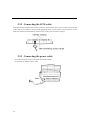
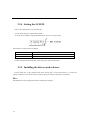
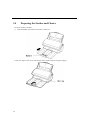
Connect the image scanner to the PC.
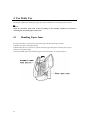
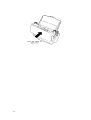
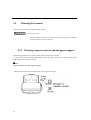
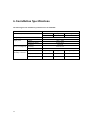
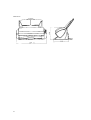
Install and connect the scanner as described below: For the dimensions of the scanner, refer to Appendix
A, "Installation Specifications."
2.1
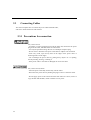
Prohibited Installation Locations
Note the following regarding installation location and environment.
- Fire, electric shock
Since the M3091DC scanner contains high voltage components, do not
disassemble or modify it.
When mounting or removing an optional device, turn off the main unit,
disconnect the power plug from the outlet, and then follow the instructions.
- Tipping over, falling
Do not put the scanner on an unstable surface. Put the scanner on a flat
surface not affected by Vibration so that it rests evenly on the surface and so
that the rubber feet rest securely on the floor or desk surface.
Do not put heavy objects on the scanner, and do not do work on the
scanner.
- Fire, electric shock
Do not put the scanner in direct sunlight or near a heater, or in a highhumidity or dusty location. Use the scanner in a location with good air
circulation and ventilation.
- Fire
Do not cover vents. Doing so will cause the scanner to overheat.
ÿ