1
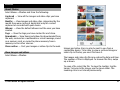
You can use profiles to set and customise the ringing tones,
message alert tones, and other tones for different events,
environments, or caller groups. The name of the selected
profile is displayed at the top of the home screen.
To change a profile, scroll to the profile, and select
Options > Activate.
To personalise a profile, scroll to the profile, and select
Options > Personalise. Select the setting you want to
change.
To set the profile to be active until a certain time within the
next 24 hours, scroll to the profile, select Options > Timed,
and set the time. When the time expires, the profile changes
back to the previously active non-timed profile. When the
is displayed in the home screen. The
profile is timed,
Offline profile cannot be timed.
To create a new profile, select Options > Create new.
© 2009 Nokia. All rights reserved.
21