1
User Manual
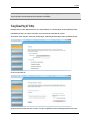
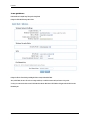
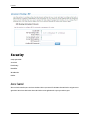
Manual Uplink Speed If Automatic Uplink Speed is disabled, this options allows you to set the uplink speed manually. Uplink speed is the speed at which
data can be transferred from the router to your ISP. This is determined by your ISP. ISPs often specify speed as a downlink/uplink pair; for example,
1.5Mbps/284kbps. For this example, you would enter "284".
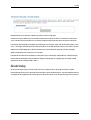
Connection Type By default, the router automatically determines whether the underlying connection is an xDSL/Frame-relay network or some other
connection type (such as cable modem or Ethernet), and it displays the result as Detected xDSL or Frame Relay Network. If you have an unusual network
connection in which you are actually connected via xDSL but for which you configure either "Static" or "DHCP" in the WAN settings, setting this option to
xDSL or Other Frame Relay Network ensures that the router will recognize that it needs to shape traffic slightly differently in order to give the best
performance. Choosing xDSL or Other Frame Relay Network causes the measured uplink speed to be reported slightly lower than before on such
connections, but gives much better results.
Detected xDSL or Frame Relay Network When Connection Type is set to Auto-detect, the automatically detected connection type is displayed here.
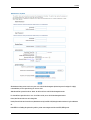
StreamEngine Setup
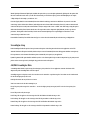
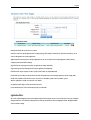
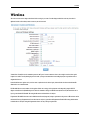
Enable StreamEngine Enable this option for better performance and experience with online games and other interactive applications, such as VoIP.
Automatic Classification This option is enabled by default so that your router will automatically determine which programs should have network priority.
For best performance, use the Automatic Classification option to automatically set the priority for your applications.
Dynamic Fragmentation This option should be enabled when you have a slow Internet uplink. It helps to reduce the impact that large low priority network
packets can have on more urgent ones by breaking the large packets into several smaller packets.
Add/Edit StreamEngine Rules
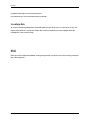
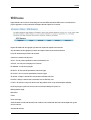
A StreamEngine Rule identifies a specific message flow and assigns a priority to that flow. For most applications, automatic classification will be
adequate, and specific StreamEngine Rules will not be required.
StreamEngine supports overlaps between rules, where more than one rule can match for a specific message flow. If more than one rule is found to match
the rule with the highest priority will be used.
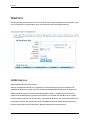
Enable Specifies whether the entry will be active or inactive.
Name Create a name for the rule that is meaningful to you.
Priority The priority of the message flow is entered here -- 0 receives the highest priority (most urgent) and 255 receives the lowest priority (least
urgent).
Protocol The protocol used by the messages.
Local IP Range The rule applies to a flow of messages whose LAN-side IP address falls within the range set here.
Local Port Range The rule applies to a flow of messages whose LAN-side port number is within the range set here.
Remote IP Range The rule applies to a flow of messages whose WAN-side IP address falls within the range set here.
Remote Port Range The rule applies to a flow of messages whose WAN-side port number is within the range set here.
Page 31 of 66