1
Effects
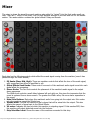
The effects rack is where you can place various insert effects to further shape the sound of each machine.
You can place up to 2 insert effects per machine, plus 2 inserts for the master mix. The signal direction is
top to bottom, meaning the machine's audio come into the topmost effect (if present) then gets sent into
the bottom-most insert effect (if present) and then into the mixer's input strip for that machine.
To place a new effect, touch inside an empty slot and effect selection popup will ask you which effect you
want to place. To remove an effect, touch the "X" in the lower right-hand corner of the effect.
There are currently 8 insert effects which can be placed:
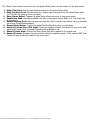
Distortion
Program: The algorithm used to distort the sound. Choices are Overdrive (tube
amp), Saturation (Soft-knee limiter), Fuzz (Hard-knee limiter), Foldback (folds the
signal onto itself)
Pre: Pre-amplification used to send signal past the chosen program's threshold.
Amount: The amount of distortion applied to signal above the threshold.
Post: Post-amplification used to compensate the distortion algorithm's output
volume.
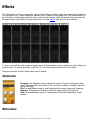
BitCrusher
http://www.singlecellsoftware.com/docs/caustic/v2_1_0/effects.htm[16/01/2013 8:33:40 AM]