1
C. Printing from other Programs
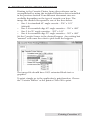
Printing to the Cassette Printer from other software can be
accomplished by using the included Windows driver installed
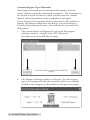
in the previous section. Four different document sizes are
available depending on the type of cassette you have. The
image file should correspond to one of the sizes below.
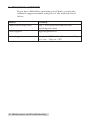
• Size 1 for standard 45° angle cassette - .236" x 1.01"
(default)
• Size 2 for rounded edge 45° angle cassettes - .236" x .880"
• Size 3 for 35° angle cassettes - .293" x 1.01"
• Size 4 for rounded edge 35° angle cassettes - .293" x .880"
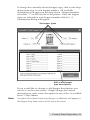
Set the Cassette Source to the desired hopper. Any setting but
"manual" will cause the robot to pick from the hoppers.
The image file should have 100% saturated black text or
graphics.
To print, simply go to the application's print function. Choose
the "Cassette Printer" as the printer. Click OK to print.
Printing Cassettes 17