1
3.4.
THE APPLICATION CHOOSER
11
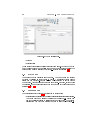
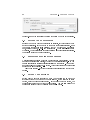
Figure 3.3: The preferences part.
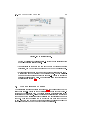
button. By clicking on the "Information..." button you can see information
about the currently selected plugin.
• User settings: In this part you can set the path of your "Documents
directory", the URL of your homepage and the URL of your search page.
• External programs: Here you can set the programs (internet browser, e-
mail program and chat program) you would like to use. You can ll in the
commands of the program or click the "Choose..." button to choose the
prefered application from a list. For more information about choosing an
application see section 3.4.
3.4
The application chooser
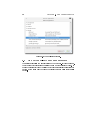
The application chooser is a dialog (see gure 3.4 that will appear when you
click the "Choose..." button in the key settings part or one of the "Choose..."
buttons in the preferences part. The dialog contains a categorized list of the
applications on your system. When you select an application from the list then
the command of the application will be visible in the "Application command"
text box. This text box allows you to modify the command that you want
to use. Click the "OK" button to choose the selected application or click the
"Cancel" button if you do not want to change the application.