1
Forgotten Username or Password
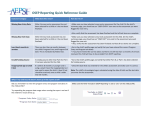
If you have forgotten your password,
click on the “Forgotten Password?” link
on the AEPSi home page
(www.aepsi.com). This will take you to
the Reset Password page, where you
will be prompted to enter your user
name and email address. After entering
these, click on the “Submit” button. You
will receive an email from the system
shortly thereafter with you password in
it.
If you have forgotten your username,
please contact your AEPSi
administrator. They will be able to
provide you with your username
information.
NOTE: Once you login successfully, you will then be able to perform a child search from any page in AEPSi. Enter
the first name, last name, or ID number of the child you wish to find in the open field under Child Search on the
left-hand side of the screen, and click the purple button to the right of the field. A list of children matching the
name or number you input will appear on a new page. You may then select the child that you were searching for
by clicking on the link that will bring you to the Child Summary page for that child.
3|Page