1
Adding a Child Profile
When adding a new child, fill in the following child information (necessary fields are indicated with a red
arrow).
The administrator(s) of your program may create additional custom fields on the profile page to be
completed.
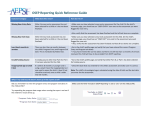
In order for a child to be included in OSEP Reporting, there are four required fields that must be completed:
Include in OSEP Reporting:
Select "yes" if the child will be
included in OSEP reporting. If the
child will not be included in OSEP
Reporting, select "no" for OSEP
Participant. You can then save the
child profile without entering the
funding source, program entry
date, and program exit date.
Funding Source: Select whether
the child is Early Childhood Sp Ed
- Part B (3-5) or Early
Intervention-Part C (Birth-3).
Program Entry Date
Program Exit Date (NOTE: Once
the program exit date for a child is
known, enter that information
here. If a valid date is not entered,
the child won't be included in the
OSEP Exit Report.)
To add a Caregiver Profile, see
Child/Caregiver Profiles in
Section 5.
7|Page